How to Uninstall Kodi Repositories the Right Way

Learn how to uninstall a Kodi repository safely, remove its saved source URL separately, and check which installed add-ons or dependencies you still need.
Urban Empire was a third-party Kodi video add-on focused on movies, comedy, music videos, and radio. Older instructions installed it through the Spinz TV repository, but that should not be treated as a working installation method today. The previously published repository address could not be reached during an October 27, 2026 review, and a current, trustworthy Urban Empire download could not be confirmed. Here is what the add-on offered, how Kodi installs third-party add-ons, and what to check before trying it.
Urban Empire appeared in Kodi guides from the late 2010s, usually with the Spinz TV repository. The historical source was https://repo.stvmc.net/. It is included here for identification, not as a recommended download: an unsuccessful check of that address is not proof that the software has permanently disappeared, but it does mean the old instructions cannot be verified as working.
Urban Empire is not a Team Kodi add-on. Do not download a ZIP from a look-alike domain, an unfamiliar file host, or a reposted bundle simply because the original source fails. Without a maintained repository that clearly identifies its publisher and package, there is no responsible way to guarantee a successful installation.
The following five-stage process describes Kodi’s add-on installation workflow, not a confirmed working Urban Empire installation. Menu wording may vary by device, skin, and Kodi version. Kodi 21.3 Omega is the documented stable release at the time of review; Kodi 22 Piers was in prerelease testing.
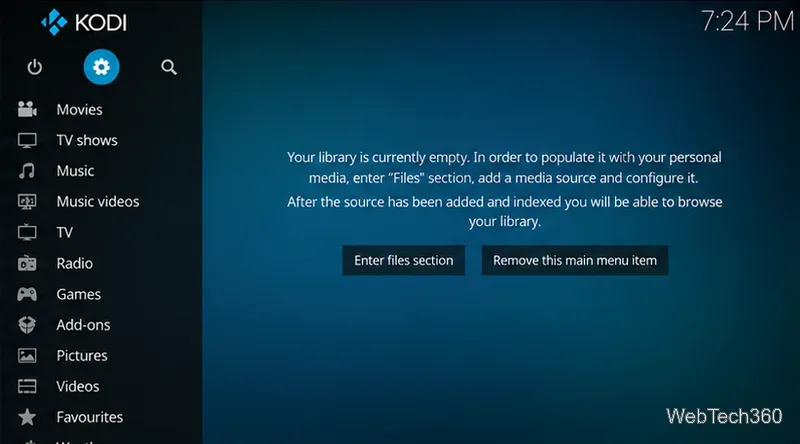
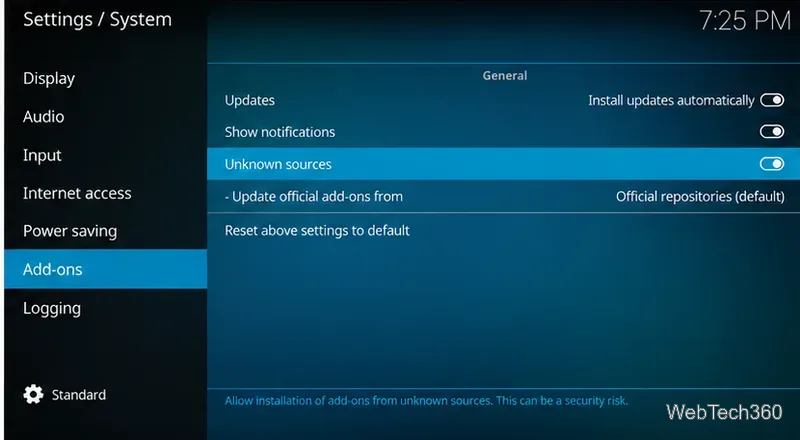
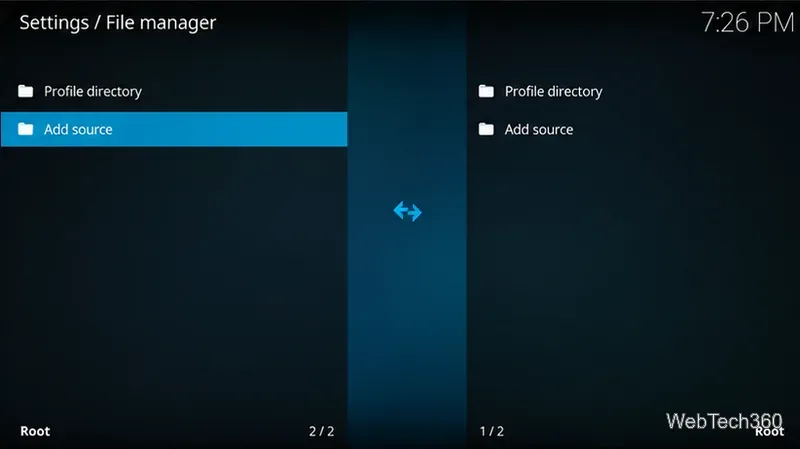
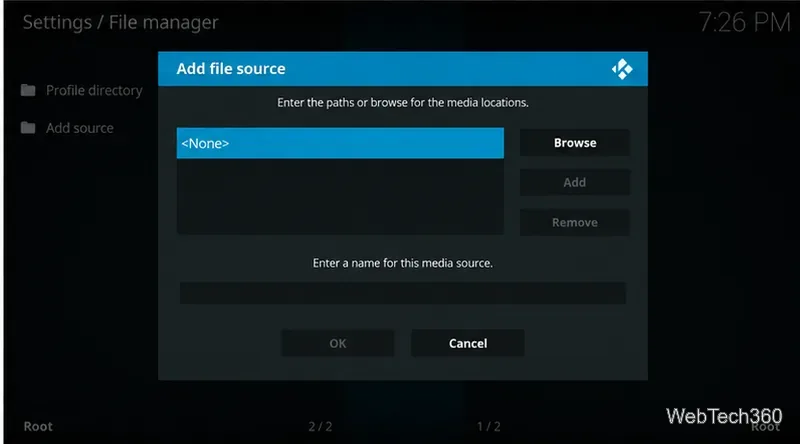
Kodi explains the extra warning and ZIP installation procedure in its official ZIP installation guidance. If any repository package is outdated or incompatible with your Kodi version, there may be no safe workaround.
When installed in the original version described by older coverage, Urban Empire was launched through Add-ons → Video add-ons → Urban Empire. Its main menu grouped content instead of offering a large, sortable catalog. The historical menu included the following sections; their current availability and links have not been verified:
Choose a category to inspect its entries, then open an item only when its provider has the rights to distribute it. Listings, stream quality, and playback availability depend on each external service; the existence of a menu item does not guarantee access or permission.
Kodi itself is legitimate open-source media software. The legality of an individual stream depends on the content and your rights to access it; unofficial add-ons are not automatically illegal, but Team Kodi does not audit their sources. Its explanation of Kodi and third-party add-ons is a better starting point than claims that a VPN makes unauthorized streaming legal or untraceable.
A reputable VPN may protect traffic on some networks, but it cannot verify a repository, eliminate malware risk, confer streaming rights, or provide perfect anonymity. For everyday use, consider the official Kodi add-on catalog or play media you own or are licensed to watch. For Urban Empire specifically, the prudent choice is to wait for a verifiable maintainer and compatible download rather than follow an unconfirmed legacy source.
Learn how to uninstall a Kodi repository safely, remove its saved source URL separately, and check which installed add-ons or dependencies you still need.
Find the safest way to watch live tennis with Kodi: learn what iPlayer WWW can stream, how to find licensed coverage, and which add-ons to avoid.
Learn how to watch movies on Kodi from your computer, USB drive, or NAS, add online video services, and fix missing titles with clear setup steps.
Set a Kodi Master Lock PIN, protect selected menus, and create a separate kids’ profile with media sources you choose.
Find the authorized stream for your country, check whether its provider supports Kodi, and watch a boxing PPV on your TV without relying on outdated add-ons.
Compare five Kodi skins in the official Omega catalog, then follow the current Settings path to install one, customize it, or switch back.
Looking for the 1Channel Kodi add-on? Learn why old PrimeWire installation guides are unreliable and how to install a supported video add-on safely.
Enable Kodi’s Chorus2 web interface, control your media from any browser, and learn how to connect remotely without exposing Kodi to the Internet.
Follow the original Nemesis Kodi installation process, learn what changed with Stream Army, and avoid outdated repository and PIN instructions.
Download Kodi safely on Windows using the official installer or Microsoft Store, then add your media library and set up trusted add-ons.








