10 Best Ping Sweep Tools for Finding Devices on Your Network
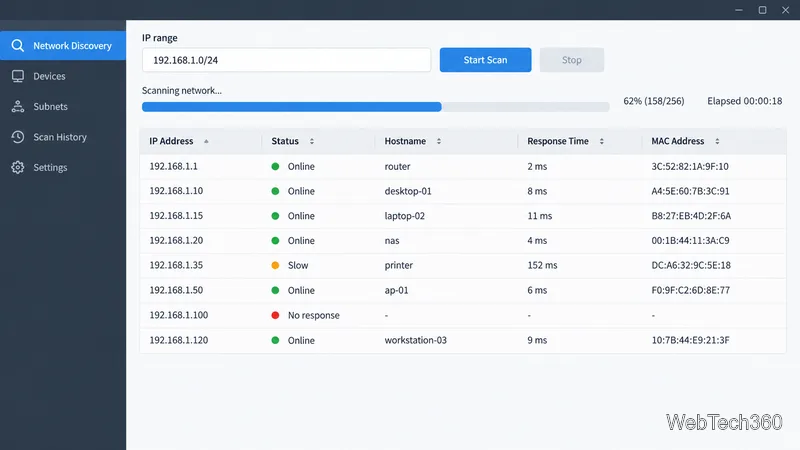
Compare 10 ping sweep tools for quick LAN discovery, cross-platform scanning, and IP address management. Learn what a sweep can—and can’t—tell you.
For a Windows channel scan, try Acrylic Wi-Fi Analyzer or NetSpot. On Android, WiFi Analyzer (open-source) by VREM is a solid free pick. iPhone apps have less access to nearby Wi-Fi scan data, so choose them for coverage surveys or troubleshooting the network your phone is using.
The best Wi-Fi analyzer depends on whether you want to compare channels, find a weak room, or diagnose a disconnect. A single app rarely does all three equally well.
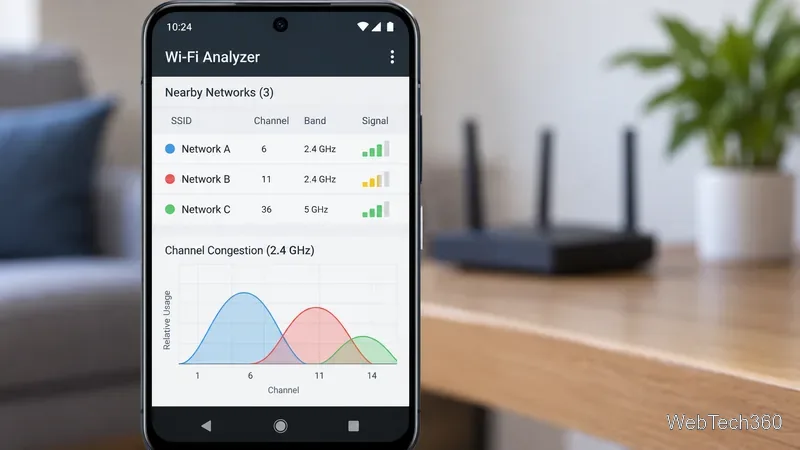
Most laptop and Android scanners list visible access points with details such as SSID, BSSID, band, channel, security, and received signal strength (RSSI). Signal is often shown in dBm; values closer to zero are stronger, though readings vary by device and location. A channel graph helps reveal overlap and congestion at a glance.
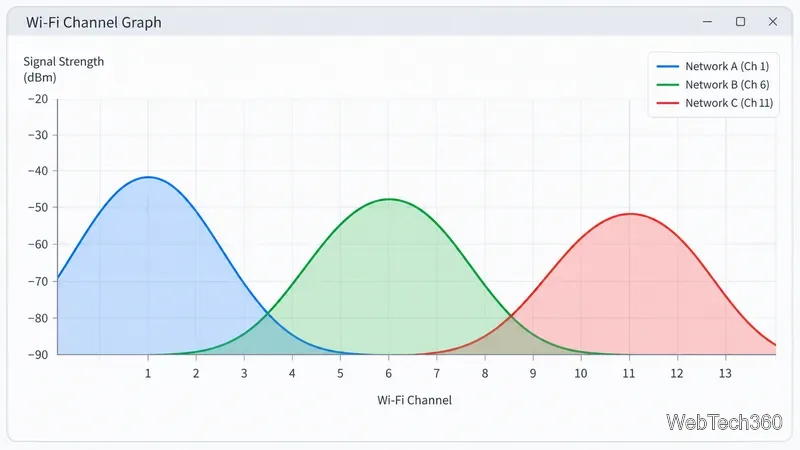
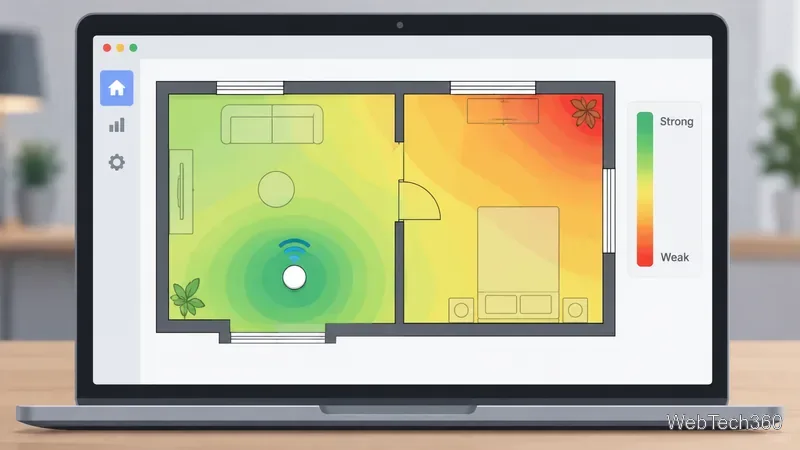
A basic Wi-Fi scan is not a packet sniffer or full spectrum analyzer. It will not show every client or identify all non-Wi-Fi interference; specialized radio hardware may be needed for that. A heat map is a survey: software combines readings taken at places on a floor plan, and some apps require a paid edition to save or export it.
NetSpot pairs a nearby-network scanner with survey workflows, making it a useful choice if you may later map coverage. Its free edition includes scanning, while some survey actions such as saving or exporting maps require a paid license; check the vendor's edition comparison.
Acrylic Wi-Fi Analyzer lists nearby networks and channel conditions in free and paid editions. Its compatibility page covers Windows and adapter support; monitor mode requires an Advanced license. It suits users who want more detail and have compatible hardware.
For a quick check without installing software, run netsh wlan show networks mode=bssid in Command Prompt. Microsoft says the output can include each visible access point's address, signal, channel, and radio type. For disconnect history, netsh wlan show wlanreport generates an HTML report. See Microsoft's troubleshooting guide and command reference.
Apple documents that iOS has no general-purpose API for Wi-Fi scanning and configuration. Treat iPhone analyzer apps as survey or network-diagnostic tools rather than assuming they can passively list nearby channels.
NetSpot for iOS is useful for comparing performance from room to room. Its survey mode uses measurements such as internet speed to build a heat map; its feature set is more limited than the desktop app.
Network Analyzer by Techet offers a LAN device scan, ping, traceroute, and DNS lookup. The developer's iOS feature note explains why the app cannot show nearby channel availability. Pick it for connectivity checks, not radio planning.
VREM's app scans surrounding networks, compares their signal, and helps identify crowded channels. It is open source; see the project page. Check the publisher name because other apps use similar titles.
NetSpot for Android combines network details with survey and heat-map workflows. Check the current manual for which mapping features are included or require an in-app purchase.
ManageEngine's Android app provides signal and channel views for spotting weak coverage or interference. Its feature page describes channel, interference, and signal graphs. Check the store for current device compatibility.
Android can throttle scan frequency, and permissions depend on the OS version and app. Check Google's Wi-Fi scan guide and permission guide. If results seem stale, confirm Wi-Fi and the app's requested permissions before treating the scan as current.
For home use, a Windows or Android channel scan plus a walk-through survey is often enough to find likely weak spots. If you specifically need a full nearby-channel scan, use a compatible computer or approved Wi-Fi hardware rather than expecting an iPhone app to bypass Apple's restrictions.
Compare 10 ping sweep tools for quick LAN discovery, cross-platform scanning, and IP address management. Learn what a sweep can—and can’t—tell you.
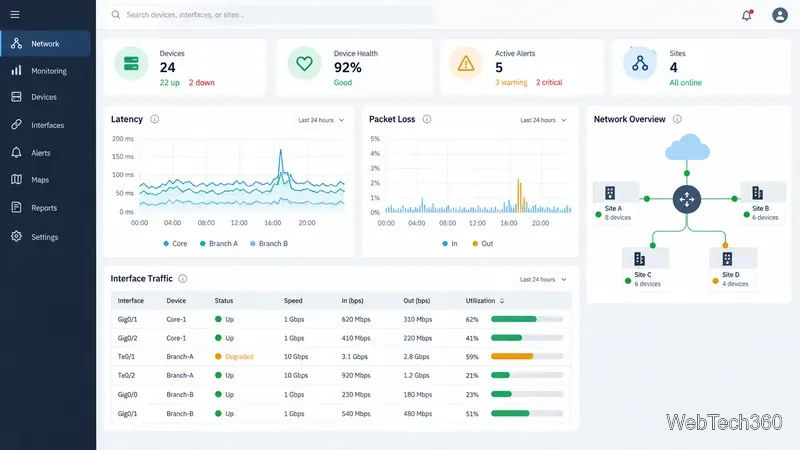
Compare six network management tools for performance monitoring, including SNMP coverage, mapping, alerts, deployment models, and cost tradeoffs.
Compare Wi-Fi analyzer picks for Windows, iPhone, and Android, including tools for channel congestion, signal coverage, heat maps, and network troubleshooting.
Compare seven free, open-source ping monitors, from full network suites to focused latency probes, and choose the right fit for availability, packet loss, and history.
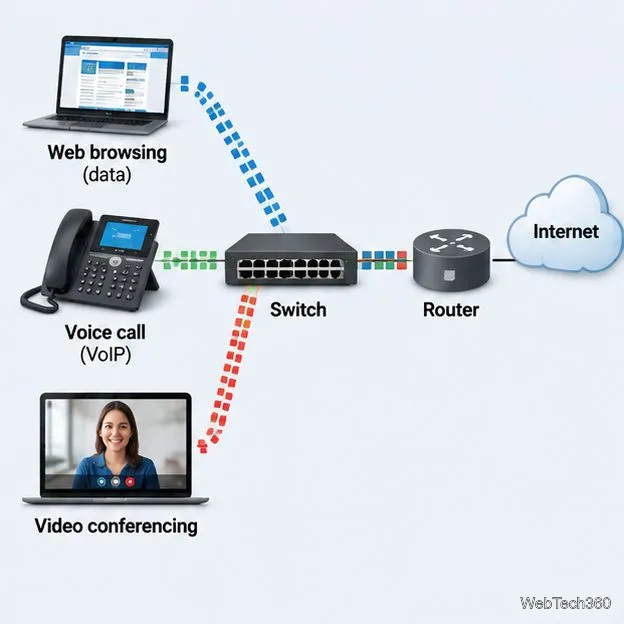
Learn what QoS means in networking, how DSCP markings and traffic queues prioritize voice, video, and business applications, and what QoS cannot fix.
Compare reliable SFTP server software for Windows and Linux, including OpenSSH, Bitvise, SolarWinds, and SFTPGo. Find the right fit for your security and file-transfer needs.
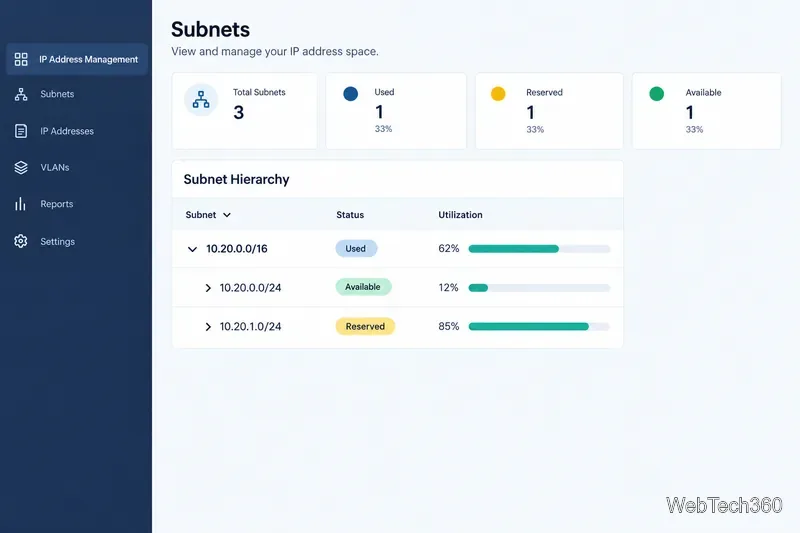
Compare seven IP address manager tools for subnet discovery, DNS and DHCP coordination, network inventory, and open-source IPAM.
Build practical network monitoring with clear device coverage, useful performance metrics, actionable alerts, and a comparison of SolarWinds NPM, PRTG, and OpManager.
Compare network scanner tools for quick device discovery, cross-platform IP scans, and enterprise IPAM, with guidance on matching each option to your network.
Use Nmap’s --traceroute option to map hops to an authorized host, understand hop and RTT output, and troubleshoot missing responses without over-scanning.