10 Best Ping Sweep Tools for Finding Devices on Your Network
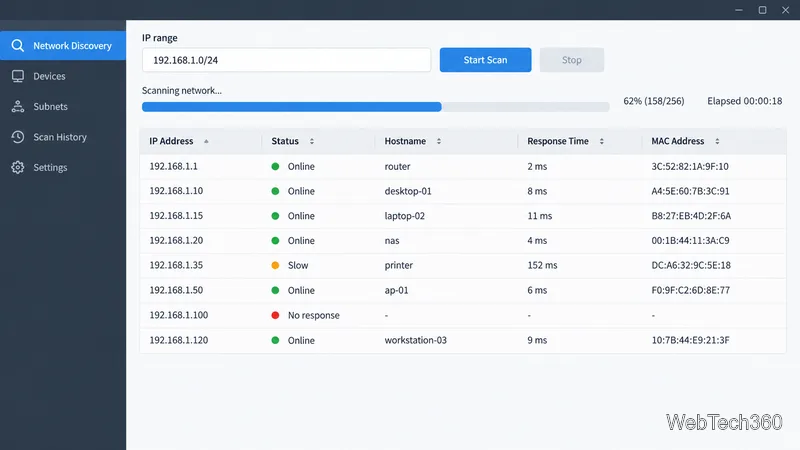
Compare 10 ping sweep tools for quick LAN discovery, cross-platform scanning, and IP address management. Learn what a sweep can—and can’t—tell you.
Quality of Service (QoS) is a set of networking techniques that helps important traffic receive more predictable treatment when a link or device becomes congested. It can prioritize voice calls, video meetings, and business-critical applications over less time-sensitive traffic such as bulk downloads. QoS does not create extra bandwidth or make every connection faster; it manages competition for limited network resources.
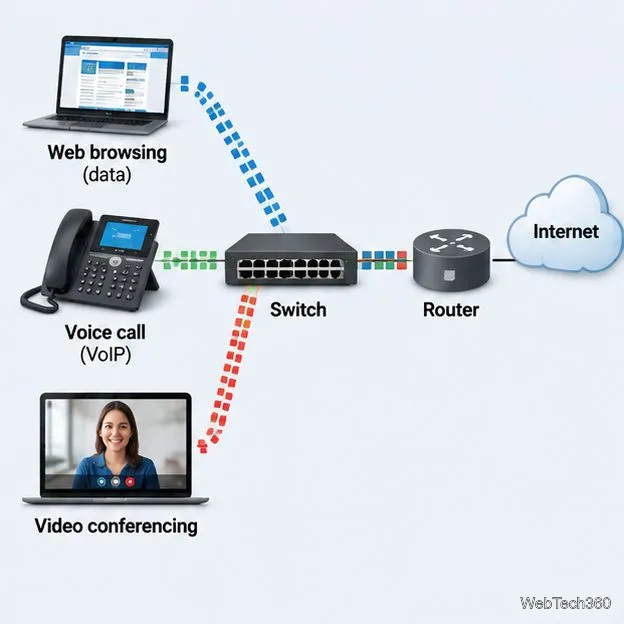
QoS stands for Quality of Service. In practical terms, it lets administrators define how network equipment should handle different categories of packets, especially when several traffic flows compete to leave the same interface. Without a policy, many networks use best-effort delivery: packets generally receive similar treatment, and congestion can delay or drop any of them.
Think of a busy highway. A traffic controller cannot add lanes, but can help an ambulance get through an intersection ahead of routine traffic. QoS works in a similar way: it can give latency-sensitive traffic preferential treatment while other traffic waits. That trade-off matters because prioritizing one class may increase delays for another.

QoS is most useful when traffic is competing for a constrained resource. If a link has ample capacity and queues rarely form, changing packet priorities may produce little noticeable improvement.
Implementations differ by vendor and device, but a common model has three core actions: identify traffic, assign it to a class, and decide how the class uses resources when demand exceeds capacity. Policies may also include policing, shaping, and congestion avoidance.
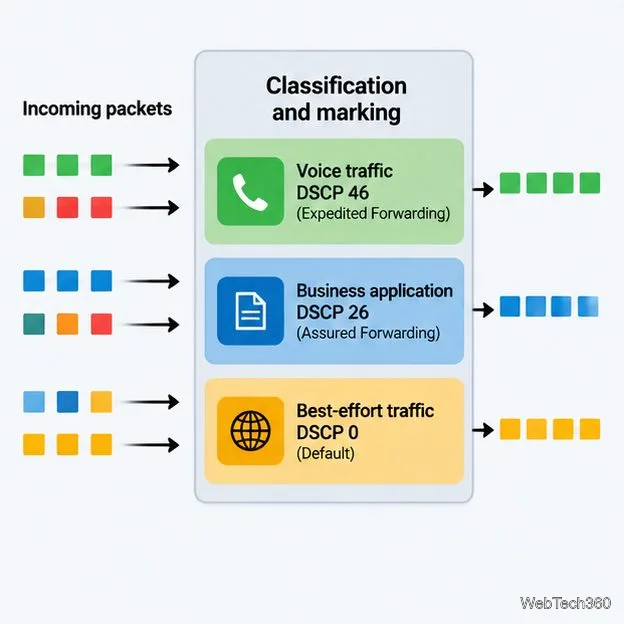
A switch or router identifies packets using policy rules. Depending on the equipment and design, rules may inspect IP addresses, protocols, ports, application information, or an existing traffic marking. For example, an organization might classify managed IP phones separately from guest web browsing.
A widely used approach is Differentiated Services (DiffServ). The IP header's Differentiated Services field contains a six-bit Differentiated Services Code Point (DSCP), allowing 64 possible codepoint values. Devices use the configured meaning of a value to select a per-hop forwarding behavior. DSCP values are not a universal end-to-end guarantee: equipment must be configured to interpret and handle them consistently.
For example, DSCP 46 is commonly associated with Expedited Forwarding for suitably engineered real-time traffic, while DSCP 0 is the default best-effort marking. Do not blindly trust markings arriving from untrusted devices; networks may reclassify or remark traffic at their boundaries.
When packets wait to leave an interface, the device's queuing and scheduling policy determines which queue is served and how much bandwidth each class can use. A real-time queue may receive low-delay treatment; business applications may receive a defined share; and best-effort traffic uses the remaining service. A well-designed policy also limits priority traffic so one class cannot starve everything else.
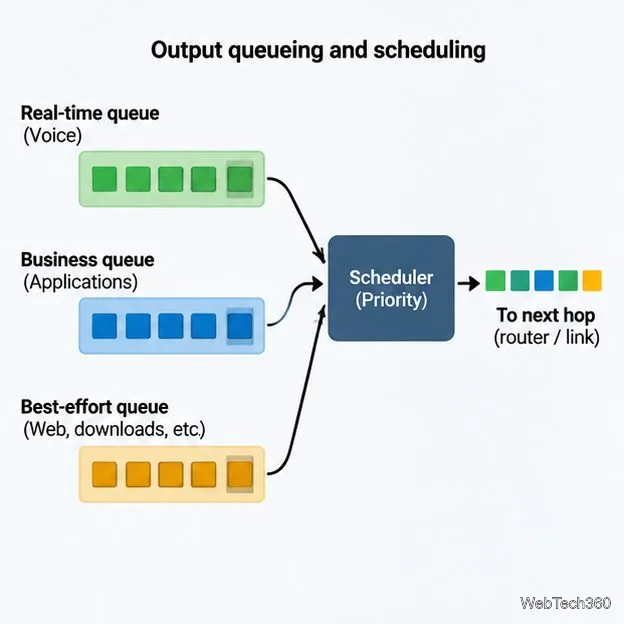
QoS behavior depends on the path and on the policies at each relevant bottleneck. A DSCP marking can travel with an IP packet, but each router or switch applies only the treatment it is configured to provide. A later device or service provider may ignore or rewrite the marking. For consistent results, coordinate classifications, trust boundaries, queue mappings, and bandwidth policies across the managed path, and verify what happens at network edges.
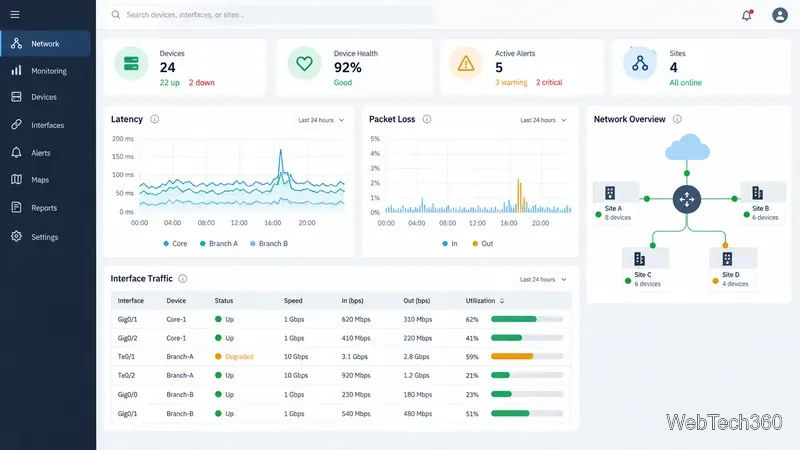
Network monitoring and flow analysis tools can help with diagnosis, although they do not replace correct QoS configuration. See the official SolarWinds Network Performance Monitor information for device and interface monitoring, and SolarWinds NetFlow Traffic Analyzer for flow-based visibility into traffic by application, protocol, and IP address group.
QoS cannot increase the physical capacity of a circuit, repair a damaged cable, eliminate radio interference, or control congestion outside the network where its policy is applied. It redistributes the impact of congestion: high-priority traffic may improve while lower-priority traffic waits longer or experiences more drops. If the link remains overloaded, sustained capacity planning, traffic reduction, or a bandwidth upgrade may still be necessary.
QoS should therefore be based on measured conditions and a clear service policy—not enabled as a blanket fix. Start by locating the bottleneck, prioritize traffic that genuinely needs predictable delivery, and monitor the results for every class.
Compare 10 ping sweep tools for quick LAN discovery, cross-platform scanning, and IP address management. Learn what a sweep can—and can’t—tell you.
Compare six network management tools for performance monitoring, including SNMP coverage, mapping, alerts, deployment models, and cost tradeoffs.
Compare Wi-Fi analyzer picks for Windows, iPhone, and Android, including tools for channel congestion, signal coverage, heat maps, and network troubleshooting.
Compare seven free, open-source ping monitors, from full network suites to focused latency probes, and choose the right fit for availability, packet loss, and history.
Learn what QoS means in networking, how DSCP markings and traffic queues prioritize voice, video, and business applications, and what QoS cannot fix.
Compare reliable SFTP server software for Windows and Linux, including OpenSSH, Bitvise, SolarWinds, and SFTPGo. Find the right fit for your security and file-transfer needs.
Compare seven IP address manager tools for subnet discovery, DNS and DHCP coordination, network inventory, and open-source IPAM.
Build practical network monitoring with clear device coverage, useful performance metrics, actionable alerts, and a comparison of SolarWinds NPM, PRTG, and OpManager.
Compare network scanner tools for quick device discovery, cross-platform IP scans, and enterprise IPAM, with guidance on matching each option to your network.
Use Nmap’s --traceroute option to map hops to an authorized host, understand hop and RTT output, and troubleshoot missing responses without over-scanning.