10 Best Ping Sweep Tools for Finding Devices on Your Network
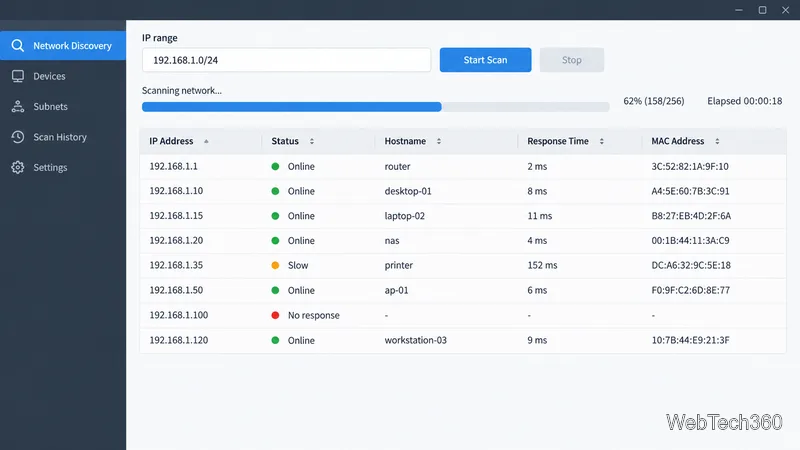
Compare 10 ping sweep tools for quick LAN discovery, cross-platform scanning, and IP address management. Learn what a sweep can—and can’t—tell you.
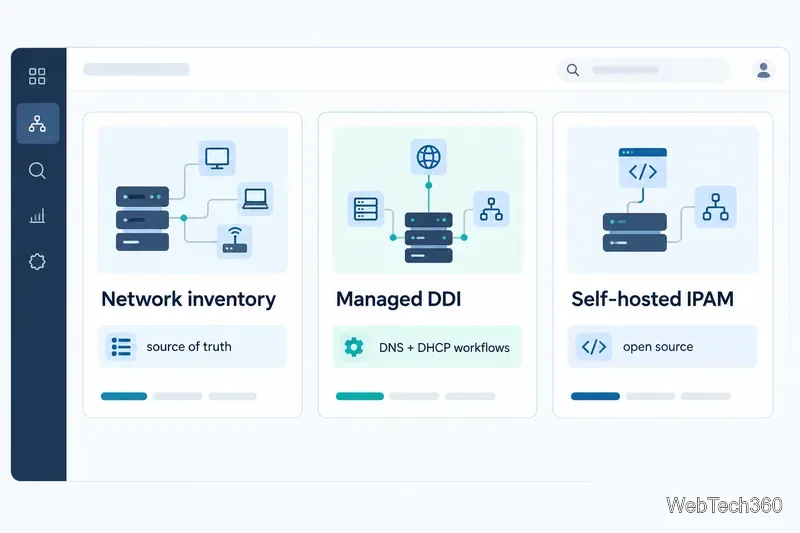
The best IP address manager depends on whether you need a live view of address use, a shared inventory of network plans, or centralized control of DNS and DHCP. For enterprise DDI, compare Infoblox Universal DDI, BlueCat Micetro, and EfficientIP SOLIDserver. For discovery and day-to-day monitoring, look at SolarWinds IPAM or ManageEngine OpUtils. NetBox and phpIPAM are strong open-source choices when your team can operate the platform.
This is a fit-based shortlist, not a performance ranking; verify supported integrations, deployment options, and licensing with each vendor.
IP address management (IPAM) gives a team a dependable record of address space: networks, subnets, assigned or reserved addresses, ownership, and capacity. It helps prevent duplicate allocations and plan new networks. For example, 10.20.4.0/24 is a defined address block; IPAM records its purpose and status.
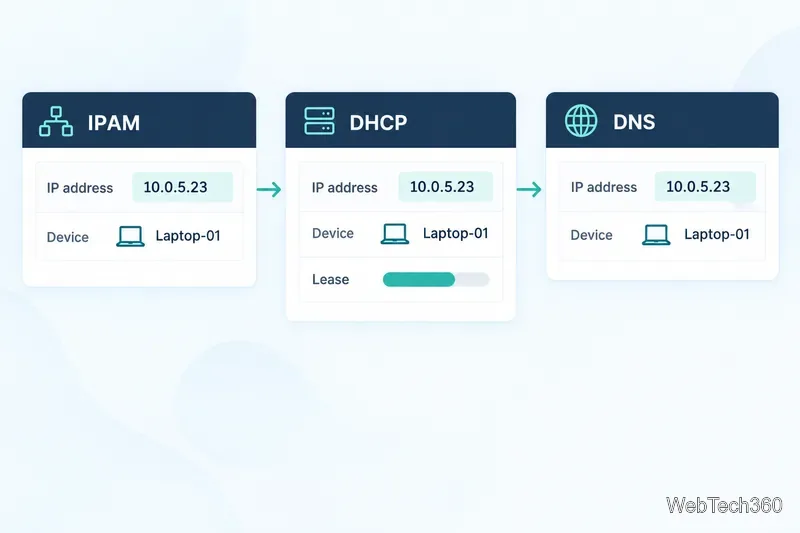
Some tools mainly inventory and scan address space. Others are part of DDI, the combination of DNS, DHCP, and IPAM. DHCP leases addresses to clients; DNS maps names to addresses. A DDI product may coordinate those services directly or provide one control layer over existing servers. That distinction matters: a static inventory can document a DHCP scope without actually configuring the DHCP server.
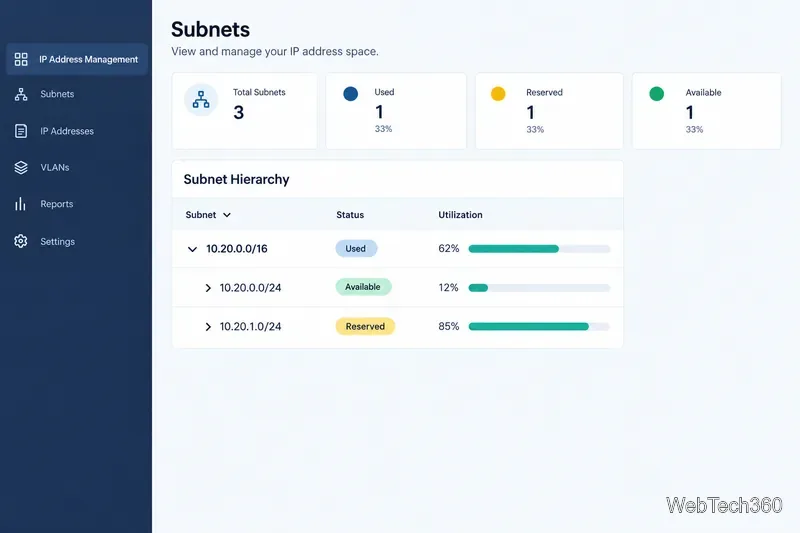
SolarWinds positions IPAM within its Observability Self-Hosted portfolio. The product page lists automated discovery across on-premises and cloud environments, conflict resolution, alerts, reports, and DHCP/DNS management. It suits teams that want IP tracking alongside broader infrastructure monitoring. SolarWinds lists a 30-day trial and provides quotes on request. See SolarWinds IP Address Manager.
OpUtils combines IPAM with tools such as switch-port mapping. It can scan subnets on demand or on a schedule, reserve addresses, track allocation history, report availability, and handle IP requests. ManageEngine also documents Microsoft DHCP scope monitoring. Consider it for address tracking and switch visibility in one tool. Review OpUtils IP Address Manager features.
Universal DDI provides a cloud-based control plane for DNS, DHCP, and IPAM across hybrid and multicloud environments. It suits organizations that need consistent DDI workflows across many locations and cloud services. It is subscription-based; list the services and sites you need before requesting a quote. See Infoblox Universal DDI Management.
Micetro centralizes DNS, DHCP, and IPAM across on-premises, cloud, and branch environments. BlueCat describes it as an API-driven overlay for existing infrastructure, making it a candidate when you want unified control without replacing DNS or DHCP services. Check compatibility with your servers and clouds. See BlueCat Micetro.
SOLIDserver is an integrated DNS-DHCP-IPAM platform offered as appliances. EfficientIP documents IPv4/IPv6 planning, VLAN/VXLAN management, multi-vendor DNS and DHCP, cloud visibility, and automation. Evaluate it when DDI coordination and policy-driven workflows are priorities. See the SOLIDserver DDI product page.
NetBox is an open-source network documentation platform with IPv4/IPv6 IPAM, prefixes, ranges, and VRFs, alongside devices and other infrastructure objects. It fits teams modeling intended network state and feeding automation through APIs and extensions. It is an inventory to maintain and integrate: documenting a range does not itself configure an external DHCP server or guarantee live discovery. See NetBox IPAM documentation.
phpIPAM is a free, open-source web app focused on IP management. Its features include IPv4/IPv6 subnets, free-space and status views, scanning, VLANs, VRFs, group permissions, a REST API, and PowerDNS integration. It suits teams seeking dedicated IPAM without commercial licensing, provided they can maintain the app, database, backups, and upgrades. Check the phpIPAM feature list.
Before migrating a spreadsheet, verify that the tool can represent your IPv4 and IPv6 plan, overlapping address spaces or VRFs, reservations, custom metadata, roles, audit history, imports, and backups. Confirm which integrations write changes and which only read or display data. Run a pilot on one subnet, compare the scan against DHCP leases and device records, and test how quickly a conflict or mistaken reservation can be corrected. These checks reveal whether a tool fits your network operations, not just its feature list.
Compare 10 ping sweep tools for quick LAN discovery, cross-platform scanning, and IP address management. Learn what a sweep can—and can’t—tell you.
Compare six network management tools for performance monitoring, including SNMP coverage, mapping, alerts, deployment models, and cost tradeoffs.
Compare Wi-Fi analyzer picks for Windows, iPhone, and Android, including tools for channel congestion, signal coverage, heat maps, and network troubleshooting.
Compare seven free, open-source ping monitors, from full network suites to focused latency probes, and choose the right fit for availability, packet loss, and history.
Learn what QoS means in networking, how DSCP markings and traffic queues prioritize voice, video, and business applications, and what QoS cannot fix.
Compare reliable SFTP server software for Windows and Linux, including OpenSSH, Bitvise, SolarWinds, and SFTPGo. Find the right fit for your security and file-transfer needs.
Compare seven IP address manager tools for subnet discovery, DNS and DHCP coordination, network inventory, and open-source IPAM.
Build practical network monitoring with clear device coverage, useful performance metrics, actionable alerts, and a comparison of SolarWinds NPM, PRTG, and OpManager.
Compare network scanner tools for quick device discovery, cross-platform IP scans, and enterprise IPAM, with guidance on matching each option to your network.
Use Nmap’s --traceroute option to map hops to an authorized host, understand hop and RTT output, and troubleshoot missing responses without over-scanning.