Home
» WEB
»
How to Delete a Blizzard (Battle.net) Account Permanently
How to Delete a Blizzard (Battle.net) Account Permanently
To delete a Blizzard account, submit a permanent data-removal request for your Battle.net account through Blizzard Support. The request removes the account and associated game data. Review the losses first: Blizzard says it cannot restore the account after deletion is complete. Start with its official Delete Battle.net Account support article.
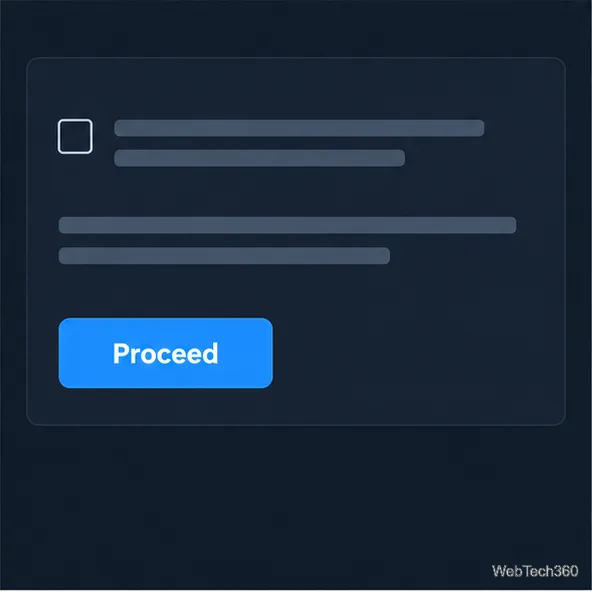
Illustrative interface concept. Blizzard’s support page provides the current account-deletion request link; its layout may differ.
What deleting your Battle.net account removes
Blizzard describes deletion as an erasure request that permanently removes personal information and the account’s associated content. The support article lists the following information and access that will be removed:
Account details: your name, contact details such as email or phone number, security details, and saved payment methods.
Purchases and entitlements: purchase history, purchased games, codes, promotions, and in-game items.
Game data: associated game accounts and their progress.
Support history and balance: communications with Blizzard Customer Support and any remaining Battle.net Balance.
Blizzard says the request applies to the Battle.net account making it and the games associated with that account. A game account that is not attached to that Battle.net account is not included unless it is linked before you submit the request. If you are trying to remove just one game account, stop and check the game-specific support instructions instead of submitting a full Battle.net deletion request.
Activision is a separate case. Deleting your Battle.net account removes access to Activision games associated with Battle.net, but Blizzard says it does not delete your linked Activision account or the data stored with Activision. If you also want to request deletion of Activision data, use Activision’s separate Privacy and Data Protection Portal.
Blizzard’s deletion article warns that account information, purchases, game progress, support messages, and remaining balance are included in the loss.
How to submit the deletion request
Open Blizzard’s account-deletion article. Read its warning, then use the request link to open the data-removal process. Blizzard says Customer Support cannot manually delete Battle.net accounts, so use this request flow.
Sign in to the correct account. Check the account name and linked games before continuing; a request for the wrong account can permanently remove a different library and its progress.
Review the scope. Read the list of affected data and content. If the form asks you to acknowledge the consequences or provide a reason, respond to its prompt. Do not submit if you are uncertain or only want a temporary break.
Verify ownership and submit. Follow the verification steps shown by Blizzard. If it requests proof that you own the account, provide it only through the official support page. Review your choices, submit the request, and keep any confirmation details.
Confirm only after reading the live warning and checking that the displayed Battle.net account is the one you want removed.
How long deletion takes
Blizzard says deletion requests may take up to 30 days to complete. Treat that as the stated maximum processing period, not as a guaranteed 30-day grace period. The support article also says that once deletion is complete, Blizzard cannot recover the information or restore the account to its previous state under any circumstances.
If you decide you no longer want the request while it is still pending, use Blizzard’s separate instructions for canceling a Battle.net account deletion request as soon as possible. Do not assume that the request will remain reversible for the full 30 days. Once the deletion has completed, cancellation is no longer an option.
The processing estimate is “up to 30 days”; Blizzard maintains a separate procedure for a pending request.
If the request page does not work
If the support page is temporarily unavailable, try again later and confirm that you are signed in to the intended account. Check your support history before submitting again. If Blizzard rejects the request or asks for more information, follow its response and complete any ownership check through the official flow. A gameplay ticket cannot replace this process: Blizzard says Customer Support cannot manually delete the account.
Frequently asked questions
Does deleting a Blizzard account delete my Activision account?
No. Blizzard says Battle.net deletion removes access to associated Activision games, but it does not delete the linked Activision account or its data. Use Activision’s separate privacy portal to request deletion of that data.
Can I get my games or progress back later?
No. Blizzard says it cannot restore the account after the process is complete. If you change your mind while the request is pending, use the cancellation instructions immediately.
Will an unlinked game account be deleted too?
Not automatically. The request covers the Battle.net account and associated games. Unlinked game accounts are excluded unless you link them before submitting.