Home
» WEB
»
What Does AMA Mean in Chat? How to Use “Ask Me Anything”
What Does AMA Mean in Chat? How to Use “Ask Me Anything”
In a chat, AMA usually means “ask me anything.” It is an invitation to ask the sender questions about a topic, experience, project, or themselves. The tone is usually casual, and “anything” signals openness—not a promise to answer every question.
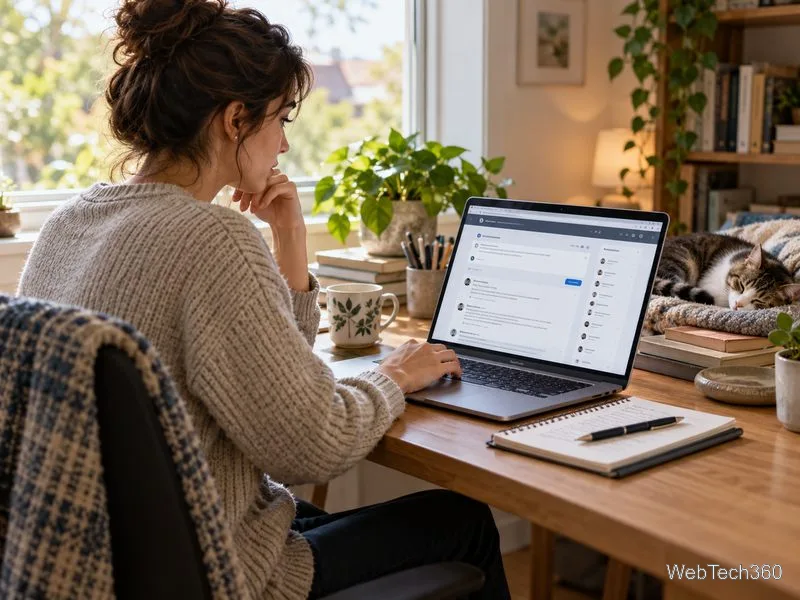
In an online discussion, “AMA” invites readers to send questions to the person hosting the conversation.
What “AMA” means in a chat
“AMA” is short for “Ask Me Anything.” In a text, group chat, livestream, or forum post, a person might add it after sharing something that others may be curious about: “I just moved to a houseboat—AMA.” In a direct message, someone might write, “Ask me anything about the new job.” Both versions offer the other person a chance to lead with questions.
The abbreviation can describe either a quick invitation or a more organized question-and-answer session. On Reddit, for example, an AMA is a post where the original poster introduces themselves and invites people to ask questions in the comments. Reddit says AMAs appear in some communities more often than others, and each community can set its own rules. Reddit’s AMA guide explains how those posts work.
How people use AMA in messages
People generally use AMA to make a conversation easier to start. It can invite questions after a personal update, give a group a chance to learn from someone’s experience, or signal that a host is ready to answer audience questions. The exact format depends on the conversation: a one-to-one chat may be informal and brief, while a public AMA can collect questions from many people over a set period.
A casual AMA can simply be a friendly way to keep a conversation going.
Examples you can use
“I’ve been working as a game designer for five years—AMA.” The sender is inviting questions about that work.
“We’re doing an AMA in the club chat at 7. Drop your questions here.” This announces a group Q&A; the time and location come from the message, not from the abbreviation.
“AMA about the trip if you want—I took the train across Canada.” This is a relaxed invitation to ask about a specific experience.
“I can answer questions about the report; ask me anything.” In a work conversation, spelling out the phrase makes the offer clear without relying on slang.
If someone sends you “AMA,” you can ask a specific question related to what they shared. For example, if they mention a career change, ask what prompted it or what surprised them. You do not need to ask something personal just because the message says “anything.”
Does “anything” mean the host must answer everything?
No. AMA is an invitation, not a rule that removes someone’s boundaries. A host can skip a question, say a subject is off limits, or answer only what they are comfortable sharing. The people asking questions should also follow the group’s rules and keep the discussion respectful.
Some hosts make that limit explicit with AMAA, meaning “Ask Me Almost Anything.” Reddit lists AMAA alongside AMA in its guide to common expressions. Whether someone uses AMA or AMAA, read any topic boundaries they provide and do not treat the phrase as permission to demand private details.
In a group AMA, one host may answer questions from several participants in a shared conversation.
When AMA fits—and when to spell it out
AMA fits naturally in casual texts, social posts, community forums, and informal group chats when people already understand the abbreviation. It is also common as a label for a public Q&A. It is not inherently rude or unprofessional, but it may feel unclear in a formal email, a first message to a client, or a conversation with someone unfamiliar with internet shorthand. In those cases, use “Ask me anything about the schedule” or “Send me your questions” instead.
Write it as AMA when using the familiar abbreviation. Uppercase is the standard style, but capitalization is not what gives the message its meaning; context does. If a reader may not know it, write out the words the first time. That small clarification helps avoid a confusing exchange.
Could AMA mean something else?
In an online conversation about questions and answers, “Ask Me Anything” is the likely meaning. Acronyms can have different meanings in other fields or conversations, though. If “AMA” appears in a medical, organizational, or technical message and the surrounding words do not suggest a Q&A, do not assume the sender is inviting questions—ask what they mean.
Quick takeaway: In chat, AMA usually means “Ask Me Anything.” Use it to invite questions in an informal setting, make the topic clear when needed, and remember that the host can still set limits.