Home
» WEB
»
What Does ATM Mean in Text? Meaning, Examples, and When to Use It
What Does ATM Mean in Text? Meaning, Examples, and When to Use It
In a text or social media post, atm usually means “at the moment”—right now or currently. If someone asks, “Are you free atm?” they want to know whether you are available now. The same letters also stand for an automated teller machine, so use the sentence around them to tell which meaning fits. Dictionary.com lists both meanings, including the digital-communication use.
In a casual message, “atm” places an activity or answer in the present.
What does atm mean in a text?
At the moment refers to what is happening or true when the message is sent. It can describe an activity, a temporary situation, or someone’s availability. In many sentences, you can replace atm with “right now” without changing the basic meaning.
“I’m working atm.” The sender is working right now.
“I’m not sure atm.” The sender has not decided yet.
“Can’t talk atm—can I call you after lunch?” The sender is unavailable now and gives a clearer time to reconnect.
Because it points to the present, atm does not necessarily describe a person’s usual routine or a lasting decision. “I’m busy atm” means busy at this time; it does not automatically mean “I’m always busy” or “I don’t want to talk.” If that distinction matters, ask or explain more directly.
How to tell which meaning someone intends
Look at the words around atm. In a message about a current feeling, task, or plan, it usually means “at the moment.” In a sentence about cash, a bank, or a card, ATM usually refers to an automated teller machine. Capital letters can be a clue, but they are not a guarantee: phones may capitalize a message automatically, and people use different styles online.
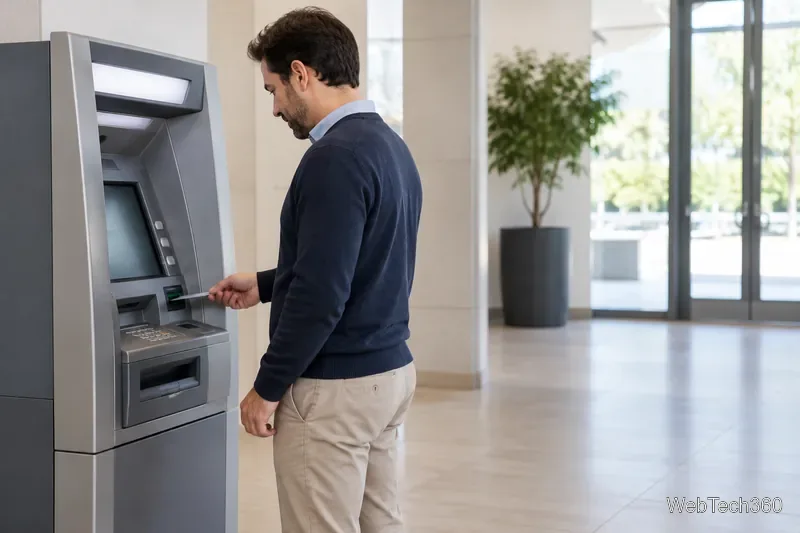
In a sentence about cash, cards, or a bank, ATM usually means an automated teller machine.
Compare these examples:
“The ATM by the grocery store is out of service.” This is about a cash machine.
“I can’t pick a restaurant atm.” This means the person cannot choose right now.
If a message is only “ATM,” there may not be enough information to know what the sender means. Check the conversation or ask a quick follow-up instead of guessing. In a personal chat, someone could also invent a private abbreviation, such as “at the movies,” but that is not the standard general-texting meaning. Write the full phrase when you need it to be understood.
When is it appropriate to use atm?
Atm is informal shorthand. It works well in quick conversations with friends, family, or people who already use texting abbreviations. It can also fit a short social status when the intended audience will understand it. Keep the rest of the message clear, especially if the other person needs to make a plan.
For work, customer service, school, or an important request, write “at the moment,” “currently,” or a specific time instead. Shorthand can look abrupt in a formal note, and the phrase alone may leave the recipient unsure when you will be available. For example, “I’m tied up atm” gives less useful information than “I’m in a meeting until 2 p.m.; I’ll reply afterward.”
When timing or availability matters, spell out the message and give a clear window for a reply.
A quick check before sending
Will the reader know the abbreviation? Use it with people who are comfortable with casual shorthand.
Could “ATM” be read as a cash machine? Add “right now” or spell out “at the moment” if the sentence is ambiguous.
Does the other person need a time or next step? Give a specific time, such as “I’ll be free after 4,” instead of leaving them to interpret “atm.”
Common questions about atm
Does atm always mean “at the moment” in a text?
No. It is the common meaning when someone is describing what is happening now, but context can point to an automated teller machine or a less common, conversation-specific meaning. If the sentence does not make the meaning clear, ask.
Is atm rude or dismissive?
Not by itself. A very short answer such as “busy atm” can feel abrupt depending on the relationship and situation. Add a polite phrase or a time to follow up—“I can’t talk right now, but I’ll message you tonight”—when you want to sound considerate.
Should I write “atm” or “ATM”?
Lowercase atm is a useful cue for “at the moment,” while uppercase ATM commonly signals the banking machine. Online capitalization varies, so wording and context matter more than case alone.
In short, read atm as “at the moment” when the conversation is about something happening now. Use it casually when the meaning is obvious; spell it out when clarity, tone, or timing matters.