What Does HYD Mean in a Text? How to Use It and Reply

HYD usually means “How you doing?” in a casual text or online chat. It is a short way to greet someone and ask how they are, often as a conversation opener. If a friend sends “HYD?”, they are probably checking in or inviting you to talk; the letters alone do not reveal how detailed an answer they expect.

HYD is informal shorthand, so its tone depends on who sent it and what came before. A specialist texting glossary lists HYD as “How you doing?”, while Dictionary.com describes the full phrase as an informal greeting. Treat the abbreviation as a friendly prompt in ordinary conversation, while using the surrounding messages to judge the sender’s intent.

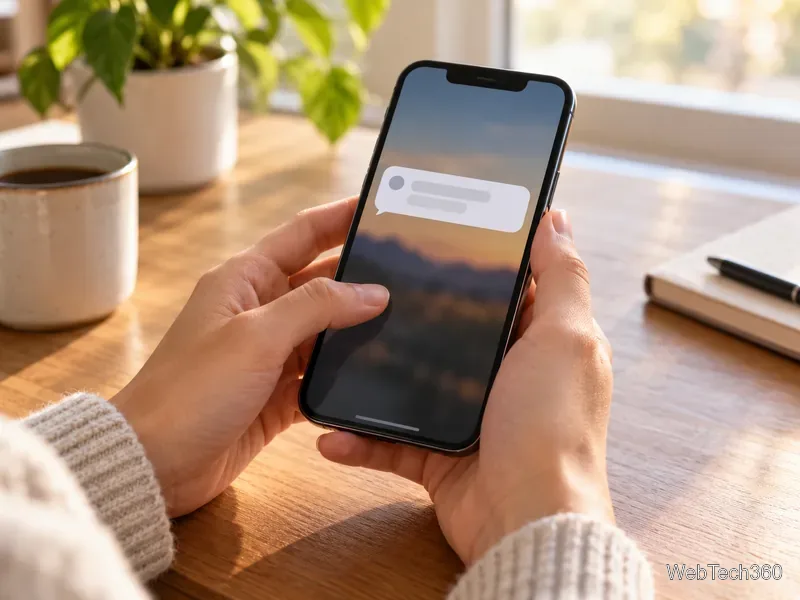
A person types a casual message on a smartphone at a cafe table, with generic chat bubbles on screen
A short HYD message can open a casual text conversation.

What does HYD mean in a text?

HYD is made from the first letters of “How You Doing?” It is often typed in lowercase as “hyd,” in uppercase as “HYD,” or with a question mark. Capitalization does not usually change the meaning. The phrase itself is a relaxed version of “How are you doing?” and may function more like “Hey, how’s it going?” than a request for a formal status report.

That does not mean every HYD message is meaningless small talk. Someone may be checking on a friend after an illness, a stressful event, or a difficult conversation. The same three letters can be a quick greeting or a genuine opening to discuss how things are going. A short message does not tell you which one it is; relationship and context do.

When is it natural to use HYD?

Use HYD when the conversation is already casual and the other person is likely to recognize texting shorthand. It can fit when you want to:

  • Start a relaxed conversation with a friend or someone you know well.
  • Check in after they mentioned being sick, busy, or under stress.
  • Reconnect after some time without messaging, especially if you have an established rapport.

For example, “Hey, hyd?” is a quick check-in. “You said work was rough this week—HYD today?” makes the reason for asking clearer and may feel more thoughtful. If you do not know someone well, the bare abbreviation can come across as abrupt; a complete sentence gives them more context.

Two friends sit at a kitchen table as one listens supportively to the other
A check-in can invite a fuller update when someone has been having a hard week.

How should you reply to “HYD?”

There is no required format. Answer as briefly or fully as you want, then ask a question back if you would like to keep chatting. You can also set a boundary if you are busy or do not want to discuss something.

  • Short and upbeat: “Doing good, thanks! You?”
  • Honest but brief: “A little tired today, but I’m okay. How about you?”
  • Not ready to talk: “It’s been a lot. Can I tell you about it later?”
  • Busy: “In the middle of something right now, but I’ll text you later.”

You may see HBU (“How about you?”) at the end of a reply. It returns the question to the other person. “HRU” is another shorthand for “How are you?”; WSG means “What’s good?” and is another casual opener. These expressions overlap, but they are not interchangeable in every sentence: HBU most naturally follows an update, while HYD usually starts the check-in. Dictionary.com explains WSG as “What’s good?”.

A hand holds a smartphone with a generic chat bubble beside a coffee cup and notebook
A short reply can start a conversation without requiring a long update.

Does HYD mean someone is flirting?

Not by itself. HYD is a general greeting and does not prove that the sender is flirting, upset, or looking for a long conversation. Consider the relationship, the rest of the message, and the pattern of communication. A follow-up such as “missed talking to you” may add a personal or flirtatious tone; a lone “HYD?” does not establish one.

If the message comes from someone you do not recognize, you do not have to answer. You can ask who it is, ignore it, or respond only if the conversation feels welcome. Short forms can be ambiguous, and it is reasonable to ask what the sender means.

When should you write the full phrase instead?

Choose “How are you doing?” or another clear greeting in a work email, a formal introduction, or a message to someone who may not know the abbreviation. Audience and purpose shape whether informal wording fits. The University of Technology Sydney explains that informal language is used in personal texts, while the University of Wisconsin–Madison Writing Center advises avoiding textspeak in professional email. When in doubt, spelling out the question is clear and friendly.

Quick takeaway: In everyday texting, HYD usually asks “How you doing?” Use it with people who are comfortable with casual shorthand, and reply in whatever level of detail feels right.


Leave a Comment

Social Commerce in 2026: Short-Video Shopping and the Year-End Outlook

Social Commerce in 2026: Short-Video Shopping and the Year-End Outlook

A practical 2026 guide to shoppable short videos, creator affiliates, and livestream shopping, with dated U.S. forecasts, platform examples, and a buyer checklist for disclosures and returns.

Top 10 Proxy Browsers for Safer, More Private Browsing

Top 10 Proxy Browsers for Safer, More Private Browsing

Compare 10 proxy browsers and browser tools, from Tor and Opera to Firefox and CroxyProxy, with practical privacy limits and setup advice.

How to Mass Delete Facebook Posts Using Activity Log

How to Mass Delete Facebook Posts Using Activity Log

Learn how to bulk delete Facebook posts on your phone, filter old updates, use Trash or Archive, and restore posts within 30 days.

How to Fix ERR_TUNNEL_CONNECTION_FAILED in Chrome: 8 Steps

How to Fix ERR_TUNNEL_CONNECTION_FAILED in Chrome: 8 Steps

Fix Chrome’s ERR_TUNNEL_CONNECTION_FAILED error by checking proxy and VPN settings first, then troubleshooting extensions, DNS, and security software.

Integrated Inbox for Firefox: Access Google Apps Inside Gmail

Integrated Inbox for Firefox: Access Google Apps Inside Gmail

See how Integrated Inbox brought Google apps into Gmail in Firefox, what still works on paper, and how Gmail’s built-in side panel compares.

WebFonter: Preview FontShop Fonts on Any Website—What Works Now

WebFonter: Preview FontShop Fonts on Any Website—What Works Now

Learn how WebFonter once let you try FontShop fonts on live websites, why the original tool is outdated, and how to preview typefaces today.

How to Undo an Embarrassing Facebook Post: The Five-Second Trick and What Works Now

How to Undo an Embarrassing Facebook Post: The Five-Second Trick and What Works Now

The old Facebook Undo extension offered a five-second delay. Learn what still works to edit, remove, archive, or restore an embarrassing Facebook post.

Toggle Firefox Privacy Settings From the Toolbar Without About:Config

Toggle Firefox Privacy Settings From the Toolbar Without About:Config

Use the Privacy Settings Firefox extension to change supported privacy preferences from a toolbar popup, plus learn when built-in controls work better.

How to Combine Multiple Links Into One Short Link With Shrink2One

How to Combine Multiple Links Into One Short Link With Shrink2One

See how Shrink2One originally grouped several URLs into a single short link, its optional password feature, and what to do if the service is unavailable.

How to Check If Someone Else Is Accessing Your Gmail Account

How to Check If Someone Else Is Accessing Your Gmail Account

Suspect unauthorized Gmail access? Check recent account activity, IP addresses, signed-in devices, and security events—and learn how to secure your account.