Home
» WEB
»
What Does TFTI Mean? The Two Meanings You’ll See in Texts
What Does TFTI Mean? The Two Meanings You’ll See in Texts
TFTI usually means “thanks for the invite” in a text or social post. It can be a genuine thank-you after someone invites you, but it is also commonly used sarcastically when a person finds out about plans after they happened. A second meaning is “thanks for the information,” usually after someone shares a useful update. The message before TFTI is the best clue.
Dictionary.com’s entry for TFTI lists “thanks for the invite” as the usual texting and social-media meaning and notes that it can also stand for “thanks for the info.”
The two common meanings of TFTI
“Thanks for the invite”
When the conversation is about a dinner, party, trip, wedding, or other gathering, TFTI usually expands to thanks for the invite. Someone who receives a real invitation may use it sincerely: “TFTI! I’d love to come.” In a different situation, the same letters can be a pointed joke. If a person sees photos of friends at a concert they were not told about, “TFTI” may mean, “I noticed I wasn’t invited.”
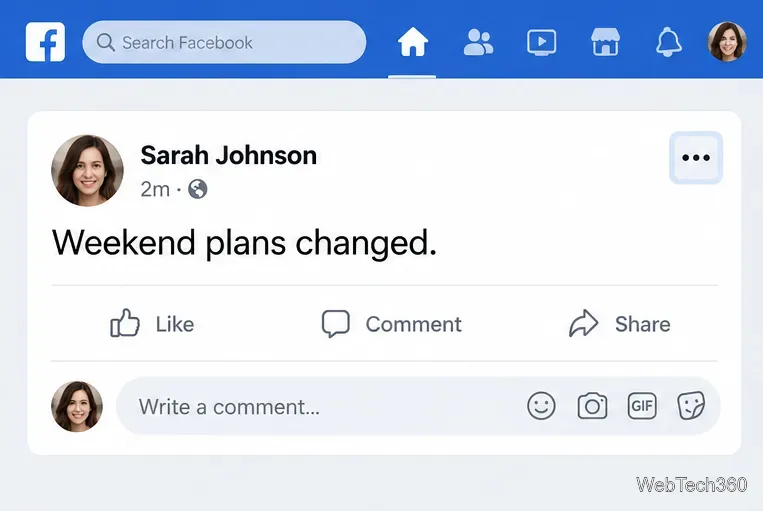
A message about plans can make “thanks for the invite” sincere or sarcastic, depending on what happened.
That sarcastic use may be playful between close friends, but it can also sound hurt or passive-aggressive. The abbreviation alone cannot tell you whether the sender is joking, genuinely upset, or simply acknowledging an invitation. Look at the relationship and the surrounding exchange.
“Thanks for the information”
TFTI can also mean thanks for the information, sometimes phrased as “thanks for the info.” This reading fits when someone has shared a warning, correction, schedule change, useful fact, or other update. It is less obvious than the invitation meaning, so use it only when the prior message makes the subject clear.
When the previous message contains an update or warning, TFTI may mean “thanks for the information.”
For example, if a friend texts, “The bridge is closed, so take the next exit,” you could answer, “TFTI—I’ll change my route.” The reply acknowledges the update. If there is no clear piece of information in the conversation, the recipient may instead assume you mean an invitation.
How to tell which meaning someone intends
Start with the subject of the message, then consider the timing and tone. These clues help, but they are not rules:
What came before TFTI
Likely meaning
Possible tone
A party, outing, invitation, or photos from an event
Thanks for the invite
Sincere or sarcastic
A warning, correction, news, or change of plans
Thanks for the information
Usually sincere, but context matters
Timing can be revealing. A reply sent after someone shares an invitation is more likely to be literal. A message sent after the sender sees that an event already happened is more likely to be a sarcastic “thanks for inviting me”—especially if it includes “though,” “I guess,” or an eye-roll emoji. Still, emojis and punctuation are hints, not proof. A brief “TFTI” after a factual update can be neutral; the same reply after an excluded person discovers a gathering can carry a complaint.
Because a short reply lacks spoken tone, read TFTI alongside the conversation around it.
Examples of TFTI in a text
Sincere invitation: “We’re having dinner Saturday—want to join?” “TFTI! I can be there around 7.” Here the invitation is explicit, so the thank-you is easy to read literally.
Information: “The meeting moved to 2 p.m.” “TFTI—I’ll update my calendar.” The subject is a schedule change, so TFTI means “thanks for the information.”
Sarcastic invitation: After seeing friends’ concert photos, someone texts, “TFTI 😅.” They may be teasing the group or saying they felt left out. If you are unsure, check instead of assuming.
How to respond to TFTI
Answer the meaning that best fits the conversation. If you sent an invitation and the person replies warmly, you can say, “You’re welcome—I hope you can make it.” If their message sounds hurt, acknowledge that directly: “I’m sorry we didn’t include you. I should have reached out.” A defensive reply can turn a small misunderstanding into an argument.
If you shared a useful update, a simple “You’re welcome” or a follow-up detail is enough. When the context is genuinely unclear, ask a short question such as, “Do you mean thanks for the invite or for the update?” That is clearer than trying to decode three letters from punctuation alone.
Does capitalization change the meaning?
No. TFTI and tfti are the same abbreviation; capitalization is a style choice. It does not reliably show whether someone is being sincere. In a work message, formal invitation, or sensitive conversation, spell out “Thanks for the invitation” or “Thanks for the information.” The complete phrase removes the ambiguity and makes your tone easier to understand.