iMessage Is Signed Out on iPhone: How to Fix It

Fix the iMessage Is Signed Out error on iPhone by checking Apple Account sign-in, activation, connectivity, and settings—without erasing your messages.
If messages stop getting replies, it’s natural to wonder whether someone blocked your number. On an iPhone, though, there is no alert or status that confirms a block. Apple says a blocked contact is not notified, messages are not delivered, and the caller may still leave voicemail without the recipient receiving a notification. The same signs can also come from a dead battery, weak service, changed settings, or a person who simply isn’t ready to respond.
Use the clues below to understand what may be happening, not as a test of someone’s privacy. One symptom—especially a green bubble or a call that reaches voicemail—cannot prove that you have been blocked.
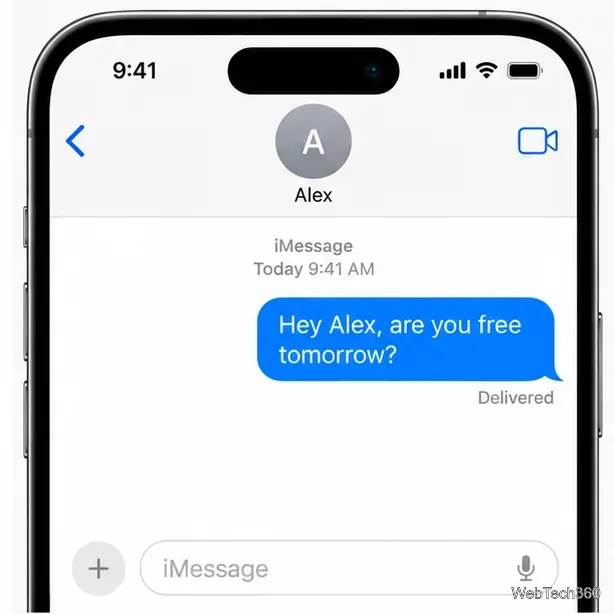
Blue bubbles indicate iMessage. If a recent message remains without a delivery status, it may not have reached the recipient’s Apple devices. A block is one possible explanation, but so are a phone that is offline, an internet outage, iMessage being unavailable, or a message sent to an address the person no longer uses. Give it time before drawing a conclusion.
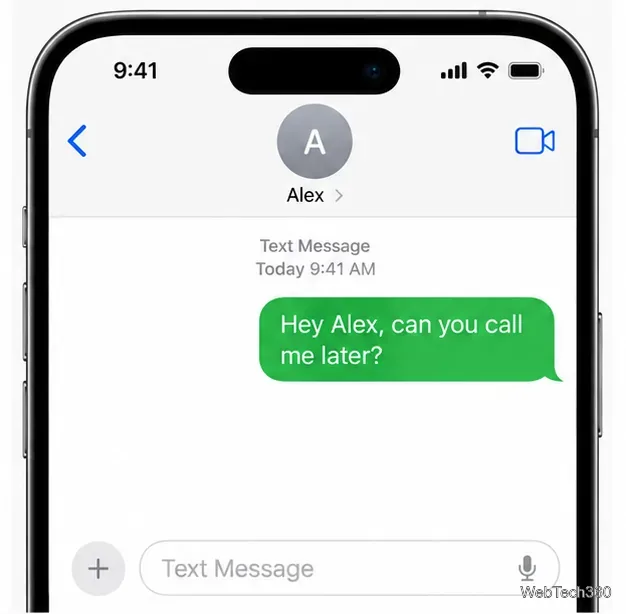
A green bubble means the message went through RCS or SMS/MMS instead of iMessage. It does not mean you were blocked. The recipient may have switched off iMessage, be using a non-Apple phone, or be temporarily unreachable through iMessage. RCS can also appear green on iPhone, and its delivery features depend on carrier support and settings. Apple explains the current differences in its iMessage, RCS, and SMS/MMS guide.
Read receipts work with iMessage, and the recipient can turn them off for everyone or for a specific conversation. If you see “Delivered” but not “Read,” you cannot tell whether the person has opened the message. If there is no “Delivered” label, the message may not have arrived. Neither situation confirms a block.
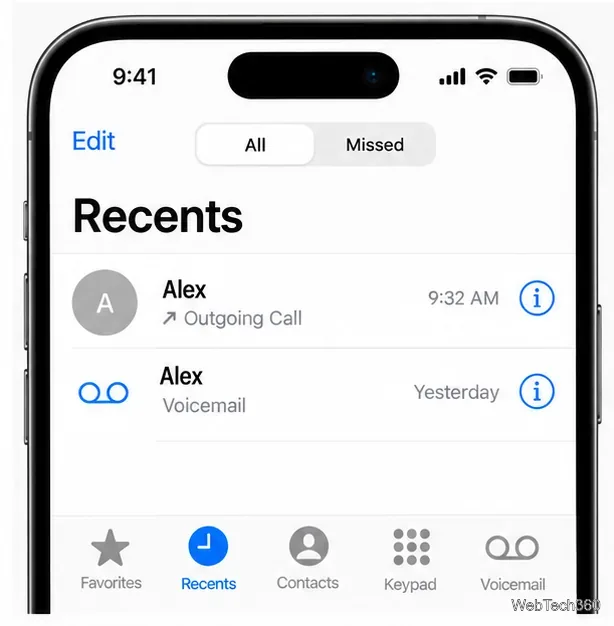
A call that quickly reaches voicemail can fit a block, particularly if it happens repeatedly. It can also happen when a phone is off, out of coverage, set to forward calls, or using Focus or call-screening settings. Apple’s guidance for calls that go straight to voicemail lists settings and call filtering as things to check. If someone has blocked you, Apple says you may still leave voicemail, but they won’t receive a notification about it. Avoid leaving repeated messages to see what happens.
A FaceTime call that fails or never gets answered may look like another clue, but connection problems, disabled FaceTime, a changed Apple Account address, or an unavailable device can produce the same result. Apple lets people block contacts from FaceTime as well as Phone and Messages, but the failed call itself does not tell you why it did not connect.
SMS and MMS rely on carrier service, while iMessage and RCS use data connections. Delivery indicators vary by message type, carrier, device, and settings. A green message without a receipt is therefore not a dependable block detector. If messages fail to multiple people, troubleshoot your own connection or contact your carrier rather than assuming one person blocked you.
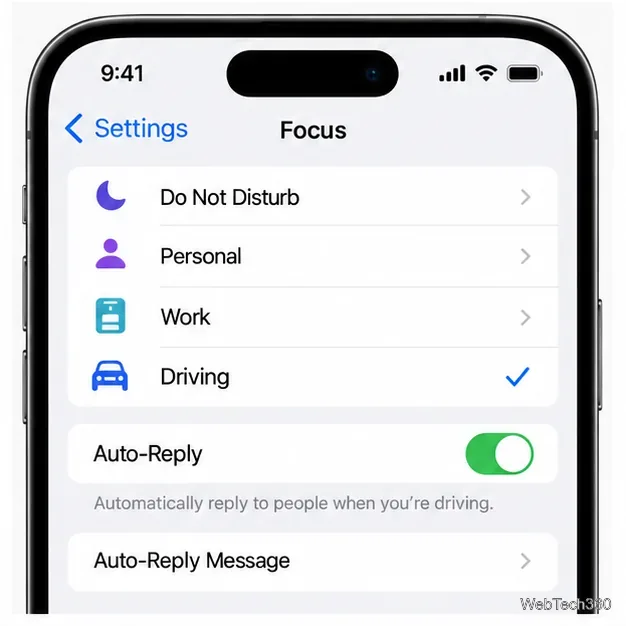
A message such as “notifications silenced” or an automatic Driving Focus reply points to a notification setting, not a block confirmation. Focus can silence or limit alerts, and Driving Focus can send an auto-reply to selected contacts. The person may see your message later. Apple describes these options in its Driving Focus guide.
Several unanswered messages, repeated voicemail, and failed FaceTime calls over a longer period may make a block seem more likely than one isolated glitch. Still, there is no reliable way for you to distinguish a block from a person choosing not to respond, a persistent service issue, or changed contact details. Silence across another app does not reveal whether your number is blocked there, either.
Wait instead of calling again and again. Do not hide your caller ID, borrow someone else’s phone, or use a new account to get around a possible block; those steps cross a boundary and still cannot establish the reason. If contact is appropriate and there has been no request for space, one brief, respectful message through a channel you already use is enough. Otherwise, leave the choice to respond with the other person.
If you are diagnosing a technical problem on your own iPhone, check your Wi-Fi or cellular connection and confirm the contact details. Apple’s message troubleshooting guide explains what to check when iMessage, RCS, SMS, or MMS will not send. The clearest answer is that iPhone offers no dependable “you’ve been blocked” signal; these clues can suggest possibilities, but they cannot confirm one.
Fix the iMessage Is Signed Out error on iPhone by checking Apple Account sign-in, activation, connectivity, and settings—without erasing your messages.
Turn off your iPhone VPN in the app or Settings, confirm it disconnected, and stop automatic reconnections without deleting your account.
Learn how to encrypt your iPhone with a strong passcode, protect iCloud and computer backups, and secure your data if your phone is lost or stolen.
Learn how to clear Safari and Chrome cache on iPhone, manage app storage safely, and understand when clearing cached data actually helps.
Learn how to fight Gym Battles in Pokémon GO, pick effective attackers, use Charged Attacks and dodges, and claim a Gym after defeating its defenders.
Explore classic Cydia tweaks for jailbroken iPads, from SwipeSelection to Quasar, with compatibility warnings and modern alternatives.
Stop Apple Music signup prompts in the Music app. Learn where to find Show Apple Music on iOS and what turning it off does—and does not—change.
Set up a Shortcuts automation to text Mom when your iPhone battery gets low. Follow four steps, plus delivery checks and privacy tips.
Save posts on X in a few taps. Learn where to find the Bookmark button on iPhone, Android, and desktop, plus how to view, remove, and organize saved tweets.
Turn on AR mode in Pokémon GO during a wild encounter, find AR settings, and fix camera or device compatibility issues.








