Home
» IOS
»
Apple Intelligence on iPhone 18: The 5 Best AI Features You Must Try
Apple Intelligence on iPhone 18: The 5 Best AI Features You Must Try
Apple Intelligence on the iPhone 18 generation is less about one spectacular AI trick and more about choosing the right tool for the job. Some features save time every day; others are more useful only when you travel, write frequently, edit photos, or create visual content.
There is also an important naming and availability detail. As of September 14, 2026, Apple has officially announced the iPhone 18 Pro and iPhone 18 Pro Max. Apple says both models run iOS 27 and support the next generation of Apple Intelligence, while Siri AI is rolling out in English and remains subject to regional and language limitations. You can verify the current hardware announcement on Apple Newsroom and current software availability on the official iOS 27 page.
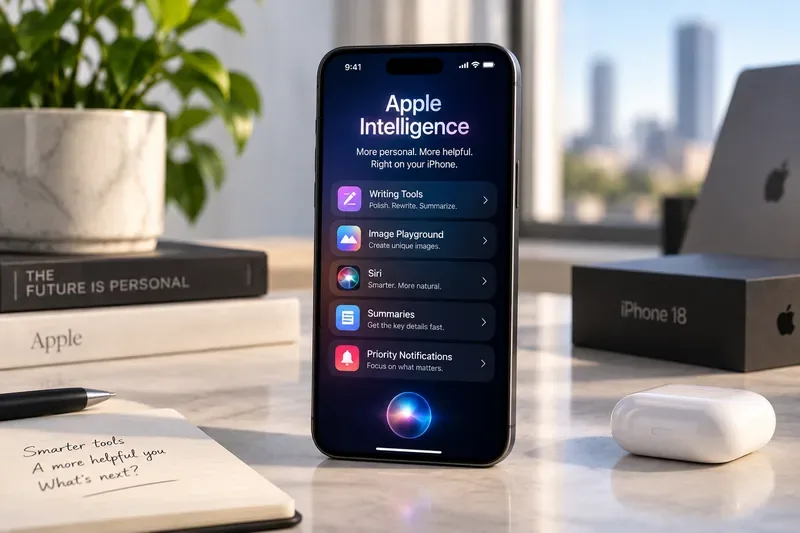
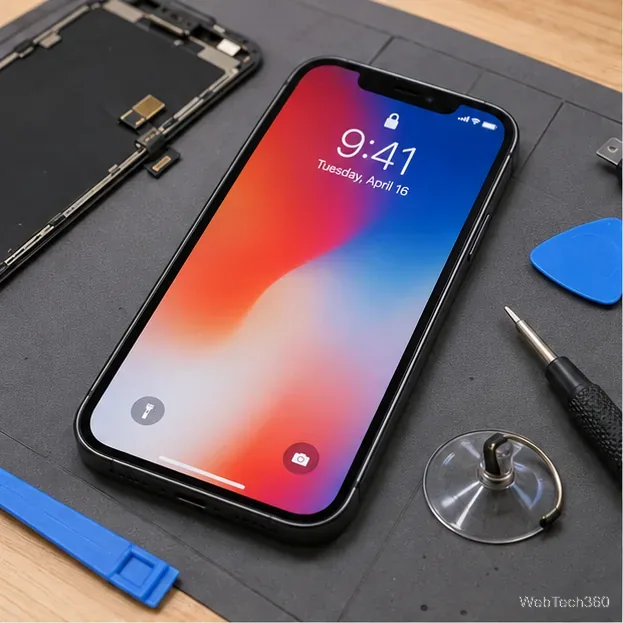
A conceptual workspace view of an iPhone with labels for several Apple Intelligence tools discussed below. The exact interface can vary by iOS version, language, and region.
Which Apple Intelligence feature should you try first?
If Siri AI is available in your language and region, it is the best starting point because it can combine personal context, onscreen awareness, web knowledge, and actions across apps. If Siri AI is not yet available to you, the most immediately useful alternatives are Photos editing and Writing Tools because they solve common tasks without requiring you to reorganize your workflow.
Feature
Best for
Main advantage
Main tradeoff
Siri AI
People who want one assistant across apps
Can use personal context, onscreen content, and broader knowledge
Rollout, beta status, language, and region can limit availability
AI editing in Photos
Travel, family, and social photography
Can improve framing or remove distractions after capture
Generated or reconstructed detail should be inspected closely
Writing Tools
Email, notes, documents, and messaging
Proofreads, rewrites, summarizes, and changes tone
May alter nuance or introduce wording you would not choose yourself
Live Translation
Travelers and multilingual communication
Integrated into communication rather than requiring a separate workflow
Supported languages differ by app and communication mode
Image Playground
Fast visual ideation and casual creative work
Creates images from prompts, including a photorealistic style in the new generation
Image generation can have daily limits and is not a replacement for precise design tools
1. Siri AI: best if you want AI to work across your iPhone
Siri AI is the most consequential Apple Intelligence feature because it changes the assistant from a voice-command layer into a system that can work with more of the context already on your device. Apple says Siri AI can search across messages, email, photos, and other personal information; understand what is on your screen; answer questions with current information from the web; and perform more actions across apps.
For example, instead of manually searching Mail for a hotel confirmation, then opening Messages to find a restaurant recommendation, you can ask Siri to retrieve the relevant information. Apple also describes cross-app actions such as drafting an email, editing photos, and sharing them. The dedicated Siri app can preserve conversation history across supported Apple devices through iCloud.
The biggest advantage is context consolidation: fewer app switches and fewer manual searches. That makes Siri AI especially attractive to users who already rely heavily on Mail, Messages, Photos, Calendar, and other Apple apps.
The tradeoff is availability. Apple says Siri AI is rolling out in English with iOS 27, and its availability can differ by country or region. It also remains a generative system, so a fluent answer should not automatically be treated as a verified fact. Apple’s own documentation warns that generative outputs can vary, which is a good reason to verify reservation details, financial information, medical information, deadlines, and other high-consequence facts before acting on them.
Try it if: your daily frustration is finding information across apps or turning information on your screen into an action. Skip it for now if: the language or regional support you need is unavailable, or your main priority is a narrowly defined task such as photo cleanup.
For Apple’s description of personal context, onscreen awareness, visual intelligence, writing integration, and cross-app actions, see the official Siri AI announcement.
2. Photos: best if you care about fixing composition after the shot
The most practical Apple Intelligence upgrades for photographers are not necessarily flashy filters. Apple’s new Photos tools focus on problems that are difficult to fix after you press the shutter.
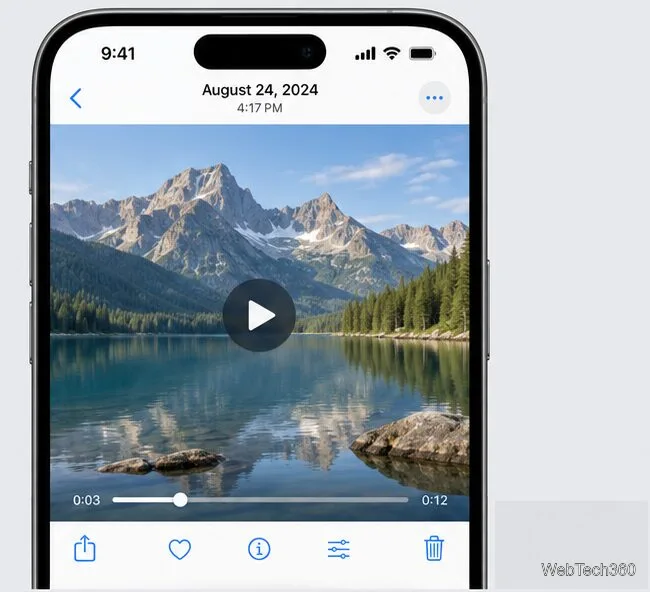
Spatial Reframing can improve composition after capture. Apple says it only generates new content when the virtual camera angle changes, helping the reframed result remain consistent with the original scene. Extend can expand the edges of an image so you can straighten a tilted horizon or change the aspect ratio without cropping away as much of the original scene. The upgraded Clean Up tool can remove larger distractions and reconstruct the missing area.
This combination is most useful when you have a strong photo with one structural problem: the subject is too close to the edge, the horizon needs straightening, or an unwanted object distracts from the scene. It gives you a second chance without forcing you into a full desktop editing workflow.
The tradeoff is that any tool that creates missing pixels is making an inference. For casual photos, that can be a reasonable trade. For documentary, legal, journalistic, product, or scientific imagery, generated content may change the evidentiary meaning of the image. In those cases, keep the original and avoid presenting an edited result as an untouched record.
Try it if: you often wish you had framed a photo slightly differently. Use conventional cropping instead if: preserving only captured pixels matters more than recovering space around the subject.
Apple describes Spatial Reframing, Extend, the upgraded Clean Up tool, and the new Apple Intelligence architecture in its Apple Intelligence feature announcement.
3. Writing Tools: best for everyday productivity, but keep your own voice
Writing Tools are less dramatic than a new assistant, but they can be more useful if you spend much of your day writing. Apple supports proofreading, rewriting, summarizing, extracting key points, and reorganizing material into lists or tables in many places where you can enter or select text.
Apple’s current support documentation also allows tone changes such as Friendly, Professional, or Concise, plus a “Describe your change” option. Siri AI expands that idea by allowing users to generate drafts and refine them with natural instructions.
The practical advantage is speed. You can turn rough notes into a cleaner email, condense a long message, or review grammar without moving text into another app. This is particularly useful on a phone, where lengthy editing is slower than it is with a physical keyboard.
The tradeoff is authorship. A rewrite can become technically cleaner while losing the tone, specificity, or restraint you intended. This matters in performance reviews, sensitive customer messages, legal language, academic writing, and any situation where a small wording change can alter meaning.
Try it if: you already know what you want to say but want help tightening or organizing it. Do not delegate the final judgment if: tone, factual precision, or personal style is important.
Apple’s Writing Tools support guide explains proofreading, rewriting, tone options, summaries, lists, and tables, while also warning users to check important generated information for accuracy.
4. Live Translation: best when communication matters more than perfect phrasing
Live Translation is one of the strongest reasons to use Apple Intelligence during travel or in multilingual families and teams. Apple integrates translation into Messages, Phone, and FaceTime rather than forcing every conversation through a separate translation app. Compatible AirPods can also support Live Translation when paired with an Apple Intelligence-enabled iPhone.
The core benefit is reduced friction. If you are exchanging practical information—meeting times, directions, travel arrangements, or everyday conversation—the ability to translate within the communication flow can be more valuable than having the most sophisticated standalone translation interface.
The important tradeoff is language coverage. Apple’s support documentation lists a broader set of languages for Live Translation in Messages than for Phone, FaceTime, and AirPods. That means “Live Translation is supported in my language” does not necessarily mean every translation mode is supported in that language.
Translation quality is also context-sensitive. Idioms, humor, technical terminology, legal language, and culturally specific expressions deserve extra care. For consequential communication, treat the translated output as an aid and confirm important details directly with the other person.
Try it if: your goal is keeping a conversation moving across supported languages. Choose a specialist translator or human review instead if: exact wording carries legal, medical, contractual, or reputational consequences.
5. Image Playground: best for fast ideas, not pixel-perfect production
Image Playground is the most creative choice in this list. Apple says the next generation can create high-quality images in a photorealistic style, expanding the tool beyond the more stylized image-generation experience users may already know.
That makes it useful for visual brainstorming: a rough mood image for a presentation, a concept for a party invitation, an idea for a social post, or a visual reference before you create the final asset in a more specialized application.
The tradeoff is control. Prompt-based generation is fast precisely because the model makes many visual decisions for you. If you need a reproducible brand layout, exact typography, faithful product geometry, precise UI screenshots, or a legally reviewed advertising asset, a conventional design workflow remains easier to control.
There is also a usage consideration. Apple states that some Apple Intelligence features, including image generation, have daily usage limits because they rely on powerful server models. Apple says increased access is available with most iCloud+ plans. That makes Image Playground a better fit for occasional ideation than for assuming unlimited high-volume production.
Try it if: you want to explore an idea quickly and can tolerate variation. Use a dedicated design or photography workflow if: consistency, exact dimensions, typography, or product fidelity are non-negotiable.
What should different users prioritize?
For business and productivity
Start with Writing Tools, then Siri AI. Writing Tools offer a low-friction improvement to email, notes, and documents, while Siri AI becomes more valuable when you want information pulled together across apps. The main discipline is review: do not send important generated text without checking tone and facts.
For photographers and social creators
Start with Photos editing. Spatial Reframing and Extend can rescue composition in ways a normal crop cannot. Add Image Playground when you need concepts rather than edits to an existing photograph.
For travelers and multilingual families
Start with Live Translation, but check the language support for the specific mode you plan to use. Messages may support a language that Phone, FaceTime, or AirPods translation does not.
For users who want the biggest change in how the phone feels
Try Siri AI first, assuming it is available where you live and in the language you use. Its value is not one answer in isolation; it is the ability to connect context, the current screen, personal information, and app actions with fewer manual steps.
What are the limits of Apple Intelligence on iPhone 18?
Three limits matter more than benchmark-style AI claims.
Availability is uneven. Apple Intelligence supports many languages, but individual features may still differ by language and region. Siri AI has its own rollout conditions.
Generative output is not guaranteed to be correct. Apple explicitly advises users to check important information. Summaries, rewrites, visual edits, translations, and generated images should all be reviewed in proportion to the consequences of an error.
Some processing can involve cloud resources. Apple says Apple Intelligence combines on-device models with Private Cloud Compute. According to Apple, data sent to Private Cloud Compute is not stored or made accessible to Apple, and the system is designed so independent experts can verify its privacy properties. Users who need a fully offline workflow should still verify the behavior of the specific feature they plan to use.
Apple also says some image-generation features can have daily usage limits. Those practical constraints matter more than assuming every Apple Intelligence feature behaves the same way.
Bottom line: the “best” feature depends on what you actually do
On the iPhone 18 Pro lineup, Apple Intelligence is strongest when it removes a specific piece of friction rather than when it is treated as a general-purpose novelty. Siri AI is the broadest option for cross-app work. Photos tools offer the clearest benefit for image correction. Writing Tools are the safest everyday productivity bet. Live Translation is highly valuable for the right language pair. Image Playground is the most flexible creative sandbox, but also the least deterministic.
If you are evaluating whether Apple Intelligence materially improves your own iPhone use, choose one recurring task and test the feature that matches it for a week. Measure whether it reduces app switching, editing time, missed context, or communication friction. If it saves no meaningful time—or creates more review work than it removes—use the simpler conventional workflow instead.
For the latest compatibility information, Apple recommends checking its Apple Intelligence support page, because language, regional, and feature availability can change with software updates.