iMessage Is Signed Out on iPhone: How to Fix It

Fix the iMessage Is Signed Out error on iPhone by checking Apple Account sign-in, activation, connectivity, and settings—without erasing your messages.
To check AirPods battery status, connect your AirPods and open their page in Settings on an iPhone or iPad. You can also keep the Batteries widget on your Home Screen, check the Bluetooth menu or Sound controls on a Mac, or use Apple Watch Control Center. The exact components shown can vary: each earbud may have its own reading, while the case percentage appears when the case can report its charge to the device.
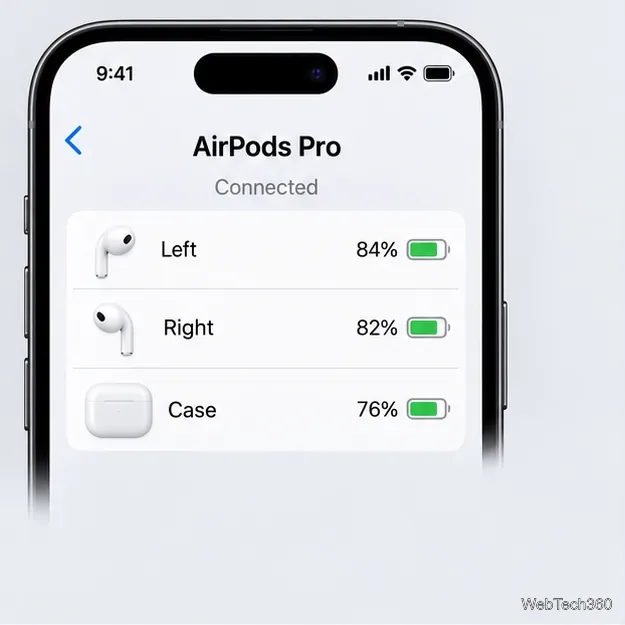
Wear your AirPods and make sure they are connected to the iPhone or iPad. Open Settings and tap the AirPods name near the top of the screen. If it is not listed there, tap Bluetooth, then tap the Info button next to your AirPods. The AirPods page shows the available charge percentages.
To check the case, open its lid or take the AirPods out of it, then keep the case close to the device while you view the battery page. Depending on the model and connection state, you may see a separate level for the left earbud, right earbud, and charging case. Apple’s AirPods user guide explains the current Settings route.
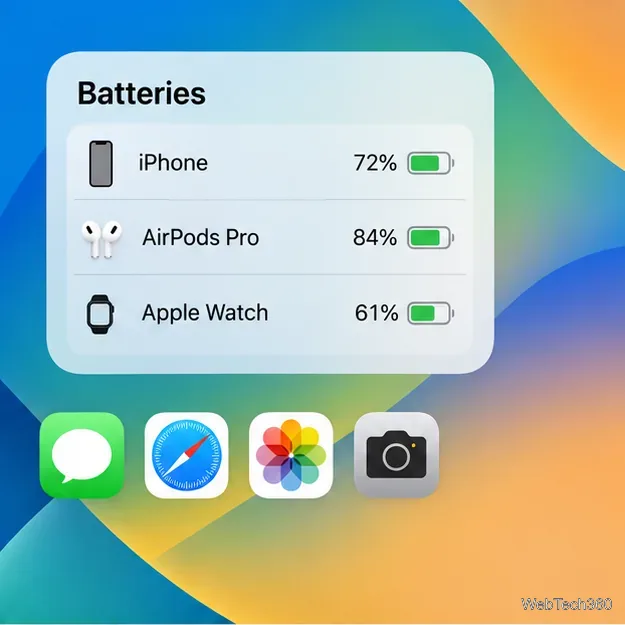
The widget is the easiest option when you want to glance at accessory charge without opening Settings. On iPhone or iPad, touch and hold an empty area of the Home Screen until the icons jiggle. Tap Edit, choose Add Widget, search for Batteries, and select the size you want. Tap Add Widget, place it, then tap Done. The widget can show your device and connected accessories, including AirPods; what appears depends on which accessories are currently available.
If AirPods are missing from the widget, connect or wear them and check again. You can also swipe right from the Home Screen to look in Today View. Apple’s widget instructions cover adding and resizing widgets.
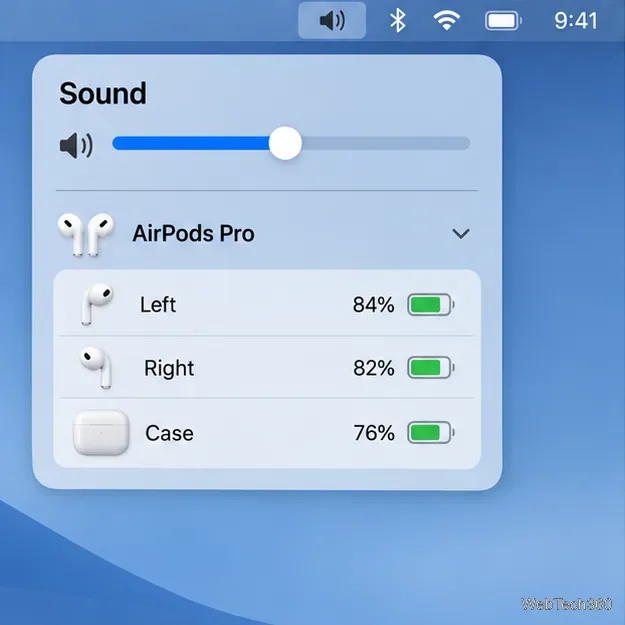
Connect your AirPods to your Mac, then click the Bluetooth status menu in the menu bar to see their battery percentage. If Bluetooth is not in the menu bar, open System Settings, click Menu Bar, and enable Bluetooth under Menu Bar Controls.
Another route is Control Center > Sound; choose your AirPods from the list. To help the Mac detect them, open the case lid or remove the earbuds from the case and hold them near the computer. Apple documents both the Bluetooth menu and the Sound route in its AirPods charge-status instructions.
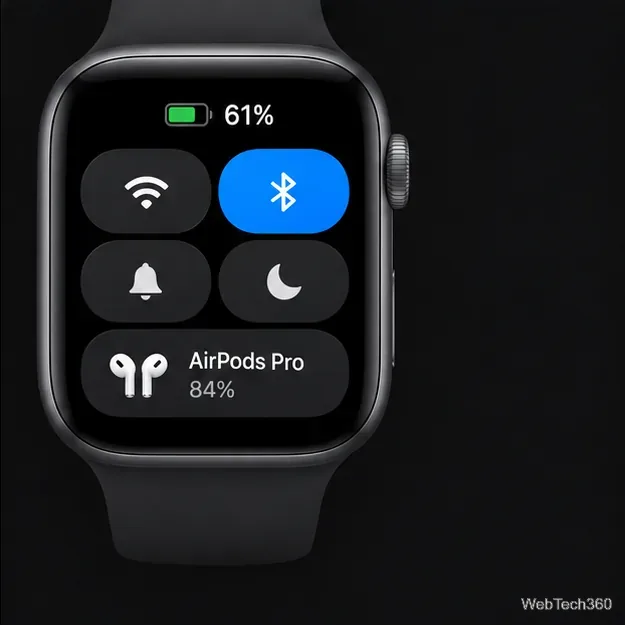
Press the side button to open Control Center, then tap the battery percentage. Turn the Digital Crown to view battery levels for connected Bluetooth accessories such as AirPods. This is handy when your phone is out of reach, but the AirPods need to be connected to the watch for their level to appear. See Apple’s Apple Watch battery guide for the accessory steps.
When available, the battery screen separates the two earbuds from the case, so check each line before heading out. A case indicator light can give a broad charge status on supported models, but it does not show a numeric percentage; use an Apple device when you need a number. Battery percentages describe the current charge, not long-term battery health or a guaranteed number of listening hours.
Apple also sends low-battery notifications to iPhone or iPad at 20%, 10%, and 5% remaining. AirPods play a low-battery tone at about 10% and again shortly before shutting down. On supported models, you can enable charging notifications from Settings > AirPods > Battery; Apple says this feature requires a supported model, current firmware, and iOS or iPadOS 26 or later.
Once you know which device is connected, these built-in views provide a quick way to check the charge before a commute, call, workout, or trip.
Fix the iMessage Is Signed Out error on iPhone by checking Apple Account sign-in, activation, connectivity, and settings—without erasing your messages.
Turn off your iPhone VPN in the app or Settings, confirm it disconnected, and stop automatic reconnections without deleting your account.
Learn how to encrypt your iPhone with a strong passcode, protect iCloud and computer backups, and secure your data if your phone is lost or stolen.
Learn how to clear Safari and Chrome cache on iPhone, manage app storage safely, and understand when clearing cached data actually helps.
Learn how to fight Gym Battles in Pokémon GO, pick effective attackers, use Charged Attacks and dodges, and claim a Gym after defeating its defenders.
Explore classic Cydia tweaks for jailbroken iPads, from SwipeSelection to Quasar, with compatibility warnings and modern alternatives.
Stop Apple Music signup prompts in the Music app. Learn where to find Show Apple Music on iOS and what turning it off does—and does not—change.
Set up a Shortcuts automation to text Mom when your iPhone battery gets low. Follow four steps, plus delivery checks and privacy tips.
Save posts on X in a few taps. Learn where to find the Bookmark button on iPhone, Android, and desktop, plus how to view, remove, and organize saved tweets.
Turn on AR mode in Pokémon GO during a wild encounter, find AR settings, and fix camera or device compatibility issues.








