iMessage Is Signed Out on iPhone: How to Fix It

Fix the iMessage Is Signed Out error on iPhone by checking Apple Account sign-in, activation, connectivity, and settings—without erasing your messages.
The fastest way to connect AirPods to Apple TV is to select them from Control Center when the headphones and Apple TV use the same Apple Account. If they do not appear there, put the AirPods in pairing mode and add them in Bluetooth settings. You can also switch to AirPods from the Audio Output menu after they are paired.
These steps apply to Apple TV HD and Apple TV 4K. Update tvOS if a menu or button looks different, and charge your AirPods before pairing.
If your AirPods are already set up with an iPhone, iPad, or Mac signed in to the same Apple Account as your Apple TV, they should be available to use with Apple TV. This is usually the quickest option because you do not have to put the AirPods into Bluetooth pairing mode.
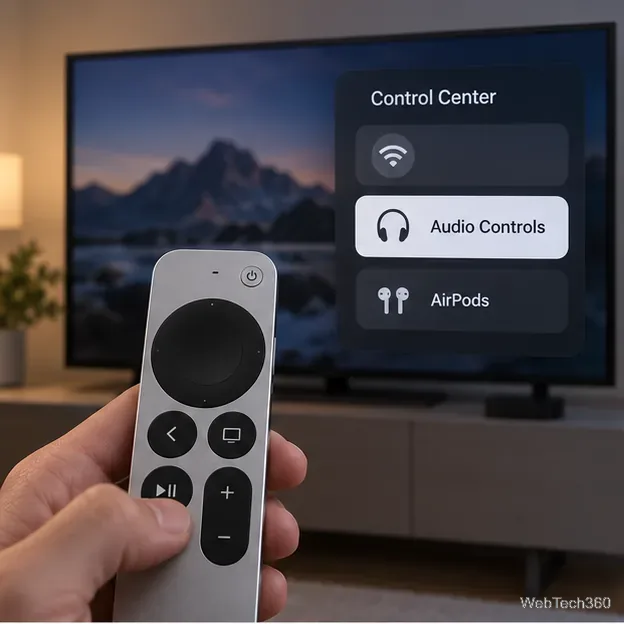
Apple TV may also show a prompt when you put on AirPods while your profile is active. Press and hold the TV button and follow the prompt to connect. To return sound to the television, open Control Center again and select the TV speakers or another output. If you do not see AirPods, use the Bluetooth method below.
Use manual pairing if the AirPods are not available through the shared Apple Account, or if you are connecting them to this Apple TV for the first time. Keep the AirPods near the television and leave the Apple TV Bluetooth screen open while you put the headphones in pairing mode.
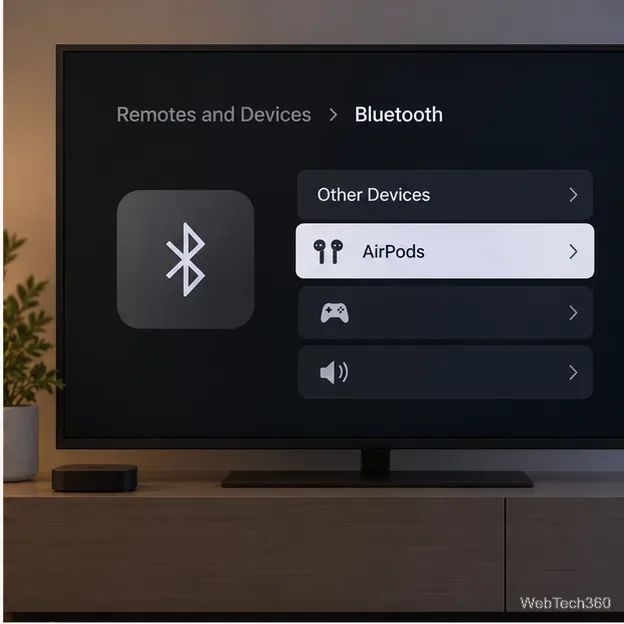
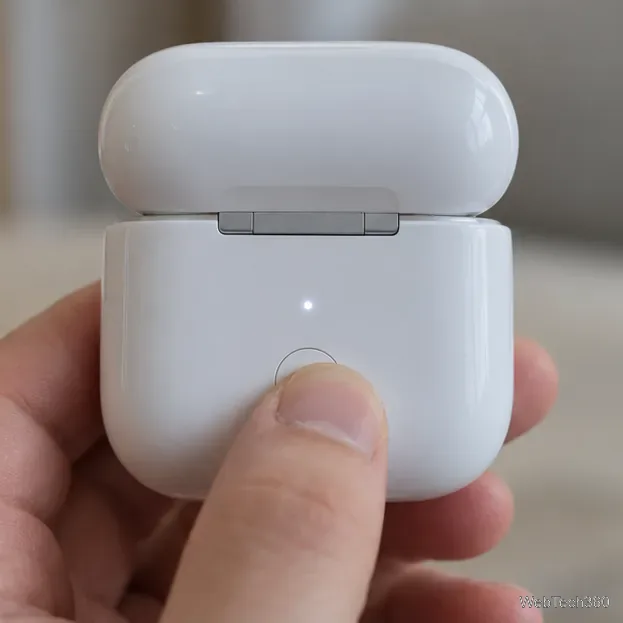
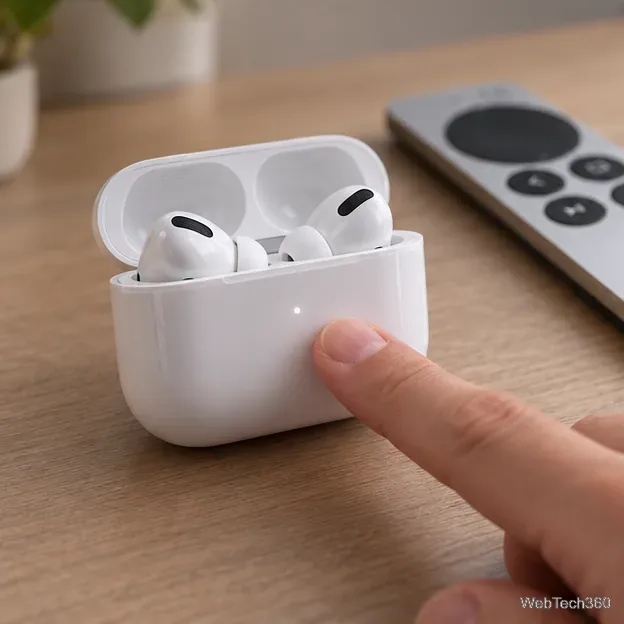
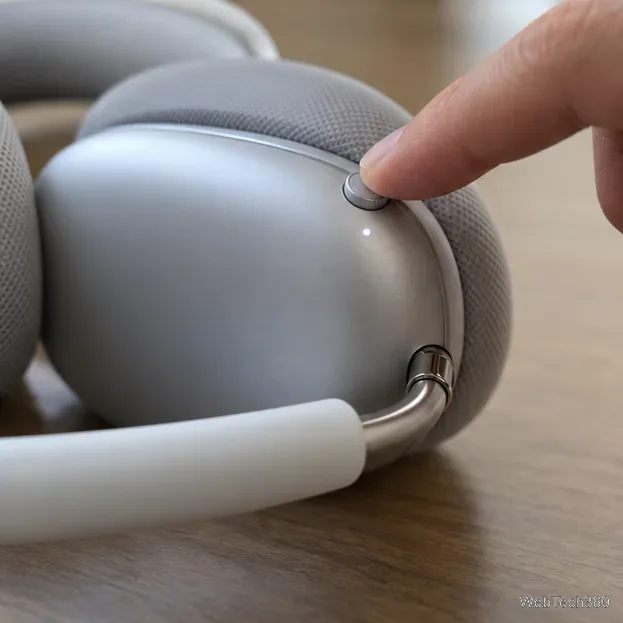
The pairing gesture depends on the AirPods model: some cases have a rear setup button, while newer cases use a double-tap on the front. AirPods Max uses its listening-mode button. Apple lists the current model-specific steps in its AirPods pairing guide.
If your AirPods are already paired with Apple TV, you can switch the sound output from Settings instead of opening Control Center. This changes where audio plays; it does not replace the initial Bluetooth pairing steps.
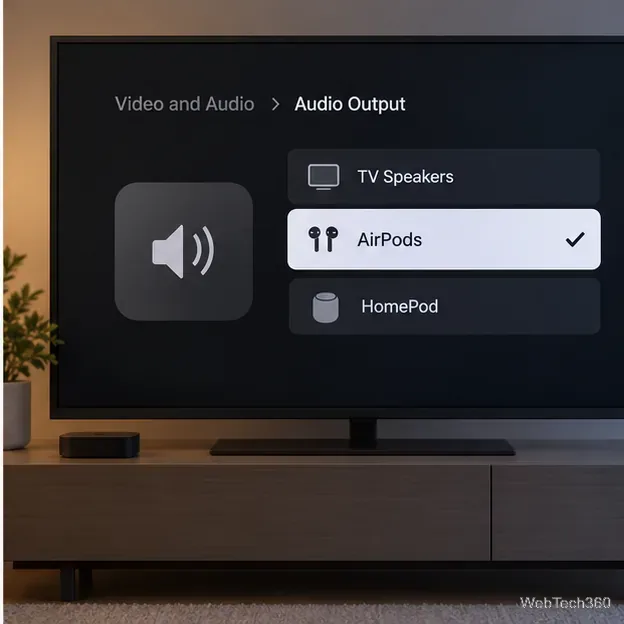
To listen through the TV again, return to the same menu and choose the TV speakers or your preferred sound system. Apple’s current guide documents Audio Output as the setting for choosing TV speakers, headphones, or other speakers; the exact options shown depend on your Apple TV and connected equipment.
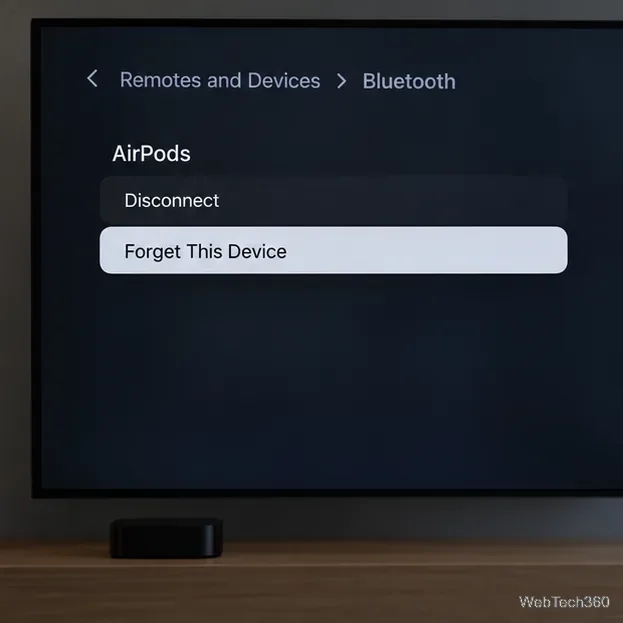
For model-specific help, see Apple’s Bluetooth accessory instructions for Apple TV and AirPods connection troubleshooting.
Apple TV routes its audio to the selected headphones, so TV speakers may stop playing while AirPods are connected. Depending on the AirPods model and Apple TV hardware, Control Center may also offer settings such as Noise Control or Spatial Audio. Apple notes that available features vary by model and region. See Apple’s guide to using AirPods with Apple TV 4K for the current controls.
Apple TV 4K can send audio to up to two pairs of compatible AirPods or Beats headphones. After connecting the first pair, press and hold the TV button to open Control Center, go to the AirPods controls, select Share Audio, and follow the onscreen steps to connect the second pair. This feature is specific to Apple TV 4K; availability and headphone controls vary by model.
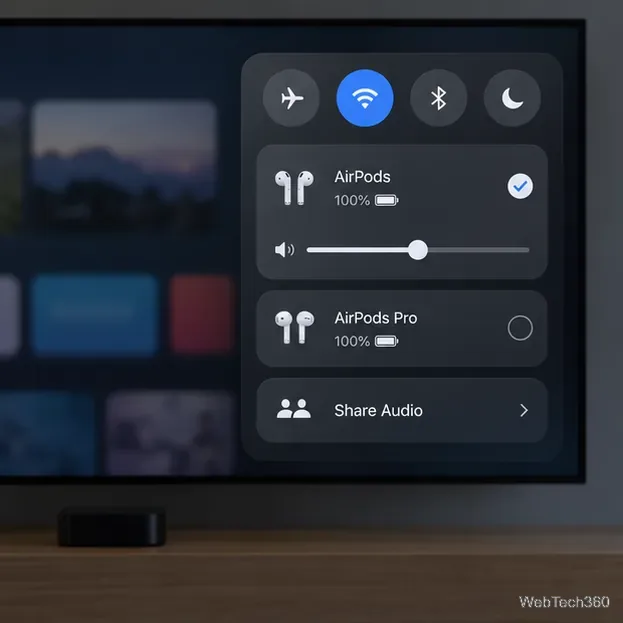
For most people, the same-Apple-Account shortcut is easiest. Use Bluetooth settings when AirPods are missing from Control Center, then use Audio Output whenever you want to switch between headphones and TV speakers. For two listeners, use Share Audio on Apple TV 4K.
Fix the iMessage Is Signed Out error on iPhone by checking Apple Account sign-in, activation, connectivity, and settings—without erasing your messages.
Turn off your iPhone VPN in the app or Settings, confirm it disconnected, and stop automatic reconnections without deleting your account.
Learn how to encrypt your iPhone with a strong passcode, protect iCloud and computer backups, and secure your data if your phone is lost or stolen.
Learn how to clear Safari and Chrome cache on iPhone, manage app storage safely, and understand when clearing cached data actually helps.
Learn how to fight Gym Battles in Pokémon GO, pick effective attackers, use Charged Attacks and dodges, and claim a Gym after defeating its defenders.
Explore classic Cydia tweaks for jailbroken iPads, from SwipeSelection to Quasar, with compatibility warnings and modern alternatives.
Stop Apple Music signup prompts in the Music app. Learn where to find Show Apple Music on iOS and what turning it off does—and does not—change.
Set up a Shortcuts automation to text Mom when your iPhone battery gets low. Follow four steps, plus delivery checks and privacy tips.
Save posts on X in a few taps. Learn where to find the Bookmark button on iPhone, Android, and desktop, plus how to view, remove, and organize saved tweets.
Turn on AR mode in Pokémon GO during a wild encounter, find AR settings, and fix camera or device compatibility issues.








