iMessage Is Signed Out on iPhone: How to Fix It

Fix the iMessage Is Signed Out error on iPhone by checking Apple Account sign-in, activation, connectivity, and settings—without erasing your messages.
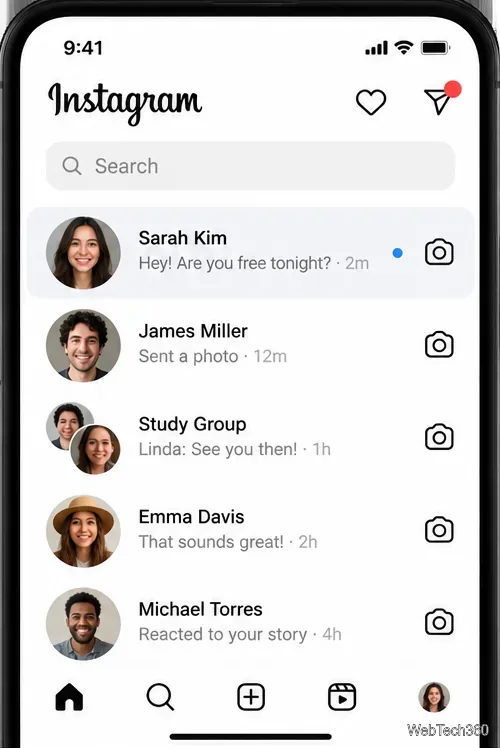
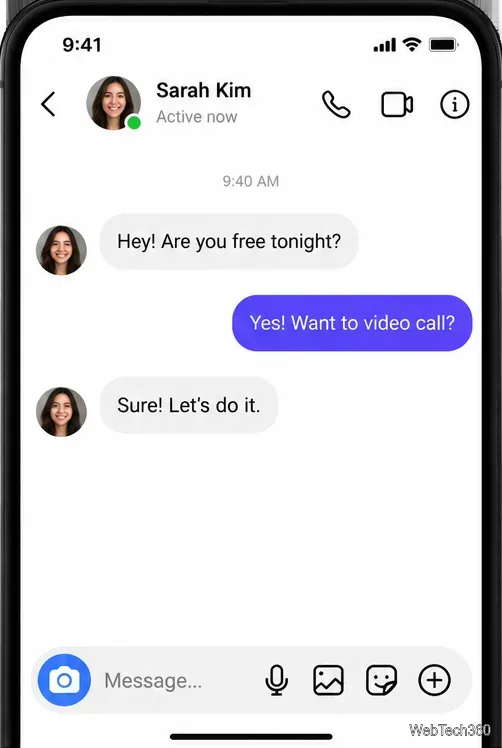
To make a video call on Instagram, open your Direct Messages, choose a conversation, and tap the video camera icon near the top of the chat. The other person will receive a call notification and can answer or decline. You can do this on iPhone or Android without sharing your phone number.
Instagram also supports group video calls. The steps below explain how to start a call, use its controls, and fix the most common problems.
Make sure you're signed in to the Instagram app and connected to Wi-Fi or mobile data. The placement of certain buttons can vary with app updates.
Instagram puts the essential controls on the call screen. Tap the screen if the controls aren't showing. Depending on the device and version, you can:
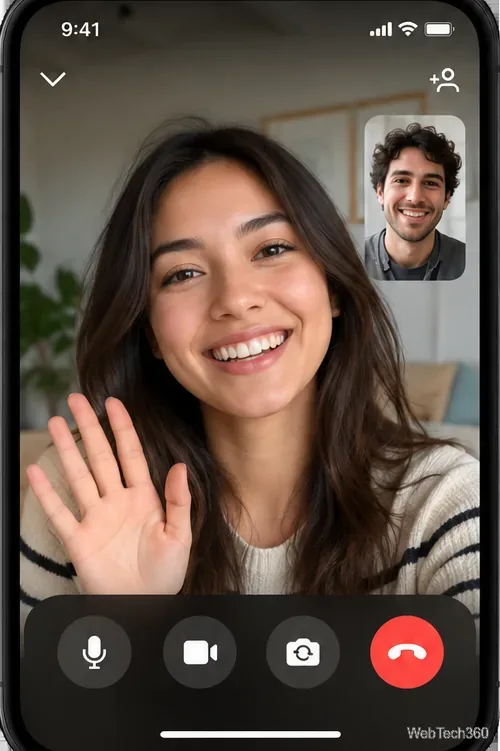
Turning your camera off does not necessarily mute your microphone. If you need privacy, check both controls before speaking or stepping away.
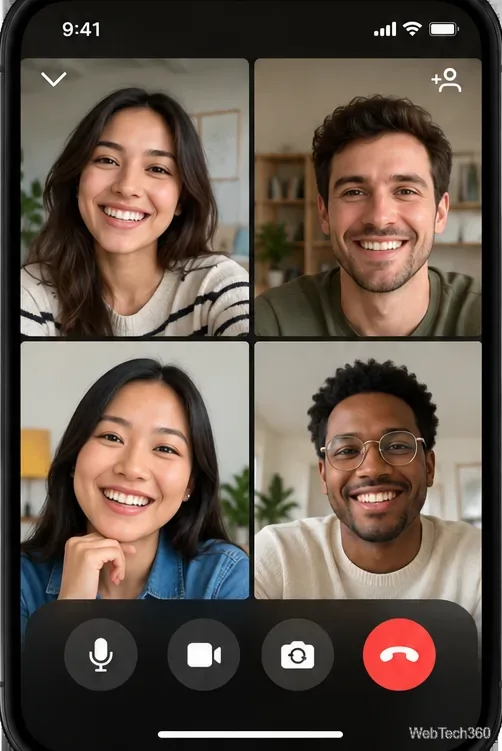
You aren't limited to calling one person. Instagram supports group calls with up to eight participants, although available controls can differ by app version. One option is to open an existing group chat and tap its video camera icon. You can also start a one-on-one call, then use the Add people or invite control, if shown, to invite other accounts.
Each invited person gets a call notification and decides whether to join. A group call is not a public Instagram Live broadcast. If you don't see an invitation button, check for an updated Instagram app or begin the call directly from a group conversation.
You may also be able to use calls on instagram.com. Sign in, open Messages in the sidebar, select a chat, and look for the Video option near the top. Your browser may prompt you to permit camera and microphone access. If the option isn't available in your browser or account, use the Instagram mobile app instead.
If you can't see the video button, the call doesn't connect, or one person has no sound, check these common causes:
Yes. Both participants need Instagram accounts and access to the calling feature. You don't need to exchange phone numbers to start an Instagram call.
People whose message requests you've accepted may be able to call you even if you don't follow them. If someone keeps calling and you don't want to hear from them, you can mute their call notifications or block the account. Calling and messaging controls can vary by account.
For additional help with account-specific options, visit the Instagram Help Center.
Fix the iMessage Is Signed Out error on iPhone by checking Apple Account sign-in, activation, connectivity, and settings—without erasing your messages.
Turn off your iPhone VPN in the app or Settings, confirm it disconnected, and stop automatic reconnections without deleting your account.
Learn how to encrypt your iPhone with a strong passcode, protect iCloud and computer backups, and secure your data if your phone is lost or stolen.
Learn how to clear Safari and Chrome cache on iPhone, manage app storage safely, and understand when clearing cached data actually helps.
Learn how to fight Gym Battles in Pokémon GO, pick effective attackers, use Charged Attacks and dodges, and claim a Gym after defeating its defenders.
Explore classic Cydia tweaks for jailbroken iPads, from SwipeSelection to Quasar, with compatibility warnings and modern alternatives.
Stop Apple Music signup prompts in the Music app. Learn where to find Show Apple Music on iOS and what turning it off does—and does not—change.
Set up a Shortcuts automation to text Mom when your iPhone battery gets low. Follow four steps, plus delivery checks and privacy tips.
Save posts on X in a few taps. Learn where to find the Bookmark button on iPhone, Android, and desktop, plus how to view, remove, and organize saved tweets.
Turn on AR mode in Pokémon GO during a wild encounter, find AR settings, and fix camera or device compatibility issues.








