iMessage Is Signed Out on iPhone: How to Fix It

Fix the iMessage Is Signed Out error on iPhone by checking Apple Account sign-in, activation, connectivity, and settings—without erasing your messages.
To search WhatsApp group participants, open the group chat, tap the group name, and go to the member list. Tap View all or the member count if needed, then use Search members or the search icon to look for someone by name or phone number. You do not need to be a group admin to check who belongs to a group you are in.
The important distinction is member search versus message search. Searching inside a chat finds messages, while searching the group information page helps you find a person in that group. Here is how to use the member list and what to try if the search field is missing.
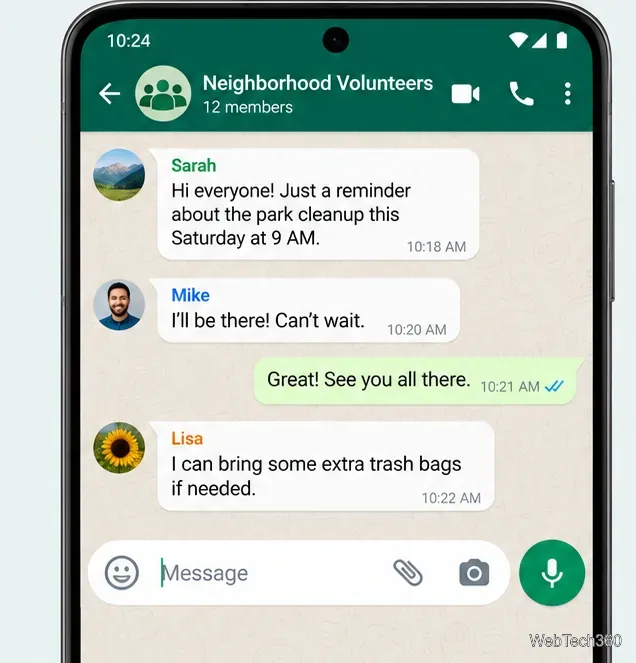
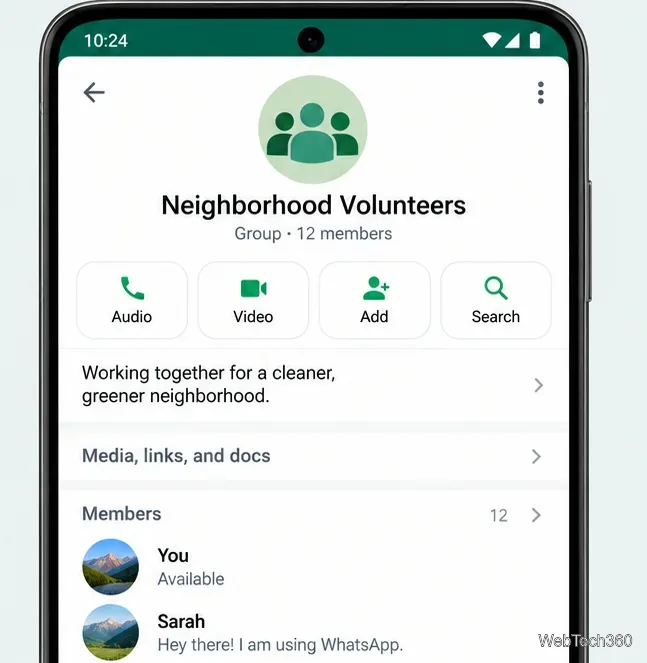
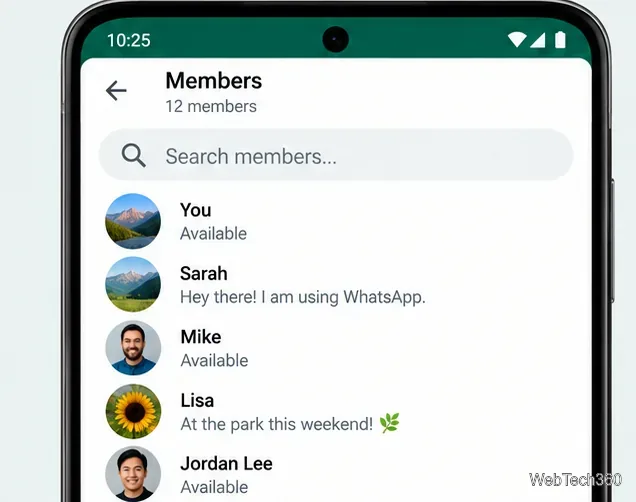
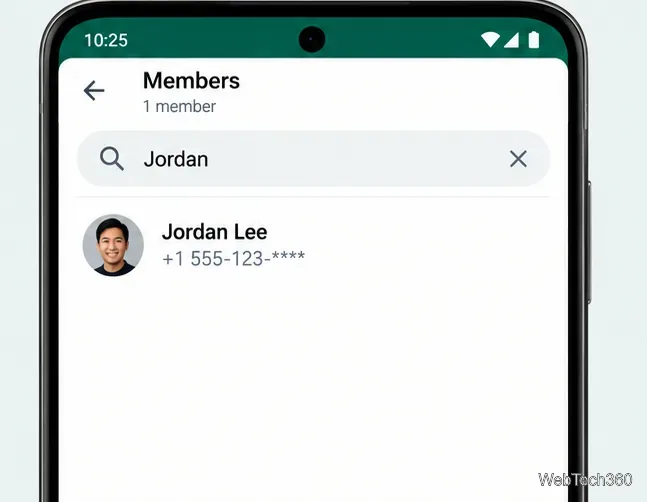
WhatsApp's official guide to seeing group members confirms that you can open the group information page and use the member section to view the complete list. WhatsApp also introduced participant search as a group feature in its official group-features announcement.
Open the group and click its name at the top. The group information panel displays members and, in groups with longer lists, a way to view everyone. Depending on your Web or Desktop version, you may have a member search control; if you do not see one, inspect or scroll through the full list instead. Do not assume the search icon at the top of the conversation searches people: it may search messages.
Selecting a person may let you view their available profile details, start a direct chat, or place a call. The options depend on the device, your relationship to the person, and their privacy settings. A displayed name is not necessarily a name saved in your address book, and searching does not unlock hidden profile information.
To identify a moderator, look for the Group Admin or Admin label beside a member. All members can normally view the group member list, but removing someone or changing admin permissions requires the appropriate privileges. See WhatsApp's group-management guidance for those distinctions.
Yes, but this is a separate task. From WhatsApp's main chat search, enter a contact's name. Depending on your version and the available results, WhatsApp can show Groups in common—groups that both of you belong to. This helps when you remember the person but forgot which shared group contains the conversation. It does not search every WhatsApp group or reveal private groups you cannot access. For instructions, see WhatsApp's search help page.
Group membership can expose information to others in the group. WhatsApp's privacy overview explains that phone numbers may be visible to fellow group members and that community phone-number privacy works differently. Account features such as usernames are also evolving, so do not assume every person's phone number or profile details will always be displayed in the same way.
Use participant search to confirm membership or find the right contact, not to infer details that WhatsApp does not show. If you only need to locate something a member said, use the conversation's message search instead.
Fix the iMessage Is Signed Out error on iPhone by checking Apple Account sign-in, activation, connectivity, and settings—without erasing your messages.
Turn off your iPhone VPN in the app or Settings, confirm it disconnected, and stop automatic reconnections without deleting your account.
Learn how to encrypt your iPhone with a strong passcode, protect iCloud and computer backups, and secure your data if your phone is lost or stolen.
Learn how to clear Safari and Chrome cache on iPhone, manage app storage safely, and understand when clearing cached data actually helps.
Learn how to fight Gym Battles in Pokémon GO, pick effective attackers, use Charged Attacks and dodges, and claim a Gym after defeating its defenders.
Explore classic Cydia tweaks for jailbroken iPads, from SwipeSelection to Quasar, with compatibility warnings and modern alternatives.
Stop Apple Music signup prompts in the Music app. Learn where to find Show Apple Music on iOS and what turning it off does—and does not—change.
Set up a Shortcuts automation to text Mom when your iPhone battery gets low. Follow four steps, plus delivery checks and privacy tips.
Save posts on X in a few taps. Learn where to find the Bookmark button on iPhone, Android, and desktop, plus how to view, remove, and organize saved tweets.
Turn on AR mode in Pokémon GO during a wild encounter, find AR settings, and fix camera or device compatibility issues.








