iMessage Is Signed Out on iPhone: How to Fix It

Fix the iMessage Is Signed Out error on iPhone by checking Apple Account sign-in, activation, connectivity, and settings—without erasing your messages.
Widgetsmith lets you create a custom widget in its app, then add a Widgetsmith widget to your iPhone Home Screen and connect it to that saved design. There are two parts: save the design in Widgetsmith, then add the app’s widget in iOS and select the saved version. Labels can vary slightly by app and iOS release.
Download Widgetsmith from the App Store. Most core tools are free; some themes and features are optional in-app purchases. On iPhone, common widget sizes are small, medium, and large, but the available sizes depend on the widget type. Widgetsmith may request Photos, Calendar, or location access for specific content; allow only what your chosen widget needs.
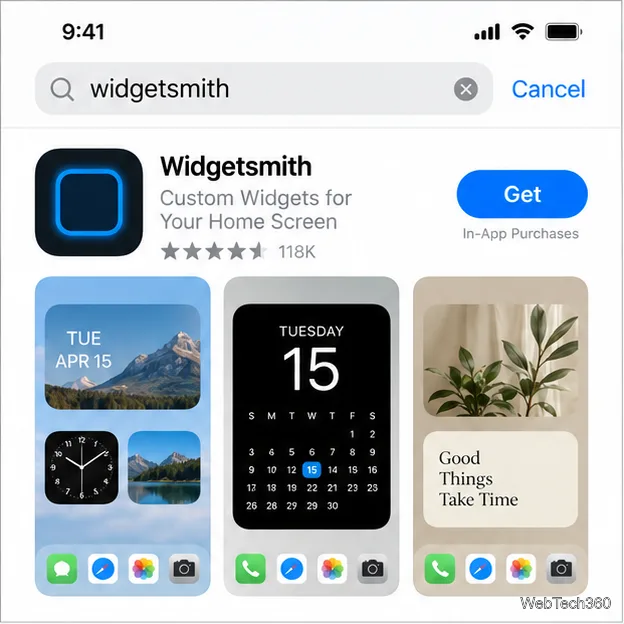
Search the App Store for Widgetsmith, confirm the app name and icon, install it, and open it. If you already have it, update the app to see its latest widget gallery.
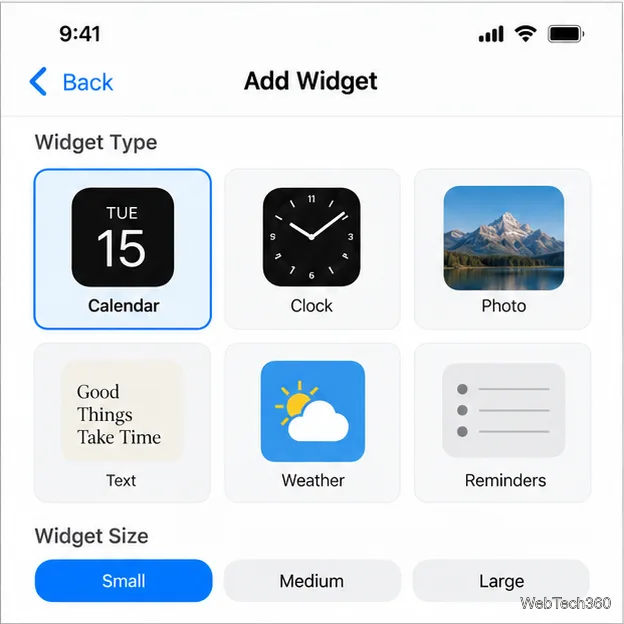
Open the Widgets screen and tap the plus or add control. Browse or search the gallery, then select a content type such as Calendar, Clock, Photo, Text, Weather, or Reminders. Current versions can filter widgets by type, size, and theme.
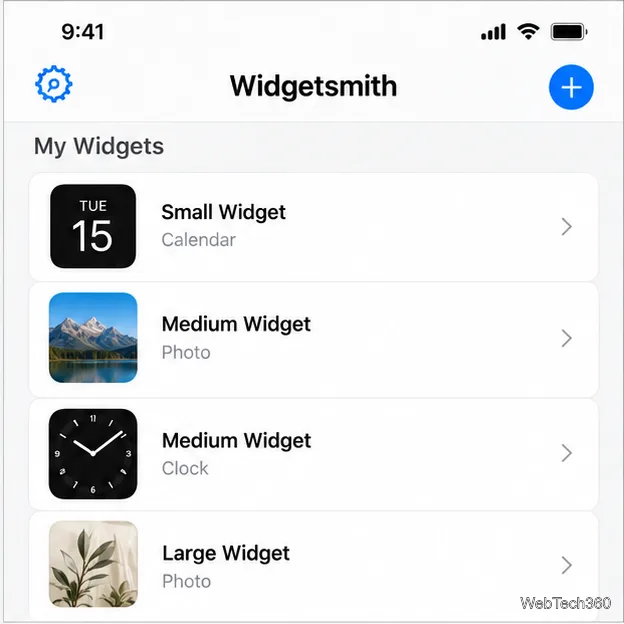
Open the widget settings and choose what it displays. A photo widget can use one picture or an album if that option appears; calendars and other types have their own settings. For a photo, choose the image and adjust its crop in the preview. Grant the permission the app needs to show the selected content.
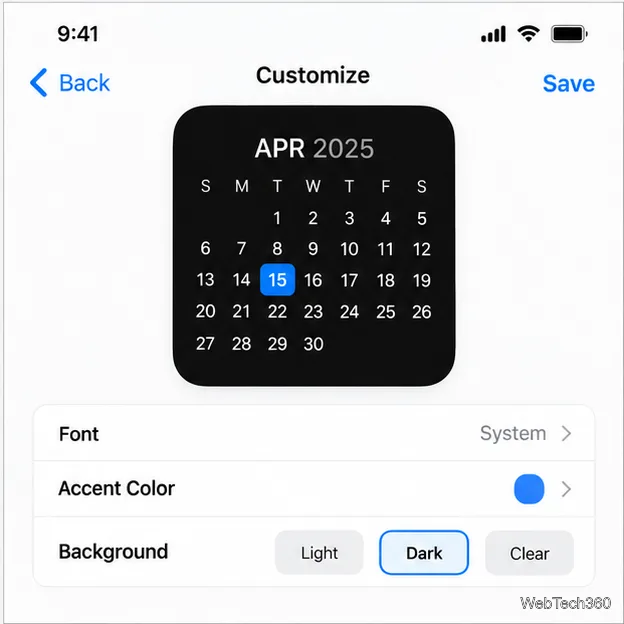
Use the preview to adjust the controls available for that type, such as font, accent color, background, or artwork. Some styles are premium. Widgetsmith 8 refreshed its browsing and theme workflow; see the official Widgetsmith 8 overview.
Give the widget a name you can recognize later, such as “Work Calendar.” Tap the name or Tap to Rename, enter the label, and save. Names help distinguish multiple Widgetsmith designs that use the same size.
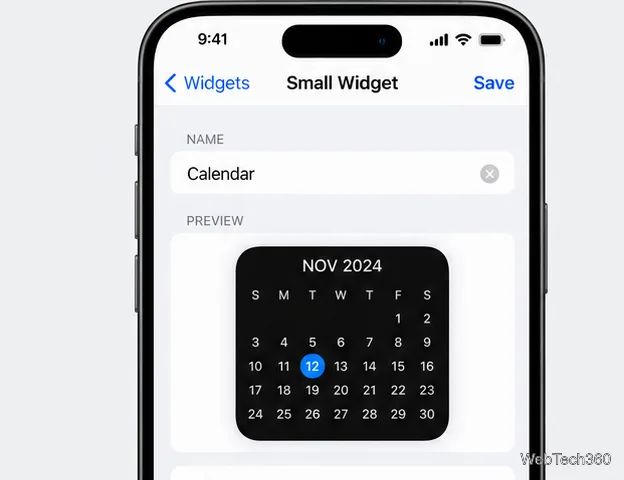
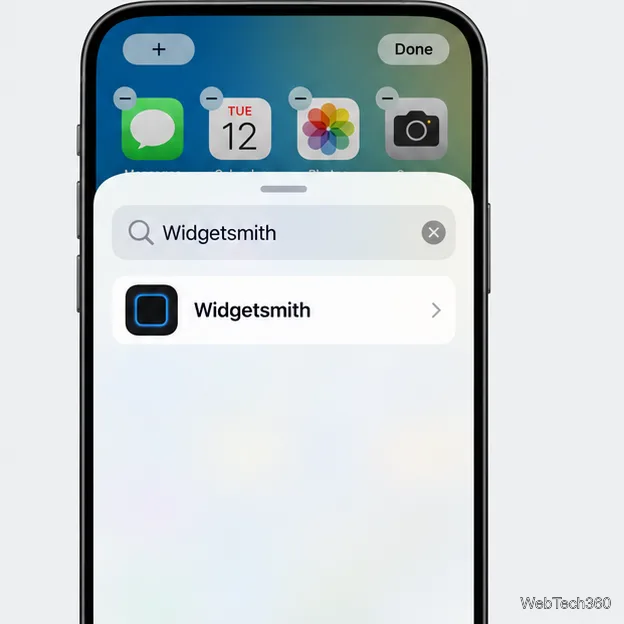
Go to the Home Screen page you want. Touch and hold an empty area until the icons jiggle. Tap Edit, then Add Widget, or use the + button if that is what your iOS version shows. Search for Widgetsmith and tap its result.
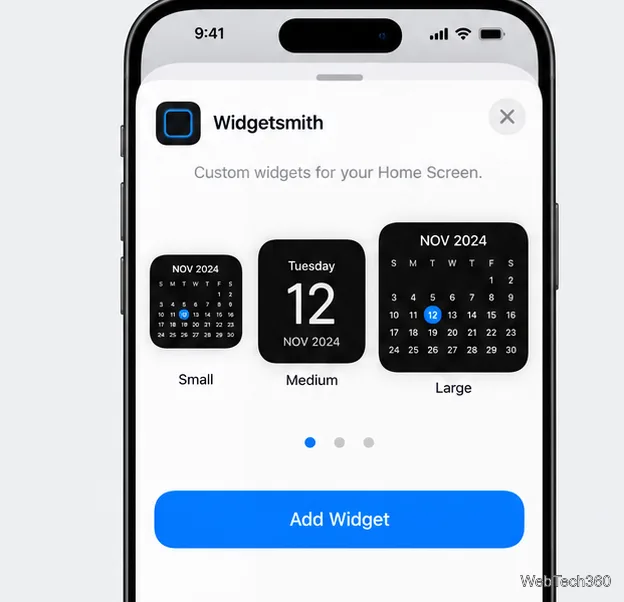
Swipe through Widgetsmith’s size previews and choose the size used for your saved design. Tap Add Widget, drag it into position while the icons jiggle, and tap Done. Apple’s iPhone widget guide explains the standard add and move controls.
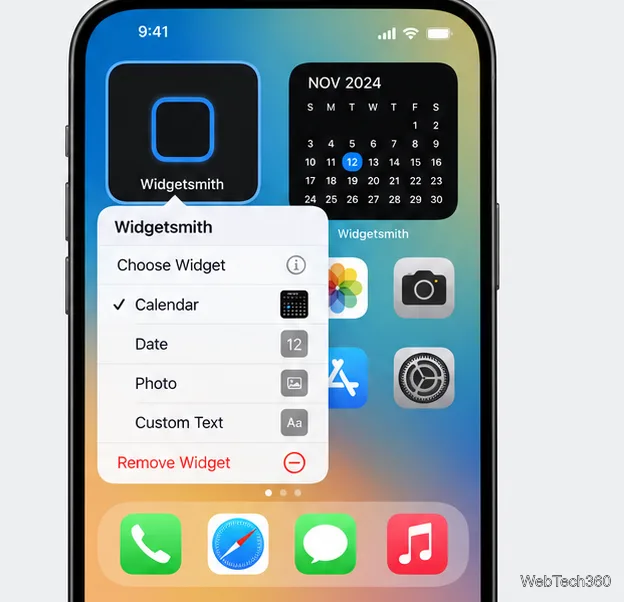
Tap the new Widgetsmith widget. If it shows the wrong item, touch and hold it, choose Edit Widget, and select the name you saved. The preview should switch to that design. Finish by tapping outside the menu or tapping Done. Repeat for each additional Widgetsmith widget.
For details on adding widgets, choosing a saved design, themes, and photo access, see the official Widgetsmith FAQ. iOS controls widget placement and size; Widgetsmith controls the content and appearance of its designs.
Fix the iMessage Is Signed Out error on iPhone by checking Apple Account sign-in, activation, connectivity, and settings—without erasing your messages.
Turn off your iPhone VPN in the app or Settings, confirm it disconnected, and stop automatic reconnections without deleting your account.
Learn how to encrypt your iPhone with a strong passcode, protect iCloud and computer backups, and secure your data if your phone is lost or stolen.
Learn how to clear Safari and Chrome cache on iPhone, manage app storage safely, and understand when clearing cached data actually helps.
Learn how to fight Gym Battles in Pokémon GO, pick effective attackers, use Charged Attacks and dodges, and claim a Gym after defeating its defenders.
Explore classic Cydia tweaks for jailbroken iPads, from SwipeSelection to Quasar, with compatibility warnings and modern alternatives.
Stop Apple Music signup prompts in the Music app. Learn where to find Show Apple Music on iOS and what turning it off does—and does not—change.
Set up a Shortcuts automation to text Mom when your iPhone battery gets low. Follow four steps, plus delivery checks and privacy tips.
Save posts on X in a few taps. Learn where to find the Bookmark button on iPhone, Android, and desktop, plus how to view, remove, and organize saved tweets.
Turn on AR mode in Pokémon GO during a wild encounter, find AR settings, and fix camera or device compatibility issues.








