How to Access a Windows BitLocker Partition in Linux
Use Dislocker to unlock a BitLocker volume in Linux, mount its virtual NTFS file read-only, and safely unmount it without exposing your password in a command.
A network bond gives a SUSE Linux Enterprise Server 15 system one logical network interface backed by two or more physical ports. A good result is a persistent bond0 device with the intended IP configuration, expected members attached, and a clear link state. Bonding can improve availability, and some modes distribute traffic, but it does not guarantee higher speed for every connection or protect against every switch, cable, or upstream failure.
This guide follows the SUSE SLES 15 SP7 bonding procedure published October 1, 2026. It uses wicked and traditional ifcfg files. The example uses DHCP and active-backup, which is a practical failover mode that does not require special switch support. Replace interface names and addressing to match the host. See SUSE's Managing Network Bonding Devices guide.
A bond combines multiple Ethernet interfaces into one logical device, such as bond0. Applications and routing use that device; the Linux bonding driver selects or distributes traffic across its member ports. Decide what you need before editing:
Bonding does not automatically create independent switch paths. Two links also do not mean one TCP connection will run at twice the speed. Validate network design and host state.
| Mode | Typical use | Dependency |
|---|---|---|
active-backup (mode 1) | Failover; one port transmits at a time | No special switch support required |
802.3ad (mode 4, LACP) | Dynamic aggregation and failover | Switch LACP configuration; members must match speed and duplex and connect to the same switch |
balance-xor (mode 2) | Hash-based distribution | Compatible switch support and configuration |
balance-rr (mode 0) | Round-robin transmission | Switch support; packet reordering can affect results |
Modes 0, 2, and 4 need compatible switch support or configuration. Use active-backup when your main goal is straightforward failover. Choose 802.3ad only after the network team confirms a matching LACP port channel. For mode details, see SUSE's guide and the Linux kernel bonding documentation.
Keep a console or out-of-band session available. Reconfiguring the interface carrying SSH can disconnect your session. Schedule production changes for a maintenance window and retain the original configuration for rollback.
ip -br link and ip -br addr.wicked; avoid managing the same links with two managers./etc/sysconfig/network/, especially ifcfg-<interface>, and back up relevant files.The example uses enp1s0 and enp2s0. Your system may use eth0, ens3, or other names. Confirm actual device names before copying anything.
Create /etc/sysconfig/network/ifcfg-bond0:
STARTMODE='auto'
BOOTPROTO='dhcp'

BONDING_MASTER='yes'
BONDING_SLAVE0='enp1s0'
BONDING_SLAVE1='enp2s0'

BONDING_MODULE_OPTS='mode=active-backup miimon=100'
STARTMODE='auto' starts the bond automatically. BOOTPROTO='dhcp' requests a dynamic address for the bond. For static configuration, use BOOTPROTO='static' and add the correct IPADDR value, such as IPADDR='192.0.2.20/24'. That reserved address is an example; do not assign it on a live network unless it is actually yours. Configure addresses on bond0, not separately on the member ports.
BONDING_MASTER identifies the bond. Each numbered BONDING_SLAVEn entry names one member. miimon=100 enables link checks every 100 milliseconds; SUSE warns not to remove it. Set gateway, DNS, and IPv6 options according to your network plan.
Back up the member files. Edit /etc/sysconfig/network/ifcfg-enp1s0 and /etc/sysconfig/network/ifcfg-enp2s0 so each has the member configuration and no independent IP address:
BOOTPROTO='none'
STARTMODE='hotplug'
This allows the bond to control the ports and lets a member join when available. Preserve required local settings and compare the result to the backups before activation.
Check what wicked will use:
sudo wicked show-configVerify that bond0 lists the intended members, that member files do not configure separate addresses, and that the desired protocol and mode appear. Fix omissions before proceeding. Bring up the bond with:
sudo wicked ifup all bond0SUSE's procedure uses wicked to start the bond. Do not try to start a device-specific systemd unit. After editing an active bond configuration, apply it with sudo wicked ifreload bond0. A remote connection may drop during network changes, so keep console access available.
For a switch-configured LACP port channel, use this option while keeping link monitoring:
BONDING_MODULE_OPTS='mode=802.3ad miimon=100'Make the change only after the switch is configured for IEEE 802.3ad dynamic aggregation and the links satisfy its requirements. SUSE specifies matching speed and duplex and connection to the same switch. Switch stacks and multi-chassis designs have vendor-specific requirements; confirm them in the switch documentation.
If LACP is unavailable or not configured, use active-backup for basic failover. Seeing a Linux bond in an up state does not prove a switch port channel is correctly configured.
Check wicked, addresses, and the kernel bonding report:
sudo wicked ifstatus --verbose bond0
ip -br addr
cat /proc/net/bonding/bond0
wicked ifstatus --verbose bond0 reports wicked's state. ip -br addr shows whether bond0 is up and holds the intended address. The kernel report shows the mode, member interfaces, link status, and the active member for active-backup.
Look for these signs before treating the work as complete:
bond0 is present and operational as expected.When authorized, test failover by disconnecting or administratively disabling one member at a time while watching connectivity and the bond report. Confirm that traffic recovers through the surviving link, restore the tested link, then test the other. Do not interrupt a remote system without console access and a maintenance window.
| Observed result | Next check |
|---|---|
bond0 is missing | Run sudo wicked show-config; check filenames, syntax, device names, and network manager. |
| The bond has no address | Check DHCP or the static address and prefix on bond0; look for a competing address on a member. |
| A member has no link | Inspect cable, transceiver, NIC, switch port, and negotiated link. Bonding cannot fix a physical link. |
| LACP is inactive or traffic is disrupted | Verify port-channel configuration, LACP membership, link speed, switch requirements, and switch logs. Use active-backup if LACP is not part of the design. |
| It works until reboot | Check STARTMODE='auto', member settings, wicked's configuration, and a controlled reboot. |
If a change disconnects the server, use the console to restore saved files and follow the site's network recovery steps. Keep backups until the bond passes reboot and failover checks.
Bonding can handle a failed member when another remains usable and the rest of the network allows traffic to continue. It does not automatically cover a failed switch, upstream router outage, VLAN error, or routing problem. SUSE advises against splitting a bond across multiple switches in most hardware setups; follow the switch vendor's design for any multi-switch arrangement.
Traffic distribution depends on the mode, peer switch, and pattern of active flows. A single connection may remain on one member, so two ports do not promise that one transfer will double in speed. Measure representative traffic and watch errors, drops, throughput, and failover behavior. If results miss the service requirement, review the mode and switch configuration instead of assuming that additional interfaces alone will improve performance.
Use Dislocker to unlock a BitLocker volume in Linux, mount its virtual NTFS file read-only, and safely unmount it without exposing your password in a command.
Learn how to reduce RAM usage on Linux by finding memory-hungry apps, trimming browser and startup load, and testing a lighter desktop safely.
Compare four WhatsApp alternatives for Linux by privacy defaults, desktop support, setup requirements, and the people each app suits.
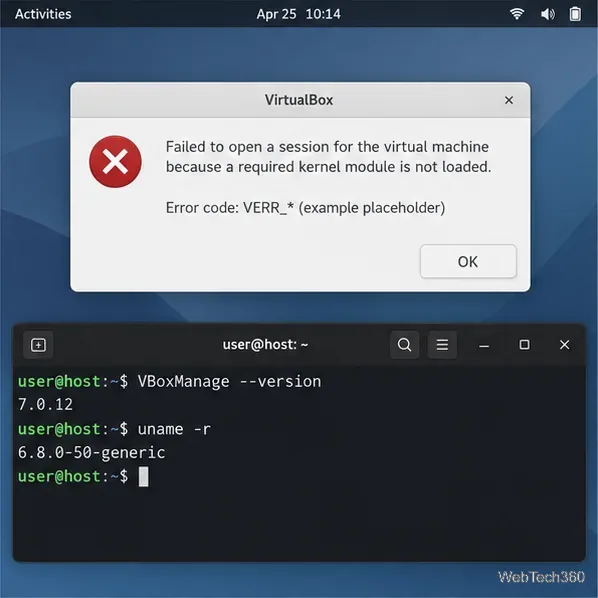
Troubleshoot a VirtualBox VM that will not start on Linux by checking vboxdrv, kernel headers, Secure Boot, Extension Pack versions, and VM logs.
Transfer your Ubuntu user data with a tar archive and external drive, then restore personal files and selected settings without overwriting the new setup.
Install gThumb on Linux, browse and make simple photo edits, then set it as the default app for the image types you choose in GNOME.
Create an organized playlist in Rhythmbox or save a reusable XSPF playlist in VLC. Learn how to add tracks, name a list, and reopen it on Linux.
Install Dino on Linux with Flatpak or your distribution’s package manager. Get current Ubuntu, Debian, Fedora, and Arch commands, plus first-launch tips.
Install Arch Linux’s linux-lts kernel, add it to GRUB or systemd-boot, select it at startup, and verify it while keeping a fallback kernel.
Download the right Pi 4 image, write it to a microSD card, and complete LibreELEC’s first-run setup with Raspberry Pi Imager.