How to Access a Windows BitLocker Partition in Linux
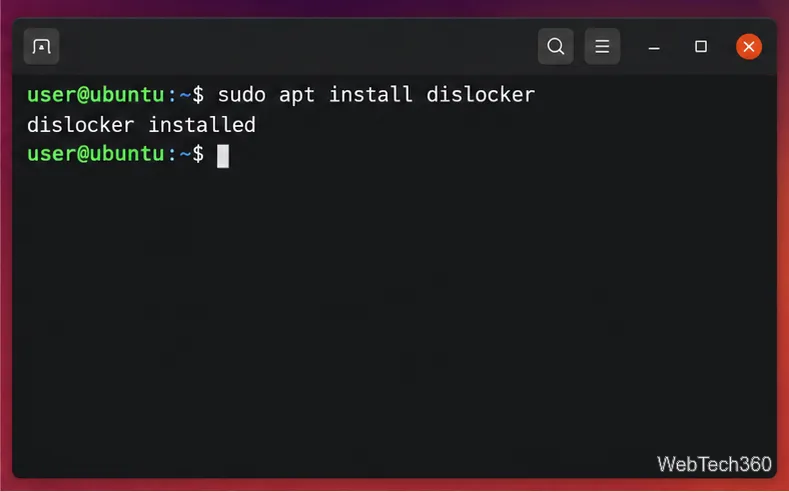
Use Dislocker to unlock a BitLocker volume in Linux, mount its virtual NTFS file read-only, and safely unmount it without exposing your password in a command.
SAP HANA memory control on SUSE Linux Enterprise Server works best when you separate two different jobs: limiting what HANA may allocate, and protecting SAP workloads when the Linux host is under memory pressure. SAP HANA handles the first job with database parameters such as global_allocation_limit and statement_memory_limit. SUSE's systemd/cgroup-based Workload Memory Protection handles the second with MemoryLow on SAP.slice. These mechanisms complement each other, but they are not interchangeable.
This guide uses SAP HANA Platform 2.0 SPS 08 documentation and current SUSE Linux Enterprise Server for SAP Applications guidance available in October 2026. Before changing a production system, confirm that your exact HANA revision and SLES service pack are supported. SAP's installation guide points administrators to SAP Note 2235581 for supported operating systems: SAP HANA Server Installation and Update Guide.
| Control | What it does | Best fit | Main trade-off |
|---|---|---|---|
global_allocation_limit | Caps the memory SAP HANA can allocate on a host. | Dedicated HANA hosts, co-located SAP systems, or environments where HANA must leave RAM for the OS and other services. | Too low can cause allocation failures or poor performance; too high leaves less headroom outside HANA. |
statement_memory_limit | Limits memory used by an individual SQL statement. | Mixed workloads where one large query should not consume a disproportionate share of memory. | A low limit can abort legitimate analytical or administrative statements. |
| User-specific statement limit | Overrides the global statement memory limit for one database user. | Reporting, ad-hoc analytics, ETL, or other users with different risk profiles. | Adds policy complexity and must be maintained as users and workloads change. |
SUSE MemoryLow on SAP.slice | Protects a minimum amount of memory for SAP processes under cgroup v2 memory pressure. | Hosts where non-SAP processes could compete with SAP for RAM. | It is protection, not a HANA hard cap; setting it too close to physical RAM can starve system services. |
SAP documents global_allocation_limit in MB. With the parameter left at its default value of 0, HANA calculates an automatic limit based on available physical memory; the SPS 08 Administration Guide describes the current formula as 90% of the first 64 GB plus 97% of each additional GB, with special handling for very small systems. The same guide states that changing the parameter does not require a restart. See SAP HANA Administration Guide 2.0 SPS 08.
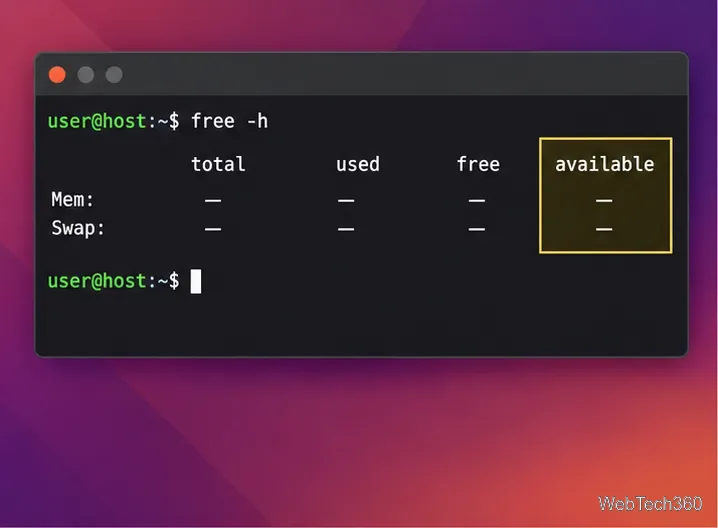
Start on SLES by checking physical RAM, available memory, swap activity, and whether SAP processes are already grouped in SAP.slice. This gives you the boundary conditions before you decide how much memory HANA may use.
free -h
grep MemTotal /proc/meminfo
systemctl status SAP.slice
Do not choose a HANA limit simply by subtracting a fixed number of gigabytes from installed RAM. Reserve memory for the Linux kernel, SAP Host Agent, monitoring software, backup tools, cluster components, and any co-located application servers. If ABAP and HANA share a host, SAP explicitly requires the sizing of both systems to fit within physical memory and recommends coordinating HANA's global allocation limit with the ABAP PHYS_MEMSIZE setting: SAP Configuring Memory Settings.
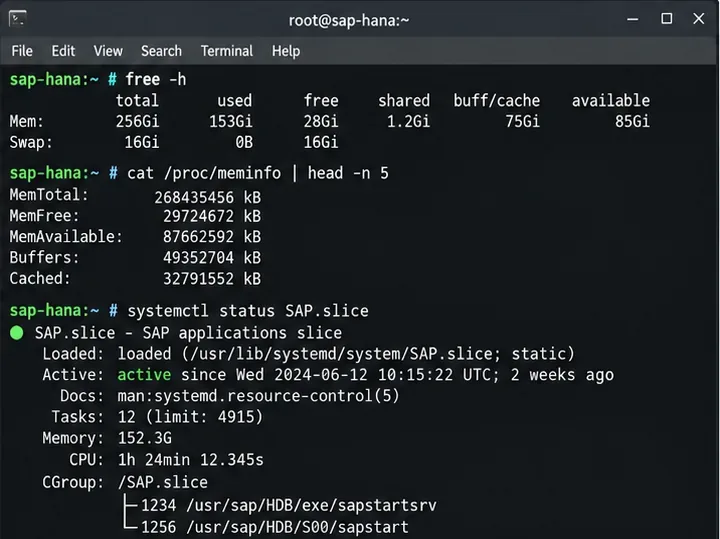
Before changing anything, record the effective configuration. You can inspect M_INIFILE_CONTENTS from SAP HANA Database Explorer, Cockpit SQL console, or another authorized SQL client.
SELECT FILE_NAME, SECTION, KEY, VALUE, LAYER_NAME
FROM M_INIFILE_CONTENTS
WHERE FILE_NAME = 'global.ini'
  AND SECTION = 'memorymanager'
  AND KEY IN ('global_allocation_limit',
              'statement_memory_limit',
              'statement_memory_limit_threshold')
ORDER BY KEY, LAYER_NAME;
The layer matters. In multi-tenant systems, system-level and database-level settings can have different scope. Do not copy a command from a single-container example without checking whether you are connected to SYSTEMDB or a tenant database and which layer you intend to change.
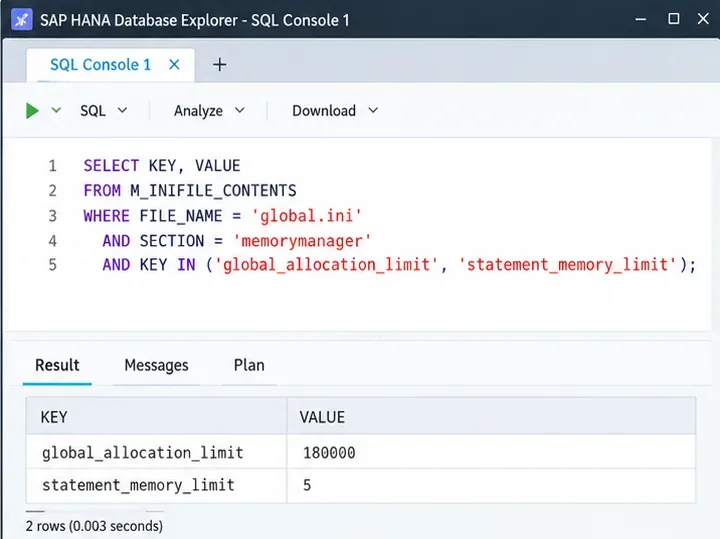
Use global_allocation_limit when the objective is to bound HANA's total allocation. A value such as 180000 means 180,000 MB; it is only an example, not a universal recommendation. The correct number must come from sizing, workload history, high-availability requirements, and the memory that must remain available to the operating system and other processes.
ALTER SYSTEM ALTER CONFIGURATION ('global.ini', 'SYSTEM')
SET ('memorymanager', 'global_allocation_limit') = '180000'
WITH RECONFIGURE;
The advantage of a lower global limit is predictable headroom outside HANA. The cost is less room for column-store growth, caches, intermediate query results, and service overhead. If the host is dedicated to HANA, the automatic default may be appropriate after sizing validation. If the host is shared, an explicit limit is usually easier to reason about because every resident workload has a defined budget.
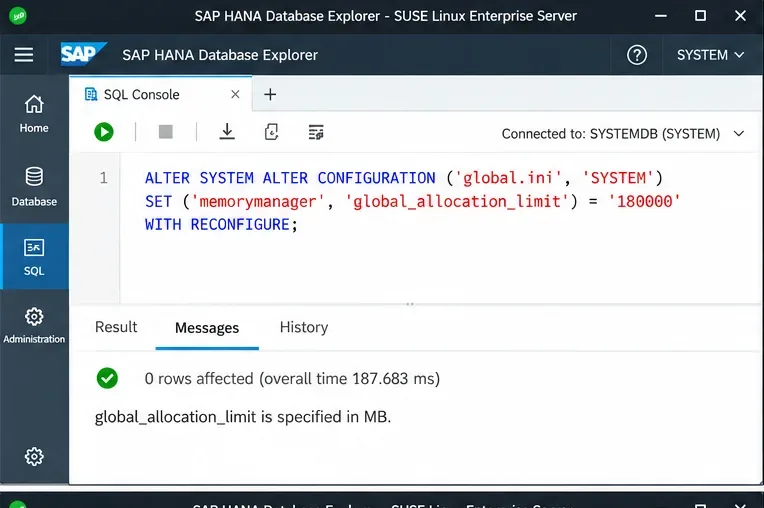
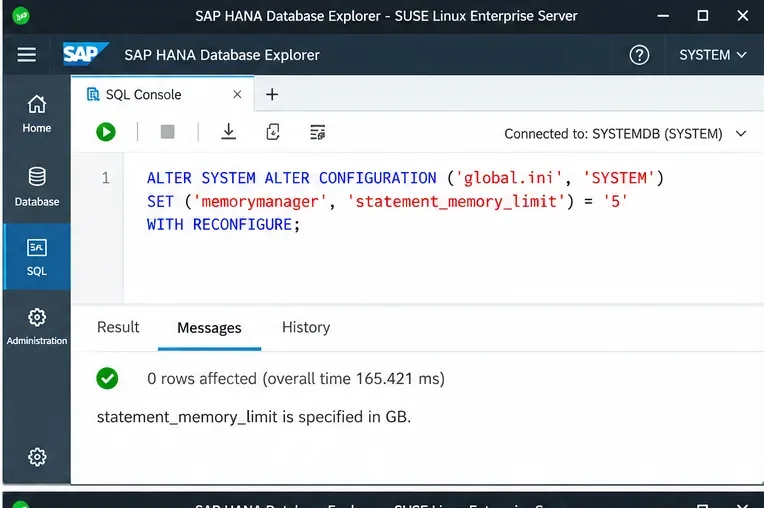
global_allocation_limit; the numeric value must be replaced with the result of your own sizing.statement_memory_limit controls the maximum memory allocation for a single statement and is expressed in GB. SAP documents the default as 0, meaning no statement-specific limit. A finite value is useful when ad-hoc analytical queries or poorly filtered joins can consume a large portion of the global pool.
ALTER SYSTEM ALTER CONFIGURATION ('global.ini', 'SYSTEM')
SET ('memorymanager', 'statement_memory_limit') = '5'
WITH RECONFIGURE;
The trade-off is direct: a tighter limit protects concurrency, but it can abort memory-intensive statements that are valid for your business. SAP notes that reaching the limit aborts the statement and can produce a dump with compositelimit_oom in its name. For details, see the memory-management section of the SAP HANA Troubleshooting and Performance Analysis Guide.
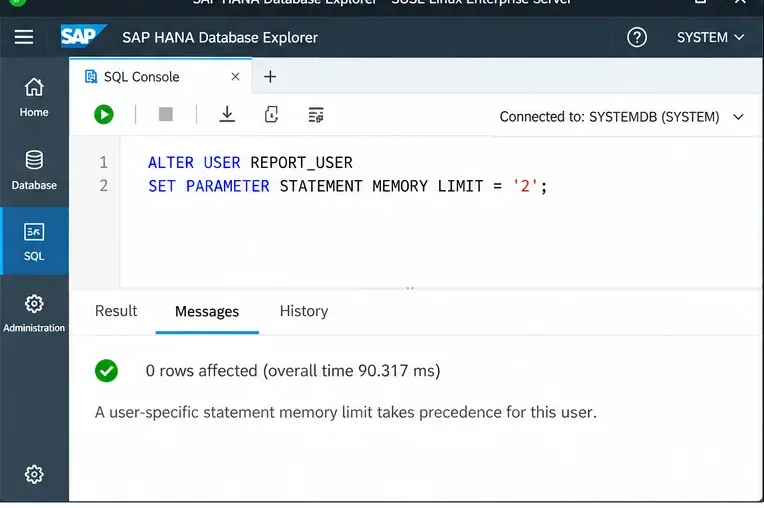
A single statement limit is simple to operate, but it treats an overnight ETL account the same as an interactive reporting user. SAP supports a user-specific STATEMENT MEMORY LIMIT that takes precedence over the global statement limit for that user.
ALTER USER REPORT_USER
SET PARAMETER STATEMENT MEMORY LIMIT = '2';
This approach is often better than lowering the global limit for everyone. For example, you can constrain ad-hoc reporting while leaving batch or administrative accounts with a larger allowance. The downside is governance: exceptions must be documented, reviewed, and cleared when no longer needed. SAP also documents limitations for cross-database queries and certain XS Classic scenarios, where workload classes may be more appropriate. See SAP Setting User Parameters for Workload.
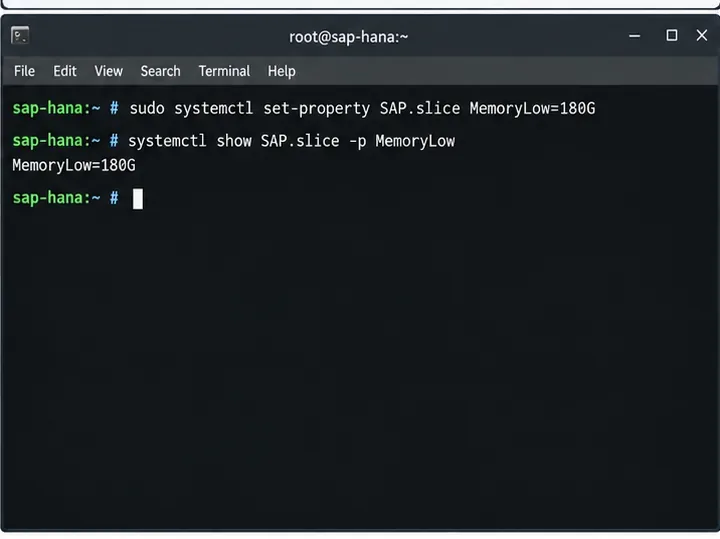
On SLES for SAP Applications, SUSE recommends Workload Memory Protection through systemd and cgroup v2. SAP instances are placed in SAP.slice, and SUSE says that for SAP HANA the HANA Global Allocation Limit can be used as the basis for MemoryLow.
sudo systemctl set-property SAP.slice MemoryLow=180G
systemctl show SAP.slice -p MemoryLow
MemoryLow is a protection threshold: under memory pressure, the kernel tries to protect that amount for the cgroup. It is not the same as MemoryMax, and it does not replace HANA's own allocator. This distinction is important because a hard OS-level cap can create a different failure mode than HANA's internal allocation controls.
SUSE also warns not to set MemoryLow close to or above total physical memory, because system services and other installed software need memory too. Current guidance is available in SUSE Workload Memory Protection for SLES for SAP 15 SP6.
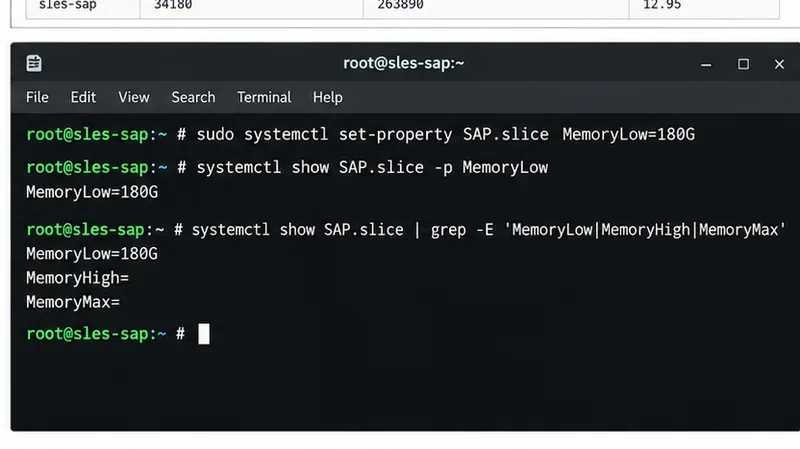
MemoryLow protects SAP.slice during host memory pressure; it does not impose the HANA allocation ceiling.After setting MemoryLow, inspect the relevant systemd properties. If your design does not intentionally use MemoryHigh or MemoryMax, verify that they have not been introduced by a local drop-in, automation system, or unrelated tuning policy.
systemctl show SAP.slice | grep -E 'MemoryLow|MemoryHigh|MemoryMax'This is especially important on shared hosts managed by configuration automation. SUSE's Workload Memory Protection is designed to protect SAP against pressure from workloads outside the protected cgroup; it cannot protect SAP systems or SAP instances from each other when they all share the same SAP.slice. That means application-level sizing still matters even when cgroup protection is enabled.
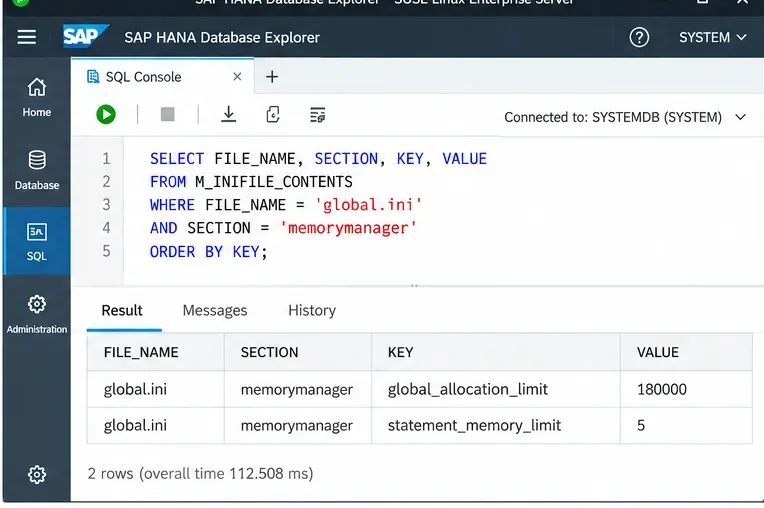
Re-query M_INIFILE_CONTENTS after the change and confirm the intended layer and values. Then monitor the system during normal and peak workload. A configuration is not successful merely because the SQL statement executed without error.
SELECT FILE_NAME, SECTION, KEY, VALUE
FROM M_INIFILE_CONTENTS
WHERE FILE_NAME = 'global.ini'
  AND SECTION = 'memorymanager'
ORDER BY KEY;
Watch for out-of-memory events, statement cancellations, sustained memory pressure, swapping, and workload latency. If statements that used to finish begin failing with memory-limit errors, your per-statement value may be too restrictive. If Linux has very little headroom while HANA regularly approaches the global limit, the global cap may be too high for the host's combined workload. If HANA stays far below its limit while critical queries are spilling or being aborted, the limit may be too low or the workload may need a more targeted policy.
Favor HANA's own global allocation management and leave enough OS headroom based on SAP sizing. Add a statement limit only if workload history shows that individual statements threaten concurrency. Use SUSE MemoryLow when you want the SAP workload protected from non-SAP memory pressure on the host.
Use explicit budgets. Coordinate HANA global_allocation_limit with application-server memory settings such as PHYS_MEMSIZE. This is less flexible than letting both sides grow freely, but it reduces the risk that one component consumes memory needed by the other.
Combine a sensible global allocation limit with statement-level controls. Start with evidence from expensive statements and peak memory usage rather than an arbitrary small number. User-specific limits or workload classes are preferable when only certain users or applications generate risky queries.
Size both the active and takeover states. A secondary node that becomes primary may need substantially different memory than it uses during steady-state replication. Treat the failover design, cluster agents, monitoring stack, and any co-located workloads as part of the memory budget rather than configuring each host in isolation.
Use SAP HANA's global_allocation_limit as the primary ceiling for HANA memory, add statement_memory_limit only when you need to control individual query risk, and use user-specific or workload-class policies when different workloads deserve different limits. On SUSE Linux Enterprise Server for SAP Applications, use SAP.slice MemoryLow to protect the SAP workload from host-level pressure rather than trying to duplicate the HANA limit with a cgroup hard cap.
The most important trade-off is between maximum HANA cache/query capacity and enough host headroom to keep the operating system and co-located services healthy. Base the final numbers on SAP sizing and observed production peaks, then verify both HANA and SLES after the change.
Use Dislocker to unlock a BitLocker volume in Linux, mount its virtual NTFS file read-only, and safely unmount it without exposing your password in a command.
Learn how to reduce RAM usage on Linux by finding memory-hungry apps, trimming browser and startup load, and testing a lighter desktop safely.
Compare four WhatsApp alternatives for Linux by privacy defaults, desktop support, setup requirements, and the people each app suits.
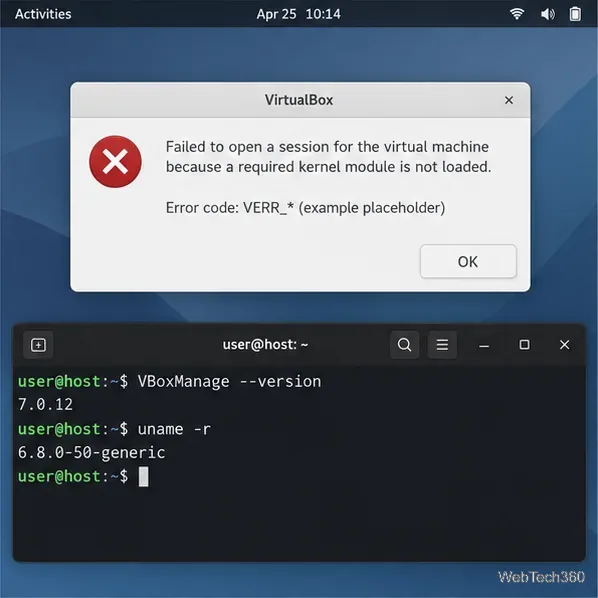
Troubleshoot a VirtualBox VM that will not start on Linux by checking vboxdrv, kernel headers, Secure Boot, Extension Pack versions, and VM logs.
Transfer your Ubuntu user data with a tar archive and external drive, then restore personal files and selected settings without overwriting the new setup.
Install gThumb on Linux, browse and make simple photo edits, then set it as the default app for the image types you choose in GNOME.
Create an organized playlist in Rhythmbox or save a reusable XSPF playlist in VLC. Learn how to add tracks, name a list, and reopen it on Linux.
Install Dino on Linux with Flatpak or your distribution’s package manager. Get current Ubuntu, Debian, Fedora, and Arch commands, plus first-launch tips.
Install Arch Linux’s linux-lts kernel, add it to GRUB or systemd-boot, select it at startup, and verify it while keeping a fallback kernel.
Download the right Pi 4 image, write it to a microSD card, and complete LibreELEC’s first-run setup with Raspberry Pi Imager.