Home
» LINUX
»
How to Install and Set Up Plex on OpenMediaVault with Compose
How to Install and Set Up Plex on OpenMediaVault with Compose
The Plex plugin shown in older OpenMediaVault guides is no longer the recommended route. Its project repository was archived in February 2024. On current OpenMediaVault 8, install Plex Media Server as a container with the OMV-Extras Compose plugin and Plex’s official Docker image. This keeps Plex separate from the NAS operating system and lets you manage its configuration from the OMV web interface.
The steps follow OMV 8; on OMV 7, select the Compose plugin version that matches your release.
Before you start
Make sure OMV is installed and a data drive is mounted. In Storage > Shared Folders, create folders on that drive for Compose files, Plex app data, and media, with subfolders such as Movies, TV, or Music. Keep Plex data off the system drive when possible. Give Plex read access to the media folders and note the account’s numeric user ID (UID) and group ID (GID). A DHCP reservation helps keep the NAS address stable.
Install Plex on OpenMediaVault
1. Install OMV-Extras if it is missing
OMV-Extras supplies the repository for the Compose plugin. SSH to the NAS as root, or switch to a root shell with sudo -i, then run its current installer:
Enable the Docker repository on the OMV-Extras page before installing Compose.
2. Enable Docker and install the Compose plugin
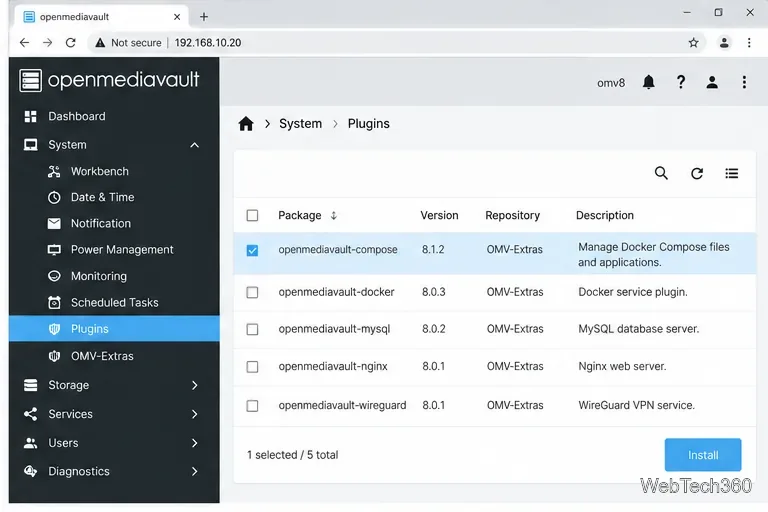
Open System > OMV-Extras, enable Docker Repo, and click Save. Under System > Plugins, select the openmediavault-compose package for your OMV version and click Install. Confirm and wait for installation to finish.
Select the Compose plugin that matches the installed OMV release.
3. Point Compose storage to the data drive
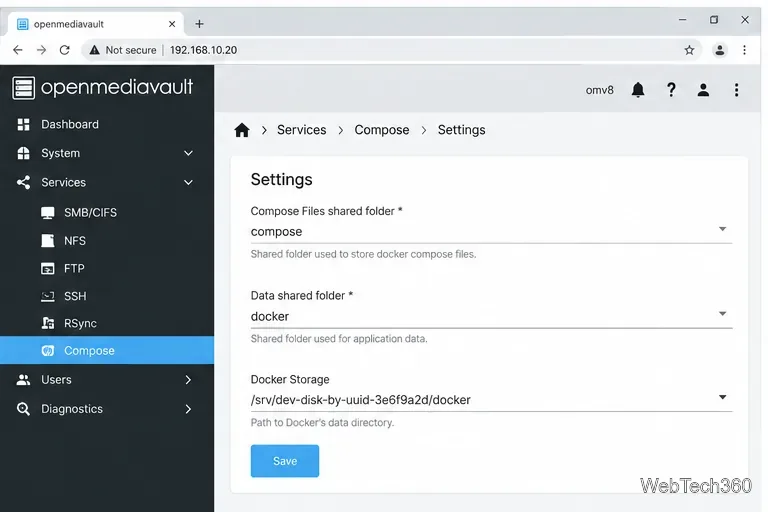
In Services > Compose > Settings, select shared folders for Compose Files and Data. Set Docker Storage to an absolute path on a suitable local filesystem, not a symlink or mergerfs pool. Save and apply the settings.
Use shared folders on mounted storage and save the Compose settings.
4. Create a Plex Compose file
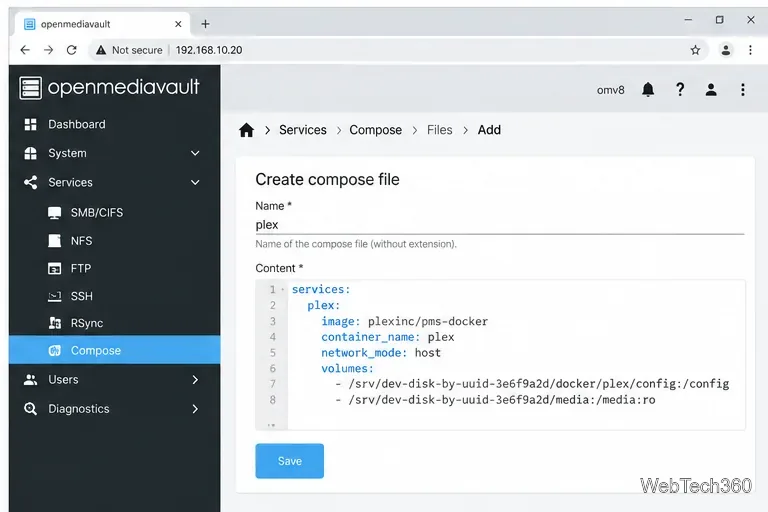
Under Services > Compose > Files, click Add, name the project plex, and paste this Compose definition. Replace the sample paths and UID/GID with the values from your OMV system.
services:
  plex:
    image: plexinc/pms-docker:latest
    container_name: plex
    network_mode: host
    restart: unless-stopped
    environment:
      - TZ=Etc/UTC
      - PLEX_UID=1000
      - PLEX_GID=100
      # Optional for first setup: replace with a fresh claim token
      # - PLEX_CLAIM=claim-REPLACE-ME
    volumes:
      - /srv/dev-disk-by-uuid-REPLACE-ME/appdata/plex/config:/config
      - /srv/dev-disk-by-uuid-REPLACE-ME/appdata/plex/transcode:/transcode
      - /srv/dev-disk-by-uuid-REPLACE-ME/media:/data:ro
/config holds Plex settings and its library database; /transcode is temporary space; and the read-only /data mount exposes your media. Change TZ if you prefer your local zone. The optional PLEX_CLAIM value comes from plex.tv/claim; add a fresh token before first start, then remove it after the server is claimed.
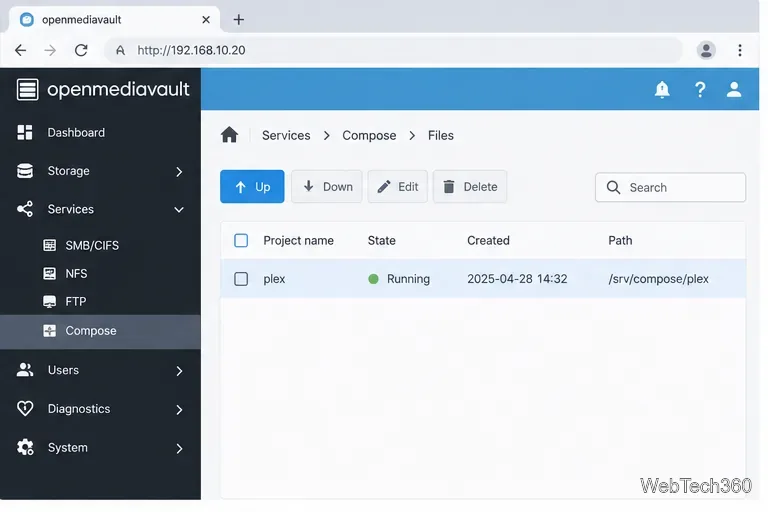
Save the file, select plex in the Files list, and click Up to start the container.
The Compose file maps a persistent Plex configuration folder and a read-only media folder.After you select the project and click Up, check that Compose reports it as running.
5. Open Plex Web and claim the server
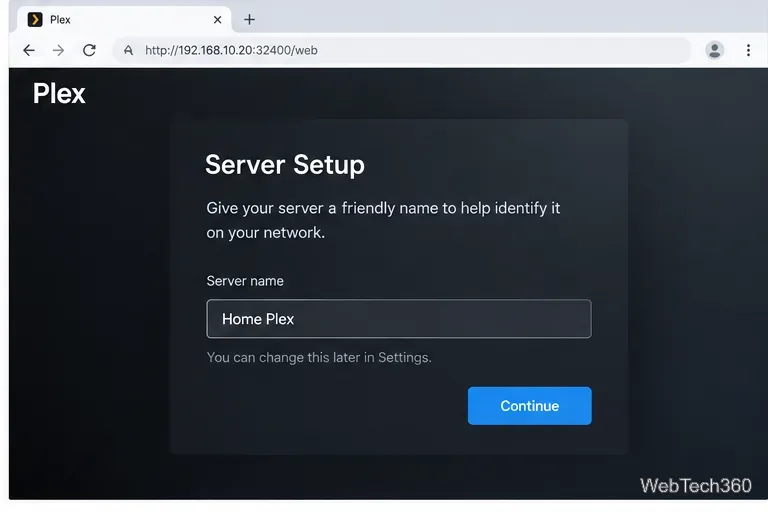
On a computer on the same network, open http://<OMV-IP-address>:32400/web, replacing the placeholder with the NAS address. Sign in and follow the prompts to name the server. If first-run setup does not appear, use Plex’s official installation instructions for initial access.
Use the NAS address and Plex’s default web port to reach the first-run setup.
6. Add libraries using the container paths
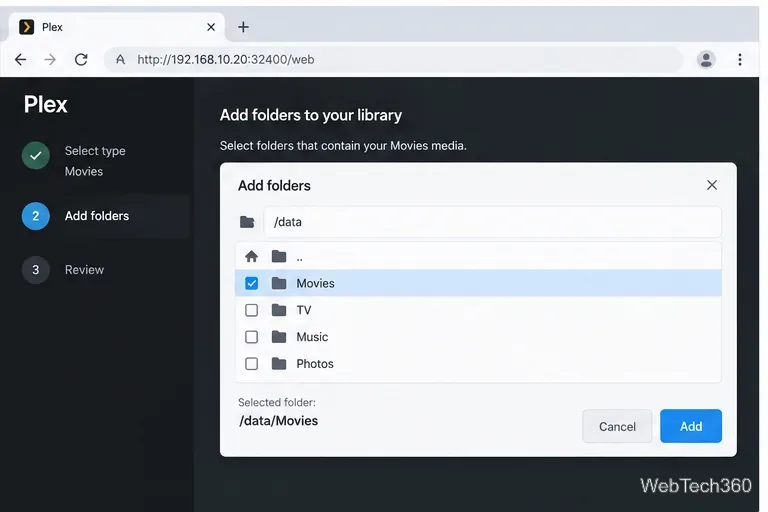
In Plex Web, add a library and choose its in-container path, such as /data/Movies or /data/TV. The host’s /srv/dev-disk-by-uuid-... path is not visible in Plex. Add each media type and let Plex scan.
Choose the folder as Plex sees it inside the container, such as /data/Movies.
7. Confirm access and keep the setup maintainable
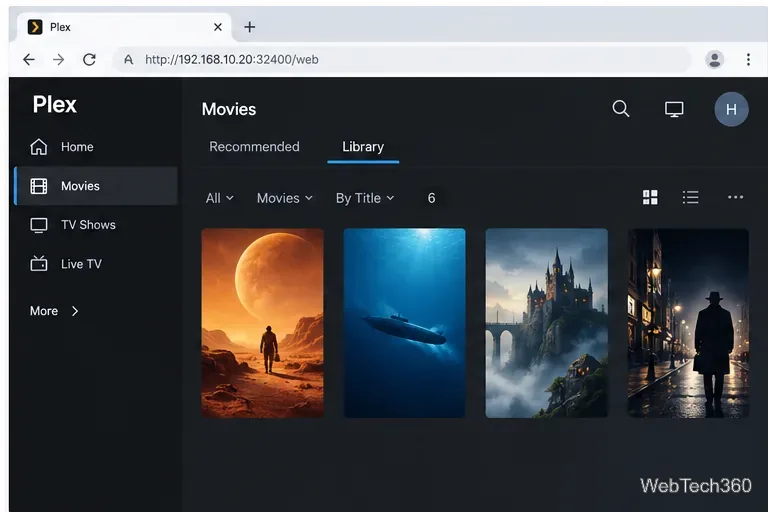
Open the library and test playback from a device on your home network. With host networking, Plex uses the OMV address and TCP port 32400. Local playback does not require a router port-forward. Set up remote access only if needed, using Plex’s port guidance.
A populated Plex library confirms the mapped folder is visible to the server.
Troubleshooting an empty library or unreachable server
Plex Web will not load: confirm the Compose project is Up, use the correct NAS IP, and check that TCP 32400 is available.
The folder picker is empty: verify the mapped host path and grant the configured Plex UID/GID read and traverse access on the media folder and its parents.
Settings disappear after restart: keep /config on persistent storage; it contains Plex’s server data.
Update through the Compose plugin and back up the Compose file and persistent /config folder. The old OMV 3 package and Plexmediaserver-repository instructions are obsolete. For advanced options, see the Plex container documentation and OMV 8 Docker guide.