Home
» LINUX
»
How to Install the Eolie Web Browser on Linux
How to Install the Eolie Web Browser on Linux
The simplest current way to install the Eolie web browser on Linux is through Flatpak. Eolie is still listed on Flathub as version 0.9.101, with packages for x86_64 and ARM64 systems. The browser itself has not had a new upstream feature release in several years, so this updated guide avoids the old Ubuntu PPA, Debian PPA-key workaround, and Fedora Copr instructions that appeared in earlier tutorials.
If you only want Eolie running with the least distribution-specific setup, use the Flatpak method below. Arch Linux also currently provides a native package in its official Extra repository.
Install Eolie with Flatpak
Flatpak is the most portable option because the same Eolie application ID works across many distributions. The official Eolie page on Flathub identifies the app as org.gnome.Eolie.
1. Install Flatpak if you do not already have it
On Ubuntu or Debian, open Terminal and run:
sudo apt update
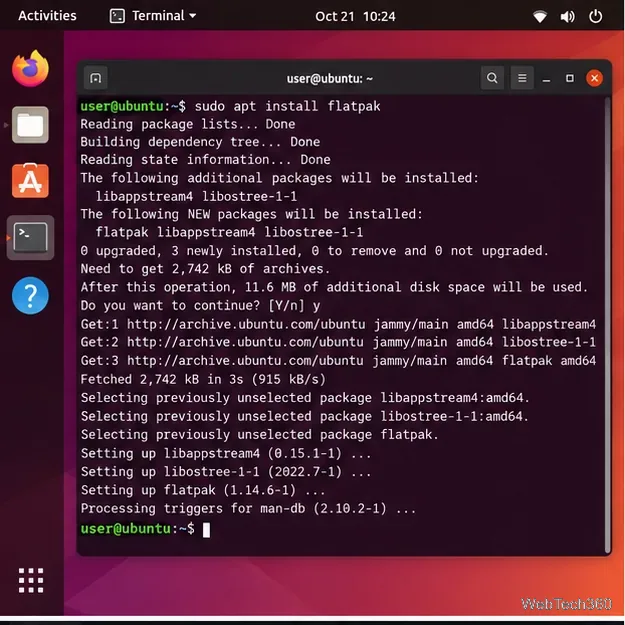
sudo apt install flatpak
Fedora Workstation, Silverblue, and Kinoite normally include Flatpak already. Other distributions can follow the current instructions on the Flathub setup page.
Install Flatpak first on Ubuntu or Debian if the command is not already available.
2. Add the Flathub repository
If Flathub is not enabled on your system, add it with the official repository file:
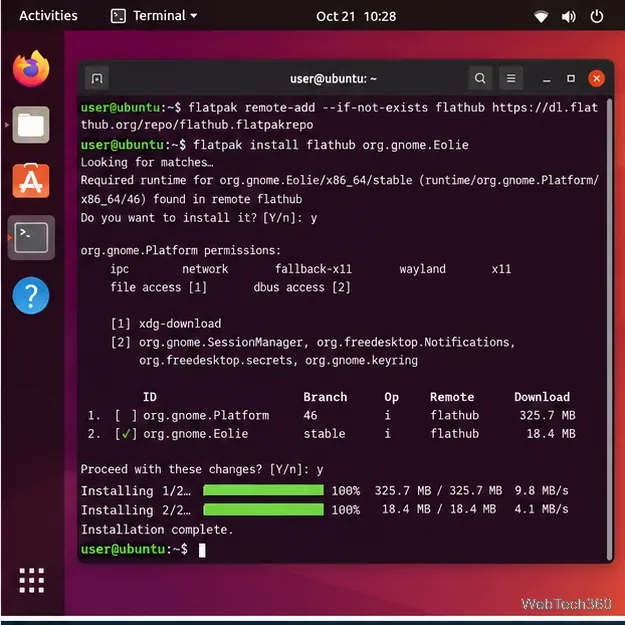
The --if-not-exists option makes the command safe to run when Flathub is already configured.
3. Install Eolie
Install the stable Eolie package from Flathub:
flatpak install flathub org.gnome.Eolie
Review the runtime and permissions shown by Flatpak, then confirm the installation when prompted.
Add Flathub, then install Eolie using its Flatpak application ID, org.gnome.Eolie.
4. Launch Eolie
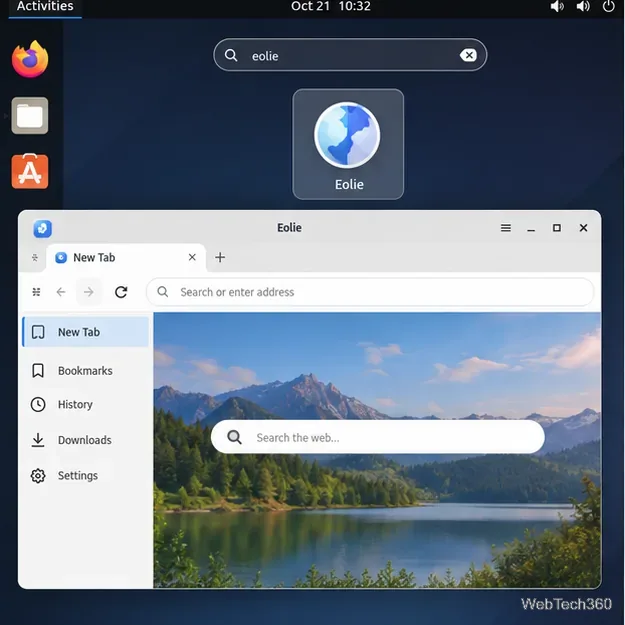
After installation, open your desktop application launcher and search for Eolie. You can also start it directly from Terminal:
flatpak run org.gnome.Eolie
Launch Eolie from the desktop app menu or with the flatpak run command.
Install Eolie on Arch Linux
Arch Linux currently carries Eolie in the official Extra repository. The Arch package page lists version 0.9.101-14. Install it with Pacman:
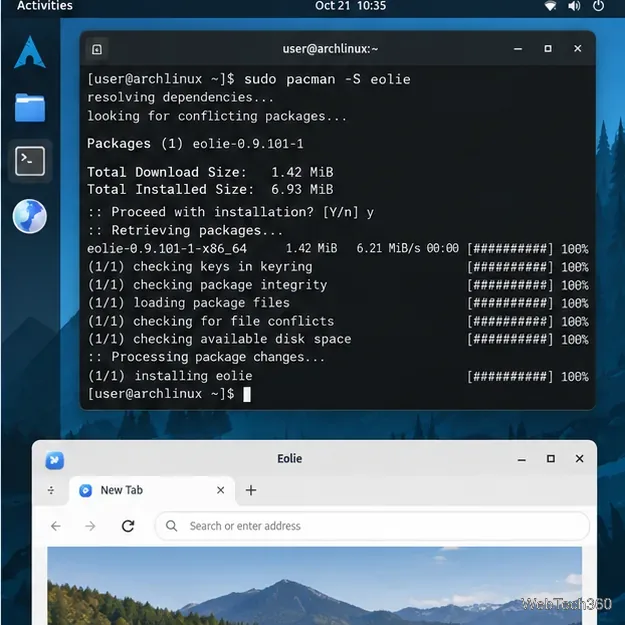
sudo pacman -S eolie
If you prefer to keep the browser isolated from system libraries, the Flatpak method works on Arch as well. There is no need to install an AUR helper just to get Eolie when the official package is available.
Arch users can install the native Eolie package directly from the official repositories.
What about Fedora, openSUSE, Ubuntu, and Debian native packages?
Older Eolie guides often point to a developer PPA for Ubuntu, a Copr repository for Fedora, or version-specific openSUSE repositories. Those instructions are now poor defaults because they were written for distributions released years ago.
Ubuntu and Debian: use Flatpak instead of adding the historical Ubuntu PPA. In particular, do not add an Ubuntu release repository to Debian just to install Eolie.
Fedora: use the Flatpak package. Fedora's Flathub setup instructions note that Flatpak is already installed on Fedora Workstation, Silverblue, and Kinoite.
openSUSE: first check whether your enabled repositories currently provide Eolie with zypper search -s eolie. If they do, you can install it with sudo zypper install eolie. If not, use Flatpak rather than adding an old Leap-specific repository.
Troubleshooting Eolie installation
If the install command succeeds but Eolie does not start, update your Flatpak apps and runtimes with flatpak update, then try launching it again from Terminal so any error message remains visible. On Arch, make sure the system is fully updated rather than mixing old libraries with a newer package. If Eolie is missing from the desktop menu immediately after a first Flatpak setup, sign out and back in or restart the desktop session so application launchers refresh.
Update or remove Eolie
For a Flatpak installation, update Eolie with:
flatpak update org.gnome.Eolie
To remove it:
flatpak uninstall org.gnome.Eolie
If Flatpak says that org.gnome.Eolie cannot be found, confirm that Flathub is configured by running flatpak remotes, then repeat the Flathub setup command above.
Is Eolie still worth installing?
Eolie remains useful for people who specifically want its GNOME-focused interface or need to revisit software built around the browser. However, the archived GNOME Eolie page reflects an older development era, and Flathub still labels 0.9.101 as the current release. If you need a browser with frequent upstream releases and the newest web-platform features, compare Eolie with an actively maintained browser before making it your primary browser.