Home
» LINUX
»
How to Install the Latest Non-ESR Firefox on Debian
How to Install the Latest Non-ESR Firefox on Debian
To install Mozilla’s current standard Firefox release on Debian instead of the Extended Support Release (ESR), use Mozilla’s official APT repository. The package is named firefox; APT will then offer Mozilla’s regular stable releases when you update your system. Mozilla recommends this DEB method for Debian-based distributions.
The steps below cover Debian 12 Bookworm and Debian 13 Trixie or newer. First check your release with grep VERSION_CODENAME /etc/os-release: Bookworm and older use a traditional .list source file, while Trixie and newer use Debian’s deb822 .sources format.
1. Prepare APT and the signing-key tools
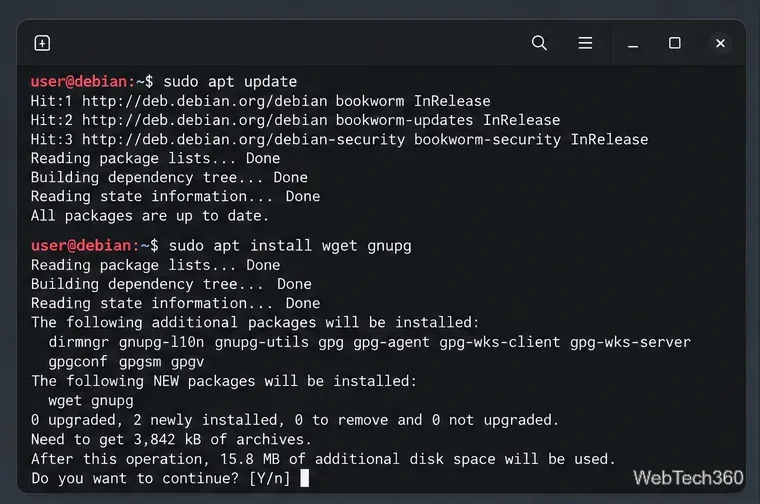
Open Terminal and refresh the package index, then install wget and gnupg. APT uses these to retrieve Mozilla’s repository key and inspect its fingerprint.
sudo apt update
sudo apt install wget gnupg
Install the small tools needed to add and check Mozilla’s APT repository.
2. Add Mozilla’s repository key
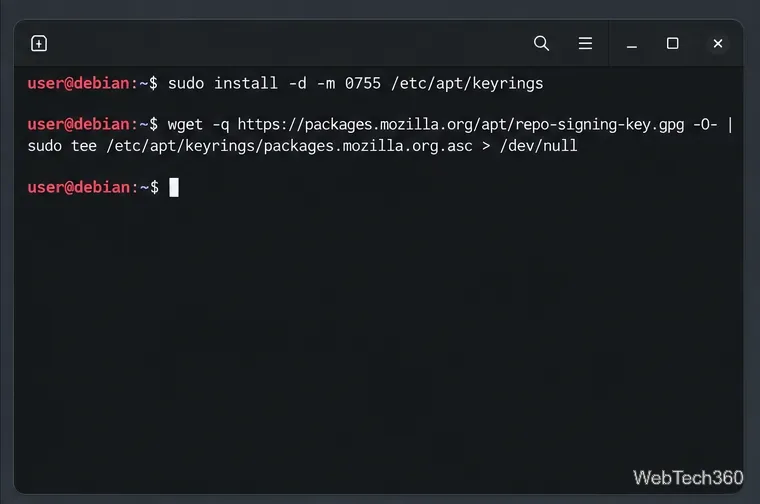
Create the standard APT keyring directory, then save Mozilla’s signing key there. The signed-by setting in the next step will limit this key to Mozilla’s repository.
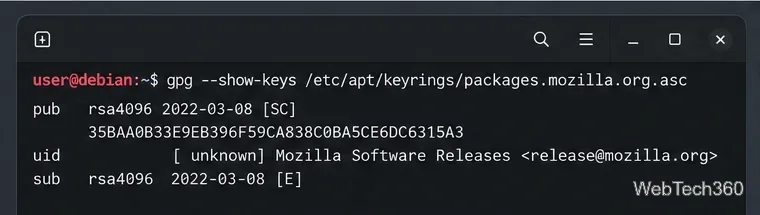
Confirm that the fingerprint is 35BAA0B33E9EB396F59CA838C0BA5CE6DC6315A3. Stop if it differs; do not continue with a key you cannot verify.
Compare the complete fingerprint shown in the terminal with Mozilla’s value above.
4. Add the Mozilla APT source
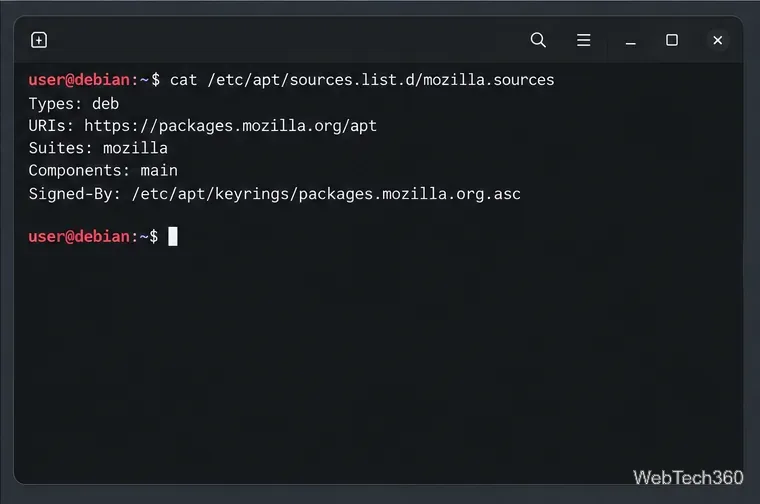
Use only the block that matches your Debian release. For Debian 13 Trixie and newer, create the deb822 source file:
sudo tee /etc/apt/sources.list.d/mozilla.sources > /dev/null <<'EOF'
Types: deb
URIs: https://packages.mozilla.org/apt
Suites: mozilla
Components: main
Signed-By: /etc/apt/keyrings/packages.mozilla.org.asc
EOF
For Debian 12 Bookworm and older, use the legacy one-line format instead:
echo "deb [signed-by=/etc/apt/keyrings/packages.mozilla.org.asc] https://packages.mozilla.org/apt mozilla main" | sudo tee /etc/apt/sources.list.d/mozilla.list > /dev/null
Do not add both entries. The source tells APT where to find Mozilla’s stable Firefox packages and which key to use for verification.
On Trixie and newer, the .sources file uses these five deb822 fields.
5. Prefer Mozilla’s package and install Firefox
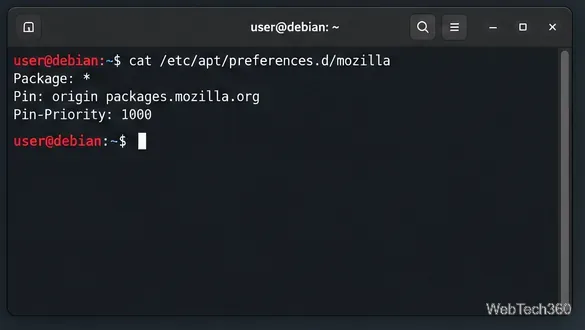
Set an APT pin so Mozilla’s repository wins when the same package is available from another configured source:
The pin tells APT to select Mozilla’s package when versions compete.
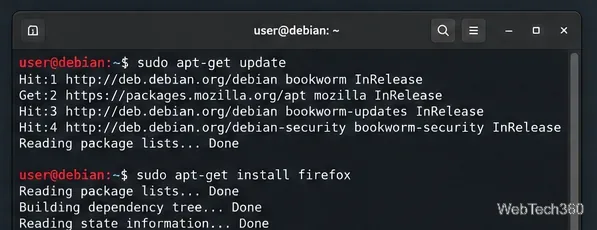
Refresh package information and install the standard release:
sudo apt-get update
sudo apt-get install firefox
Read APT’s proposed transaction before accepting it. If Debian’s firefox-esr package is already installed, APT may report a package conflict or propose a removal. Confirm only if you intend to replace ESR with Mozilla’s regular release; otherwise cancel and review the package selection first. You do not need to remove ESR before adding the repository or verifying the key.
Install the package named firefox after APT has loaded Mozilla’s repository.
6. Launch Firefox and keep it updated
Open Firefox from Debian’s application menu, or start it from a terminal with firefox. To check which build runs from the command line, use:
firefox --version
The version should identify Firefox’s standard release and should not end in esr. To receive later Mozilla builds through APT, run sudo apt update and sudo apt upgrade as part of your normal system updates.
After installation, launch the browser from the desktop menu or terminal.Run the version command on your own system to confirm the installed release.
Use Flatpak instead
If you prefer Flatpak, Mozilla also documents that option. Install Flatpak and configure Flathub, then run flatpak install flathub org.mozilla.firefox. Flathub lists Firefox as a verified app published by Mozilla. Flatpak keeps its profile in a different location from the DEB build, so use Mozilla’s profile-migration instructions if you need to move existing data. For the APT method and current release-specific source instructions, see Mozilla’s Linux installation guide and the Firefox listing on Flathub.