Yes, you can play Stardew Valley natively on Linux. The PC release includes a Linux build, so you do not need Wine or Proton for a normal installation. Steam is the simplest route and is the method covered below. GOG also sells a Linux version if you prefer a DRM-free installer.
The official Stardew Valley FAQ lists Linux as a supported PC platform, and the Steam store page includes SteamOS + Linux support.
What you need before installing
Stardew Valley itself is lightweight. Steam currently lists a 2 GHz processor, 2 GB of RAM, OpenGL 2-capable graphics, and 500 MB of available storage as the Linux minimums. The Steam client has newer platform requirements than the game listing, though, so use a maintained Linux distribution.
Valve's Steam Linux support documentation says the client no longer supports distributions with glibc older than 2.31, while Valve's client troubleshooting page identifies the most recent Ubuntu LTS as its officially supported Linux target. Other current distributions often run Steam successfully, but their package setup and support path can differ.
Step 1: Install Steam on Linux
On Ubuntu or Debian-based systems, the most direct Valve-provided route is the current Steam launcher package from the official Steam Linux repository. Download steam_latest.deb, open a terminal in the download folder, and install it with:
sudo apt install ./steam_latest.deb
If you prefer the command line for the download as well, use:
wget https://repo.steampowered.com/steam/steam_latest.deb
sudo apt install ./steam_latest.deb

After installation, launch Steam from your application menu and sign in. Steam may update itself the first time it opens. On Arch, Fedora, openSUSE, and other distributions, use the Steam package recommended by your distribution. A Flatpak build exists, but Flathub identifies it as a community package rather than an officially supported Valve package.
Step 2: Find Stardew Valley in Steam
Open the Store tab and search for Stardew Valley. On the game's store page, check that Linux support is shown before purchasing. If Stardew Valley is already attached to your Steam account, you can skip the store and go straight to your Library.
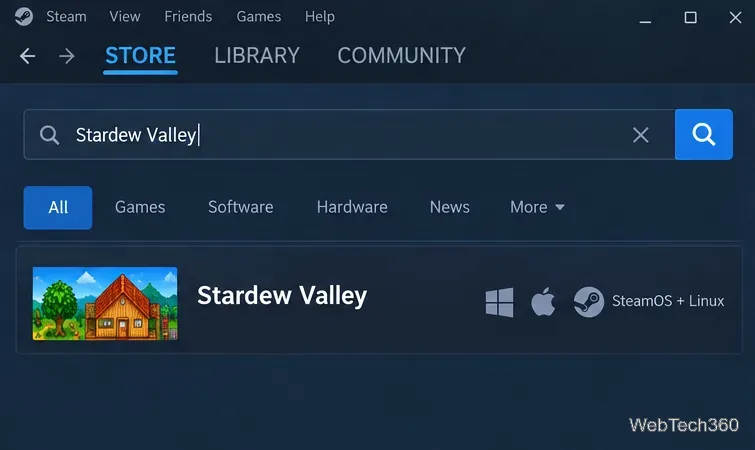
The Steam release supports single-player and co-op features, and Steam handles updates automatically. You do not need to install a separate Linux compatibility layer for the native version.
Step 3: Install Stardew Valley
- Open Library in Steam.
- Select Stardew Valley from the game list.
- Click Install.
- Choose the Steam library or drive you want to use, then confirm the installation.
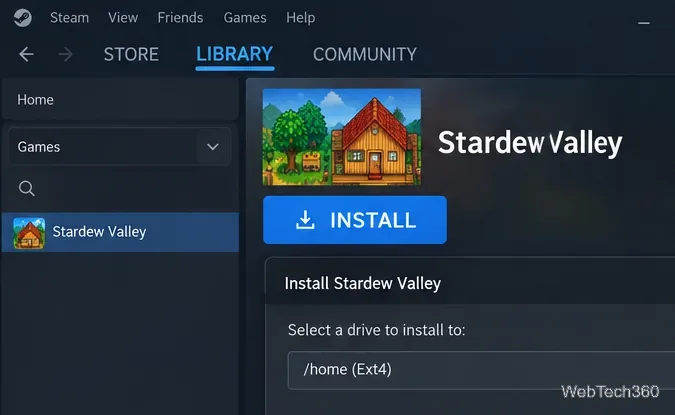
Steam downloads the Linux build and keeps it updated. The download is small compared with most modern games, but allow additional free space for updates, saves, mods, and Steam's own files.
Step 4: Launch the native Linux version
When the download finishes, open Stardew Valley in your Library and click Play. For a standard setup, Steam should launch the native Linux build automatically.
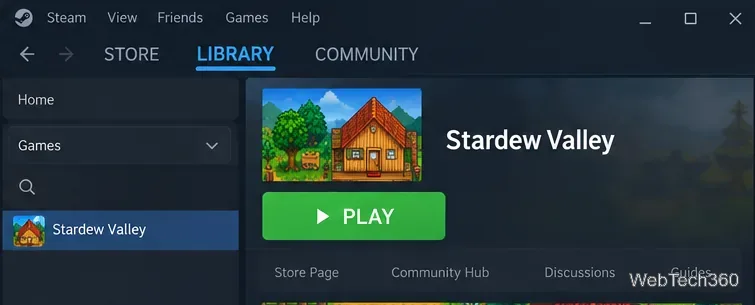
If you previously forced a Steam compatibility tool for this game, open the game's Steam properties and clear that forced compatibility setting when you want to return to the native Linux build.
If Stardew Valley will not start on Linux
- Update Linux and your graphics drivers. Valve's Steam Client Troubleshooting on Linux notes that graphics-driver and OpenGL problems are common causes of Steam startup issues.
- Verify the game files. In Steam, right-click Stardew Valley, choose Properties > Installed Files > Verify integrity of game files. Steam documents this process in its file verification guide.
- Check your distribution age. If Steam itself refuses to run, confirm that your Linux installation is still supported and includes a sufficiently recent glibc version.
- Remove unnecessary overrides. Custom launch options, forced compatibility tools, or outdated mods can complicate troubleshooting. Test the unmodified native game first.
Can you play without Steam?
Yes. GOG's Stardew Valley page also lists Linux support and offers a DRM-free offline installer. GOG says GOG Galaxy is optional, so you can download the Linux installer from your library and play without using the Galaxy client. If you already own the game on GOG, there is no need to buy it again on Steam.
For most Linux users, however, Steam is the shortest path: install the current client, download Stardew Valley from your Library, and launch the native Linux build.









