Home
» LINUX
»
How to Try Microsoft Edge on Linux Before New Features Reach Stable
How to Try Microsoft Edge on Linux Before New Features Reach Stable
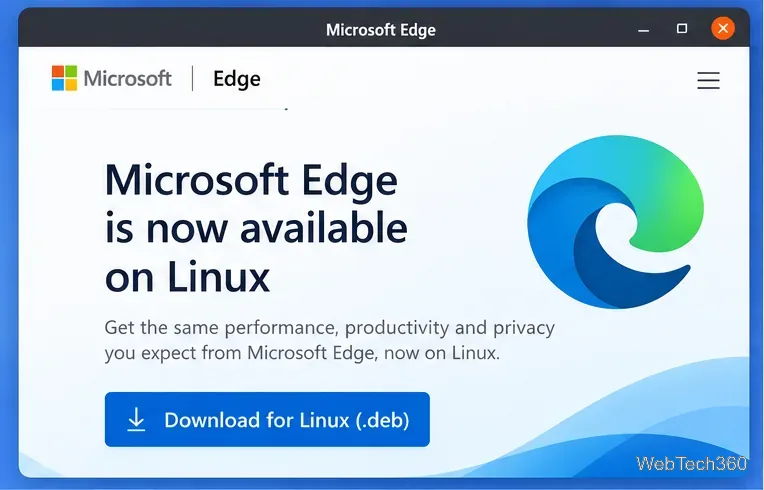
Microsoft Edge is no longer a Linux preview-only browser. The stable browser is available for Linux, and the current way to try features before they reach Stable is to install an Edge Insider channel. Microsoft offers Beta, Dev, and Canary preview builds, with different update speeds and stability levels.
The official Edge download flow provides Linux packages; preview users should switch to the Insider download page for pre-release channels.
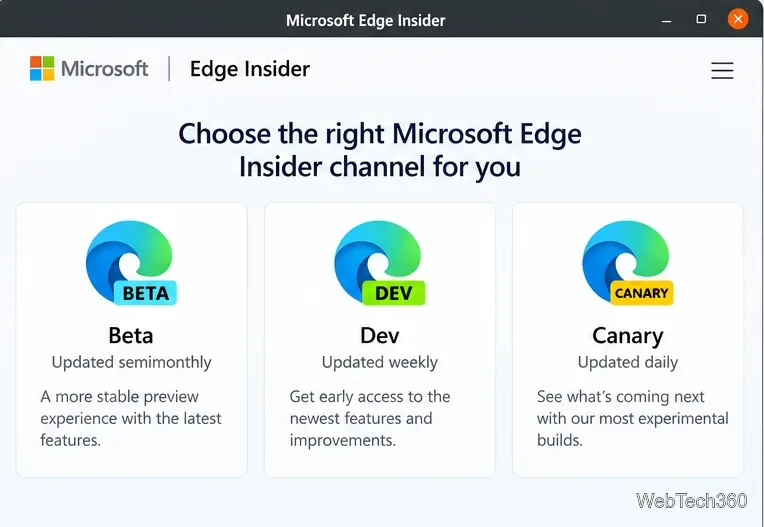
Which Microsoft Edge preview channel should you use?
Microsoft currently describes the Insider channels this way:
Channel
Update pace
Best for
Beta
Semimonthly
The most stable preview experience
Dev
Weekly
Trying newer features with less risk than Canary
Canary
Daily
The newest, least stable changes
For most Linux users who want to see what is coming next, Beta or Dev is the sensible choice. Microsoft says preview channels can be installed alongside the released version, so you do not have to replace Stable. The Insider page currently advertises Beta, Dev, and Canary for Linux; if a particular channel is not offered for your distro or architecture, choose another available channel rather than forcing an incompatible package.
Beta changes less often than Dev or Canary, making it the safer starting point for preview testing.
Check that your Linux distribution is supported
Microsoft's current support list includes 64-bit Ubuntu 18.04 or later, Debian 10 or later, openSUSE 15.5 or later, and Fedora Linux 39 or later. Other distributions may run Edge, but Microsoft does not list them as officially supported.
That means the old Arch Linux/AUR instructions from earlier guides should not be presented as an official installation method. If you use Arch or another unsupported distribution, you are outside Microsoft's supported Linux matrix.
Select Beta, Dev, or another Linux channel that Microsoft offers to you.
Download the .deb package.
Open a terminal and go to your Downloads folder.
cd ~/Downloads
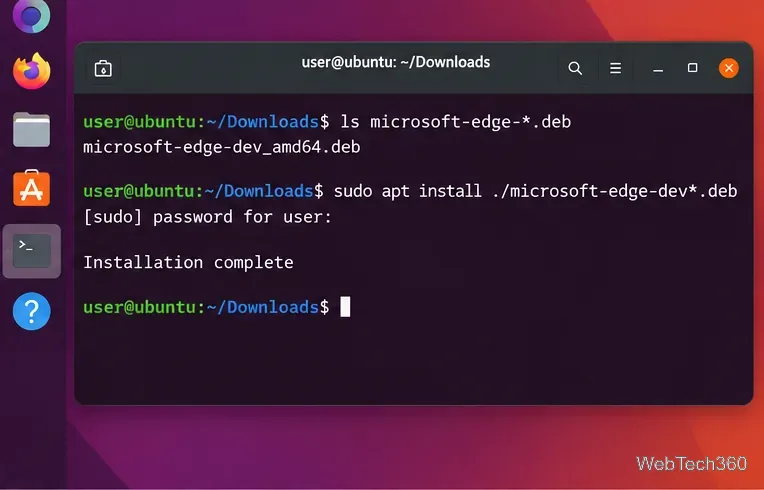
ls microsoft-edge-*.deb
sudo apt install ./microsoft-edge-*.deb
If you have more than one Edge DEB file in that folder, replace the wildcard with the exact filename you just downloaded. Using apt install ./filename.deb lets APT resolve package dependencies instead of treating the file like a repository package name.
On Ubuntu and Debian, install the downloaded DEB locally with APT.
Install Microsoft Edge on Fedora
For Fedora, download the RPM build offered by Microsoft's Edge or Insider page, then install the local file with DNF:
cd ~/Downloads
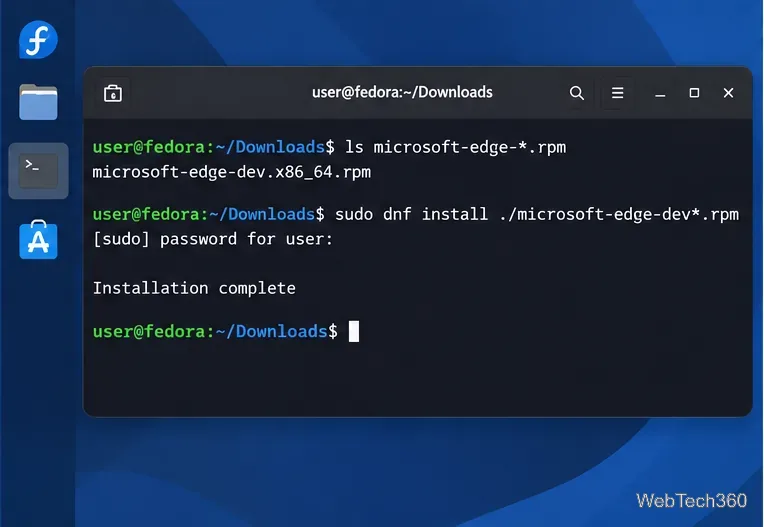
ls microsoft-edge-*.rpm
sudo dnf install ./microsoft-edge-*.rpm
Again, use the exact filename if several matching RPM files are present. Microsoft officially supports Fedora Linux 39 or later at the time of this rewrite.
Fedora can install the downloaded Edge RPM directly with DNF.
Install Microsoft Edge on openSUSE
On a supported openSUSE release, download the RPM package and use Zypper:
cd ~/Downloads
ls microsoft-edge-*.rpm
sudo zypper install ./microsoft-edge-*.rpm
If you prefer repository-based installation, use the current command-line instructions shown on Microsoft's Insider site. Microsoft also documents its general Linux package infrastructure at packages.microsoft.com. Avoid copying old instructions that depend on obsolete repository setup patterns when Microsoft provides newer commands.
Launch Edge and confirm which build you installed
Open Microsoft Edge from your desktop application menu, then enter edge://version in the address bar. That page shows the installed browser version and makes it easy to confirm whether you opened Stable, Beta, or Dev.
Microsoft documents the standard Linux executable paths as /usr/bin/microsoft-edge for Stable, /usr/bin/microsoft-edge-beta for Beta, and /usr/bin/microsoft-edge-dev for Dev. If you keep Stable and an Insider build side by side, the separate launchers and profile directories help prevent one channel from overwriting the other.
Updating or removing the preview build
After installation, use your normal Linux update workflow. If the Microsoft Edge repository is configured by the package or by Microsoft's current command-line setup, Edge updates will be delivered through the same package manager.
To remove a channel, first identify the installed package with dpkg -l | grep microsoft-edge on Debian-based systems or rpm -qa | grep microsoft-edge on RPM-based systems. Then remove the exact package name, such as microsoft-edge-beta or microsoft-edge-dev, with APT, DNF, or Zypper.
What changed from the original Linux preview instructions?
The important change is that there is no need to treat Microsoft Edge itself as an unreleased Linux browser anymore. Stable Edge is already available. The useful modern equivalent of “try Edge before release” is to install an Insider preview channel alongside Stable, using Microsoft's current DEB/RPM downloads and support information.