Home
» LINUX
»
How to Watch YouTube on Linux With FreeTube
How to Watch YouTube on Linux With FreeTube
FreeTube lets you watch YouTube on Linux in a desktop app without signing in to a Google account. It can search YouTube, play videos, keep local subscriptions, playlists, and history, and use either its built-in extractor or an Invidious backend. The main caveat is that FreeTube improves privacy but does not make you anonymous.
1. Install FreeTube on Linux
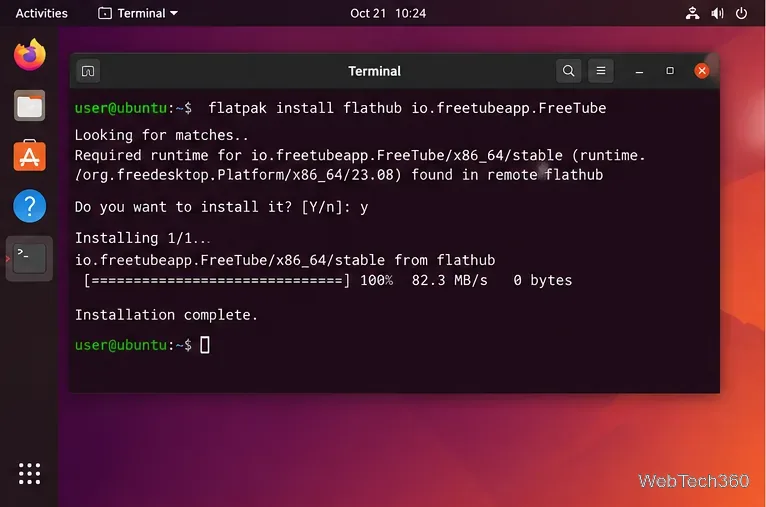
The simplest option on many distributions is Flatpak. Make sure Flatpak and the Flathub remote are already configured, then run:
flatpak install flathub io.freetubeapp.FreeTube
Launch it from your application menu or with:
flatpak run io.freetubeapp.FreeTube
Install FreeTube from Flathub after Flatpak is configured on your Linux system.
FreeTube also provides official Linux downloads. As of October 21, 2026, the FreeTube download page lists Release 0.25.3 Beta and offers DEB packages for Ubuntu/Debian, RPM packages for Fedora/Red Hat, AppImage builds, a Pacman package, and portable archives for several CPU architectures.
If you prefer a native package, download the build that matches your distribution and CPU, then install the local file with your package manager. For example, Debian/Ubuntu users can run sudo apt install ./freetube_*.deb, while Fedora users can use sudo dnf install ./freetube-*.rpm. Avoid copying an old version-specific download URL from an outdated guide; use the current official download page or official GitHub releases.
2. Search for a YouTube video
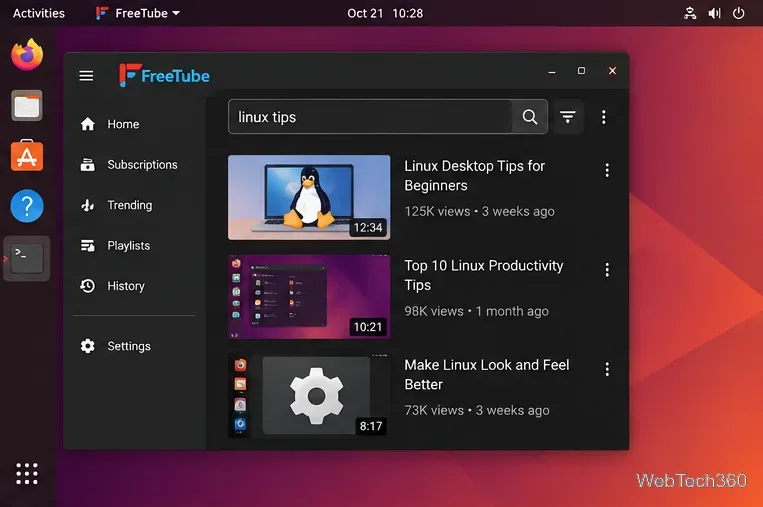
Open FreeTube and click the Search / Go to URL field near the top of the window. Enter a topic, video title, channel name, or a YouTube URL, then press Enter. FreeTube displays matching results inside the app.
Use FreeTube's search field to find videos or paste a YouTube URL directly.
Select the result you want. FreeTube does not require a YouTube login for normal browsing and playback, so you can use it without connecting a Google account.
3. Play videos in the FreeTube desktop player
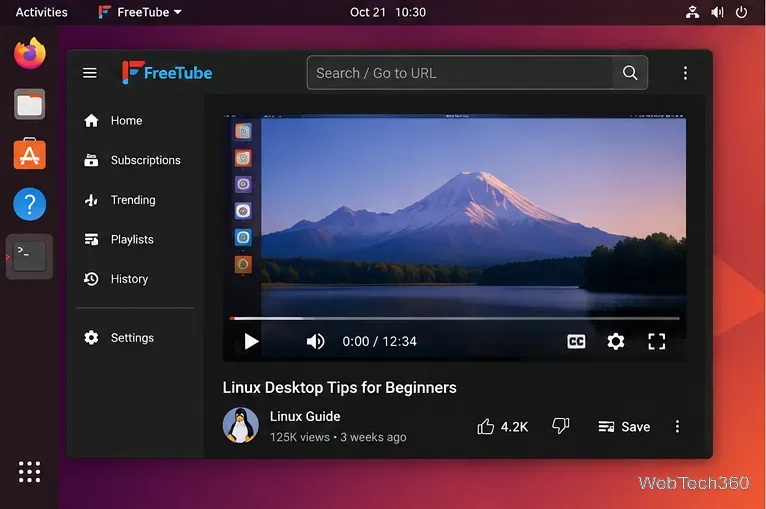
After opening a result, use the player controls just as you would in a conventional desktop video app: play or pause, change volume, seek through the video, enable captions when available, and switch to full screen. FreeTube also supports features such as chapters, Picture-in-Picture, keyboard shortcuts, external players, SponsorBlock, and DeArrow; availability can depend on the video and your settings.
Videos play inside FreeTube's own desktop player rather than the standard YouTube web player.
4. Subscribe to channels without a Google account
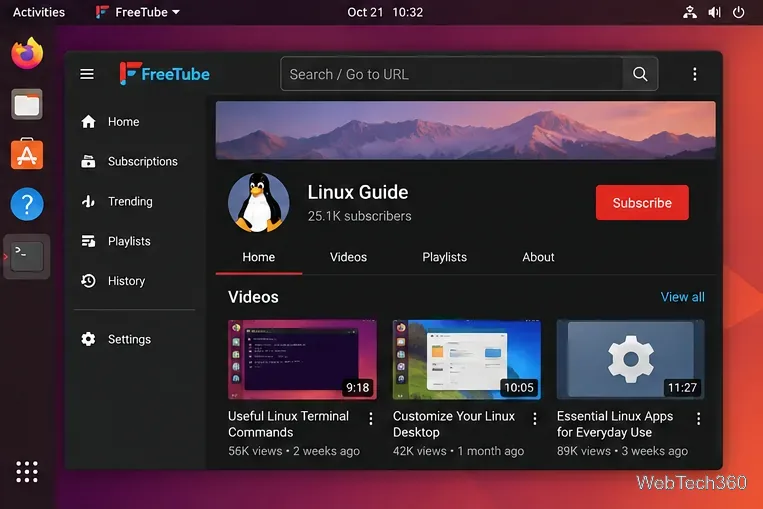
Open a channel page or a video from that creator and click Subscribe. FreeTube stores the subscription in the currently selected local profile. The Subscriptions section then shows videos from channels you follow. The official FreeTube subscription documentation notes that the subscription feed is refreshed by checking channels rather than by requesting a personalized YouTube account feed, so large subscription lists can take longer to refresh.
Click Subscribe on a channel page to track that channel locally in FreeTube.
If you already follow many channels on YouTube, you do not have to add them one by one. FreeTube supports importing a YouTube Takeout subscriptions CSV through Settings > Data Settings > Import Subscriptions. The official import guide explains the current export and import process.
What FreeTube privacy does—and does not—mean
FreeTube keeps its own app data on your computer and does not require an account. According to the project's privacy documentation, the app itself has no built-in analytics. However, the built-in Local API still has to contact YouTube for requested information, which exposes your IP address and the minimum information needed for that request. If you choose an Invidious backend, requests go through the selected Invidious instance instead.
In other words, FreeTube reduces the tracking associated with YouTube's normal cookies, JavaScript, and signed-in profile, but it is not an anonymity service. If hiding your IP address matters, the project recommends using a VPN or a supported proxy such as Tor.
If FreeTube stops loading videos
Update FreeTube first. YouTube changes can break third-party extractors. The current v0.25.3 Beta release includes playback-related fixes, while its release notes also warn that CAPTCHA or bot-protection challenges can still occur.
Try the other API backend. Switching between the Local API and an Invidious instance can help when one route is temporarily failing.
Back up local data before resetting anything. Native Linux installs normally store FreeTube data under ~/.config/FreeTube; the Flatpak build uses ~/.var/app/io.freetubeapp.FreeTube/config/FreeTube/, as documented on the official data-location page.
For most Linux users, Flatpak is the easiest route to a current FreeTube installation. Once installed, the basic workflow is simple: search or paste a URL, play the video, and subscribe locally if you want FreeTube to maintain your own feed.