Home
» LINUX
»
The 6 Best Linux Distributions for Developers and Programmers
The 6 Best Linux Distributions for Developers and Programmers
The best Linux distribution for development depends on what matters most in your workflow. Fedora Workstation is an excellent all-around option for current Linux tooling without adopting a rolling release. Ubuntu LTS favors broad compatibility and predictable support, Debian favors stability, openSUSE offers both fixed and rolling choices, Arch Linux prioritizes fresh upstream software and control, and CentOS Stream is the most relevant choice here for developers targeting the Red Hat Enterprise Linux ecosystem.
Official download pages checked for this update list Fedora Workstation 44, Ubuntu 26.04.1 LTS and Ubuntu 26.10, Debian 13.7 stable, openSUSE Leap 16.0 plus Tumbleweed, and the Arch 2026.10.01 installation image. The CentOS Project now centers on CentOS Stream rather than the discontinued CentOS Linux model.
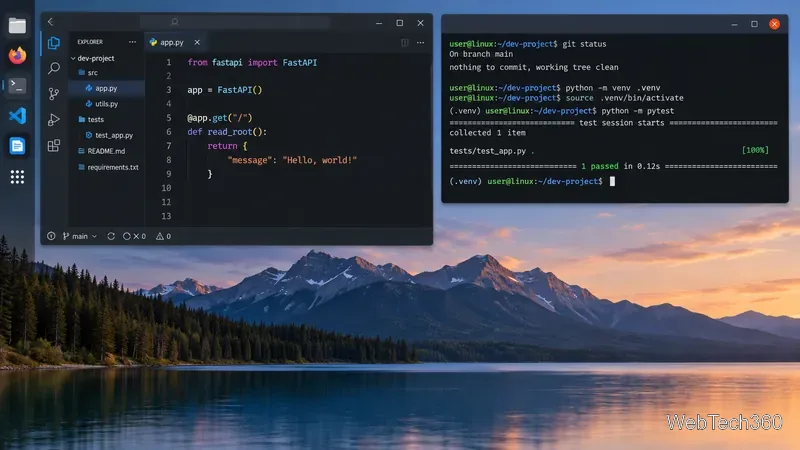
A Linux development workstation can combine an editor, terminal, Git, virtual environments, and automated tests regardless of the distribution underneath.
Quick comparison
Distribution
Best for
Release style
Fedora Workstation
Modern Linux-native development
Regular releases
Ubuntu LTS
General development and team environments
Fixed releases with LTS
Debian Stable
Predictable development systems
Stable fixed release
openSUSE
Choosing between stable and rolling
Leap fixed; Tumbleweed rolling
Arch Linux
Fresh upstream software and customization
Rolling release
CentOS Stream
RHEL-oriented development and testing
Continuous enterprise Linux stream
1. Fedora Workstation: best all-around developer distro
Fedora is a strong fit if you want recent compilers, language runtimes, kernels, and container tools while keeping a conventional release cycle. It is also useful for Linux platform work because Fedora stays close to upstream projects and sits earlier in the technology path that leads toward CentOS Stream and RHEL.
Ubuntu is an easy recommendation when you want extensive documentation and wide support from development tools, vendors, and cloud platforms. For a main workstation, the LTS release is usually the safer choice because Canonical provides five years of standard security and maintenance updates. Developers who need a newer kernel and desktop stack can consider the interim release.
Debian suits developers who value consistency more than receiving the newest system packages immediately. Debian 13, codenamed Trixie, is the current stable branch, and Debian recommends stable as its production release. That makes it attractive for long-running projects, build systems, and workstations where unexpected library changes are undesirable.
If you need newer developer tools, containers, language-specific version managers, or backports can often provide them without moving the whole machine to testing or unstable. See the official Debian releases page.
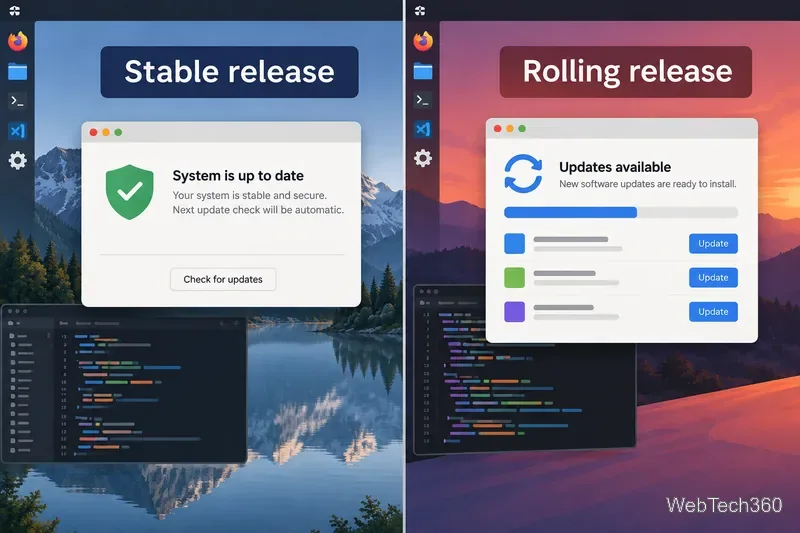
Stable distributions prioritize a predictable base, while rolling releases deliver newer packages more continuously.
4. openSUSE: best if you want stable and rolling options
openSUSE gives developers two distinct paths. Leap uses a regular release model with enterprise-oriented engineering, while Tumbleweed is a rolling release for users who want newer packages. The project itself positions Tumbleweed for developers and Leap for sysadmins and enterprise developers.
5. Arch Linux: best for control and fresh software
Arch is a rolling-release distribution that stays close to upstream software and starts from a minimal base. It appeals to experienced developers who want current compilers, libraries, desktop stacks, and developer tools without waiting for a new OS release.
Arch still requires more hands-on maintenance than Fedora or Ubuntu, but installing it no longer has to be entirely manual: the official live environment includes the text-based archinstall guided installer. Read the Arch overview and use Arch Linux Downloads for the current image.
6. CentOS Stream: best for RHEL-focused development
The original CentOS Linux model is no longer current. CentOS Linux 8 ended in 2021, and CentOS Linux 7 reached end of life in 2024. Today, the CentOS Project focuses on CentOS Stream, which tracks just ahead of RHEL development.
That makes CentOS Stream useful for building, testing, and packaging software intended for the Red Hat enterprise ecosystem. It is not an unchanging downstream rebuild of RHEL. See the official CentOS Stream overview and download page.
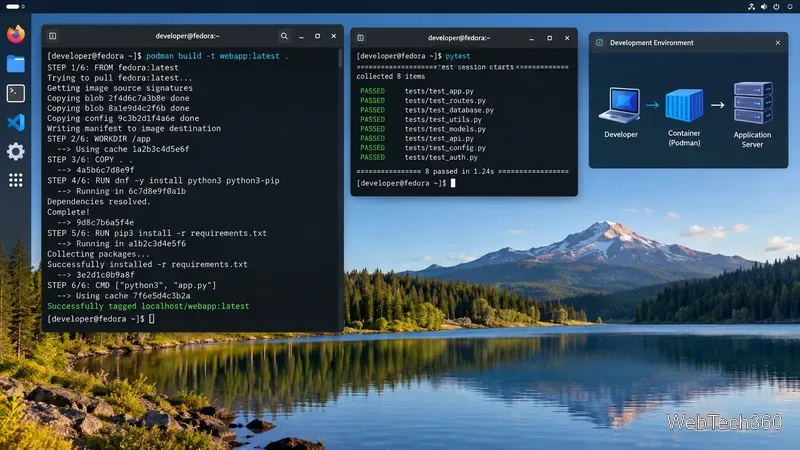
Container tooling such as Podman is useful when development and deployment targets need to stay close to enterprise Linux.
Which Linux distro should a developer choose?
Choose Fedora Workstation for a current, developer-friendly desktop with regular releases.
Choose Ubuntu LTS for broad third-party support and a predictable workstation base.
Choose Debian Stable when minimizing system-level change matters most.
Choose openSUSE Tumbleweed for rolling updates, or Leap for a more conservative system.
Choose Arch Linux if you want a customized rolling system and are comfortable maintaining it.
Choose CentOS Stream when your code needs to stay close to the future direction of RHEL.
There is no single best Linux distribution for every programmer. Match the release model to your project: a stable base reduces platform churn, while a faster-moving distribution gives you earlier access to new kernels, compilers, libraries, and desktop technologies.