Home
» NETWORK ADMIN
»
7 Best WSUS Tools for Update Management and Troubleshooting
7 Best WSUS Tools for Update Management and Troubleshooting
Pick a WSUS tool based on the gap you need to solve: routine approvals, enterprise deployment control, third-party coverage, or remote jobs. This shortlist mixes Microsoft utilities with current commercial companions and is organized by use case, not a hands-on ranking.
WSUS remains available in supported Windows Server releases, including 2025. Microsoft has deprecated it for new feature development, but it remains supported in production and receives lifecycle security and quality updates. Check each companion’s supported versions before rollout. See Microsoft’s WSUS overview.
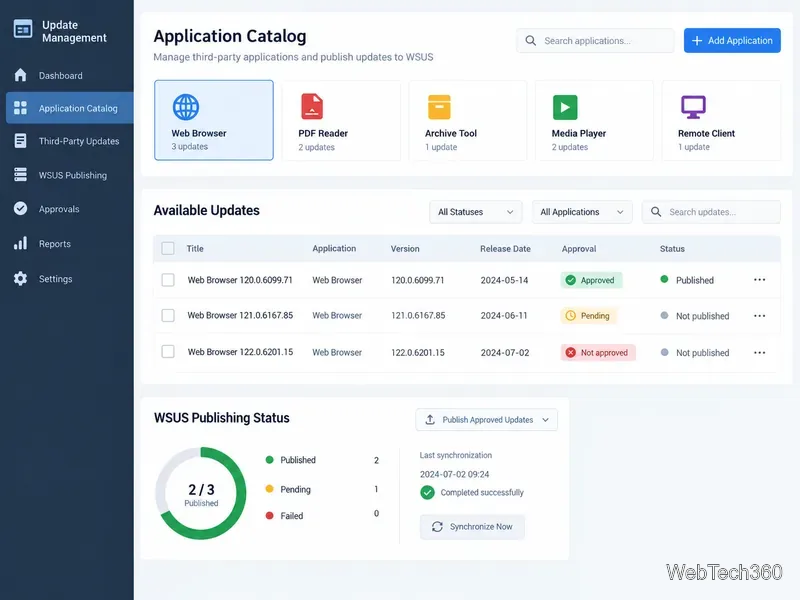
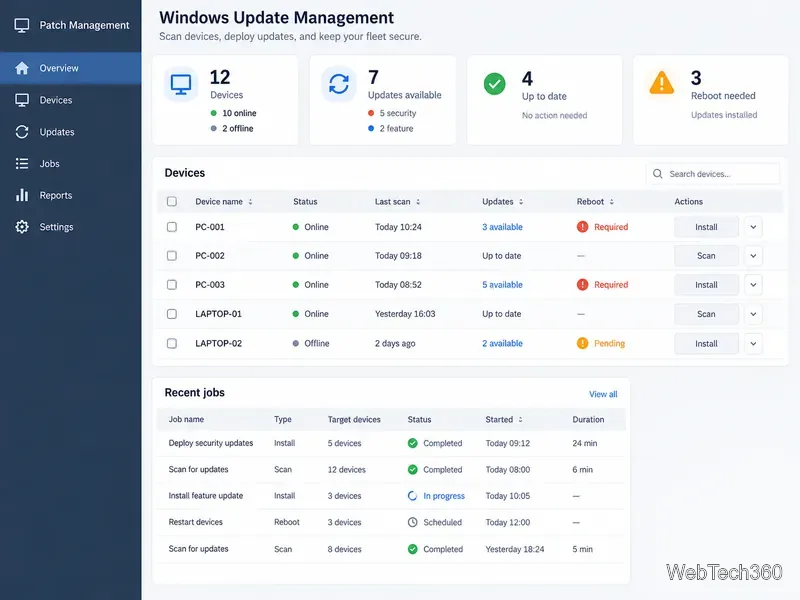
The interface illustrations are conceptual views, not product screenshots.
A WSUS workflow centers on update approvals, target groups, and device status.
Seven useful WSUS tools
1. WSUS Administration Console and PowerShell
Use the included WSUS console for synchronization, computer groups, approvals, and reports. The UpdateServices PowerShell module automates routine administration. Invoke-WsusServerCleanup runs the console cleanup actions with scriptable options, making it a strong starting point for small or midsize deployments. See the PowerShell cleanup reference.
2. Microsoft Configuration Manager
Configuration Manager suits larger estates that need phased deployments and compliance views. Its software update point (SUP) uses WSUS for metadata and scans. Plan migration carefully: Microsoft does not support installing a SUP on a server already used as standalone WSUS to manage clients directly; an existing WSUS server can serve as an upstream source. Review the SUP requirements.
3. Microsoft WSUS and Windows Update Agent diagnostics
When clients stop scanning or reporting, Microsoft’s diagnostic package can collect relevant system, IIS, event-log, registry, and Windows Update Agent information. It helps assemble evidence for troubleshooting and support; it is not a patch deployment console and should not be mistaken for an automatic repair utility. Use Microsoft’s current WSUS and Windows Update Agent diagnostics guide to understand what the package gathers.
4. SolarWinds Patch Manager
SolarWinds Patch Manager extends WSUS and Configuration Manager with third-party updates, custom packages, remote tasks, and deployment reports. This commercial console fits teams that want a broader management workspace. Its 2026.2 requirements list WSUS on Windows Server 2025; confirm current compatibility and licensing before buying.
Third-party patch publishers can add application updates to a WSUS approval workflow.
5. ManageEngine Patch Connect Plus
Choose Patch Connect Plus when the main gap is third-party application updates. ManageEngine documents publishing third-party patches to WSUS, where administrators can then approve them for computer groups using the WSUS console. Certificate setup matters: the vendor notes that trusted publisher and root certificates must be deployed to managed computers so clients can validate the updates. Check the current supported products and server requirements before purchasing; see the vendor’s WSUS deployment workflow.
6. BatchPatch
BatchPatch runs scans, installs, reboots, scripts, and scheduled jobs across Windows computers. It can use WSUS or Windows Update/Microsoft Update. Offline mode uses Microsoft’s scan catalog, which the vendor says does not include every update available online. Review the feature overview and offline mode notes before relying on it for disconnected systems.
Remote patch tools help operators track scan, installation, and restart status across devices.
7. PDQ Deploy and Inventory
PDQ Deploy and Inventory helps target devices and deploy software or selected packages, but it is not a WSUS console or replacement. Windows Update download behavior varies by product mode; PDQ recommends WSUS for updates to other Microsoft products. Keep the update source explicit to avoid conflicting policies. See PDQ’s Windows Update guidance.
Which tool should you choose?
For routine WSUS health and cleanup: use the native console and PowerShell; add Microsoft diagnostics when a client or server is failing.
For enterprise deployment rings and compliance reporting: evaluate Configuration Manager and plan its SUP/WSUS design before changing servers.
For third-party application updates: compare SolarWinds Patch Manager with Patch Connect Plus, checking catalog coverage, certificates, licensing, and OS support.
For remote jobs or one-off deployments: BatchPatch or PDQ may help, but document which service is the source of updates for each device.
Check older WSUS utilities before using them
Some tools in the original 2021 roundup were small diagnostics or community utilities rather than maintained enterprise products. Do not assume an old download, tutorial, or command still applies to current Windows versions. Verify the publisher, code signature, supported operating systems, and maintenance status before deploying it. In particular, Microsoft lists wuauclt.exe /detectnow as removed and unsupported beginning with Windows Server 2025; see its deprecated and removed features list. Prefer current Microsoft troubleshooting guidance and test any repair workflow on a small group before broad use.
For most teams, the strongest starting point is still a healthy WSUS configuration, a clear approval policy, and accurate client reporting. Add one companion tool to solve a measured gap—third-party coverage, enterprise scheduling, diagnostics, or remote execution—and keep the update source and rollback process explicit.