Home
» NETWORK ADMIN
»
Best Windows System Monitoring Tools: 6 Picks for Server Visibility
Best Windows System Monitoring Tools: 6 Picks for Server Visibility
Windows system monitoring tools track server availability, resource use, services, and applications. Task Manager and Performance Monitor often suffice for one host. For several machines, look for remote collection, useful alert thresholds, retained history, and a deployment model your team can maintain.
Illustrative dashboard layout; monitoring products present server metrics differently.
This shortlist compares six tools using current vendor documentation, not benchmark testing. Some monitor Windows but require Linux or Unix to host the central service; check both sides before you choose.
What to compare before choosing
List the systems and metrics you need: Windows servers, virtual machines, network devices, cloud services, SQL Server or IIS; plus CPU, memory, disk, service state, event logs, and application response.
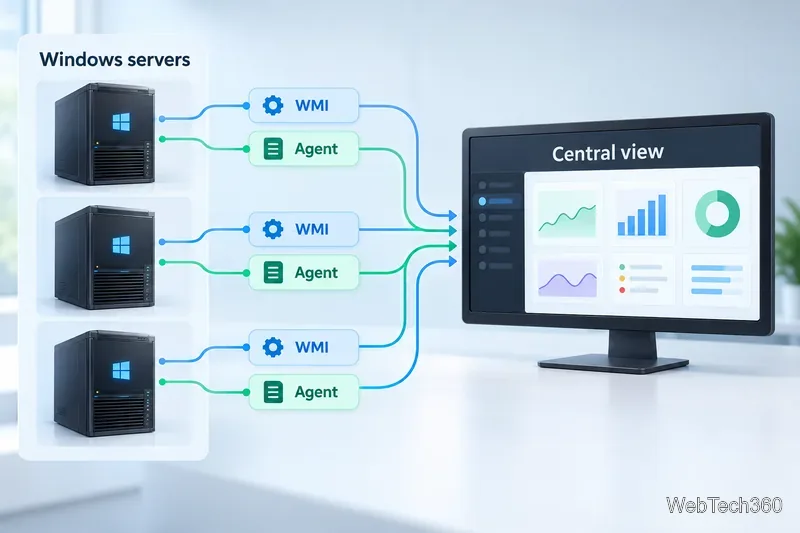
Collection: Agents install software on targets. WMI or WinRM avoid an agent but still require credentials, network access, and firewall rules; SNMP is common for network gear.
Alerts and history: Check thresholds, notification routing, escalation, and retention for trend analysis.
Scale and cost: Compare per-device, sensor, or component licensing, plus the work to secure and maintain the monitoring server.
Illustration of Windows servers sending data through WMI or an installed agent to a central console.
Use alerts that point to an action
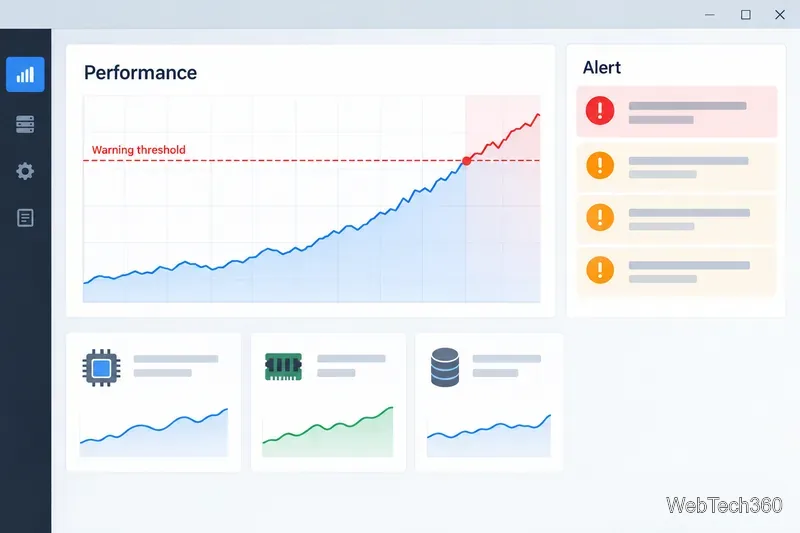
Useful alerts identify the host, metric, and crossed threshold. Set warning and critical levels from your workload baseline, test delivery to the on-call person, and avoid noisy defaults.
Illustrative threshold chart: a metric crosses a warning level and appears in an alert queue.
Built-in Windows tools for one machine
Task Manager shows process-level resource use; Resource Monitor adds detail. Performance Monitor graphs Windows counters and can collect them over time. These tools help troubleshoot locally but do not provide fleet-wide discovery and alerting. See Microsoft’s Task Manager guidance and Performance Monitor documentation.
Six Windows system monitoring tools
1. SolarWinds Server & Application Monitor (SAM)
Best for: deeper server and application visibility. SolarWinds lists 250+ templates and AppInsight coverage for SQL Server, IIS, Exchange, and Active Directory. SAM supports agent-based and agentless collection, configurable alerts, and capacity planning. It is commercial software with a 30-day trial. See the SAM product page.
2. Paessler PRTG
Best for: Windows-heavy teams that also monitor networks. PRTG uses WMI and performance counters for Windows resources and services, and its core server runs on supported Windows versions. Paessler offers a free edition capped at 100 sensors; a sensor measures one item, not one server. See the Windows monitoring overview and system requirements.
3. Progress WhatsUp Gold
Best for: combining Windows checks with network status and topology. WhatsUp Gold documents WMI monitors for CPU, memory, disk, and process counters, plus historical performance reporting. The WMI active monitor is a Premium Edition feature, so verify edition fit. See the product page and WMI documentation.
4. ManageEngine OpManager
Best for: monitoring servers and network infrastructure together. OpManager collects Windows server data through WMI, along with SNMP and other methods for supported devices. Server monitoring is included in its device-based license. Check edition and OS compatibility in the server monitoring overview.
5. Nagios XI
Best for: flexible checks and teams comfortable with hands-on setup. Nagios XI monitors Windows through its NCPA agent or agentless WMI and WinRM checks. The central XI server runs on Linux. See the vendor’s Windows monitoring options and XI overview.
6. Zabbix
Best for: teams that want open-source monitoring and can operate it. Zabbix offers Windows agents and templates, while its central server is designed for Unix-like systems. Versions 7.0 onward use the AGPLv3 license. Plan for implementation and maintenance even without a software license fee. Check the platform requirements, Windows guide, and license.
Which tool should you start with?
For one Windows host, start with Task Manager or Performance Monitor. For a Windows-hosted console and a free entry tier, evaluate PRTG and count required sensors. Choose SAM for deeper application visibility, WhatsUp Gold or OpManager for combined server and network views, and Nagios XI or Zabbix if you can run Linux-based monitoring.
Trial your shortlist on representative servers. Verify the needed counters, test an alert end to end, check access permissions, and confirm history retention before rolling it out.