Home
» NETWORK ADMIN
»
How to Back Up and Restore a Matrix Synapse PostgreSQL Database
How to Back Up and Restore a Matrix Synapse PostgreSQL Database
A dependable Synapse recovery starts with a PostgreSQL dump that can be read, a clean destination database, and the matching homeserver files. For a typical single-database installation, Synapse’s own backup guide recommends PostgreSQL’s custom dump format and excludes the contents of e2e_one_time_keys_json. Restore into a newly created, empty database; do not layer a dump over tables left by an earlier install. Then confirm Synapse starts against the restored database and that local media and signing keys are present.
This walkthrough assumes a Linux host, a PostgreSQL database named synapse, and a database role named synapse_user. Substitute the database, role, backup path, service name, and configuration paths used by your deployment. Docker Compose, Kubernetes, managed PostgreSQL, and multi-database Synapse deployments need equivalent commands for their environment.
What a database dump does—and does not—protect
pg_dump captures one PostgreSQL database in a consistent snapshot, so PostgreSQL and Synapse can remain online while the dump runs. A custom-format archive (-Fc) can be inspected and restored with pg_restore. The Synapse guide specifically recommends excluding one-time-key table data: restoring older used keys may cause clients to receive keys again and can lead to message decryption errors. The table definition can still appear in the archive; when checking the archive list, look for table-data entries rather than assuming a listed table contains rows.
A database dump alone is not a complete homeserver backup. Also retain homeserver.yaml and any files it references, the server signing key, and the media store directory. Synapse’s backup guide identifies locally uploaded media as important because the homeserver may hold the only copy. If your configuration uses more than one database entry, plan a dump for every database Synapse uses.
Before you begin
Confirm the configured database name, user, host, port, and whether Synapse uses one database or several.
Check that PostgreSQL client utilities pg_dump, pg_restore, createdb, and psql are installed and compatible with your PostgreSQL server.
Choose a protected backup destination with enough free space. Dumps can contain private messages and account data; restrict access and encrypt backups at rest and in transit.
Record the Synapse configuration directory, signing-key path, and media_store_path. Back up secrets without exposing them in shell history, chat, or logs.
Decide how you will test recovery. A test restore on an isolated host or staging database is stronger evidence than a successful dump command alone.
Create and check the PostgreSQL backup
1. Confirm the target database and role
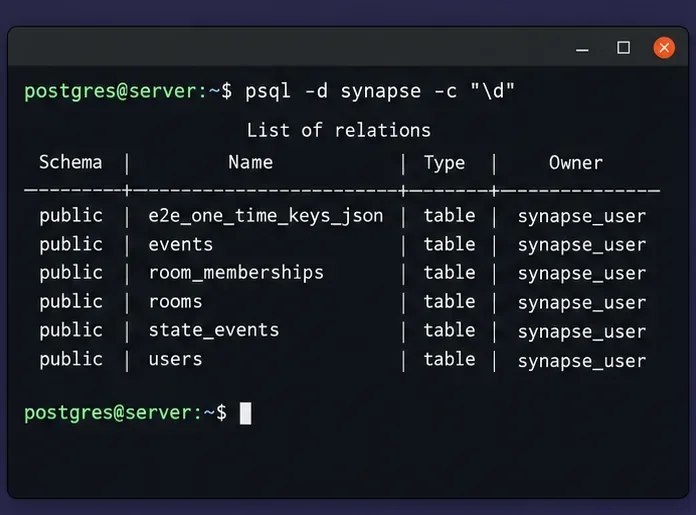
On a self-managed PostgreSQL host, connect as a PostgreSQL administrator and inspect the database list and relations. Do not rely on an assumed name copied from a sample configuration. If your homeserver uses a remote or managed database, use its approved connection method and verify that the dump account has the required read access.
A terminal view of Synapse relations and their owner helps confirm that the backup command will target the intended database.
2. Make a custom-format dump
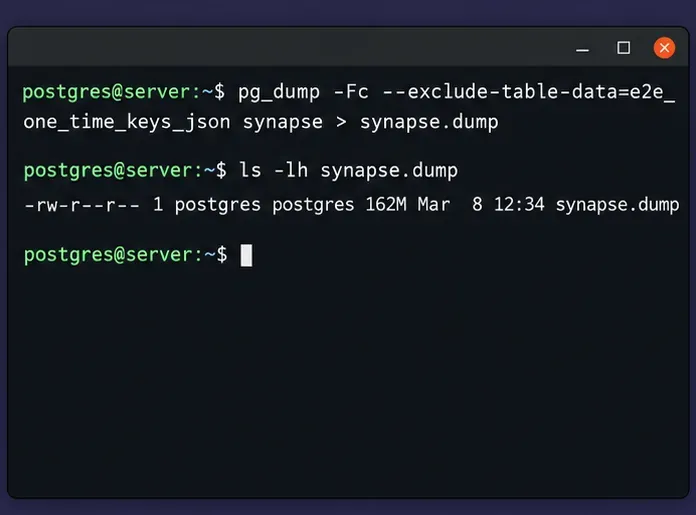
Create a directory that only the backup account or administrators can read. The example below runs pg_dump as the local PostgreSQL operating-system account and writes to a protected path. Change the path to one that exists and is writable in your setup.
If your database is remote, supply connection settings with the method approved in your environment, such as a protected .pgpass file or libpq environment variables. Avoid putting a password directly in the command line. Keep the exclusion option unless you have a deliberate, documented reason to handle the one-time-key table differently.
The backup command excludes one-time-key data and writes a custom-format archive for later inspection with pg_restore.
3. Check the archive and preserve a checksum
Confirm the dump file exists, is nonzero, and is readable as a PostgreSQL archive. A successful listing is a useful first check, but it does not prove that a restore will finish or that the full homeserver can serve users.
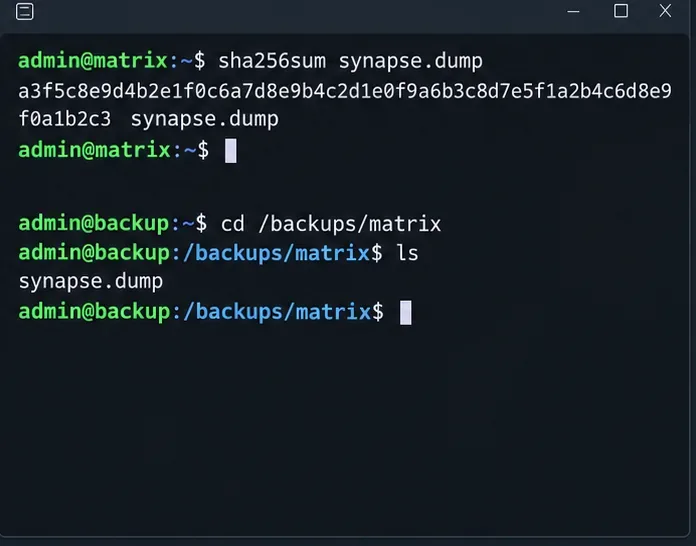
Store the checksum beside the backup record, then copy the dump to a separate system or backup service. Recalculate the checksum after copying and compare the values. For production recovery objectives, schedule regular backups, retain multiple generations, encrypt them, and run periodic restore drills.
Restore into a clean database
4. Stop Synapse and prepare an empty destination
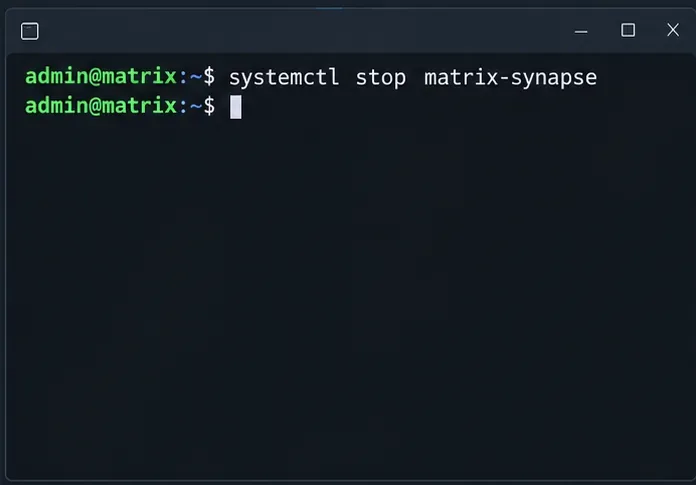
For a restore, stop Synapse first so it cannot reconnect while the database is being replaced or tested. The service name below is common on some package installations, but it varies; Docker users should stop the Synapse service through their Compose project, and orchestrated deployments should use their normal maintenance procedure. PostgreSQL itself does not need to be stopped.
Stop the Synapse application before switching its database to a restored copy; use the service name configured on your host.
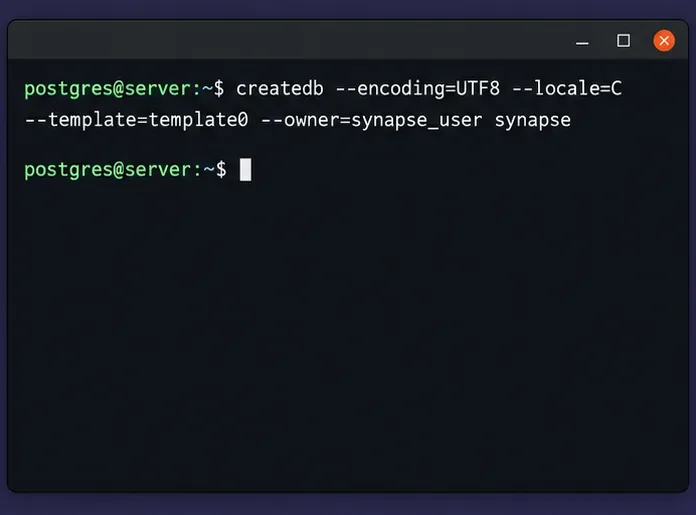
Use a new, empty database for the restore. Do not restore over an existing Synapse database or one that already contains tables. If you need to preserve the current database for rollback, leave it intact and restore under a temporary database name, then validate before changing Synapse configuration.
The database owner and locale should match the requirements of your Synapse setup. If the target name already exists, stop and confirm which database you intend to use; do not assume that dropping it is safe. Create any required PostgreSQL roles first. A single-database pg_dump does not include cluster-wide roles, so an administrator moving to a new PostgreSQL cluster may also need a separately protected globals backup made with pg_dumpall --globals-only.
Create the destination as an empty database with the encoding, locale, and owner expected by Synapse.
5. Restore the archive and handle one-time keys
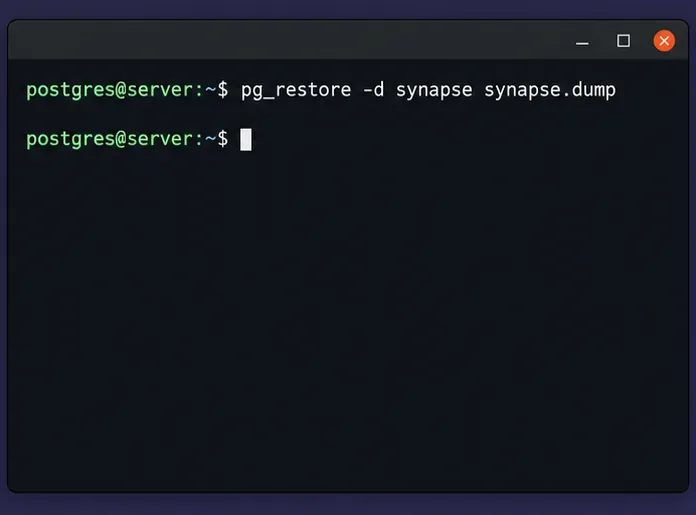
Load the custom archive into that empty destination. The explicit error option makes the restore stop when it encounters an error instead of continuing and leaving an incomplete result that is easy to miss.
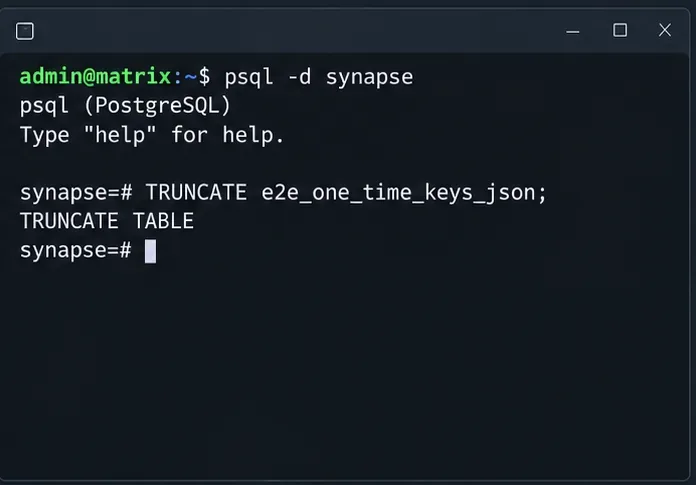
If your dump did not exclude e2e_one_time_keys_json, connect to the restored database and truncate that table before starting Synapse. This is the recovery safeguard documented by Synapse for backups that include those rows. Do not run the command against a live database casually: it removes all rows in that table.
Restore the archive only after creating a fresh empty target database, and review any error output before continuing.Use this only when the restored dump included one-time-key rows; Synapse should remain stopped until the table has been cleared.
If you used the recommended exclusion, the restore contains no old one-time-key rows and this truncation step is unnecessary. A table entry in pg_restore --list can represent a table definition without its data. Check for TABLE DATA entries when reviewing the archive contents; the safest operational record is the exact dump command used.
Bring Synapse back and verify recovery
6. Restore companion files and start Synapse
Before restarting, make sure the restored configuration points at the intended database and the expected signing key and media store are available to the Synapse process. If you restored under a temporary database name, update the database setting securely, validate the file, and use your normal deployment process to activate it. Keep the old database and previous configuration available until the new instance passes checks.
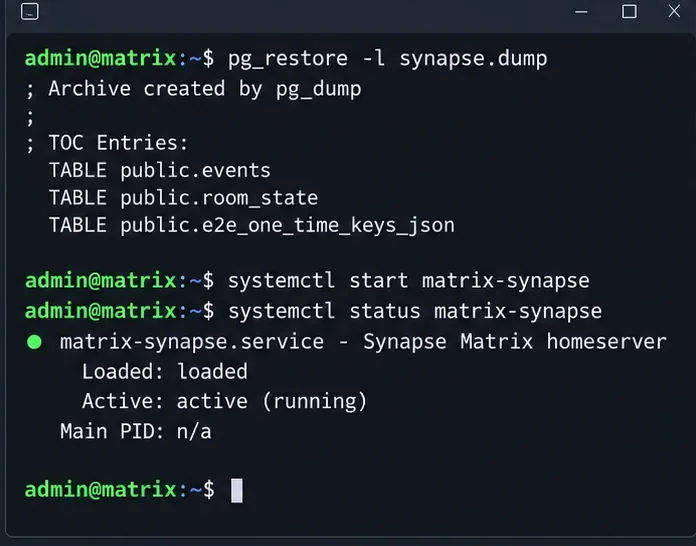
Start the service using the command appropriate for your deployment. On a systemd host, inspect the service status and recent logs. In containers, inspect the container health and logs. A running process is an initial signal, not proof that users can read rooms, send messages, or retrieve attachments.
After restoration, check the archive and service logs, then verify real client operations before declaring recovery complete.
7. Test functions users depend on
Confirm Synapse starts without database migration, permission, locale, or connection errors.
Sign in with a test account and read existing rooms; send a test message if your maintenance plan permits.
Check federation and application-service behavior if those features are part of your deployment.
Open a known locally uploaded attachment or avatar to test that the media store matches the restored database.
Check the Synapse logs and PostgreSQL logs for repeated errors after startup, not just the first successful health check.
A restore can be technically successful while missing media files, referenced configuration, or roles. If users see missing attachments, verify the configured media store and restore the corresponding local media backup. If Synapse cannot connect, compare the restored database owner, credentials, host, database name, locale, and the active configuration file.
Common failure signals and when to change the method
Signal
What to check next
pg_restore reports existing relations or ownership errors
Confirm the destination is empty and required roles exist. Restore to a fresh database; do not use --clean as a shortcut against a database whose contents you need to preserve.
The dump command exits nonzero or produces an unreadable file
Check client/server compatibility, privileges, disk space, destination permissions, and PostgreSQL logs. Make a new dump and validate it before relying on it.
Synapse starts but old one-time keys were included
Stop Synapse and follow the documented truncation procedure before allowing it to serve clients.
Rooms work but local attachments are missing
Restore the matching local media store and configuration; a PostgreSQL dump does not contain uploaded media files.
Recovery time or database size exceeds the acceptable window
Evaluate PostgreSQL’s other backup approaches, such as base backups and point-in-time recovery using WAL archiving, against your recovery point and recovery time objectives.
Logical dumps are portable and straightforward for many small and medium deployments, but they can take time to restore as a database grows. For a large or high-availability service, consult PostgreSQL’s current backup documentation and plan a tested physical backup or point-in-time recovery design. Keep an independent logical dump if it serves a separate portability or audit need. Neither method protects files stored outside PostgreSQL unless those are backed up separately.
Compare the checksum after copying the archive off the Synapse host to detect transfer or storage changes.
Recovery checklist
The dump is readable with pg_restore --list and its checksum matches the off-host copy.
The restore went into a new, empty database with the expected encoding, locale, owner, and roles.
One-time-key rows were excluded, or the table was truncated before Synapse restarted.
Configuration files, signing key, and required local media were restored from compatible backups.
Synapse logs are clean enough for service, and client-level checks pass for rooms and media.
A restore drill has confirmed the documented recovery steps and measured the actual restore time.
Official references
Synapse backup guide — database-specific advice, one-time-key handling, configuration, signing keys, and media store.
Documentation checked October 6, 2026. Command names and service management vary by operating system, container image, PostgreSQL version, and Synapse deployment. Confirm the instructions against the documentation for the versions and packaging method you run.