Home
» NETWORK ADMIN
»
Open-Source vs. Closed-Source Monitoring Tools Compared
Open-Source vs. Closed-Source Monitoring Tools Compared
Open-source and closed-source monitoring tools can both be excellent choices. The practical difference is not that one category is automatically cheaper, faster, or more secure. It is who controls the code, how support is delivered, how much operational work your team accepts, and how licensing scales as the environment grows.
Open source also means more than simply being able to view code. The Open Source Initiative definition requires licensing terms that allow source-code access and redistribution, among other criteria. Closed-source products generally keep their source private and are used under a vendor license or subscription.
Open-source vs. closed-source monitoring: the main trade-offs
Factor
Open source
Closed source
License cost
Core software is often free to use, but hosting, staff time, support, and add-ons can still cost money.
Usually requires a subscription or commercial license, often based on nodes, sensors, devices, or capacity.
Support
Community support is common; some projects also sell professional support.
Vendor support, maintenance, and defined service levels are more commonly available.
Customization
Source access, APIs, plugins, and configuration files can provide deep control.
Customization is usually limited to supported APIs, dashboards, integrations, and product settings.
Operations
Your team may own installation, upgrades, backups, database tuning, and integration work.
Commercial products often reduce setup effort, although self-hosted products still require administration.
Lock-in
Data and configuration can be easier to inspect or migrate, depending on the project.
Migration may depend more heavily on vendor export formats, licensing, and proprietary features.
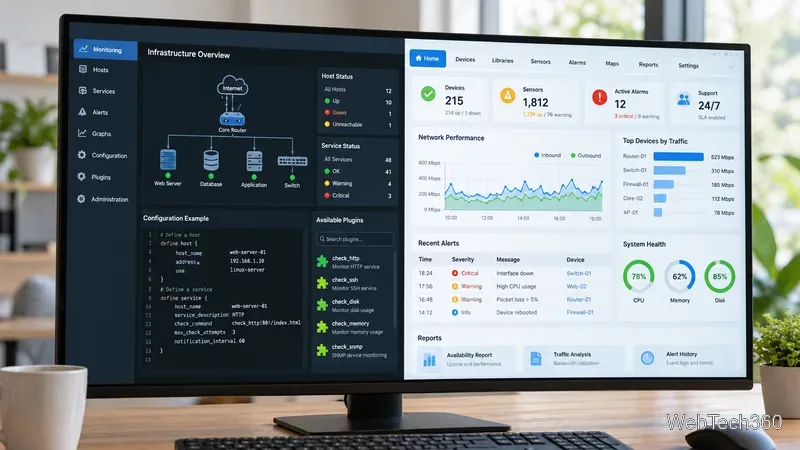
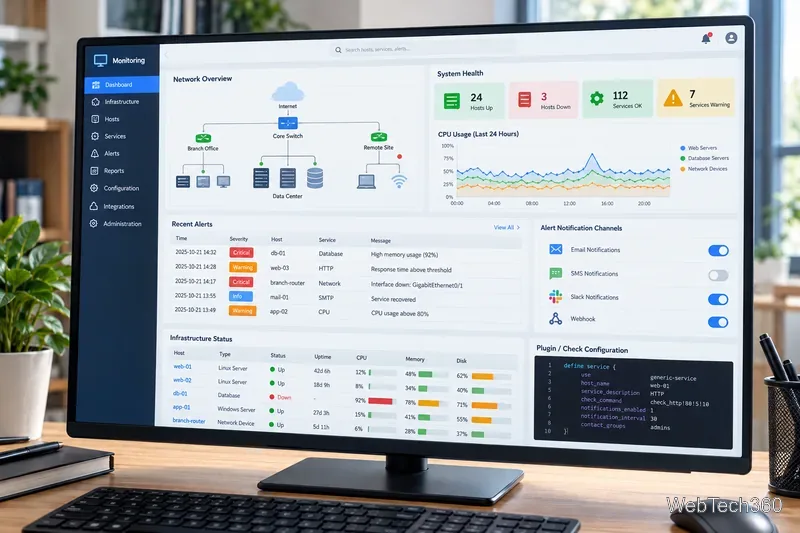
A monitoring platform typically combines infrastructure health, performance trends, topology, and alerts in one operational view.
Strong open-source monitoring tools
Zabbix
Zabbix is an enterprise-class distributed monitoring platform released under AGPLv3. It can monitor networks, servers, applications, services, and other infrastructure through agents, SNMP, APIs, templates, proxies, and integrations. As of October 2026, Zabbix documentation identifies 7.4 as the current supported manual while 8.0 remains in development. Zabbix is a good fit when you want an all-in-one self-hosted platform with extensive templates and no per-device software license.
Nagios Core
Nagios Core remains a flexible open-source monitoring engine for hosts, network services, applications, and custom checks. Its plugin model is a major strength: if a condition can be checked by a script, it can usually be integrated into Nagios. The trade-off is that configuration and interface management are more hands-on than with many commercial products.
LibreNMS and Icinga
LibreNMS is especially attractive for network-focused environments. Its current feature set includes automatic discovery, customizable alerting, distributed polling, APIs, flow integrations, traffic billing, syslog support, and broad device coverage. Icinga emphasizes highly configurable infrastructure monitoring, distributed setups, plugins, automation, and APIs; its current documentation lists Icinga 2 version 2.16.5.
Open-source monitoring often emphasizes plugins and configuration control, while commercial tools commonly package discovery, dashboards, reporting, and support into a more guided experience.
Closed-source and commercial alternatives
Nagios XI
Nagios XI uses Nagios Core underneath but adds web-based configuration, discovery, dashboards, reporting, APIs, configuration wizards, and commercial support. Current licensing is per Node with unlimited Services on licensed Nodes, and Nagios also offers a small self-supported free license.
SolarWinds Network Performance Monitor
SolarWinds Network Performance Monitor is aimed at multi-vendor network fault and performance monitoring. Current product materials highlight automated discovery, SNMP/API/WMI monitoring, network mapping, alerting, NetPath, and historical performance analysis. It is a sensible option for teams that value a mature commercial workflow and vendor-backed support over source-code access.
Paessler PRTG Network Monitor
PRTG Network Monitor uses sensors to track device and service metrics and includes discovery, dashboards, notifications, reports, and remote probes. Paessler currently offers a 30-day unrestricted trial, a freeware edition capped at 100 sensors, and paid subscription tiers sized by sensor count.
Security is not decided by the source model
Do not choose a monitoring system on the assumption that open code is inherently unsafe or that proprietary code is inherently secure. Source availability can enable independent review, but security still depends on architecture, dependency management, patch speed, authentication, hardening, disclosure practices, and how quickly your organization applies updates. CISA's Secure by Design guidance explicitly treats commercial, open-source, and other third-party components as software that must be acquired and maintained securely.
Before choosing a platform, verify the full workflow: collection, alert routing, access control, integrations, configuration, and maintenance.
Which monitoring model should you choose?
Choose an open-source monitoring tool when your team wants maximum control, is comfortable operating the stack, needs custom checks or integrations, or wants to avoid per-device licensing. Choose a closed-source monitoring tool when fast deployment, a polished interface, formal vendor support, predictable maintenance, and built-in reporting matter more than code access.
For a fair comparison, run a pilot with the same devices and alert scenarios. Measure discovery coverage, configuration effort, false alerts, dashboard usefulness, upgrade work, API quality, support requirements, and the three-year total cost of ownership. That evaluation will tell you far more than the open-source-versus-proprietary label alone.