Home
» NETWORK ADMIN
»
How to Fix Nextcloud’s “Server Has No Outgoing Pointing Address” Warning
How to Fix Nextcloud’s “Server Has No Outgoing Pointing Address” Warning
If this warning appears under Nextcloud’s Administration settings → Overview, first check whether the Nextcloud server can resolve and reach its own canonical URL. Set overwrite.cli.url to the URL users actually use, then test that URL from the same host or container where Nextcloud runs. Do not start by assigning the server a fixed public outbound IP.
The exact wording “Server Has No Outgoing Pointing Address” is not confirmed in the current Nextcloud Administration Manual. It may be a paraphrase, translation, or a different warning. The troubleshooting below fits the documented self-connectivity checks in the Administration Overview. If you saw the message while configuring email, use the separate SMTP section below instead.
What Nextcloud checks, and what it does not imply
Starting with Nextcloud 28, the setup checks shown in Administration settings → Overview run from the server rather than from the browser. Nextcloud’s upgrade notes say these checks can expose problems with trusted_domains, overwrite.cli.url, DNS resolution, server-to-self reachability, firewalls, and container networking. That means the server’s own network path matters: a URL that works in your laptop’s browser may still fail from the Nextcloud host or container. Nextcloud’s Nextcloud 28 setup-check notes describe this change and the areas to inspect.
This is different from publishing a DNS record that points internet traffic to your server. A private installation can use an internal hostname or address if that is how administrators and users reach it. External access, federation, public share links, and certificate issuance can impose separate requirements. First note exactly where you saw the warning and which Nextcloud version and installation method you run.
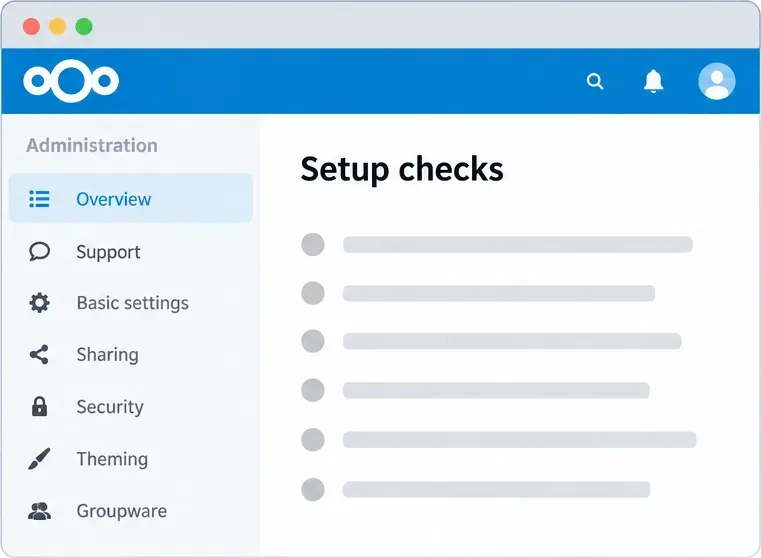
The Overview page is where Nextcloud displays its server setup checks. This interface illustration shows the location, not a real warning or test result.
1. Read the current URL and proxy settings before editing
Nextcloud stores its main configuration in config/config.php, but the path and command used to run occ depend on how Nextcloud was installed. On a source installation, run the following from the Nextcloud directory, replacing the example path and web-server account with your own:
An unset value may produce no output. For Snap, Docker, or an appliance, run the installation’s supported occ command inside its expected environment; a host-side PHP command may read the wrong configuration or no configuration at all. Make a copy of the active configuration before editing it, and keep that copy outside Nextcloud’s live config directory so it cannot be loaded as an additional config file.
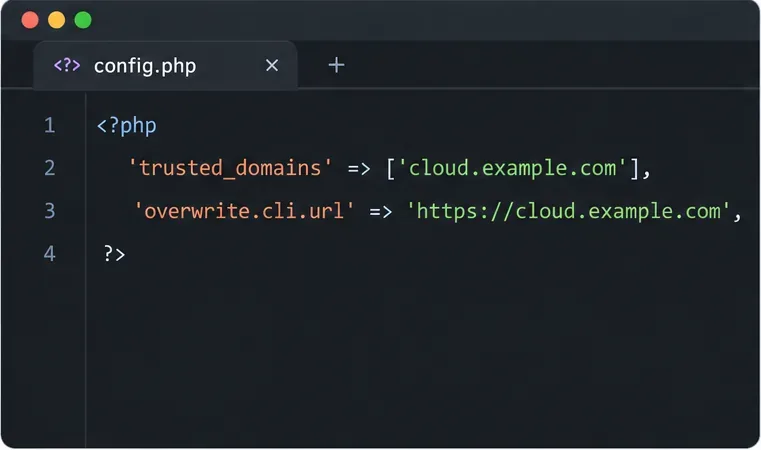
trusted_domains is the list of hostnames or IP addresses that Nextcloud accepts in incoming requests. overwrite.cli.url is the canonical base URL used when Nextcloud generates URLs outside a normal web request, such as from cron or command-line jobs. It should include the scheme and, when relevant, the installation subdirectory. The current Nextcloud configuration reference documents these URL and proxy parameters.
2. Test DNS and HTTPS from the Nextcloud environment
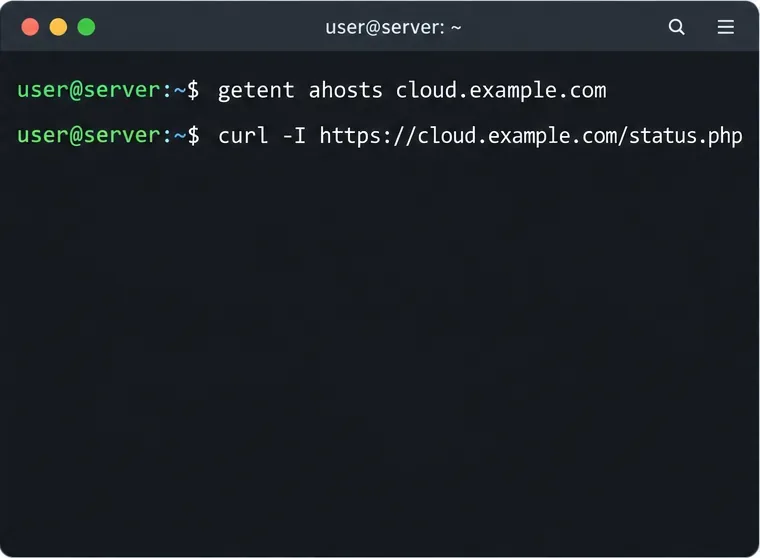
Use the same hostname that appears in overwrite.cli.url. Run these checks on the Nextcloud server; if Nextcloud is containerized, run them inside the application container or an equivalent container on the same network:
Replace cloud.example.com with your real hostname. If Nextcloud is installed in a subdirectory such as /nextcloud, add that path before /status.php. getent should return an address the server can route to. The curl command should complete TLS verification and receive a normal HTTP response from Nextcloud’s status endpoint. A DNS failure, timeout, connection refusal, certificate error, or unexpected redirect narrows the issue to name resolution, routing/firewall, the reverse proxy, or TLS. Do not add -k to bypass certificate checks; that hides a problem instead of fixing it.
Run DNS and HTTPS checks from the server or container that runs Nextcloud; a client browser test alone does not verify this route.
If DNS returns both IPv4 and IPv6, verify that both are intentional and reachable from the Nextcloud environment. A stale AAAA record can make some clients or server-side checks choose an unusable IPv6 route. Remove or correct a DNS record only after confirming that the address is no longer served. If the domain resolves to your public IP but the server cannot connect back through the router, check NAT loopback (also called hairpin NAT) or configure split-horizon DNS so the hostname resolves to the internal address from inside your network.
3. Set the canonical URL to the address users actually use
For a source installation, set overwrite.cli.url to the externally or internally used base URL, including HTTPS and a subdirectory if present. For example:
If users access Nextcloud at https://example.com/nextcloud, include /nextcloud in the value. Do not put an SMTP hostname here, and do not include a page path such as /settings/admin. Nextcloud describes this as a canonical base URL for command-line and background URL generation. The example path and account above are common source-installation values only; Snap and container installations require their own documented command.
If the hostname is missing from trusted_domains, add it using the next unused numeric index. First inspect the existing list so you do not replace a current entry:
Change 1 to an unused index in your installation. Add only hostnames or IPs that should be accepted by Nextcloud. This setting does not create DNS records and does not make a private server publicly accessible.
The hostname in trusted_domains and the full canonical URL serve different purposes. Use your real host and, for overwrite.cli.url, include the correct scheme and webroot.
4. Apply reverse-proxy settings only when your topology needs them
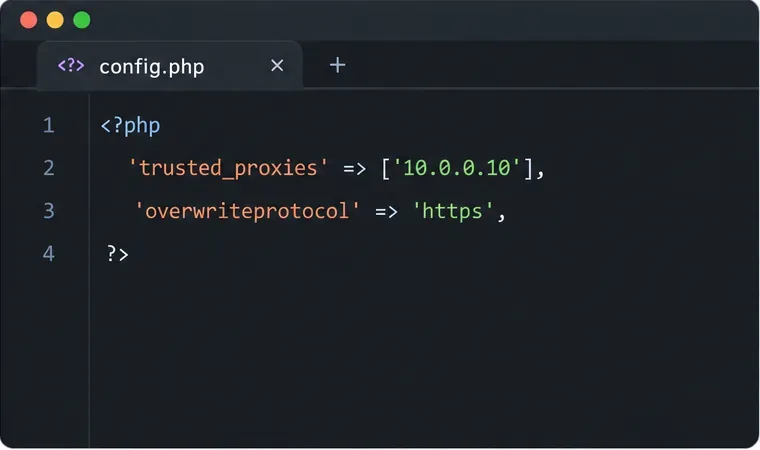
When a reverse proxy terminates HTTPS and sends HTTP to Nextcloud, the application may detect the internal protocol instead of the user-facing HTTPS scheme. Nextcloud requires you to list the actual proxy addresses in trusted_proxies. The proxy must also send the appropriate forwarded headers. Incorrectly trusting a proxy or a broad network can let clients spoof their apparent IP address, so do not copy a sample proxy IP literally.
If automatic URL detection still fails, set only the needed overwrite values. For a proxy that terminates TLS, overwriteprotocol may need to be https. Set overwritehost only if Nextcloud cannot use the correct host forwarded by the proxy; set overwritewebroot only if the public path is not detected correctly. The current Nextcloud reverse-proxy guide gives examples and warns that trusted proxy settings depend on the actual proxy software and network.
Trust only the real reverse proxy address. The example values are placeholders; use the addresses and scheme from your own proxy setup.
5. Check the firewall, DNS, and container route if the URL still fails
If the URL is correct but the server-side curl test fails, inspect the path between Nextcloud and that URL. Confirm that outbound HTTPS is allowed, the container can query DNS, and the reverse proxy can route the request back to the application. A host firewall, cloud security group, router, proxy rule, or container network can block this path. Nextcloud’s documentation specifically calls out firewall and container-network configuration when its server-side checks cannot reach the configured URLs.
Do not open inbound ports to the whole internet just to make a self-check pass. If this is an intentionally private Nextcloud server, use a hostname and route that are valid inside the private network. Public DNS, router forwarding, and an externally reachable address are needed only for services that must be reachable externally. If you are behind a provider NAT that prevents inbound access, a VPN or supported reverse-proxy/tunnel design may be more suitable than changing Nextcloud’s trusted-domain list.
If the message came from the email settings page
Email is a separate feature. Nextcloud does not include a complete mail server; it connects to an existing SMTP server, qmail, or Sendmail installation. In Administration settings → Basic settings, provide the mail server’s hostname and port, encryption mode, sender address, and credentials as required by that mail provider. Test with Nextcloud’s Send email button. A working Nextcloud web URL does not prove SMTP is reachable, and an SMTP hostname is not a replacement for overwrite.cli.url. The Nextcloud email configuration guide explains the current mail setup and test.
Verify the result and avoid common misdiagnoses
After changes, repeat the DNS and HTTPS checks from the same server or container, then reload Administration settings → Overview. Confirm that your users can still sign in through their normal URL and that background-generated links use the right scheme and path. If the warning remains, capture its exact text, the Nextcloud version, the installation method, and the server-side command output. That evidence distinguishes a URL detection problem from an SMTP failure or a network policy issue.
Verified: Current Nextcloud documentation says server-side setup checks need configured hostnames and canonical URLs to resolve and be reachable from the server.
Depends on your setup: Whether the correct route uses a public address, private address, split DNS, reverse proxy, container network, or NAT loopback.
Not established by the wording alone: That Nextcloud requires a fixed outbound public IP, or that the warning is about SMTP. Verify the page and full message before changing network or mail settings.
In most cases that match the Administration Overview connectivity check, correcting the canonical URL and making it reachable from the Nextcloud runtime resolves the underlying mismatch. Keep proxy and firewall changes limited to the path your installation actually uses.