Home
» NETWORK ADMIN
»
How to Reset a Nextcloud Admin Password with OCC
How to Reset a Nextcloud Admin Password with OCC
If you can no longer sign in to Nextcloud with an administrator account, the server-side occ command can reset that account’s password without using the web interface. occ is Nextcloud’s command-line interface for administration. The reset changes the Nextcloud account password; it does not change your Linux login, database password, or hosting control-panel password.
This walkthrough uses the current Nextcloud 35 Administration Manual available on October 6, 2026. The basic command is stable across many releases, but installation paths, PHP commands, service accounts, and container workflows vary. Use the example values only after checking how your own instance is installed.
What you need before running the reset
Shell access to the server or the container that runs Nextcloud’s PHP application.
The filesystem path to the Nextcloud installation, which is the directory containing the occ file.
The exact Nextcloud account ID whose password must change. The account ID may not be admin.
The operating-system account used by the web server or PHP runtime. On Debian and Ubuntu this is often www-data; other systems may use another account.
A new, unique password stored in a password manager.
Run occ as the HTTP user—the operating-system account that runs the web application—so that file ownership and permissions remain consistent. Nextcloud’s manual documents this requirement. Do not run commands as root by default just because you have sudo access.
Step 1: Find the right installation and account
Connect over SSH or open the shell provided by your hosting environment. Move to the Nextcloud installation directory. A common source-install path is /var/www/nextcloud, but packages, appliances, containers, and hosted services may use different paths.
cd /var/www/nextcloud
ls -l occ
The second command should show an occ file. If it does not, stop and locate the actual application directory rather than trying guessed paths. If you have a different account name, replace admin in the later command with that exact Nextcloud user ID. The user ID is not necessarily the display name or email address.
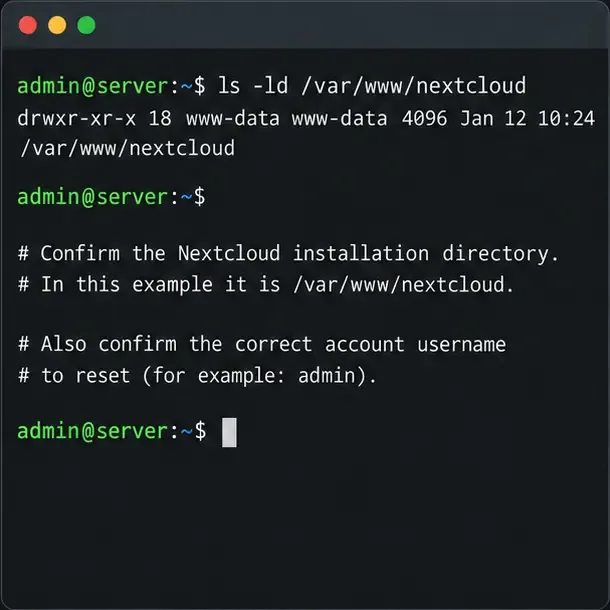
Step 1: Confirm the Nextcloud installation directory and the exact account username before running occ.
Step 2: Run the interactive password reset
For a typical Debian or Ubuntu source installation whose web server runs as www-data, run this from the Nextcloud directory:
Replace www-data if your server uses a different HTTP user, and replace admin with the account ID you confirmed. If you are not already in the installation directory, use the full path:
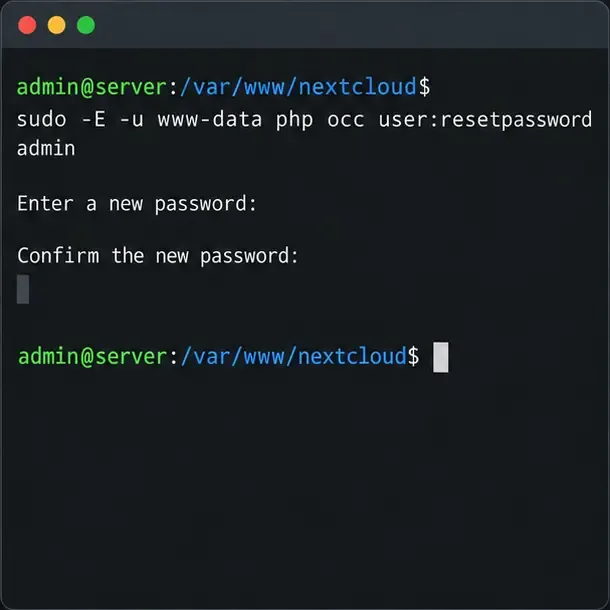
Nextcloud prompts for the new password and asks you to confirm it. Password characters normally do not appear while you type; that is expected behavior. Enter the same password at both prompts. A success message confirms that Nextcloud accepted the reset.
Step 2: Run the interactive reset command as the web server account and enter the new password twice.
Step 3: Use an environment variable only for automation
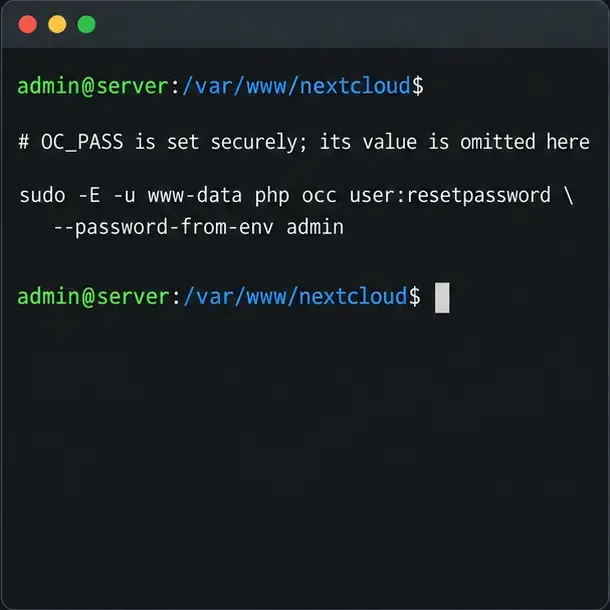
Nextcloud also supports --password-from-env for scripted operations. It reads the password from the OC_PASS environment variable. Avoid putting a real password directly in a command line, shell history, script committed to source control, or shared terminal transcript.
For a one-off shell session, you can enter the secret without echoing it, export it, run the documented command, and then clear it:
After read -s, type the new password and press Enter; the input remains hidden. The -E option asks sudo to preserve the environment, but local sudo policy can restrict that behavior. If the command reports that OC_PASS is missing or empty, use the interactive reset instead or follow your platform’s secret-management procedure. Do not disable sudo safeguards merely to make a script work.
For scripted resets, Nextcloud supports the password-from-environment option; do not place a real password in a command or article.
Step 4: Verify the account can sign in
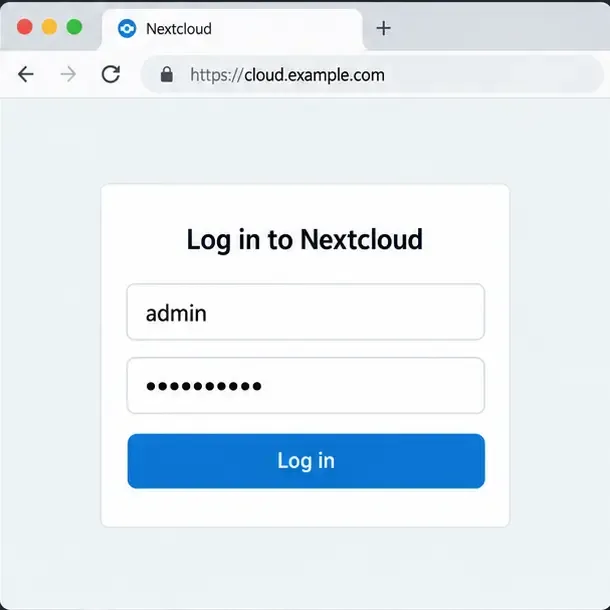
Open your normal Nextcloud URL in a private browser window or sign out of the current session, then sign in with the same account ID and the new password. A successful login confirms the credential works through the web application, not only that the CLI command ran. If your organization uses a second authentication factor, complete that normal challenge as well.
Step 4: Test the new credential on the normal Nextcloud sign-in page.
Common problems and how to respond
Could not open input file: occ or a missing file error: You are probably in the wrong directory or using the wrong path. Locate the installed occ file and rerun the command there.
Permission or ownership errors: Check the web server/PHP account for your distribution and run the command as that account. Do not recursively change ownership as a quick fix; that can create wider access problems.
“User does not exist” or a similar account error: Confirm the account ID, including capitalization where relevant. Do not substitute an email address unless that is actually the account ID.
php is missing or the wrong PHP version is selected: Use the PHP CLI binary supported by your Nextcloud installation and hosting platform. A server can have more than one PHP installation, so do not assume the default command matches the web runtime.
The server runs in Docker, Nextcloud AIO, Snap, or an appliance: Run occ in the application environment and follow that deployment’s official command procedure. The host path, container name, and runtime user differ; a host-level command copied from a source installation may target the wrong filesystem.
The account is managed by LDAP or Active Directory: Those systems can be the authority for account credentials. A local Nextcloud password reset may not update an externally managed password. Follow the directory administrator’s reset procedure and check your identity-provider configuration.
You have no shell access: Try the sign-in page’s password-reset link if the account has a working email address saved in Nextcloud, or ask another Nextcloud administrator or your hosting provider to reset it.
What to avoid after recovery
Do not edit the Nextcloud database directly to replace a password hash. Do not change the operating-system password expecting it to reset a Nextcloud user. Keep the new password private, remove any temporary secret from the shell environment, and store it in your password manager. If you suspect the old credential was exposed, review access through your organization’s normal security process.