Home
» NETWORK ADMIN
»
How to Set Up a Nextcloud High Availability Cluster with Galera DB
How to Set Up a Nextcloud High Availability Cluster with Galera DB
A Nextcloud high-availability deployment with Galera is a coordinated system, not just three database servers. You also need redundant Nextcloud application nodes, a shared and durable file-data layer, distributed caching and file locking, load balancing, monitoring, and tested backups. Galera can keep the database service available after a database-node failure when quorum remains, but it cannot make those other components highly available for you.
This guide uses a vendor-neutral Linux design with MariaDB Galera and a reverse proxy or load balancer. Package names, service names, Galera provider paths, bootstrap commands, and proxy health-check integrations vary by distribution and MariaDB release. Confirm them against the exact release documentation before deployment. Nextcloud’s current stable administration manual lists PostgreSQL and MariaDB as recommended database engines and warns that supported versions vary; check the Nextcloud system requirements for the release you plan to run. This article was checked against the Nextcloud 35 stable manual on October 6, 2026.
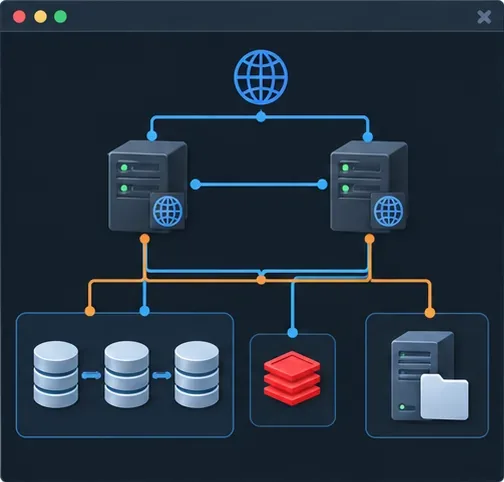
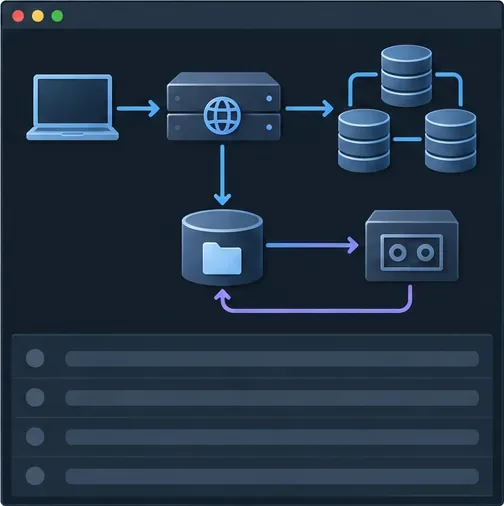
Conceptual overview of the complete Nextcloud high-availability stack. Each stateful dependency needs its own availability plan.
Choose the right availability design first
Galera is synchronous, multi-primary replication for MySQL-compatible servers. A transaction is certified across the cluster, which helps keep members consistent, but it adds coordination overhead and transactions that conflict can be rejected. Adding database nodes does not automatically multiply Nextcloud throughput. Nextcloud’s developer guidance notes that clusters carry a performance cost and that database and storage remain critical shared resources.
Design choice
Good fit
Main trade-off
One MariaDB or PostgreSQL server
Small deployments that need the simplest operations
Database maintenance or failure can interrupt the service
MariaDB with Galera
Teams that need database-node redundancy and can operate quorum, network, proxy, and recovery procedures
More moving parts, write coordination, conflict handling, and recovery complexity
Two database nodes plus an arbitrator
Sites with exactly two database hosts but a separate failure domain for a quorum vote
The arbitrator helps quorum; it does not store data or replace a third database copy
Galera behind a database-aware proxy
Deployments needing a stable connection endpoint and controlled routing
Proxy health checks and routing rules become another service to operate
For a new installation, a three-data-node Galera cluster across independent hosts is a common starting point when the operational team can support it. Galera quorum requires a majority: a two-node cluster cannot automatically fail over safely after losing one member. Three nodes can tolerate one unavailable member while the other two remain connected. Put nodes across failure domains where practical, but do not stretch synchronous replication across high-latency links without testing. For a lower-complexity environment, prefer a supported single database plus a well-tested backup and recovery plan.
Before you install: decide what “high availability” means
Write down the failures you intend to survive: a web process, a web host, a database host, a load balancer, a storage endpoint, a network path, or a full site. Set recovery objectives for each. A design with three database nodes and one load balancer is not fully redundant. Nor is an application cluster whose user files exist only on one web server’s local disk.
Use a consistent Nextcloud release, PHP runtime, app set, and configuration on every application node. Select MariaDB and Galera versions that are compatible with one another and supported by the chosen Nextcloud release. The Nextcloud database requirements include InnoDB, READ COMMITTED transaction isolation, and disabled binary logging or ROW format; do not copy tuning values from a different version without checking the current requirements.
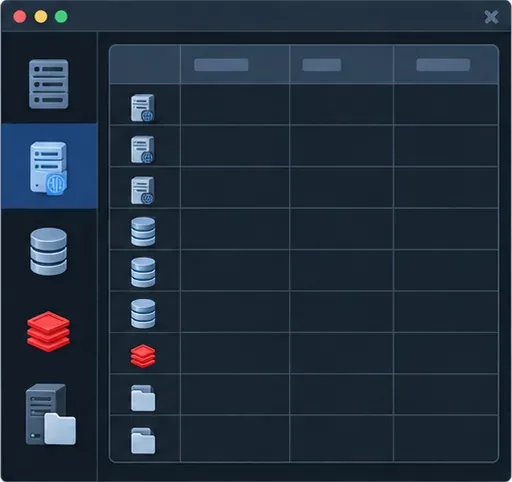
Plan separate web, database, cache, and storage roles before installing packages. This schematic is not a live inventory screen.
Set up the cluster in 12 stages
1. Reserve hostnames, addresses, and service endpoints
Create private DNS names or stable addresses for each database member, each web node, the cache service, shared storage, and the public web endpoint. Reserve a separate stable database endpoint for the Nextcloud PHP nodes. Keep application, replication, and public traffic on appropriately separated network paths where your infrastructure allows. A node name must be unique, and every cluster member must resolve the Galera peers consistently.
2. Install a compatible database and Galera release
Install MariaDB Server and the Galera provider using the vendor repository recommended for your operating system. Keep the same major server and provider family on all members. Do not combine arbitrary community packages with a separately downloaded provider library. Before proceeding, confirm the supported upgrade path, SST method, service unit, and configuration include directory for that exact package set.
3. Apply Nextcloud’s database requirements
Set the server to use InnoDB and the READ COMMITTED transaction isolation level. Use ROW binary logging if binary logging is enabled. Check the effective values after restart instead of assuming a configuration file was included. Nextcloud documents these requirements in its database configuration guide and system requirements.
Treat each Galera configuration as node-specific and verify package-specific option names before restarting MariaDB.
4. Configure Galera consistently on all three members
Use your vendor’s configuration reference to set the cluster name, the list of peer addresses, each node’s unique name and address, the provider library, and the state snapshot transfer (SST) method. SST is the process that provisions a joining node with database state. A typical MariaDB cluster configuration contains options in this family:
Change the node-specific values on each server. Provider paths and supported SST methods depend on the packages installed; use the documented method and credentials for your release. Protect SST credentials, certificates, and database passwords as secrets. Never use an empty cluster address as a permanent setting: MariaDB documents that it can cause a server to start a new cluster rather than rejoin the existing one.
5. Restrict network access to required peers
Allow the web tier to reach only the database service endpoint, and allow database members to reach one another on the Galera replication and state-transfer ports required by your chosen provider and SST method. Common Galera deployments use TCP and, depending on provider settings, UDP for group communication; the relevant defaults often include 4567 for replication, 4568 for incremental state transfer, and 4444 for state snapshot transfer. Treat these as a checklist to verify against your version and configuration, not as a reason to open every port broadly. Keep the SQL port private and deny public access.
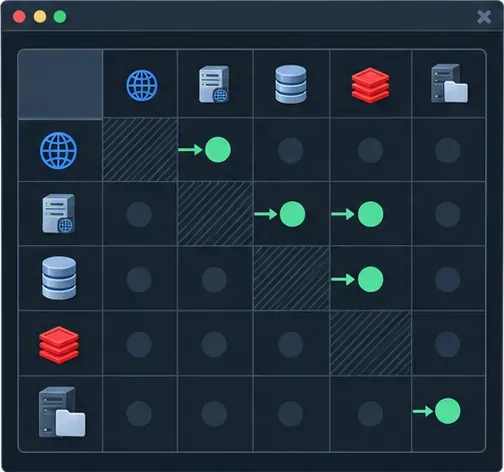
Restrict east-west access to required application and Galera traffic; do not expose database or replication ports publicly.
6. Bootstrap the first node, then join the others
Initialize the cluster exactly once using the bootstrap procedure documented by your distribution’s MariaDB package. After confirming that the first member forms the primary component, start the remaining members normally so they join it and receive state through IST or SST. IST transfers missing write sets when available; SST makes a full state transfer. Do not bootstrap each host independently, and do not treat a restart as a bootstrap action.
Run this query on every database member after it joins:
SHOW GLOBAL STATUS WHERE Variable_name IN
('wsrep_cluster_status','wsrep_cluster_size','wsrep_ready',
 'wsrep_connected','wsrep_local_state_comment');
Confirm that each node is connected and ready, belongs to the Primary component, reports the expected cluster size, and has reached a synced state. MariaDB explains these indicators in its Galera monitoring guide.
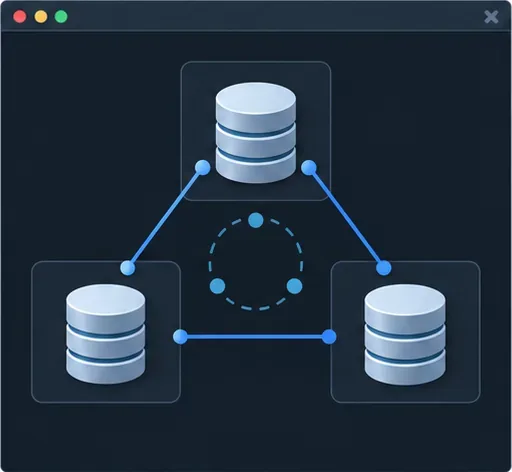
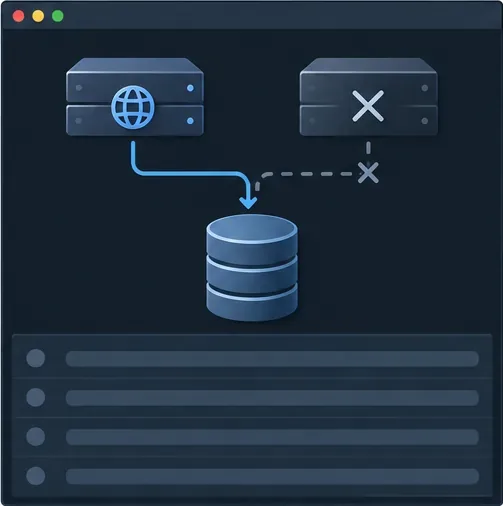
A three-voter topology can retain a majority after one node fails, provided the remaining members can communicate.
7. Create a dedicated Nextcloud database and least-privilege account
Create the database with the character set and collation required by the current Nextcloud installation guide. Create a dedicated database user restricted to the application network, and grant only the privileges required for Nextcloud setup and normal operation. Use TLS for connections crossing hosts or untrusted network segments, and validate certificates where your deployment supports it. Do not put root credentials in config.php.
8. Deploy identical Nextcloud application nodes
Install the same Nextcloud code release, PHP extensions, enabled apps, and server configuration on each web node. Configure one shared database endpoint, not different database hosts in per-node files. All nodes must use the same instance ID, secret, salts, trusted-domain policy, and other instance-wide settings. Store configuration in a controlled shared deployment process or distribute it securely so updates remain identical.
The user file-data layer also needs to be common to the application nodes. Use a supported shared filesystem or supported primary object storage design that matches your Nextcloud version and operational requirements. Local-only user data on one web host defeats failover: a request routed to another host would not see the same files. Keep application code and writable data paths distinct, and validate file locking and storage semantics before production.
Nextcloud normally creates its database settings during installation. Once the database endpoint and shared storage are ready, check that each node resolves the same values. A representative configuration fragment looks like this; keep real credentials in a protected secret-management workflow and do not paste this fragment over an existing production configuration:
Adapt the cache backend and data-directory choice to the supported options for your Nextcloud release. Install and configure the required PHP extensions where applicable.
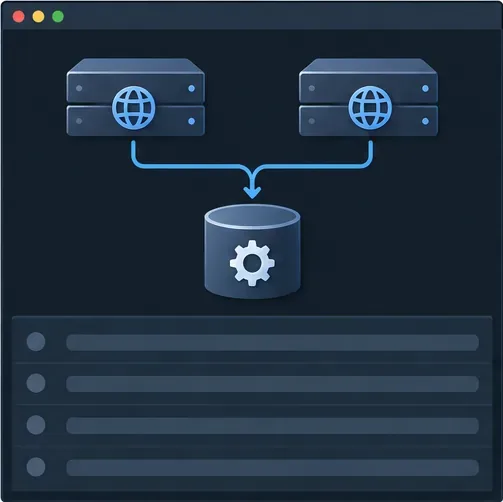
Every application node must use the same Nextcloud instance settings, including its shared secret and database configuration.
9. Add a distributed cache and file-locking service
Use APCu for local per-host caching if appropriate, and a shared Redis-compatible service such as Redis or Valkey for distributed caching and transactional file locking. All web nodes must refer to the same cache service or supported cache cluster, not localhost. Nextcloud documents Redis cluster configuration for clustered setups and notes that transactional file locking otherwise relies on the database by default. Secure the cache with network restrictions, authentication, and TLS where appropriate; cache availability and failover behavior need their own design.
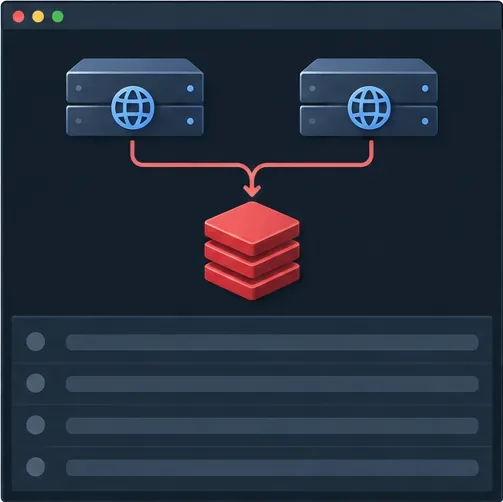
A clustered Nextcloud deployment needs the web nodes to use the same distributed cache and file-locking service.
10. Put a database-aware endpoint in front of Galera
Point Nextcloud to one stable endpoint provided by a database proxy or another supported routing layer. The proxy should stop sending new connections to nodes that are not in the Primary component, are not synced, or are not ready. A basic TCP port check only proves that a socket accepts connections; it does not prove that Galera can safely serve the application. Review the health-check behavior and failure modes of the chosen proxy. If you use a simple TCP load balancer, pair it with a reliable Galera readiness check and conservative routing rules.
Do not add read/write splitting or round-robin routing casually. Nextcloud’s developer manual describes primary/replica connection support and warns that routing reads across a cluster can create consistency issues if data has not propagated or if a proxy cannot keep transactional reads on the right node. Start with a stable write-capable endpoint, measure it, and introduce specialized routing only when you understand the consistency and support implications.
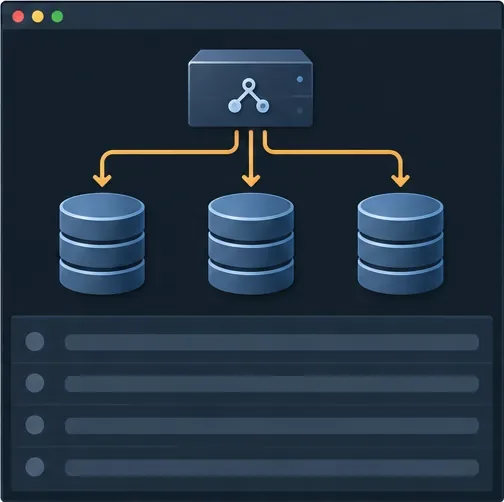
A stable database endpoint hides node addresses from Nextcloud; proxy health logic must account for Galera readiness.
11. Add redundant web load balancing and trusted proxy settings
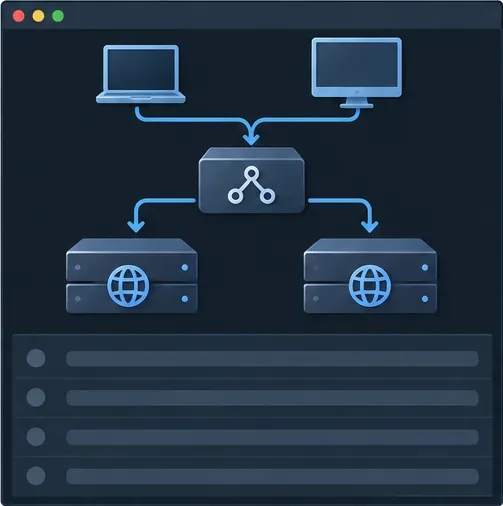
Place at least two web nodes behind a load balancer and use a separate availability mechanism for the load balancer itself, such as a managed service, redundant pair, or a tested virtual-IP design. Configure TLS termination, request size and timeout behavior, and sticky-session requirements according to your deployment. Check the Nextcloud reverse-proxy documentation and set trusted_proxies to the actual proxy addresses; trusting arbitrary client ranges weakens client-IP handling.
A redundant web load balancer routes traffic only to application nodes that pass suitable health checks.
12. Roll out carefully, then test failure and recovery
Test upgrades on a staging copy with the same topology first. Put Nextcloud in maintenance mode when required by the upgrade procedure, apply the same application release to every node, and bring nodes back into service only after health checks pass. For routine host maintenance, drain one web node at a time and confirm the remaining capacity is sufficient. Apply database upgrades using the supported MariaDB/Galera rolling-upgrade process for the exact versions involved; do not invent an order from a generic tutorial.
Rolling maintenance drains one web node while the other continues to serve requests; capacity must be sufficient for the reduced pool.
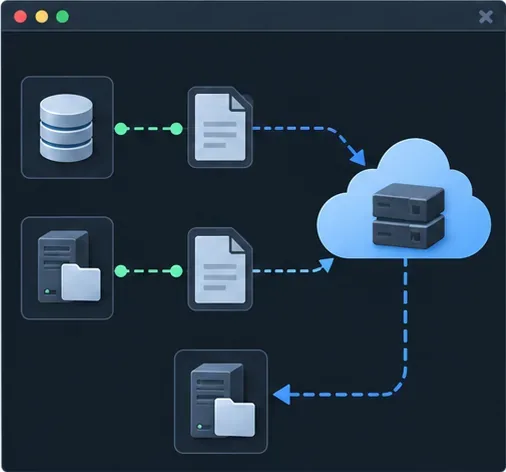
Back up the database and the user file-data layer using a documented, application-consistent procedure. Keep configuration, encryption material, and secrets available to authorized recovery operators. A Galera replica is not a backup: accidental deletion and logical corruption can replicate to every member. Store backups outside the cluster’s failure domain and perform regular restore rehearsals. Galera documents state-transfer and backup considerations in its cluster backup guidance; validate that any procedure you adopt supports your MariaDB release.
Database backups and Nextcloud file-data backups must be coordinated and restore-tested as separate recovery components.Validate login, file operations, database quorum, node failover, and backup restoration before treating the cluster as production-ready.
Choose a design by workload and team capacity
Galera is a practical choice when you need database-node redundancy, have multiple failure domains, and can monitor quorum and practice controlled recovery. It may be a poor fit when the primary goal is simpler operations, when the database workload is dominated by conflicting writes, or when the team cannot respond safely to quorum loss. In those cases, a simpler supported database deployment with robust backups, or a managed database service, may produce better operational reliability.
For a smaller self-hosted service, first make the application nodes interchangeable, move user files to durable shared storage, configure shared Redis locking, and test backups. Add Galera only after measurements show the database’s single-node failure or maintenance window is an unacceptable risk and the organization can maintain the extra layer. The meaningful success test is not “all three database servers are running”; it is that the Nextcloud URL remains usable during a planned node loss, uploads and downloads work across web nodes, the database retains quorum, and the team can restore both database and file data from backup.
Quick validation checklist
Nextcloud, MariaDB, PHP, and Galera versions are compatible and supported.
All database nodes report Primary membership, expected cluster size, readiness, and synced local state.
Application servers use the same database endpoint, configuration, cache, and file-data system.
Database, replication, cache, and storage ports are private and limited to required peers.
Web and database proxies remove genuinely unhealthy backends from service.
A planned web-node and database-node failure has been tested in a controlled window.
Database and file-data backups have both been restored successfully in a rehearsal.