Home
» NETWORK ADMIN
»
Kopano Core End-of-Life: Top Open Source Alternatives for Enterprise
Kopano Core End-of-Life: Top Open Source Alternatives for Enterprise
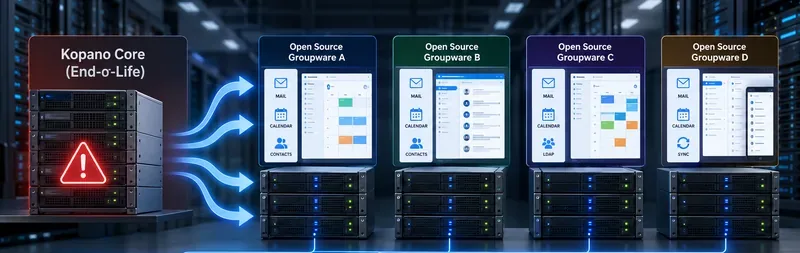
Kopano Core was designed as the foundation of a self-hosted groupware stack, combining mailbox storage and groupware services with web, mobile, calendar, contact, and integration components. For organizations still running it, the end-of-life question is not simply “what software looks similar?” The more useful question is which replacement preserves the parts of the environment that matter most: Outlook compatibility, existing IMAP and SMTP infrastructure, directory integration, mobile synchronization, high availability, data sovereignty, or vendor-backed support.
As of October 2026, the public Kopano Core GitHub repository is presented as a read-only mirror, and Kopano's published changelog shows the final Kopano Core 8.7.25 release dated February 22, 2022. That is enough reason for enterprise operators to treat legacy Kopano Core as a migration target rather than a platform for new deployments, unless they have a separately documented support arrangement. See the Kopano Core repository and the official Kopano changelog.
A migration decision should compare the whole groupware stack—mail, calendars, contacts, directory integration, synchronization, client compatibility, availability, and support—not just the webmail interface.
What should replace Kopano Core in an enterprise?
There is no single open source product that is the best Kopano replacement for every organization. The strongest candidates solve different parts of the problem. grommunio is the closest fit when native Outlook and Exchange-style protocols are central. SOGo is attractive when the organization already has a well-run IMAP, SMTP, LDAP, and database stack. Zimbra remains a recognizable integrated collaboration suite, but the licensing and support model requires careful review. Nextcloud Groupware is compelling when files and collaboration are as important as mail, but it is not itself a full mail server. Open-Xchange can suit service-provider and modular deployments, although its frontend licensing is not the same as a conventional unrestricted open source enterprise stack.
Enterprise comparison at a glance
Alternative
Best fit
Mail server included?
Outlook / mobile story
Main trade-off
grommunio
Kopano or Exchange-style replacement with Outlook dependence
Yes, as an integrated groupware platform
Native MAPI/HTTP for Outlook; EAS for mobile; CalDAV/CardDAV and IMAP also supported
Commercial production support is partner-led, and the free Community Edition is limited to five users
SOGo
Organizations keeping existing Postfix/Dovecot/Cyrus and LDAP infrastructure
No; it reuses existing SMTP and IMAP servers
ActiveSync for mobile; Outlook compatibility is commonly handled with CalDAV/CardDAV synchronization
More integration work because SOGo is a groupware layer, not an all-in-one mail stack
Zimbra
Organizations wanting an integrated mail, calendar, contacts, web client, administration, and migration ecosystem
Yes
IMAP/CalDAV/CardDAV broadly available; current commercial editions add Zimbra Mobile/ActiveSync and Outlook connector capabilities
The current Zimbra Daffodil v10 product is license-required, so “open source Zimbra” and “current supported Zimbra” are not the same procurement decision
Nextcloud Groupware
Organizations prioritizing files, collaboration, calendar, contacts, and a unified portal
No; Nextcloud connects to an existing mail server
Standards-based mail client plus Calendar/Contacts; LDAP and Active Directory integration available
Not a direct replacement for Kopano's mail-store role; another mail platform is still required
Open-Xchange
Modular or service-provider environments comfortable with commercial licensing
Usually deployed with external mail infrastructure
Standards-oriented groupware and client integrations
Backend and frontend use different licenses; commercial use and supported packages require careful licensing review
1. grommunio: the closest fit when Outlook compatibility matters
For a company moving from Kopano because users expect an Exchange-like experience, grommunio deserves the first proof-of-concept. Its official feature documentation lists MAPI/HTTP and RPC/HTTP for Microsoft Outlook, Exchange ActiveSync for mobile devices, EWS, IMAP, POP3, SMTP, CalDAV, CardDAV, LDAP, and Active Directory integration. The platform also provides shared mailboxes, public folders, calendars, contacts, tasks, notes, webmail, chat, meetings, files, and online office integration. See the grommunio feature overview and grommunio client documentation.
The key advantage is architectural continuity. An organization that relies on Outlook desktop profiles, mobile ActiveSync, shared calendars, delegation, or an Active Directory-backed identity environment can test grommunio without redesigning the user experience around a standards-only client model. Its technical pages also describe cluster-ready and highly available deployments, which matters for enterprises that previously ran multi-server Kopano environments.
The trade-off is support and licensing structure. grommunio states that enterprise support is delivered through certified partners, while its Community Edition is intended for testing and evaluation and is limited to five user accounts. Production environments therefore need a commercial subscription and a partner relationship. Review the official support model before treating a successful technical proof-of-concept as a complete procurement decision.
2. SOGo: best when you already trust your mail infrastructure
SOGo takes a different approach. Its current installation guide, version 5.12.11 at the time of this review, describes SOGo as a scalable groupware server that reuses existing IMAP, SMTP, LDAP, and database services. That is an advantage if your organization already operates Postfix plus Dovecot or Cyrus, has a stable LDAP or Active Directory deployment, and mainly needs webmail, calendars, address books, sharing, and mobile synchronization. See the SOGo Installation and Configuration Guide.
SOGo supports CalDAV, CardDAV, GroupDAV, iMIP, iTIP, and Microsoft ActiveSync. The official documentation says ActiveSync can synchronize email, contacts, events, and tasks and can provide free/busy and global address list lookups. SOGo also supports LDAP authentication and global address books, including Microsoft Active Directory.
The cost of this flexibility is operational responsibility. SOGo does not replace the underlying IMAP store or SMTP transport. A team leaving Kopano must therefore design and operate those services separately, including spam filtering, backup, mailbox storage, replication, and disaster recovery. That is excellent for organizations that already have those competencies, but less attractive for a small IT team seeking one integrated appliance.
Outlook is another decision point. SOGo's site describes Outlook compatibility through the open source Outlook CalDav Synchronizer rather than native MAPI/HTTP. If users depend heavily on Exchange-specific Outlook behavior, test delegation, shared folders, recurring meetings, address book behavior, and offline use before approving the migration.
3. Zimbra: mature integrated groupware, but verify the edition and license
Zimbra remains one of the best-known self-hosted collaboration suites, with email, contacts, calendars, web clients, administration tools, multi-server installation documentation, and migration tooling. Its documentation portal includes migration resources for Exchange mailboxes, PST files, and older Zimbra installations. For organizations that want a consolidated mail platform rather than assembling several components, this maturity is valuable. See the official Zimbra documentation.
However, “Zimbra is open source” needs qualification in a 2026 enterprise comparison. Zimbra's licensing page still documents the Open Source Edition code and the Zimbra Public License, but its current Daffodil v10 edition comparison states that a Zimbra license is required for the current product. Commercial editions also contain features such as Zimbra Mobile/ActiveSync, Outlook integration, backup and restore, storage management, archiving, and vendor support. Review the Zimbra licensing page and the current edition comparison together.
This makes Zimbra a strong candidate for enterprises willing to pay for a supported integrated platform, but a less straightforward answer for teams whose requirement is specifically “current, fully supported, and entirely free open source.” Do not assume features listed for Network or current commercial editions are present in older or community builds.
4. Nextcloud Groupware: strong collaboration layer, not a mail-server replacement
Nextcloud is attractive when the migration objective is broader than email. It provides file sync and sharing, calendars, contacts, collaboration apps, and a Mail application inside a unified self-hosted platform. Its LDAP backend can authenticate users from LDAP and Active Directory, which makes it easier to fit into established enterprise identity environments. See the Nextcloud LDAP and Active Directory documentation.
That means Nextcloud is a good Kopano migration component when you intend to split responsibilities: for example, Dovecot or another mail platform handles mailboxes, Postfix handles SMTP, and Nextcloud becomes the collaboration and groupware portal. It is not the simplest choice if the goal is a single-server replacement for every Kopano Core function.
5. Open-Xchange: capable, but check the commercial-use boundary first
Open-Xchange is relevant for large modular deployments and service providers, but it should not be grouped casually with unrestricted open source projects. Open-Xchange's own FAQ says the backend is GPLv2 while the frontend is licensed under CC BY-SA-NC, and that commercial use, service, and support require a license key for OX App Suite packages. See the Open-Xchange Product FAQ.
For a university lab, internal evaluation, or organization already working with an Open-Xchange partner, that model may be acceptable. For a business whose procurement requirement is “open source with no commercial-use restriction,” it may be a poor fit despite the availability of source code. Licensing should therefore be an early screening criterion, not something discovered after a technical pilot.
Which alternative should you choose?
Choose grommunio if Outlook is non-negotiable
It is the most natural candidate when users need Outlook desktop without a proprietary connector, mobile ActiveSync, Exchange-style protocols, shared folders, and an integrated groupware stack. The main question is whether the partner-based subscription and support model fits your procurement process.
Choose SOGo if you already run Postfix, Dovecot or Cyrus well
SOGo minimizes duplication and works naturally with standards-based infrastructure. It is especially compelling for Linux-centric teams that want to keep control of each layer and are comfortable operating mail transport, mailbox storage, LDAP, databases, backups, and monitoring independently.
Choose Zimbra if you want an established integrated suite and accept commercial support
Zimbra can reduce integration work because mail, calendar, contacts, administration, and migration tooling sit in one ecosystem. The decisive task is to map every required feature to the exact edition you plan to buy or deploy, because the current supported product and historical open source editions do not have identical capabilities.
Choose Nextcloud if collaboration is the center of the new architecture
If the organization is already moving toward shared files, online collaboration, calendars, contacts, and a unified web workspace, Nextcloud can be the front door. Pair it with a separate mail server rather than expecting it to become the mailbox backend.
Migration checks that matter more than feature lists
Before selecting a replacement, create a test group that represents the difficult cases, not only typical users. Include executives with delegates, shared mailboxes, resource calendars, users with very large mailboxes, mobile users, Outlook-heavy teams, and accounts with complex folder permissions. A successful migration should preserve not just message bodies but also folder hierarchy, timestamps, flags, calendar recurrence, attendee status, contacts, distribution lists, delegation, and shared-resource behavior.
Also verify the operating model. Test backup restoration, high-availability failover if required, directory outages, certificate renewal, spam and malware filtering, monitoring, log retention, and the process for security updates. A platform that looks excellent in a 20-user pilot may still be the wrong enterprise choice if your team cannot operate it safely at 2,000 users.
Finally, distinguish data migration from client migration. IMAP can move email, but it does not automatically preserve all calendars, contacts, tasks, permissions, rules, or Kopano-specific metadata. Build a migration inventory before choosing tools, and keep the old system read-only for an agreed validation period rather than deleting it immediately after cutover.
Bottom line
Kopano Core's end-of-life is a reason to reconsider architecture, not merely swap one webmail interface for another. grommunio offers the closest path for organizations centered on Outlook and Exchange-style protocols. SOGo is a strong standards-based layer for teams that already own the mail stack. Zimbra is mature and integrated but requires close attention to edition and licensing. Nextcloud is an excellent collaboration platform when paired with a separate mail server. Open-Xchange can be viable in commercial and service-provider environments, but its licensing model should be reviewed before technical evaluation.
The best result is the platform whose trade-offs match your actual operating model. Run a pilot with representative users, measure migration fidelity and administrative effort, and make the decision only after testing the workflows that would be most expensive to break.