How to Create a List of All Items in a Folder on Windows 10

Create a searchable Windows 10 folder inventory with PowerShell. Save every file and subfolder path as plain text or export details to a sortable CSV.
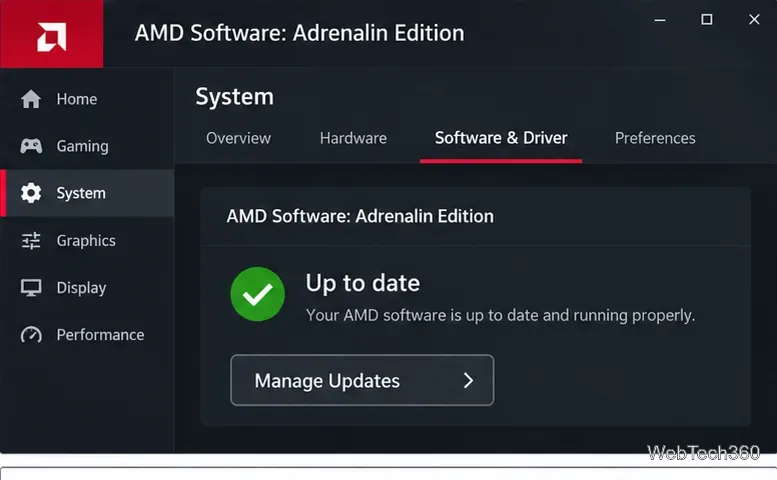
The simplest way to perform an AMD driver update is through AMD Software: Adrenalin Edition. Open AMD Software, go to System, choose Manage Updates, and install the available package. If AMD Software is not installed, AMD's Auto-Detect tool or the manual product selector are the best official alternatives. Windows Update is also useful for compatible display drivers, while Device Manager is mainly a fallback.
| Method | Best for |
|---|---|
| AMD Software: Adrenalin Edition | Keeping a supported Radeon graphics driver current |
| AMD Auto-Detect and Install | Automatically identifying supported Radeon graphics and Ryzen chipset drivers |
| AMD Drivers and Support | Manually choosing a specific GPU, chipset, operating system, or previous driver |
| Windows Update | Installing a compatible driver delivered through Microsoft |
| Device Manager | Searching for a driver or installing one you already have locally |
For a PC that already has AMD Software: Adrenalin Edition, this is usually the most convenient route. AMD documents its current update controls in its AMD Software update guide.
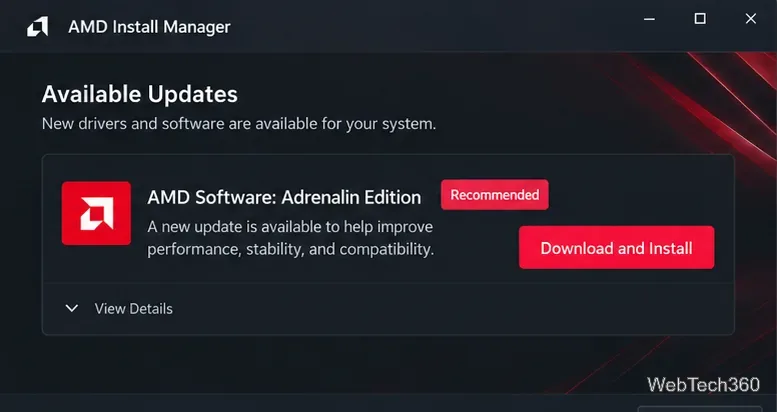
AMD may offer a Recommended package for stability or a newer Optional package with the latest features and fixes. Check the release notes before choosing an Optional release for a production or work-critical PC.
If you do not know the exact AMD hardware model, download the official AMD Drivers and Support Auto-Detect tool. AMD says the current tool can detect supported Radeon graphics, Ryzen chipsets, and the installed Windows version, then offer compatible packages.
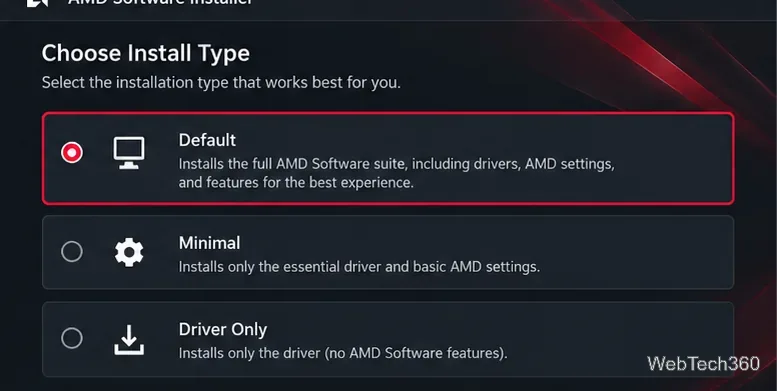
See AMD's Auto-Detect and Install instructions for the current supported Windows requirements and installer options.
Manual selection is useful when Auto-Detect does not support the device, when you need a previous release, or when you want to confirm the exact package before installing it.
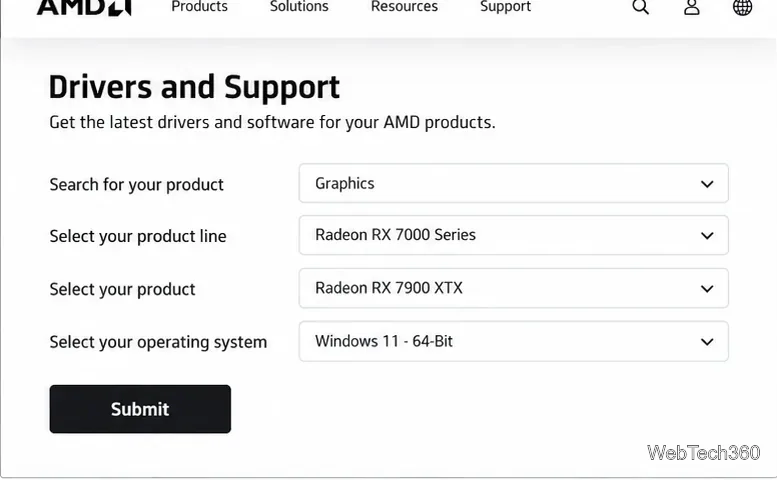
For laptops, all-in-one PCs, and systems with vendor-specific graphics features, AMD notes that an OEM-provided driver may be preferable. If the generic AMD package causes compatibility problems, check the PC manufacturer's support page. AMD also recommends device-specific OEM drivers for handheld gaming systems.
Microsoft recommends Windows Update as the normal source for Windows driver updates. On Windows 11, open Settings > Windows Update and select Check for updates.
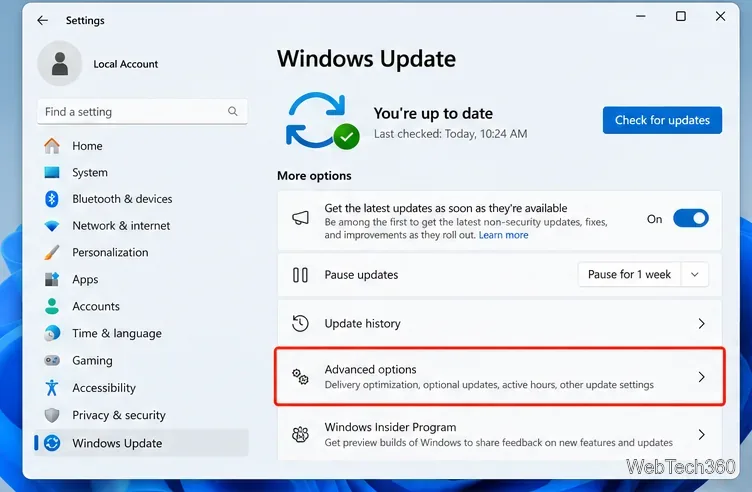
If an AMD driver is offered as an optional update, go to Windows Update > Advanced options > Optional updates > Driver updates, select the AMD display driver, and choose Download & install.
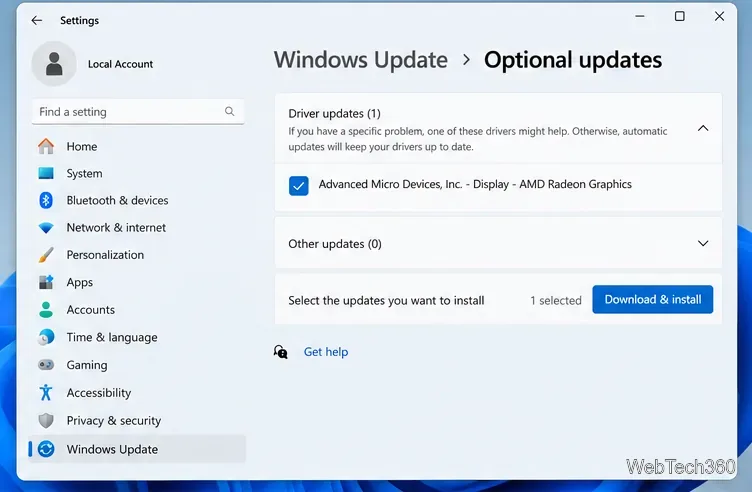
Microsoft's Windows Update guidance covers the current Settings workflow. Windows 10 reached the end of free Microsoft support on October 14, 2025, so moving to a supported Windows version is advisable when the hardware allows it.
Device Manager can still update a display adapter, but Microsoft says Windows Update is the preferred method for driver delivery.
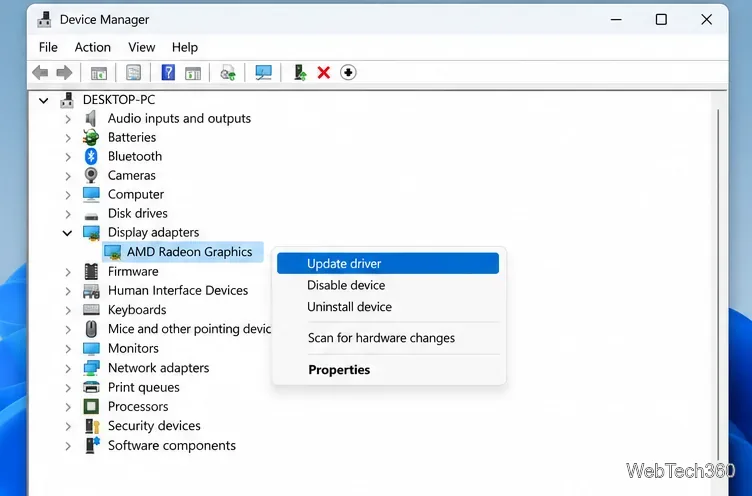
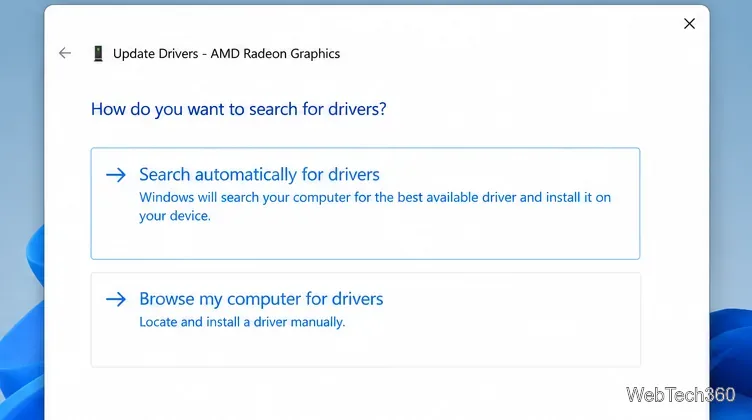
See Microsoft's Device Manager driver instructions for the supported procedure.
For most Radeon users, AMD Software is the fastest option. Use Auto-Detect when the hardware is uncertain, manual downloads when you need precise control, and Windows Update when you prefer Microsoft's driver delivery path.
Create a searchable Windows 10 folder inventory with PowerShell. Save every file and subfolder path as plain text or export details to a sortable CSV.
Add a custom reminder, quote, or label to your Windows 10 desktop with a Rainmeter text skin. Create the INI file, load it, then adjust its font and position.
Use Bluetooth Swift Pair on Windows 10 to pair a compatible accessory from a notification, with setup steps and fixes when the prompt does not appear.
Learn what common laptop function key symbols mean, how Fn and Fn Lock affect them, and how to confirm the right shortcut for your Windows 10 laptop model.
Turn off your Windows 10 display instantly with ScreenSleep, set a keyboard shortcut, and see when to use the built-in screen timeout instead.
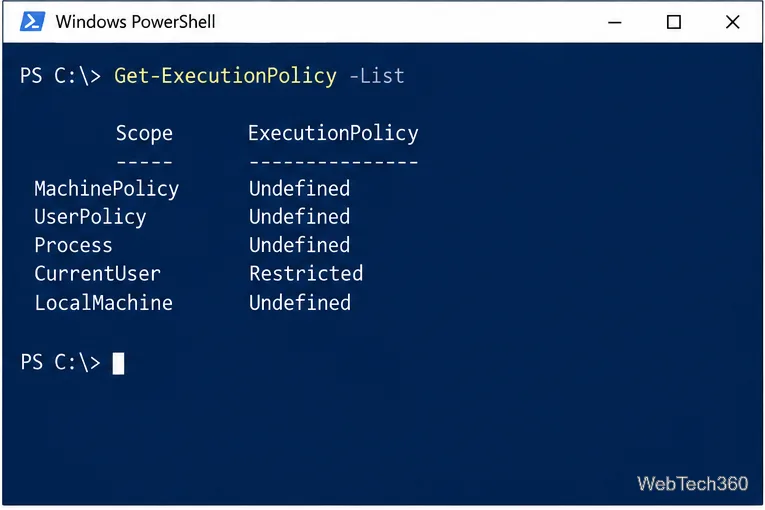
Fix the “running scripts is disabled on this system” PowerShell error on Windows 10 with a current-user policy, a temporary session option, and safe steps for downloaded scripts.
Change the Windows 10 drag-selection color with a backup-first registry walkthrough, RGB examples, troubleshooting tips, and steps to restore your original values.
Check your router’s connected-device list or scan a local network with Fing Desktop on a supported PC. Learn what each method can show and how to verify unfamiliar entries.
Messenger does not offer a documented per-friend online alert. Learn how Active Status works, where to check the green dot, and which notifications you can enable instead.
Use 7-Zip to find an exact filename or wildcard match inside a ZIP or other supported archive on Windows 10 without unpacking its files.