How to Create a List of All Items in a Folder on Windows 10

Create a searchable Windows 10 folder inventory with PowerShell. Save every file and subfolder path as plain text or export details to a sortable CSV.
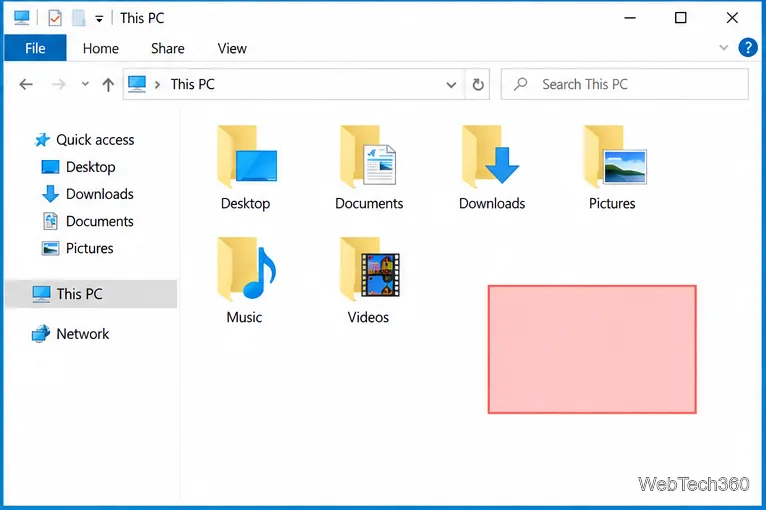
Windows 10 has no dedicated Settings switch for the translucent rectangle that appears when you click and drag across the desktop or an open folder. A common workaround is to edit two color strings under HKEY_CURRENT_USER\Control Panel\Colors. The change is limited to the signed-in user, and its appearance can vary by Windows theme and app.
This is a registry customization, not a setting Microsoft promises will affect every Windows 10 surface. Microsoft documents Hilight among legacy theme colors; its Win32 color reference describes highlight and hot-tracked colors in general terms. Back up the key first, then test the result before changing other color values.
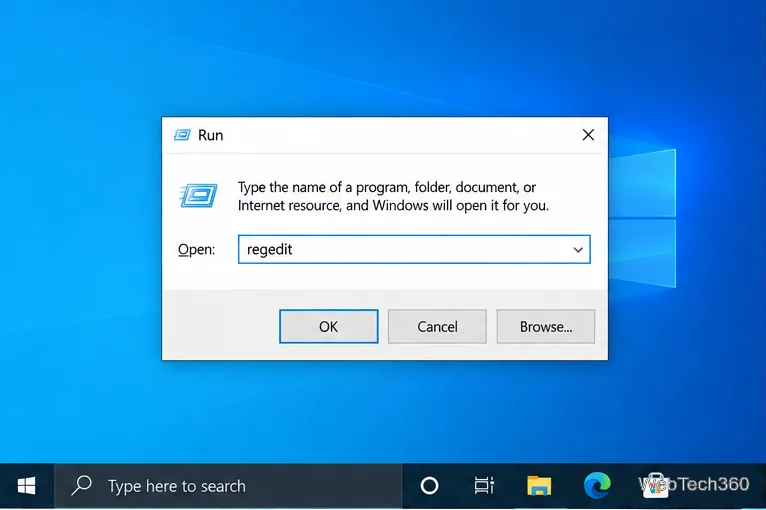
regedit in the Run dialog to open Registry Editor.#FF6666 is 255 102 102.In Windows, Hilight and HotTrackingColor are string values. Microsoft’s theme-file reference lists Hilight in the Control Panel\Colors section and describes how these older RGB theme entries are used. The Win32 system-color reference identifies highlight color with selected items and hotlight color with hyperlinks or hot-tracked items. That documentation does not guarantee that every Windows 10 theme or app will use the registry values for a drag rectangle.
regedit, and press Enter. If Windows asks for confirmation or an administrator password, approve it only if you are comfortable continuing. The Run dialog is shown above.HKEY_CURRENT_USER\Control Panel\Colors. Select the Colors folder in the left pane, choose File > Export, and save the file somewhere you can find it. Also note the current data for Hilight and HotTrackingColor; the two original values may be different.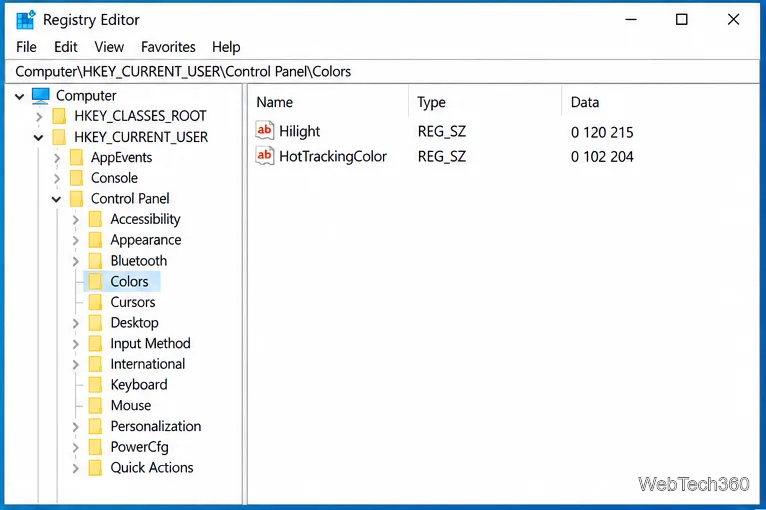
HotTrackingColor. In the Edit String dialog, replace Value data with your three-number RGB value and select OK. Repeat for Hilight. For a consistent color, enter the same RGB triplet in both values. Do not type a leading #, commas, or parentheses. The example below uses 255 102 102; choose another triplet if you prefer a different color.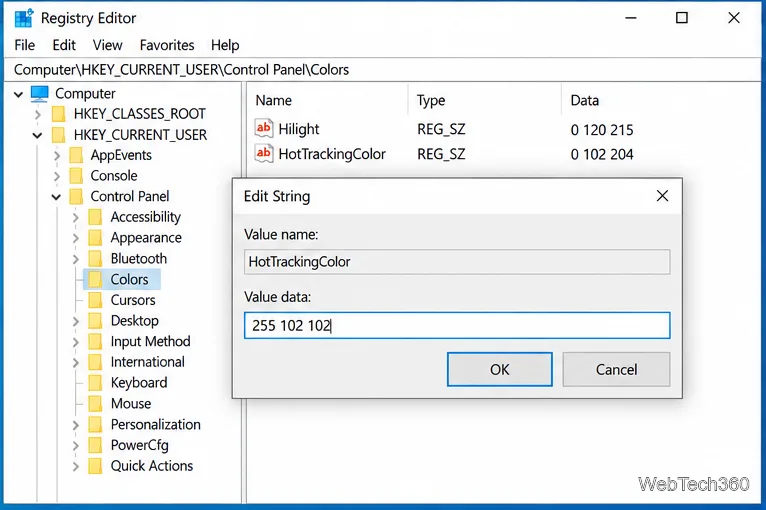
After signing in again, click and drag over an empty area of the desktop or File Explorer’s file pane. The translucent selection rectangle should appear while the mouse button is held. You can also select an item or text to check whether other highlight colors changed. These registry values may influence related system colors, so the effect is not necessarily limited to the drag rectangle.
Hilight and HotTrackingColor, and that the data has three decimal numbers separated by spaces.If your goal is to make interface elements easier to distinguish, Windows also includes contrast themes. In Windows 10, open Settings > Ease of Access > High contrast. Microsoft explains this built-in option in its guide to changing color contrast.
To undo the edit, use the exact RGB strings you recorded before changing them, or import the Colors key backup from Registry Editor with File > Import. Importing the backup restores the values captured when you exported it and may overwrite later changes in that key. Restart or sign out and back in again after restoring. Avoid assuming both entries should use one universal default: restore the values that were on your PC before the edit.
Create a searchable Windows 10 folder inventory with PowerShell. Save every file and subfolder path as plain text or export details to a sortable CSV.
Add a custom reminder, quote, or label to your Windows 10 desktop with a Rainmeter text skin. Create the INI file, load it, then adjust its font and position.
Use Bluetooth Swift Pair on Windows 10 to pair a compatible accessory from a notification, with setup steps and fixes when the prompt does not appear.
Learn what common laptop function key symbols mean, how Fn and Fn Lock affect them, and how to confirm the right shortcut for your Windows 10 laptop model.
Turn off your Windows 10 display instantly with ScreenSleep, set a keyboard shortcut, and see when to use the built-in screen timeout instead.
Fix the “running scripts is disabled on this system” PowerShell error on Windows 10 with a current-user policy, a temporary session option, and safe steps for downloaded scripts.
Change the Windows 10 drag-selection color with a backup-first registry walkthrough, RGB examples, troubleshooting tips, and steps to restore your original values.
Check your router’s connected-device list or scan a local network with Fing Desktop on a supported PC. Learn what each method can show and how to verify unfamiliar entries.
Messenger does not offer a documented per-friend online alert. Learn how Active Status works, where to check the green dot, and which notifications you can enable instead.
Use 7-Zip to find an exact filename or wildcard match inside a ZIP or other supported archive on Windows 10 without unpacking its files.