How to Create a List of All Items in a Folder on Windows 10

Create a searchable Windows 10 folder inventory with PowerShell. Save every file and subfolder path as plain text or export details to a sortable CSV.
If you see “Your computer or network may be sending automated queries”, the site has detected requests from your public IP address or network that look automated. It does not automatically mean your PC is infected or taking part in a DDoS attack. Google says this warning can be triggered by malware, automated programs, VPNs, or other users sharing the same network; A recently flagged IP address or heavy automated traffic against a site can also be involved.
If a reCAPTCHA appears, complete it first. If the warning keeps returning, work through the checks below instead of repeatedly refreshing the page.
Anti-abuse systems look for traffic patterns that resemble bots. Common causes include:
Google’s official guidance for this message is available in its unusual traffic troubleshooting page.
If the page offers a reCAPTCHA, solve it. Google says that normally clears the warning once it confirms you are a person. If no CAPTCHA appears, make sure JavaScript is enabled and that you are using a browser supported by reCAPTCHA.
Pause search scrapers, rank-checking tools, scripts, macros, or other software making repeated requests. Avoid rapidly refreshing the blocked page; the restriction may remain until suspicious traffic stops.
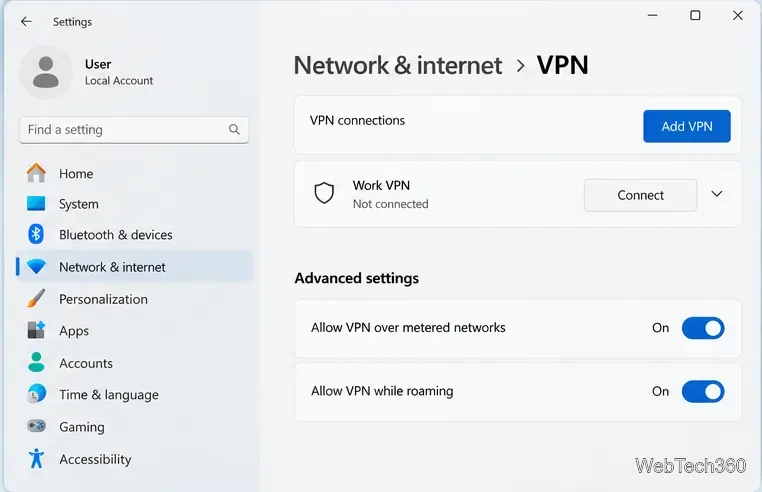
VPN users can share a public IP address with many other customers. If someone else using that exit IP generates abusive traffic, you can inherit the block even when your own activity is normal. Temporarily disconnect the VPN or proxy and try again. On a work or school device, check with IT before disabling a required connection.
Testing on another trusted network, such as a mobile hotspot, is also useful. If the warning disappears there but affects multiple devices on your usual network, the likely cause is the shared public IP or network rather than one browser. Google recommends contacting the network administrator, VPN provider, or ISP when the problem persists.
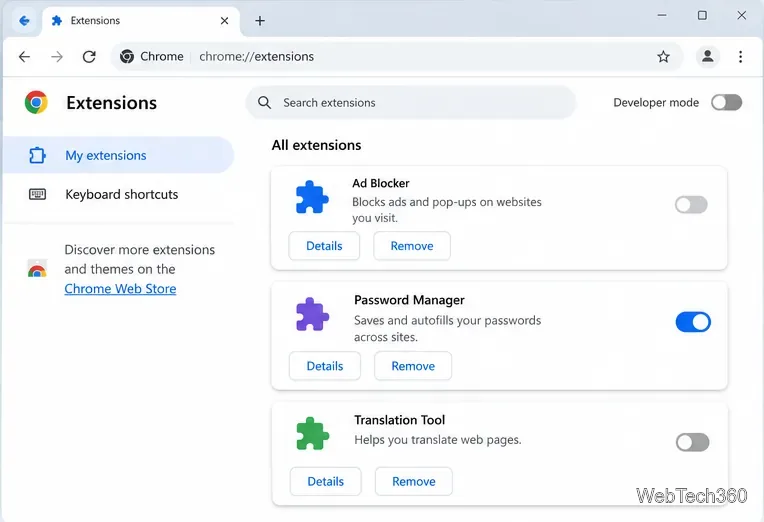
An extension can send background requests even while you are browsing normally. In Chrome, open More > Extensions > Manage extensions, turn extensions off, test the site again, then re-enable extensions one at a time to identify the trigger.
Pay special attention to VPN/proxy add-ons, search helpers, scraping tools, automation utilities, and extensions you do not recognize. See Google’s Chrome extension documentation for disable/remove steps.
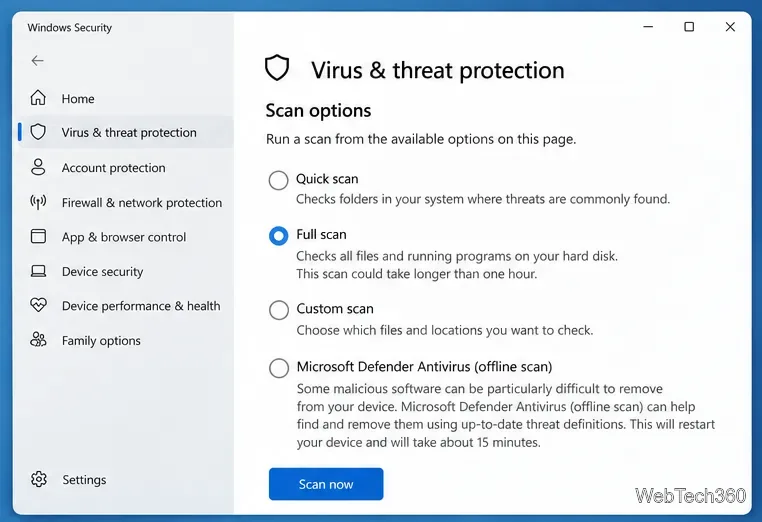
If the warning appears across multiple browsers on the same computer, scan the system. In Windows Security, open Virus & threat protection > Scan options, choose Full scan, and select Scan now.
If you still suspect persistent malware, Microsoft also offers Microsoft Defender Antivirus (offline scan). It restarts the PC and scans outside the normal Windows session. Save your work first. See Microsoft’s Windows Security scan guidance for the current options.
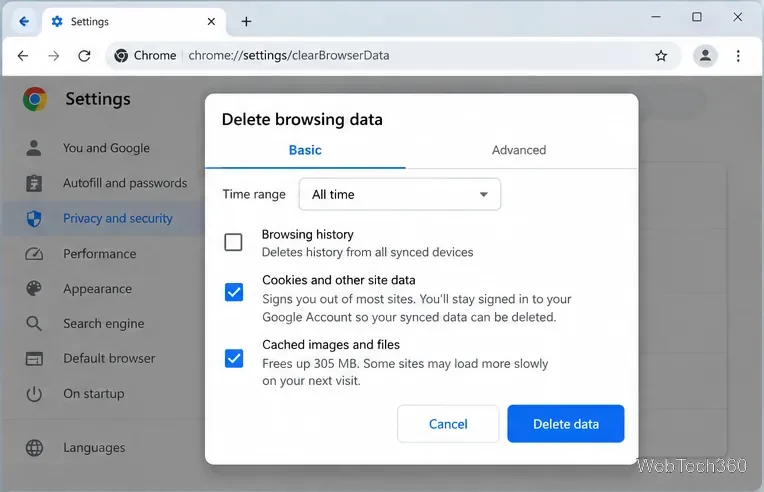
Cookies are not a common cause of automated traffic by themselves, so clearing them should not be the first fix. However, if the warning happens only in one browser profile, clearing site data can reset a broken session after you have checked extensions and the network.
In Chrome, go to Settings > Privacy and security > Delete browsing data. Select Cookies and other site data for the appropriate time range, then delete the data. This can sign you out of websites. See Google’s Delete browsing data instructions.
| What you notice | Most useful next check |
|---|---|
| Only one browser or browser profile is affected | Extensions, automation tools, then site data |
| All browsers on one computer are affected | Background apps and a malware scan |
| Several devices on the same network are affected | VPN, shared public IP, router/network administrator, or ISP |
| The warning appears only on one website | Stop repeated requests, wait, and check whether the site itself is under heavy automated traffic |
If you have stopped automation, disabled suspicious extensions, scanned the device, and ruled out the VPN, the remaining issue may be outside your computer. A shared network or ISP can place many users behind one public IP. In that case, contact your network administrator, VPN provider, ISP, or the affected website as appropriate.
Treat the message as an anti-abuse warning about traffic patterns, not proof that your computer is attacking a website. Isolate whether the trigger follows the browser, device, or network to find the cause faster.
Create a searchable Windows 10 folder inventory with PowerShell. Save every file and subfolder path as plain text or export details to a sortable CSV.
Add a custom reminder, quote, or label to your Windows 10 desktop with a Rainmeter text skin. Create the INI file, load it, then adjust its font and position.
Use Bluetooth Swift Pair on Windows 10 to pair a compatible accessory from a notification, with setup steps and fixes when the prompt does not appear.
Learn what common laptop function key symbols mean, how Fn and Fn Lock affect them, and how to confirm the right shortcut for your Windows 10 laptop model.
Turn off your Windows 10 display instantly with ScreenSleep, set a keyboard shortcut, and see when to use the built-in screen timeout instead.
Fix the “running scripts is disabled on this system” PowerShell error on Windows 10 with a current-user policy, a temporary session option, and safe steps for downloaded scripts.
Change the Windows 10 drag-selection color with a backup-first registry walkthrough, RGB examples, troubleshooting tips, and steps to restore your original values.
Check your router’s connected-device list or scan a local network with Fing Desktop on a supported PC. Learn what each method can show and how to verify unfamiliar entries.
Messenger does not offer a documented per-friend online alert. Learn how Active Status works, where to check the green dot, and which notifications you can enable instead.
Use 7-Zip to find an exact filename or wildcard match inside a ZIP or other supported archive on Windows 10 without unpacking its files.