How to Set Different Scaling Levels for Multiple Monitors in Windows 10
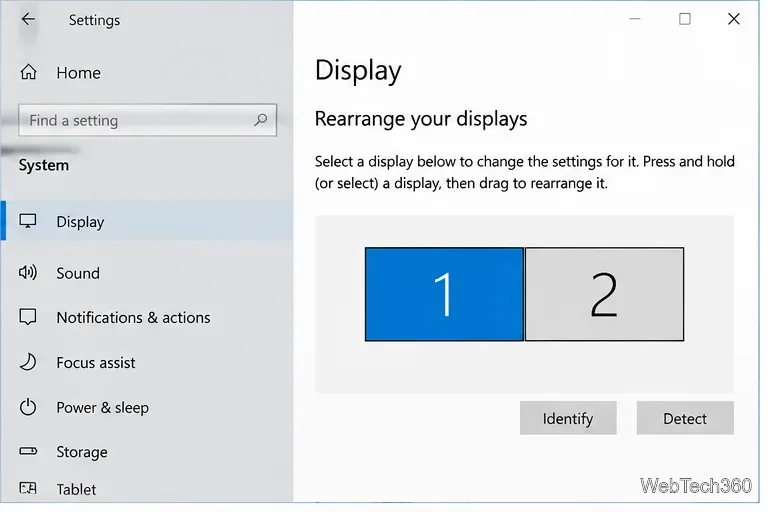
Adjust each Windows 10 monitor independently with per-display scaling, keep text readable, and troubleshoot custom scaling or blurry apps.
To delete a keyboard layout in Windows 10, open Settings > Time & language > Language, choose the language that contains the layout, select Options, then remove the unwanted item under Keyboards. This removes that typing layout; it does not remove the language pack or change the Windows display language.
Windows can associate a layout with a language other than the one its name suggests. If you do not see it under the expected language, check the current display language and the language that matches the layout. The examples below illustrate the Windows 10 Settings route; the language names and available controls can vary with your setup.
Check which layout is active before deleting anything. Select the input indicator in the taskbar, or hold Windows and press Spacebar to cycle through installed layouts. If you use the unwanted layout for a language you type in, choose a replacement first so you can keep entering the characters you need. Microsoft explains how Windows lists and switches layouts in its keyboard and language settings guide.
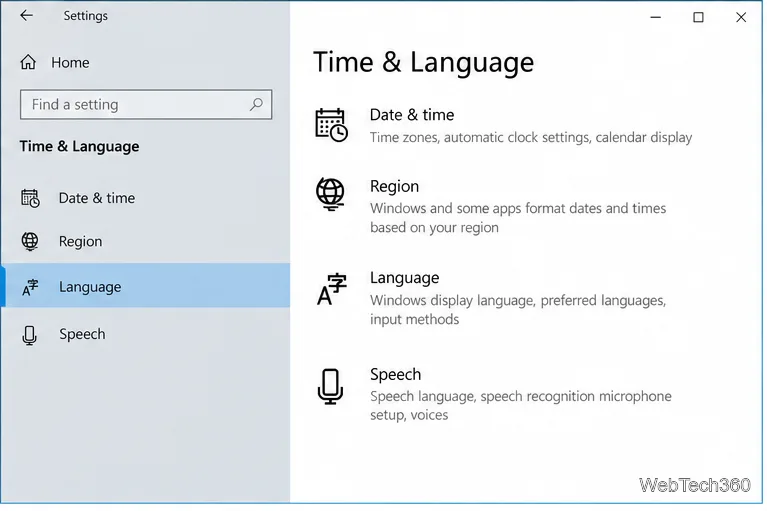
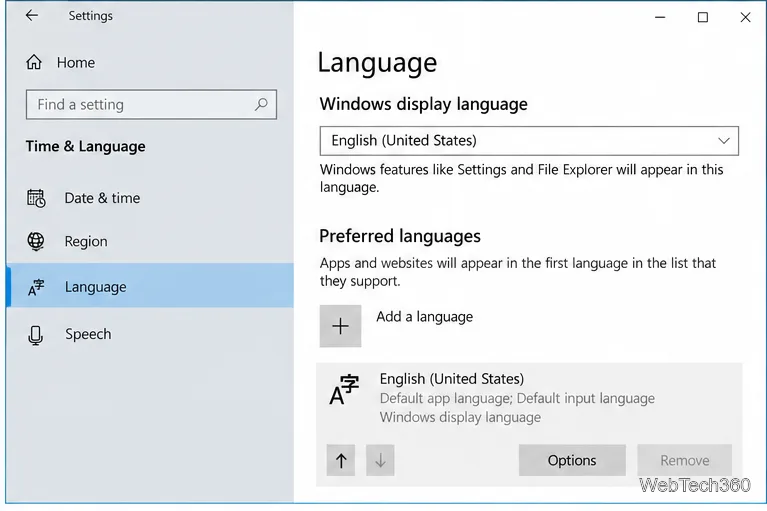
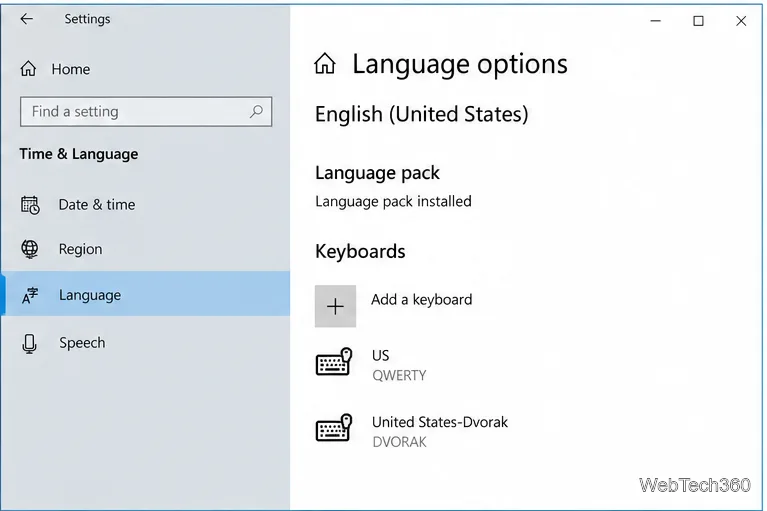
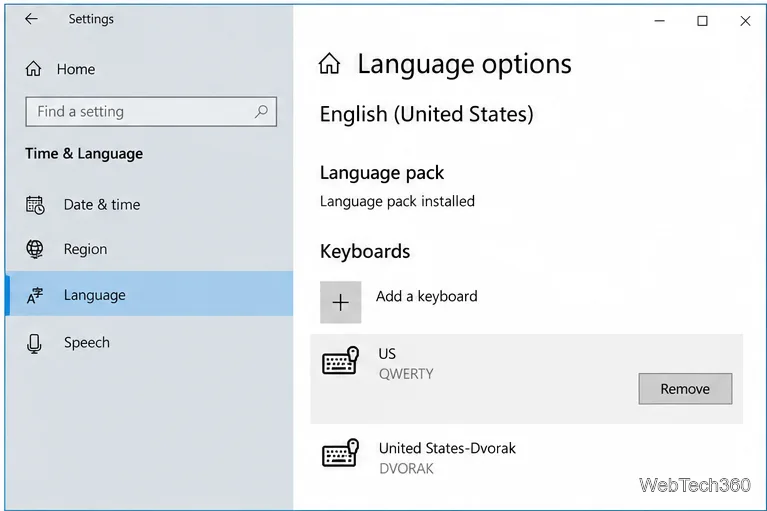
Microsoft notes that Remove can be disabled when the selected layout is the only keyboard layout installed for the current Windows display language. Add another layout you intend to keep, then return to the list and remove the unwanted one. If your goal is to keep only one layout, make sure the remaining layout is the one you actually use before you finish.
Also check which Remove control you selected. The language row has its own Remove option, which removes the whole language pack; the keyboard's Remove control is inside that language's Options page. Removing a keyboard layout should not require deleting a language or editing the Registry.
Go back through Preferred languages and check each installed language, especially the current display language and the language that matches the keyboard layout. Microsoft notes that a layout can be associated with either one. Then check the taskbar input indicator again; it shows the installed choices, while the current abbreviation only tells you which one is active. On a work- or school-managed PC, an administrator may control language settings, so ask them if the layout returns after you remove it in Settings.
If you want to keep menus and apps in a language but stop typing with one of its keyboard arrangements, remove the entry under Keyboards rather than removing the language from Preferred languages. A keyboard layout changes how key presses produce characters; it does not change the Windows display language. For the current Windows 10 path and Microsoft's notes about where layouts are stored, consult the official Manage language and keyboard/input layout settings in Windows page.
Support note: Microsoft ended support for Windows 10 on October 14, 2025. The PC continues to run, but Microsoft no longer provides free Windows Update software updates, technical assistance, or security fixes for Windows 10. See Microsoft's support notice on the linked page for details.
Adjust each Windows 10 monitor independently with per-display scaling, keep text readable, and troubleshoot custom scaling or blurry apps.
Use AirType’s browser pairing setup to type on an iPhone from a Windows 10 PC, with current setup steps, troubleshooting, and privacy limits.
Hide the mouse pointer in Windows 10 videos, games, and other apps with built-in typing controls or PowerToys CursorHide’s adjustable inactivity timer.
Find Control Panel Power Options on a Windows 10 desktop, open the page with a Run command, and adjust power plans, display timeouts, sleep, and button behavior.
Learn what Windows 10 deletion leaves behind, how to use SDelete on an HDD, and why SSDs and cloud backups need separate treatment.
Use FFmpeg’s DirectShow tools to open an integrated webcam’s driver properties in Windows 10, find the correct device, and troubleshoot missing controls.
Identify a keypress in Windows 10 with a browser event tester or SharpKeys, then separate layout, software, and keyboard hardware issues.
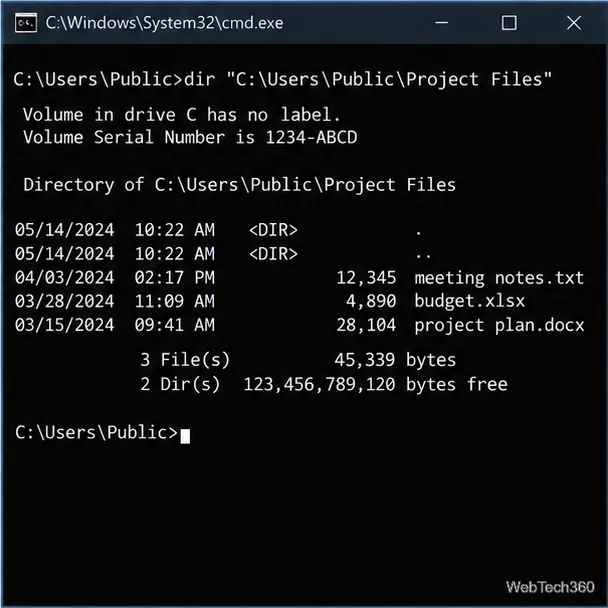
Use double quotes around each complete path with spaces in Command Prompt. Learn how to list, change to, copy, and troubleshoot Windows 10 files and folders.
Turn off the Windows 10 Start menu’s hover-to-expand behavior with a legacy Mach2 command, check build limits, and see the built-in app-list alternative.
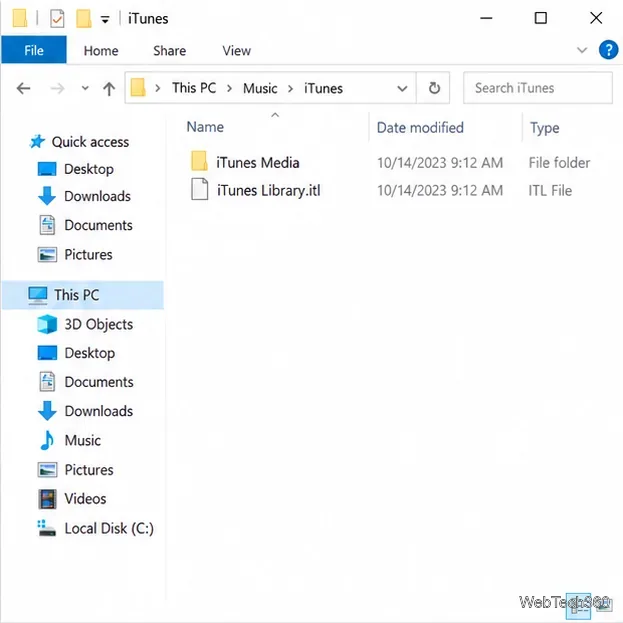
Fix the iTunes Library.itl read error on Windows 10 by updating iTunes, restoring a compatible backup, or safely creating a new library without deleting media files.