Home
» WINDOWS
»
How to Find and Kill a Ravager in Minecraft
How to Find and Kill a Ravager in Minecraft
Ravagers appear only during village raids, with the first possible spawn from wave three onward. To find one, defeat a pillager captain outside a raid, collect its Ominous Bottle, prepare a village, drink the bottle, and enter the village. Then use a bow or crossbow from an open lane, keeping armor and a shield ready. A Ravager has 100 health points (50 hearts), so plan for a sustained fight.
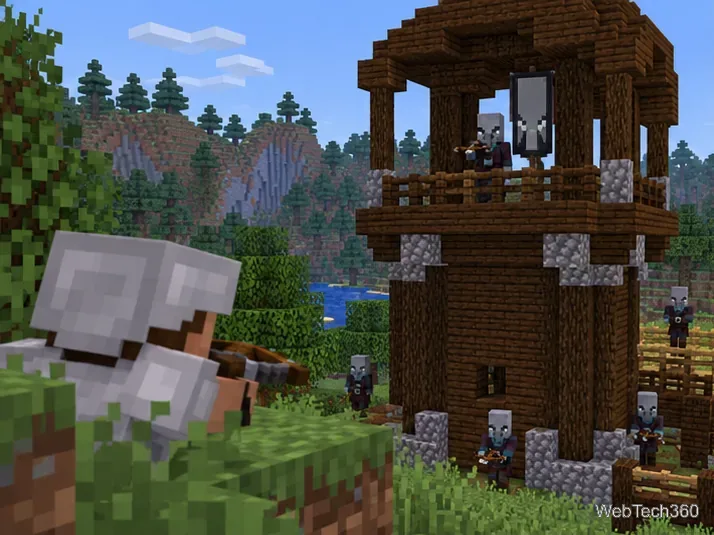
A player watches a banner-carrying pillager at an outpost, the source of an Ominous Bottle for starting a raid.
1. Find a captain and collect its bottle
Search for a pillager patrol in the Overworld or visit a pillager outpost. The captain carries an ominous banner. Defeat it while no raid is active, then pick up the Ominous Bottle. Trial Chamber vaults are another source, but captains are the direct route to a raid.
In versions 1.21 and later, killing a captain no longer applies Bad Omen automatically. Drink the bottle to get Bad Omen; entering a village changes it to Raid Omen, and the raid begins when its 30-second countdown expires. See Mojang’s Java 1.21 notes and Bedrock 1.21 notes.
2. Prepare a safe fighting area
Wait to drink the bottle until you are equipped. Choose a village with a clear road or field where you can see approaching raiders and retreat without getting trapped in an alley. Close nearby doors to shelter villagers, and avoid fighting among crops or inside homes: a Ravager can trample through parts of a village, while other raiders may target villagers.
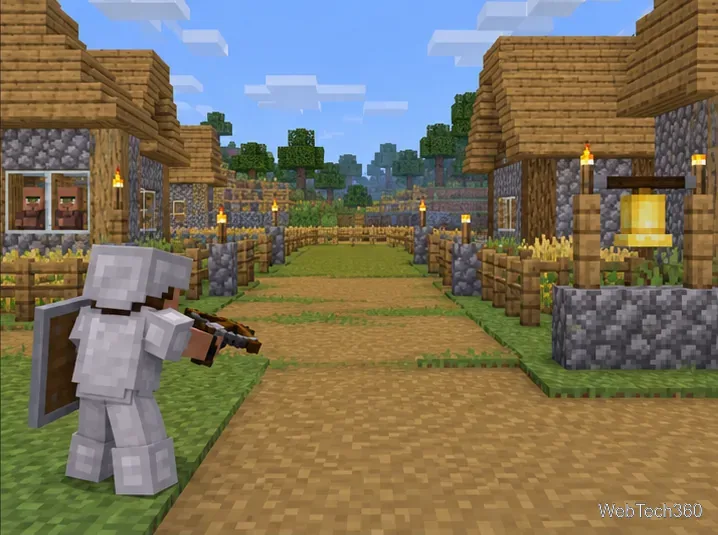
A player prepares an open village lane with villagers inside nearby homes before starting a raid.
Bring durable armor, a shield, a bow or crossbow with extra arrows, a sword or axe for emergencies, and reliable food. Carry blocks if you plan to make a raised firing position, and keep a way down that does not leave you cornered. A secure respawn point and healing items help if the raid goes badly.
3. Trigger the raid and spot the Ravager
Drink the Ominous Bottle outside the village when you are ready.
Enter the village. The Raid Omen countdown lasts 30 seconds before the first wave starts.
Fight through the waves and watch the raid bar. Ravagers can first appear from wave three; later waves may include more or a rider, with the mix depending on difficulty, raid level, and edition.
When a new wave arrives, listen for its horn and scan the village edges. Keep space from other raiders if a pillager, vindicator, or evoker is riding the Ravager.
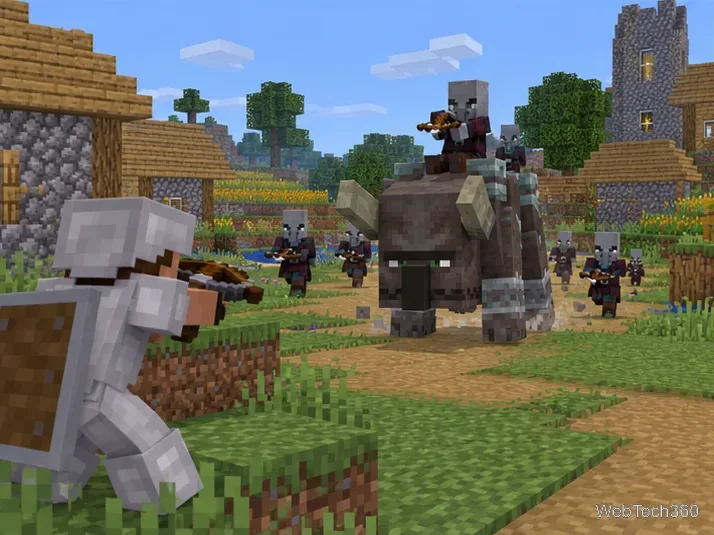
A pillager rides a Ravager through a village raid as the player aims from a distance.
One Ravager kill does not necessarily finish a raid. Keep track of remaining waves and protect villagers if you continue. If you trigger Raid Omen by mistake, milk can clear the effect during its countdown and stop the raid from starting.
4. Defeat it from range
Keep the Ravager in an open sightline and fire as it approaches. A bow supports steady shots; a crossbow can be loaded before you move into view. Reposition between shots so pillagers cannot pin you against a wall. If the Ravager turns toward a villager, move to a safer angle instead of trading melee hits.
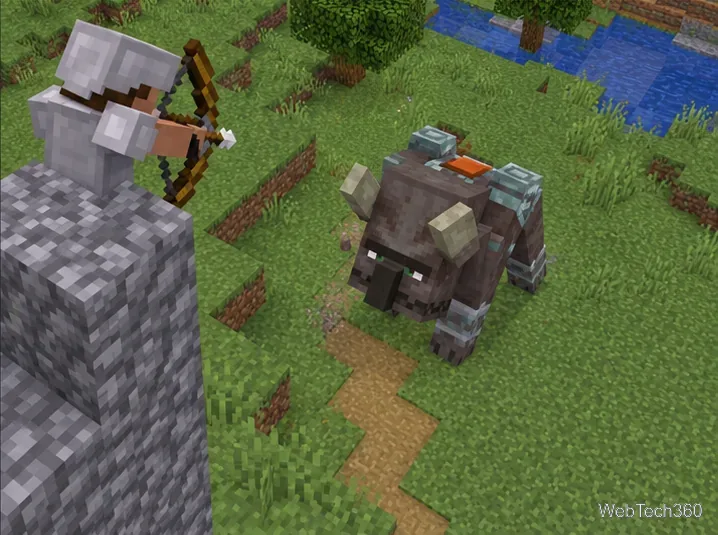
A player fires a bow at a Ravager from a raised stone position with room to retreat.
A raised stone position can improve your aim, but do not treat a short pillar or a hole as a guaranteed safe spot. The Ravager can knock nearby entities back with its roar, so stay away from edges and leave room to retreat. A shield can block an attack and briefly stun it; use that pause to move back, since the Ravager may roar after recovering. If forced into melee, block an incoming hit, strike during the opening, then create distance again.
A Ravager has 100 health points, so save your arrows for it instead of spending them all on surrounding pillagers. Its player-kill drops include experience and a saddle; the Bedrock vanilla loot table lists a saddle for a player kill. For more mob details, see the Ravager mechanics reference.
Quick troubleshooting
No Ravager yet? Continue the raid; one cannot appear before wave three.
No raid started? Make sure you drank the bottle and entered a village with Bad Omen active.
Lost sight of it? Follow the raid bar and horn cues, then check the village perimeter.
Knocked off a build? Heal and resume from a safer ranged position, away from the edge.
For a repeatable kill, collect the bottle before entering the village, protect an open firing lane, and keep the Ravager at bow range whenever possible.