How to Set Different Scaling Levels for Multiple Monitors in Windows 10
Adjust each Windows 10 monitor independently with per-display scaling, keep text readable, and troubleshoot custom scaling or blurry apps.
If your webcam light comes on unexpectedly, start at Settings > Privacy > Camera in Windows 10, or Settings > Privacy & security > Camera in Windows 11. Windows may list desktop apps it detected using the camera, but this activity list is not a live monitor. For a process holding an open camera handle, the current Process Explorer method applies to Windows 11.
An On switch means an app can request the camera, not that it is streaming. Windows' desktop activity list can be incomplete. A camera light is a live clue; without one, Windows displays a notification when the camera turns on or off. Windows Hello facial sign-in may also use an infrared camera.
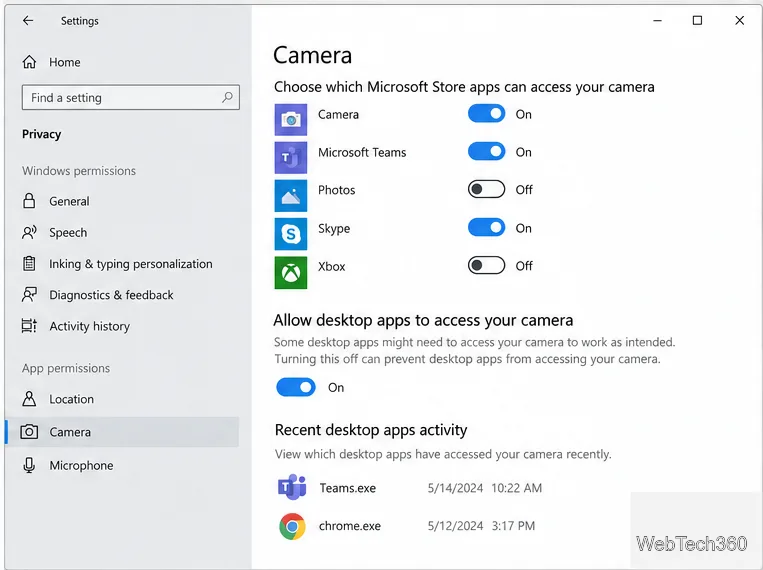
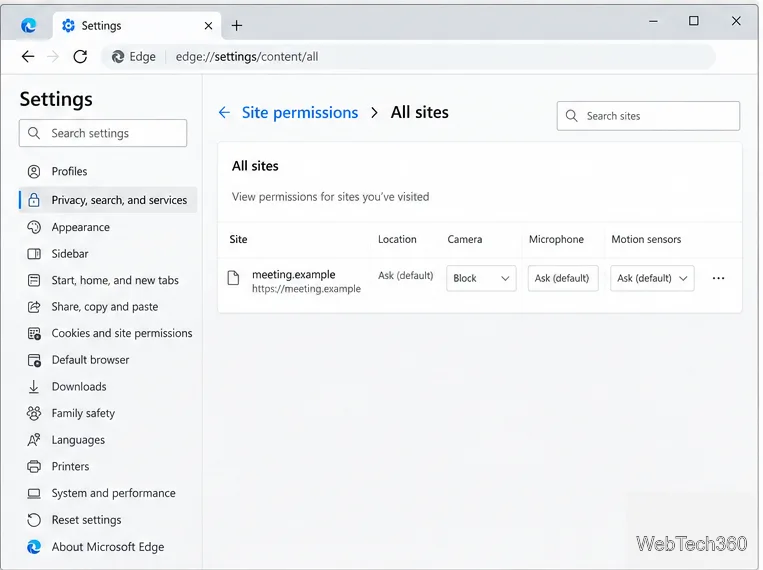
If Windows names a browser such as msedge.exe or chrome.exe, it has identified the browser process, not a tab or website. In Microsoft Edge, go to Settings > Privacy, search, and services > Site permissions > All sites, select the site, and set Camera to Block. Other browsers have similar site-level controls.
Close unused video-call tabs and check whether the camera indicator turns off. A browser entry alone does not show that a site is malicious; it may be a meeting or recording site you allowed earlier. Websites need browser permission even when Windows allows the browser to use the camera.
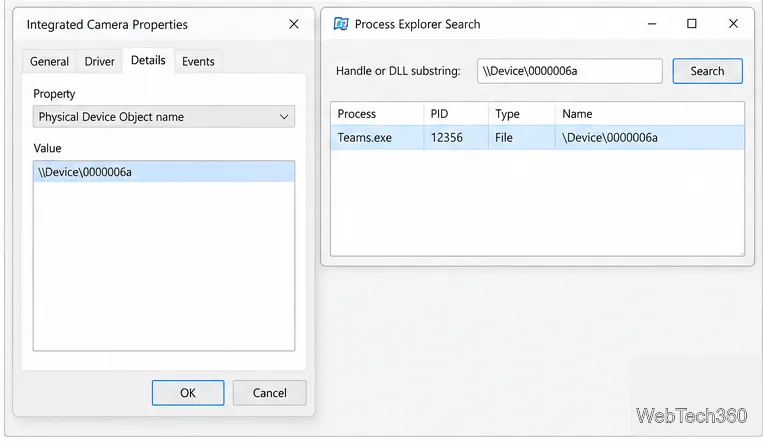
For a deeper, near-real-time check, Process Explorer can search for a process that has a particular device handle open. Microsoft’s current Sysinternals listing describes that search feature, but lists Windows 11 and later as the supported client systems. Treat this as a Windows 11 method; do not rely on the current release for Windows 10.
A matching handle shows the process has the device open; it does not prove recording or transmission. The app may close it before the search, the driver may expose another object, or Windows may show a component used indirectly by an app. If the property is missing or the search is empty, use the activity list and checks below.
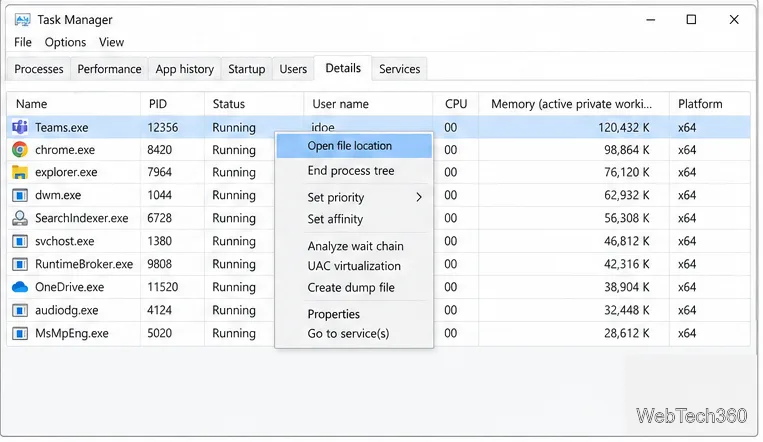
When you have an unfamiliar executable name, press Ctrl+Shift+Esc to open Task Manager and select Details. Right-click the process and choose Open file location or Properties. Check its folder, product name, and digital-signature publisher. A filename alone does not prove malware. Do not end Windows system processes or delete unfamiliar files.
Exit the likely app fully, including its notification-area icon, and watch the camera indicator. If a browser is involved, block the relevant website’s camera permission. To temporarily prevent regular desktop apps from accessing the camera, turn off Allow desktop apps to access your camera; this affects the desktop-app group, not one app at a time. Microsoft Store apps have individual switches. A hardware shutter or unplugging an external webcam provides a direct way to stop camera use while you investigate.
Some desktop apps do not appear in Windows privacy lists, and certain driver-based apps may access hardware outside those controls. Close known camera apps one at a time and watch the indicator. For immediate protection, use a shutter or unplug the webcam. Microsoft ended standard Windows 10 support on October 14, 2025, so free Windows Update security fixes have ended; check Microsoft’s current support options.
For the details behind these steps, see Microsoft’s camera indicators and privacy guidance, camera app-permission instructions, desktop-app privacy limitations, Physical Device Object name documentation, and Device Manager guidance.
Adjust each Windows 10 monitor independently with per-display scaling, keep text readable, and troubleshoot custom scaling or blurry apps.
Use AirType’s browser pairing setup to type on an iPhone from a Windows 10 PC, with current setup steps, troubleshooting, and privacy limits.
Hide the mouse pointer in Windows 10 videos, games, and other apps with built-in typing controls or PowerToys CursorHide’s adjustable inactivity timer.
Find Control Panel Power Options on a Windows 10 desktop, open the page with a Run command, and adjust power plans, display timeouts, sleep, and button behavior.
Learn what Windows 10 deletion leaves behind, how to use SDelete on an HDD, and why SSDs and cloud backups need separate treatment.
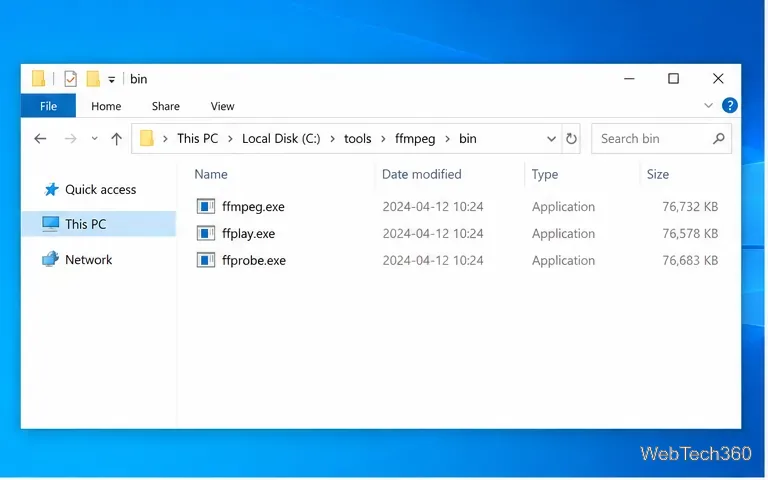
Use FFmpeg’s DirectShow tools to open an integrated webcam’s driver properties in Windows 10, find the correct device, and troubleshoot missing controls.
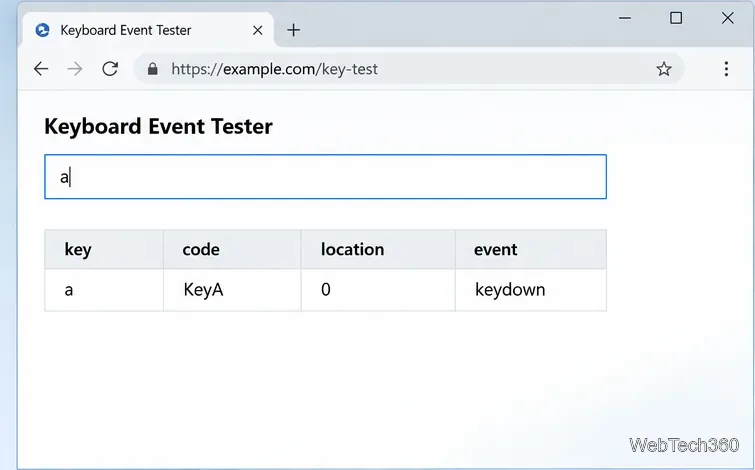
Identify a keypress in Windows 10 with a browser event tester or SharpKeys, then separate layout, software, and keyboard hardware issues.
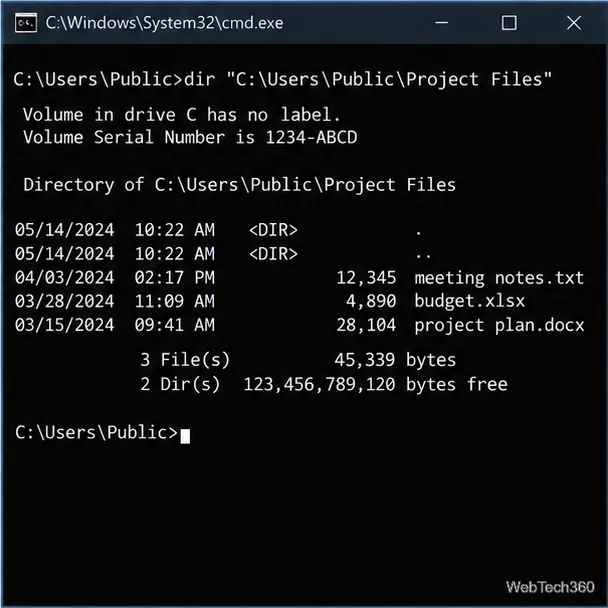
Use double quotes around each complete path with spaces in Command Prompt. Learn how to list, change to, copy, and troubleshoot Windows 10 files and folders.
Turn off the Windows 10 Start menu’s hover-to-expand behavior with a legacy Mach2 command, check build limits, and see the built-in app-list alternative.
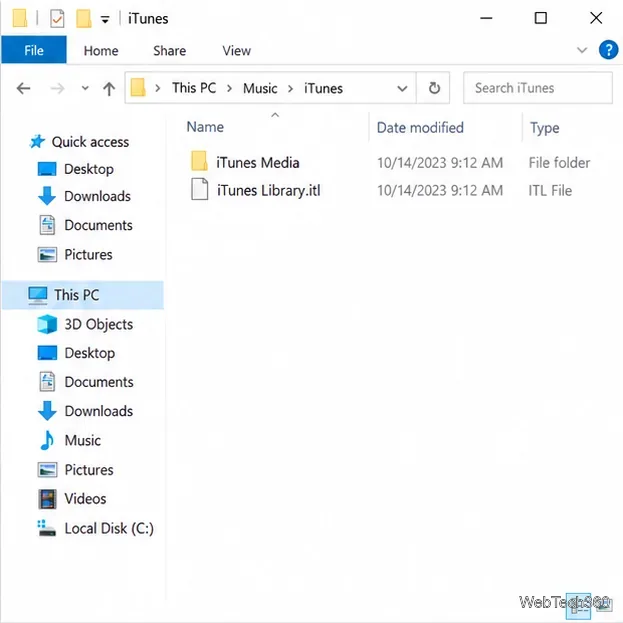
Fix the iTunes Library.itl read error on Windows 10 by updating iTunes, restoring a compatible backup, or safely creating a new library without deleting media files.