How to Set Different Scaling Levels for Multiple Monitors in Windows 10
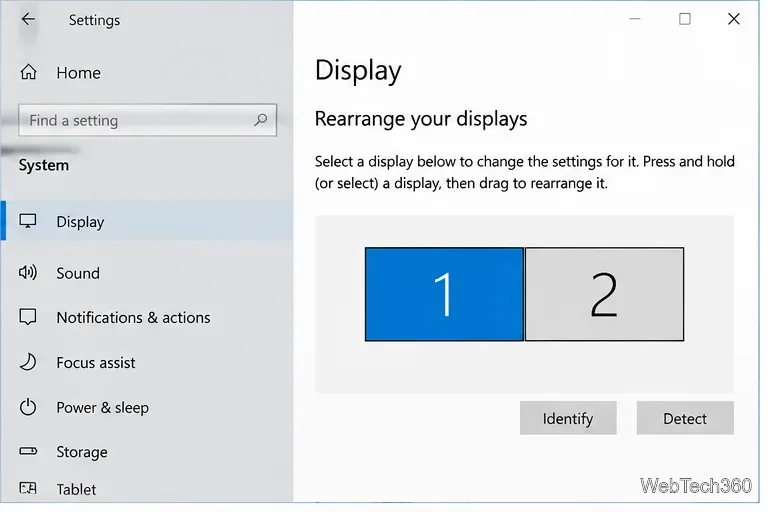
Adjust each Windows 10 monitor independently with per-display scaling, keep text readable, and troubleshoot custom scaling or blurry apps.
WDF_VIOLATION (bug check 0x10D) means Windows detected an error in a framework-based kernel driver. The code alone does not identify the failed device. Disconnect recently added hardware, then isolate or roll back drivers in Safe Mode. Note any .sys filename on the blue screen and back up important files before advanced troubleshooting. Microsoft’s technical note on 0x10D is developer-focused; use the steps below for PC troubleshooting.
Try these fixes in order, restarting after each change. Microsoft’s stop-code guidance also recommends removing new hardware, using Safe Mode, checking drivers, and restoring Windows.
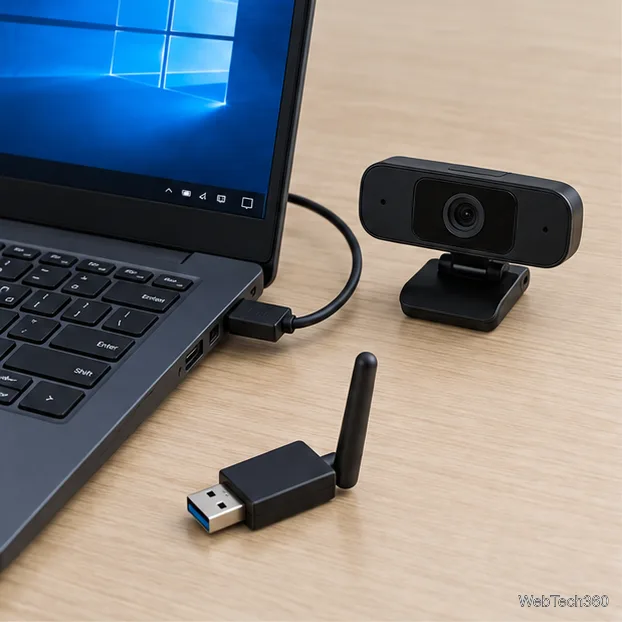
Shut down and unplug devices connected shortly before the first crash, such as a USB adapter, webcam, dock, or printer. Start Windows, then reconnect devices one at a time, restarting between tests. If the crash returns, try another port or get the correct driver for that model. This narrows the cause to a device, driver, or port without assuming the hardware is defective.
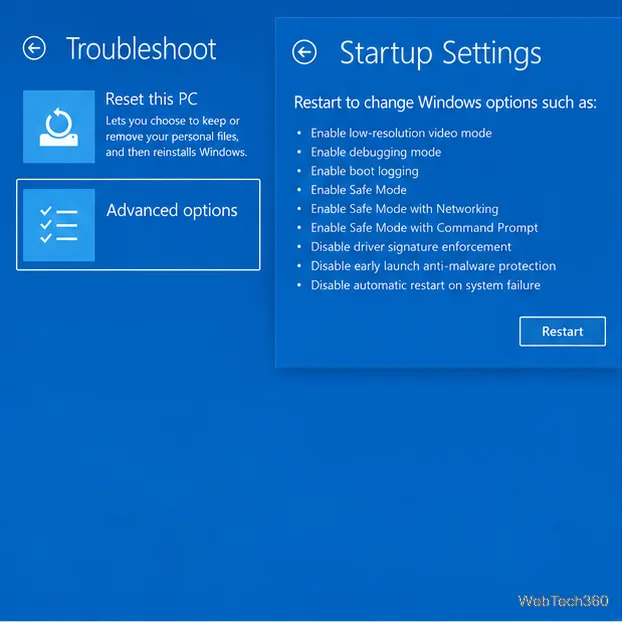
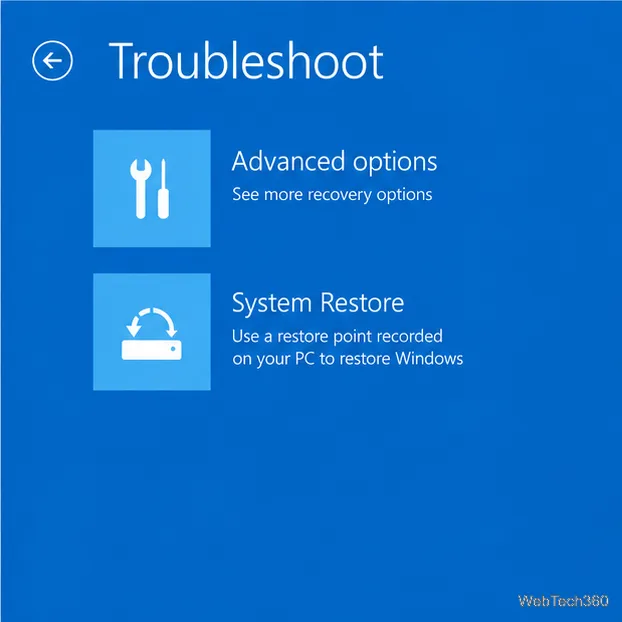
From the sign-in screen, hold Shift while selecting Power > Restart. In Windows Recovery Environment choose Troubleshoot > Advanced options > Startup Settings > Restart. Press 4 or F4 for Safe Mode, or 5 or F5 for Safe Mode with Networking. If Windows cannot reach sign-in, see how to open Windows Recovery Environment. A crash that stops in Safe Mode suggests a normal-startup driver or service, but does not identify it by itself.
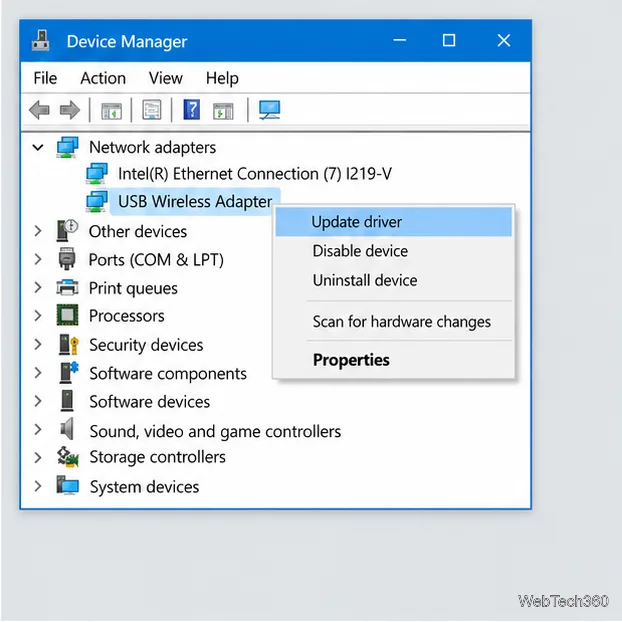
Right-click Start, open Device Manager, and check recently changed devices or entries marked with a yellow exclamation point. Right-click a likely device and select Properties > Driver. If the problem began after an update, select Roll Back Driver when available. Otherwise try Update driver, or download the exact model’s driver from its manufacturer. You can uninstall the identified device and restart if needed; do not delete its driver package unless you have a replacement installer.
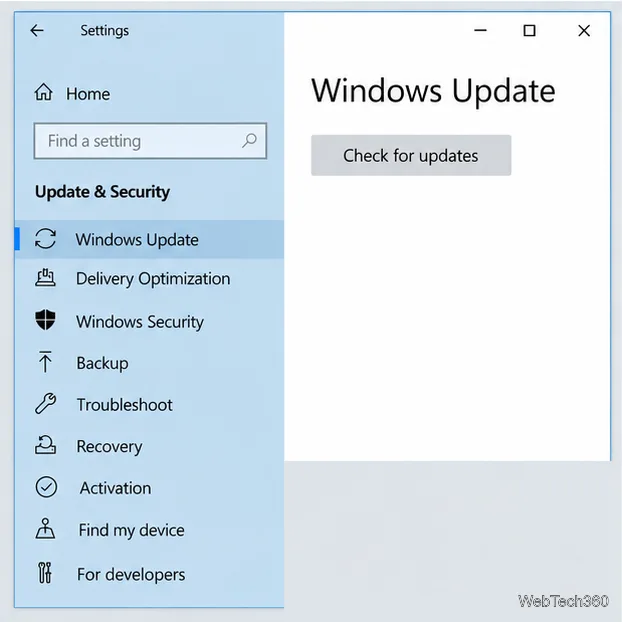
Open Settings > Update & Security > Windows Update and select Check for updates. Install updates offered to your PC and restart. If no driver appears, check the support page for your PC or device manufacturer and match the exact model and Windows version. Avoid third-party driver-updater utilities.
Standard Windows 10 support ended on October 14, 2025. Update availability now depends on the device and any applicable Extended Security Updates enrollment. Check Microsoft’s Windows support status if Windows Update offers nothing.
If the crashes began after a driver, app, or system change, press Windows + R, type rstrui.exe, and press Enter. Choose a restore point from before the problem and select Scan for affected programs before continuing. System Restore keeps personal files, but can undo later apps, drivers, updates, and settings. If Windows will not start, use Troubleshoot > Advanced options > System Restore in Recovery Environment; an encrypted PC may require its BitLocker key. See Microsoft’s System Restore instructions.
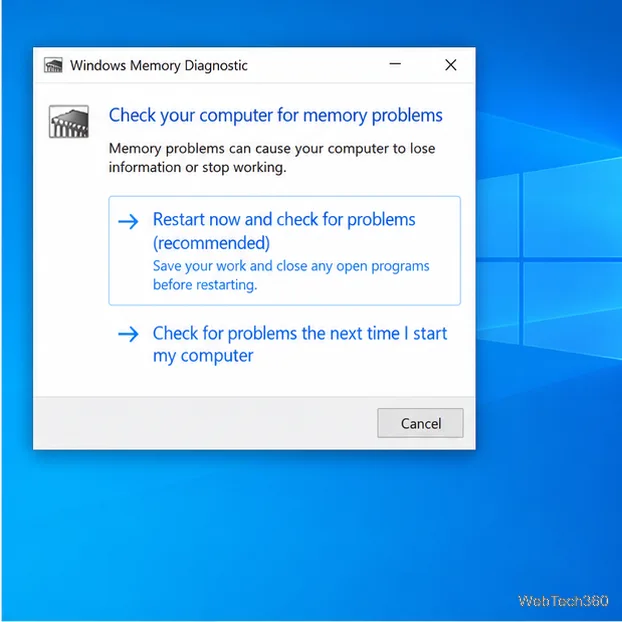
Save your work, press Windows + R, type mdsched, and press Enter. Select Restart now and check for problems. After the test and restart, check its notification. If you missed it, find the result in Event Viewer > Applications and Services Logs > Microsoft > Windows > MemoryDiagnostics-Results > Debug. A reported error needs hardware diagnosis; a clean result does not rule out a driver problem.
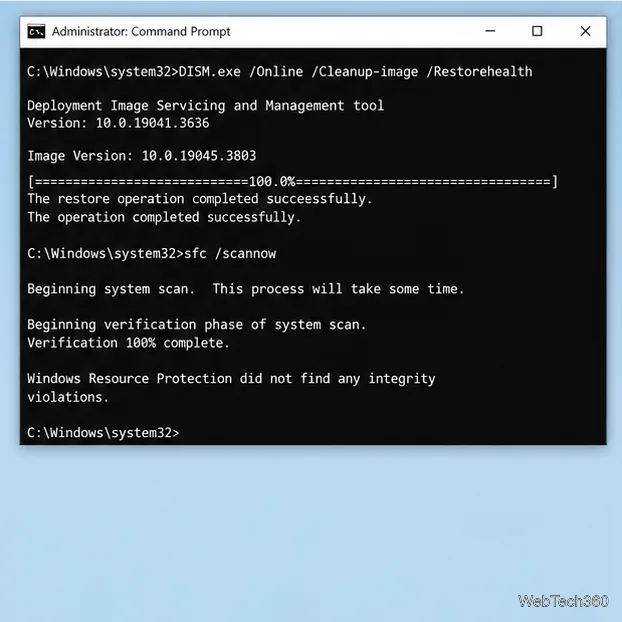
Search for Command Prompt, right-click it, and choose Run as administrator. Run these commands separately, in this order, and let each finish:
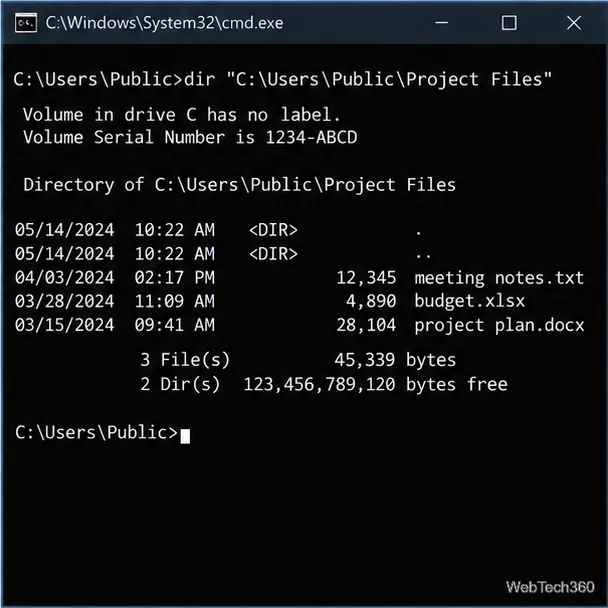
DISM.exe /Online /Cleanup-image /Restorehealthsfc /scannowRestart after the scans. Microsoft’s repair guide explains the results. The command window below shows sample output; messages on your PC will vary.
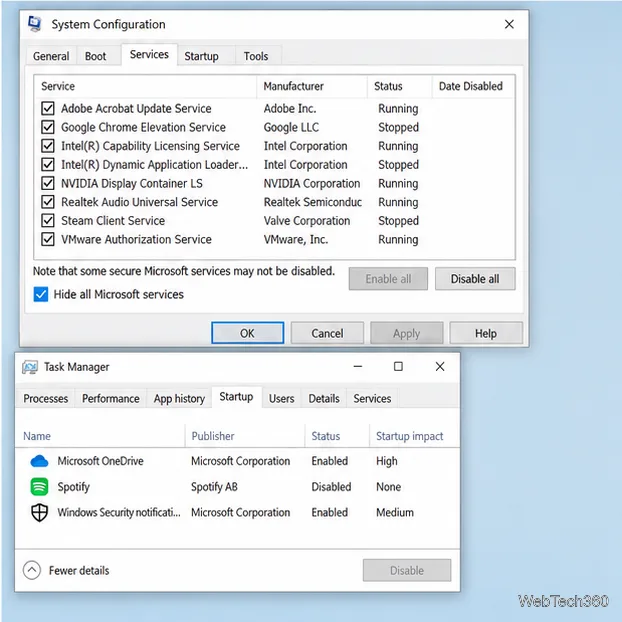
If the error occurs after sign-in, a clean boot can test whether a non-Microsoft service or startup app is involved. Search for msconfig. In Services, check Hide all Microsoft services, select Disable all, and apply. On Startup, open Task Manager, disable enabled items, and note what you changed. Restart and test; if the error stops, re-enable items in small groups to find the conflict. Restore normal startup afterward. On a managed PC, ask IT before changing services. Follow Microsoft’s clean-boot instructions.
If WDF_VIOLATION persists after these checks, stop removing unrelated drivers and contact the PC or device manufacturer. Share the stop code, any displayed driver filename, and the change that preceded the crash. Back up files before resetting or reinstalling Windows, since recovery choices can remove apps or data.
Adjust each Windows 10 monitor independently with per-display scaling, keep text readable, and troubleshoot custom scaling or blurry apps.
Use AirType’s browser pairing setup to type on an iPhone from a Windows 10 PC, with current setup steps, troubleshooting, and privacy limits.
Hide the mouse pointer in Windows 10 videos, games, and other apps with built-in typing controls or PowerToys CursorHide’s adjustable inactivity timer.
Find Control Panel Power Options on a Windows 10 desktop, open the page with a Run command, and adjust power plans, display timeouts, sleep, and button behavior.
Learn what Windows 10 deletion leaves behind, how to use SDelete on an HDD, and why SSDs and cloud backups need separate treatment.
Use FFmpeg’s DirectShow tools to open an integrated webcam’s driver properties in Windows 10, find the correct device, and troubleshoot missing controls.
Identify a keypress in Windows 10 with a browser event tester or SharpKeys, then separate layout, software, and keyboard hardware issues.
Use double quotes around each complete path with spaces in Command Prompt. Learn how to list, change to, copy, and troubleshoot Windows 10 files and folders.
Turn off the Windows 10 Start menu’s hover-to-expand behavior with a legacy Mach2 command, check build limits, and see the built-in app-list alternative.
Fix the iTunes Library.itl read error on Windows 10 by updating iTunes, restoring a compatible backup, or safely creating a new library without deleting media files.