How to Create a List of All Items in a Folder on Windows 10

Create a searchable Windows 10 folder inventory with PowerShell. Save every file and subfolder path as plain text or export details to a sortable CSV.
To format a microSD card on Windows 10, connect the card through your PC's card reader or a USB/SD adapter, back up anything you need, then open File Explorer, right-click the card under This PC, and choose Format. For an SDHC card, FAT32 is the standard file system; for an SDXC card, exFAT is the standard choice. Leave the allocation unit size at its default unless a device manufacturer specifically tells you otherwise.
Important: formatting deletes the files on the selected card. Before you click Start or OK, verify the drive letter and capacity so you do not format the wrong disk.
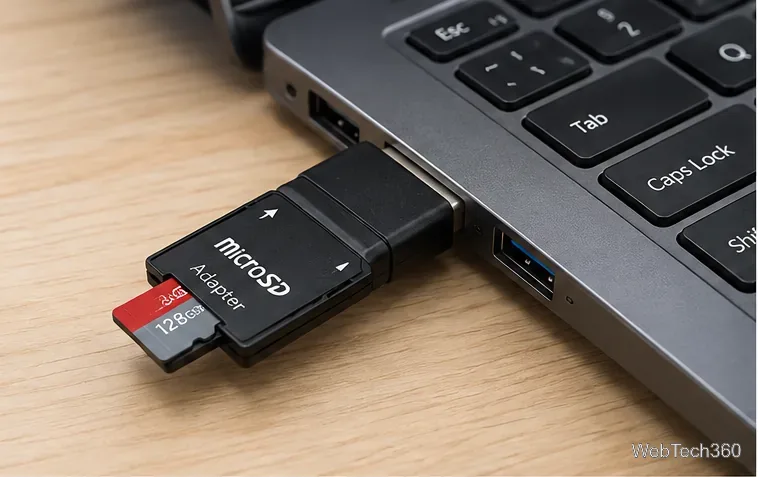
The right file system depends mainly on the card standard and the device that will use it. The SD Association's capacity standard pairs SDHC cards with FAT32 and SDXC/SDUC cards with exFAT.
| Card type | Typical capacity | Standard file system |
|---|---|---|
| SD / microSD | Up to 2GB | FAT12/FAT16 |
| SDHC / microSDHC | More than 2GB to 32GB | FAT32 |
| SDXC / microSDXC | More than 32GB to 2TB | exFAT |
| SDUC / microSDUC | More than 2TB to 128TB | exFAT |
If the card is going into a camera, dash cam, handheld console, or another dedicated device, check that device's manual as well. NTFS can be useful for Windows-only storage, but many non-Windows devices do not support it.
This is the simplest method when the card already appears with a drive letter.
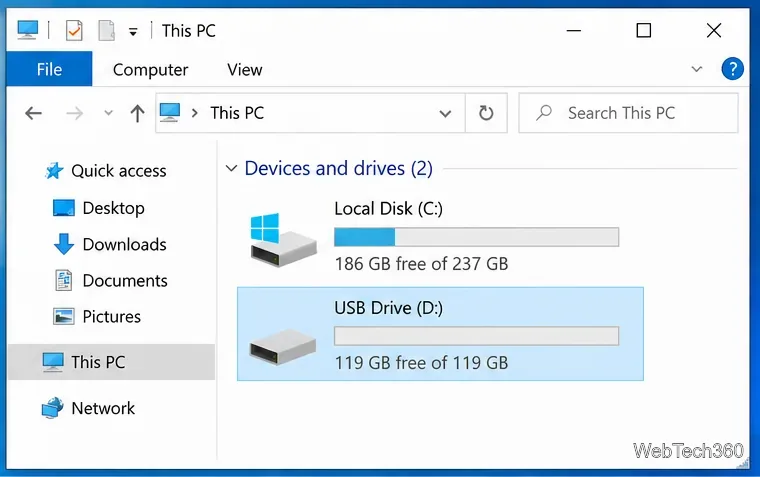
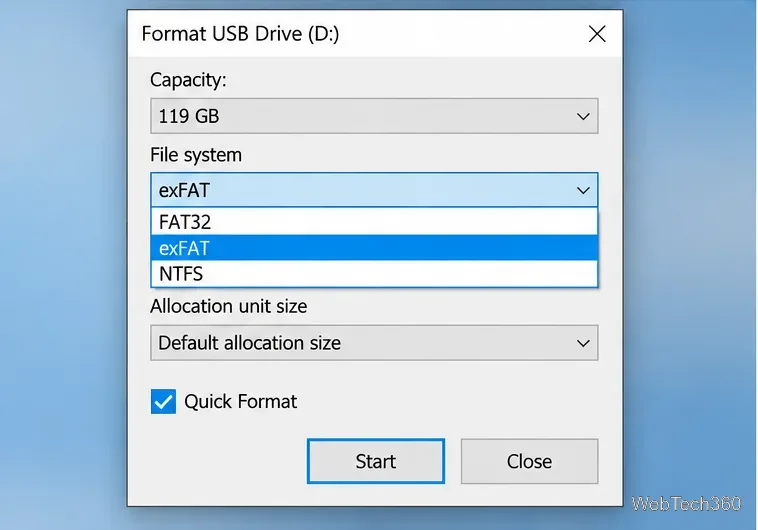
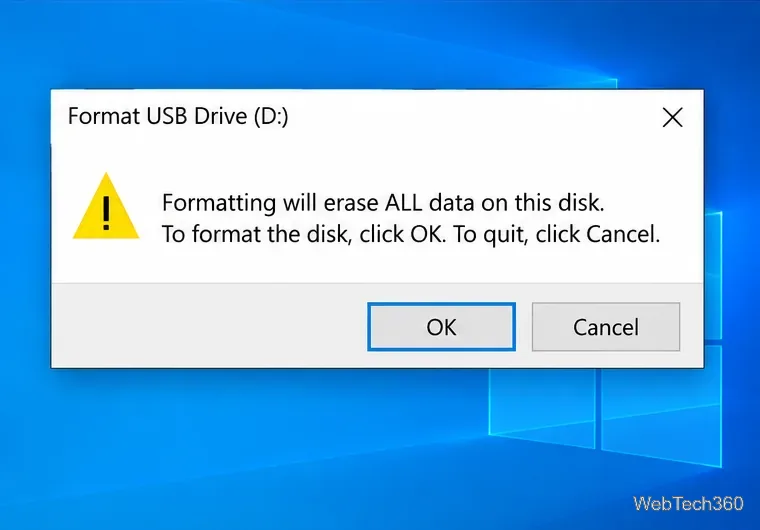
Microsoft also documents the same File Explorer path for SD cards and USB drives in its SD card reformatting guidance.
Use Disk Management if the card is detected by Windows but is easier to identify by its partition layout, or if File Explorer does not show a usable drive letter. Microsoft says Disk Management in Windows 10 can create and format volumes and change drive letters.
diskmgmt.msc, and press Enter.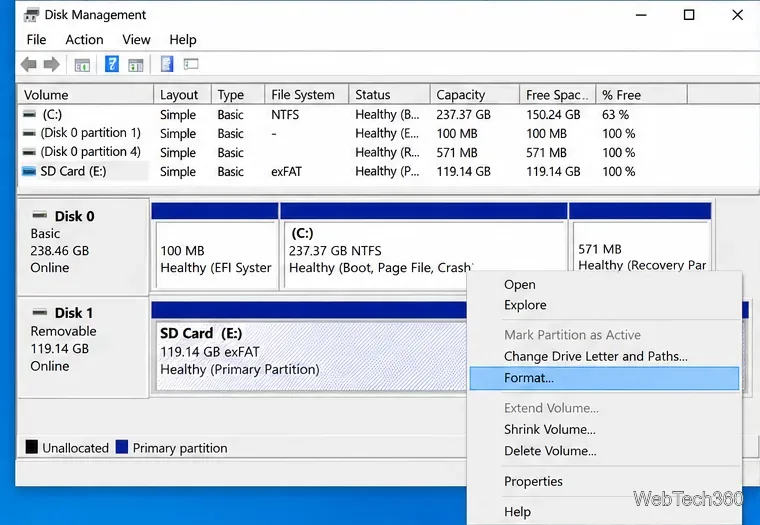
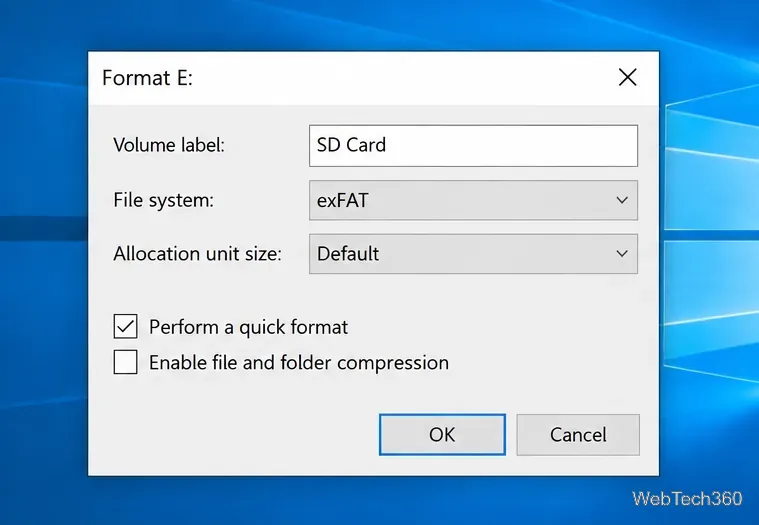
Microsoft's Disk Management documentation warns that formatting a volume destroys its data. If the card appears as RAW and you still need files from it, stop before formatting and consider recovery options first.
DiskPart is useful when the graphical tools are not working, but it is also easier to select the wrong storage device. Use it only after checking the card's size and drive information.
diskpart, and press Enter.list disk and identify the microSD card by capacity. You can use select disk N and detail disk to verify it, replacing N with the correct number.list volume, identify the card's volume, then run select volume N.format fs=exfat quick for exFAT or format fs=fat32 quick for FAT32.assign, then type exit.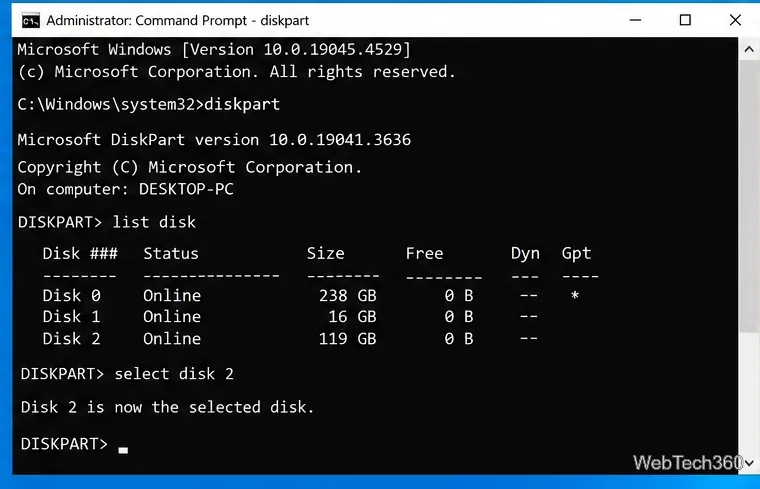
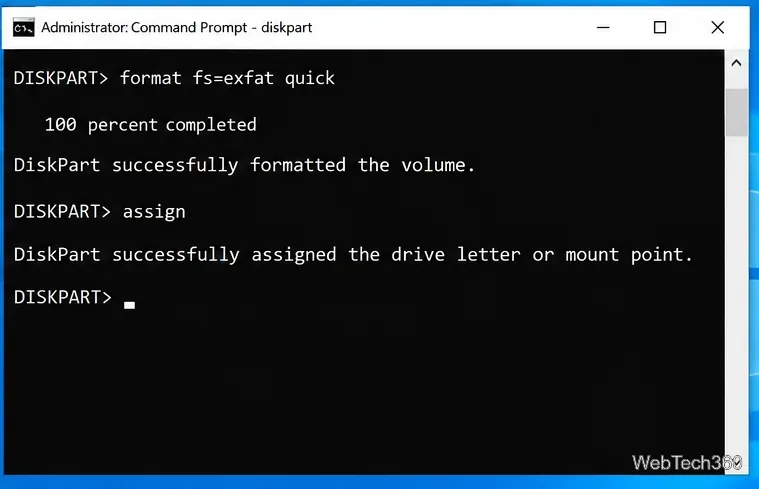
The commands above are documented in Microsoft's DiskPart reference and format command reference. Avoid using clean just to reformat a normal card; that command removes partition or volume formatting from the selected disk and is unnecessary for a routine format.
After formatting, safely eject the card before removing it, then insert it into the target device and confirm that the device recognizes the new file system.
Create a searchable Windows 10 folder inventory with PowerShell. Save every file and subfolder path as plain text or export details to a sortable CSV.
Add a custom reminder, quote, or label to your Windows 10 desktop with a Rainmeter text skin. Create the INI file, load it, then adjust its font and position.
Use Bluetooth Swift Pair on Windows 10 to pair a compatible accessory from a notification, with setup steps and fixes when the prompt does not appear.
Learn what common laptop function key symbols mean, how Fn and Fn Lock affect them, and how to confirm the right shortcut for your Windows 10 laptop model.
Turn off your Windows 10 display instantly with ScreenSleep, set a keyboard shortcut, and see when to use the built-in screen timeout instead.
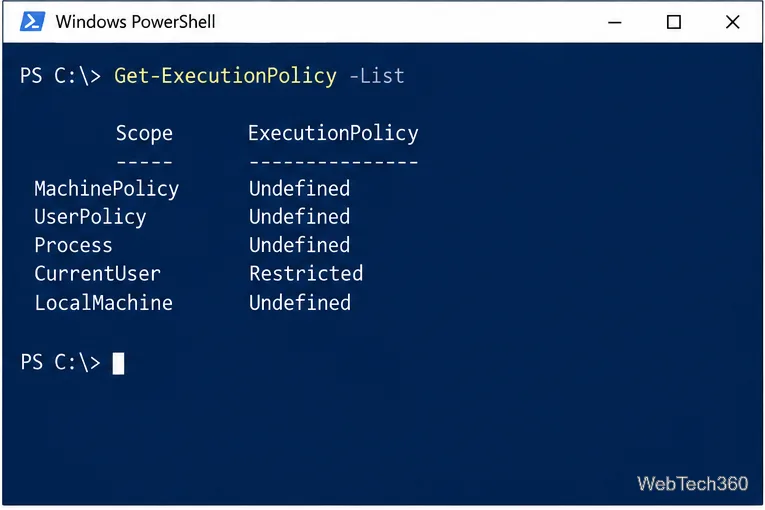
Fix the “running scripts is disabled on this system” PowerShell error on Windows 10 with a current-user policy, a temporary session option, and safe steps for downloaded scripts.
Change the Windows 10 drag-selection color with a backup-first registry walkthrough, RGB examples, troubleshooting tips, and steps to restore your original values.
Check your router’s connected-device list or scan a local network with Fing Desktop on a supported PC. Learn what each method can show and how to verify unfamiliar entries.
Messenger does not offer a documented per-friend online alert. Learn how Active Status works, where to check the green dot, and which notifications you can enable instead.
Use 7-Zip to find an exact filename or wildcard match inside a ZIP or other supported archive on Windows 10 without unpacking its files.