How to Make a Glass Bottle in Minecraft
Learn the exact three-glass recipe, smelt sand into glass, and fill your Minecraft bottles with water for brewing.
To make a glass bottle in Minecraft, smelt three sand blocks into three glass blocks, then arrange the glass in a V shape in a crafting table. One recipe gives you three empty bottles. Use one on a water source or a water-filled cauldron to turn it into a water bottle, which is used to start brewing many potions.
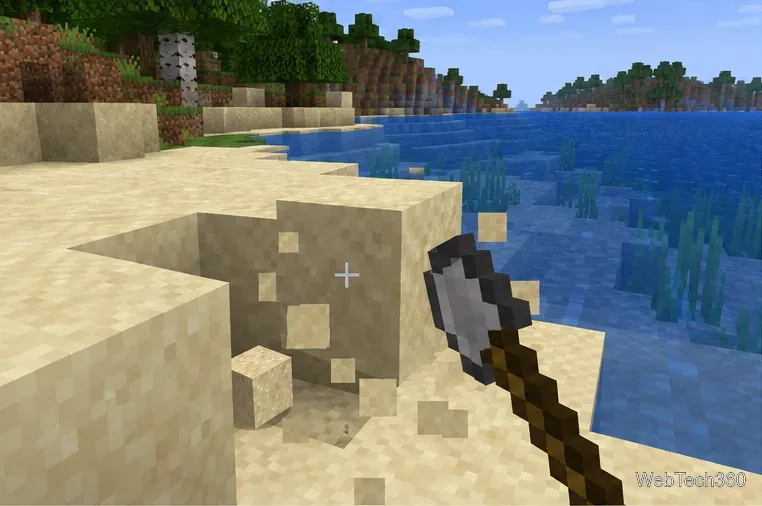
Sand is easy to find on beaches, beside rivers, and in deserts. You can break it by hand, but a shovel collects it faster. If you already have glass in a chest, skip the furnace and go straight to the crafting steps. Use regular glass blocks for this recipe; glass panes are a different item.
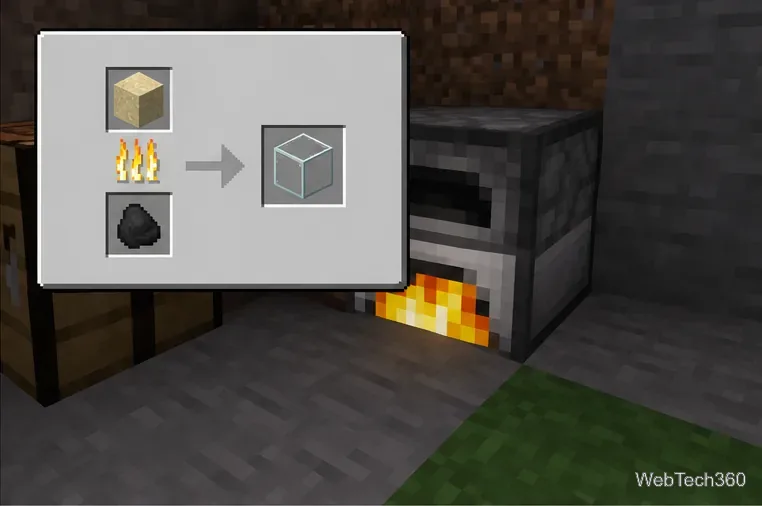
Each sand block smelts into one glass block, so smelt at least three blocks for one bottle recipe. You can process more sand in the same furnace if you want extra bottles for later. Keep the glass in your inventory after collecting it: ordinary glass blocks usually shatter when broken, so smelting more sand is the dependable way to replace misplaced glass.
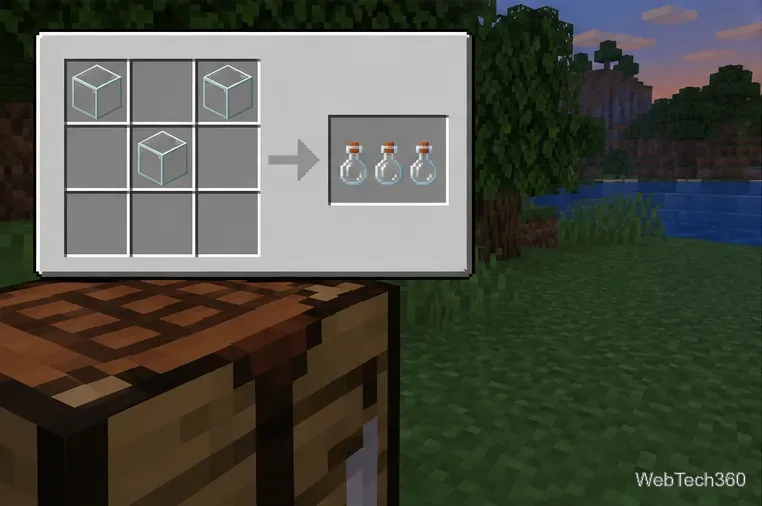
Open a crafting table so you can use its full 3-by-3 grid. The glass bottle recipe does not fit in the smaller 2-by-2 crafting area in your personal inventory. Place exactly three glass blocks in these cells:
| Top row | Middle row | Bottom row |
|---|---|---|
| Glass | Empty | Glass |
| Empty | Glass | Empty |
| Empty | Empty | Empty |
In other words, put glass in the left and right cells of the top row and in the center cell of the row beneath it. The shape points down like a V. When the bottle icon appears in the result slot, take it into your inventory. The recipe consumes three glass blocks and returns three empty glass bottles.
If the recipe is not appearing, check that you opened a crafting table, used full glass blocks rather than panes, and placed the blocks in the exact cells above. In Java Edition, the recipe book can also show recipes you have unlocked; Minecraft's official crafting guide explains how the recipe book and crafting grid work.
The empty bottle becomes a water bottle. On a computer, the usual action is to right-click; on a controller or touchscreen, use the game's interact action. A water source is the simplest option. A water cauldron also works, and filling a bottle removes one level of water from the cauldron. Repeat the action with each empty bottle you want to fill.
Minecraft's Water Bottle guide confirms the three-glass bottle recipe and describes filling a bottle from water or a cauldron. Water bottles are a starting ingredient for brewing, so make several if you plan to prepare potions. You do not need a brewing stand just to craft the empty bottles; you only need it later to brew them.
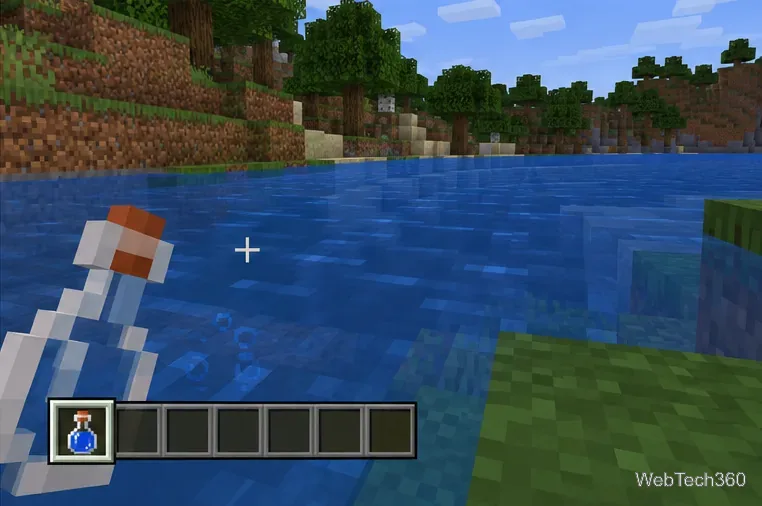
One recipe makes three glass bottles from three glass blocks. To make more, repeat the same pattern with another set of three glass.
Yes, if you already have three glass blocks. Otherwise, smelting sand in a furnace is the straightforward way to get the glass. Minecraft's official glass overview notes that glass can be made from sand and used to craft bottles.
Besides filling it with water for brewing, an empty bottle can collect honey from a full beehive or bee nest. Keep the bottle selected and use it on the honey-filled block. If you only need water bottles, fill them from a nearby water source instead of carrying a bucket back and forth.
Learn the exact three-glass recipe, smelt sand into glass, and fill your Minecraft bottles with water for brewing.
Control who can join, see channels, and find your Discord server with role permissions, invite links, and Discovery settings.
Create a Discord server in the desktop app or browser, organize channels, set permissions and safety tools, then share an invite that fits your group.
Build a renewable lava farm with pointed dripstone, one lava source, and a cauldron. Follow the setup, collection steps, and fixes for a cauldron that will not fill.
Fix a Minecraft skin that will not load by checking Bedrock Dressing Room, your Microsoft account, Marketplace downloads, updates, and Java skin settings.
Minecraft language options differ between Java and Bedrock. See common languages, why old counts are unreliable, and where to check your edition.
Plan a practical Minecraft survival base with the essentials for safety, food, storage, and crafting, plus useful upgrades to add as your world grows.
Update Minecraft on Nintendo Switch from the HOME Menu, enable automatic updates, and troubleshoot when the console cannot find or install one.
Learn the official ways to get Minecoins in Minecraft, redeem a prepaid code, spend coins on Marketplace content, and fix a missing balance.
Learn how to add Jira users to team-managed and company-managed projects, assign the right role, and share a board’s saved filter safely.