How to Make a Glass Bottle in Minecraft
Learn the exact three-glass recipe, smelt sand into glass, and fill your Minecraft bottles with water for brewing.
Yes. You can make renewable lava in Minecraft with one lava source, a downward-facing pointed dripstone, and a cauldron. The cauldron slowly collects lava; scoop it into a bucket, and the source above stays in place so the farm can refill. It takes time, but it gives you a repeatable supply without searching for another lava pool.
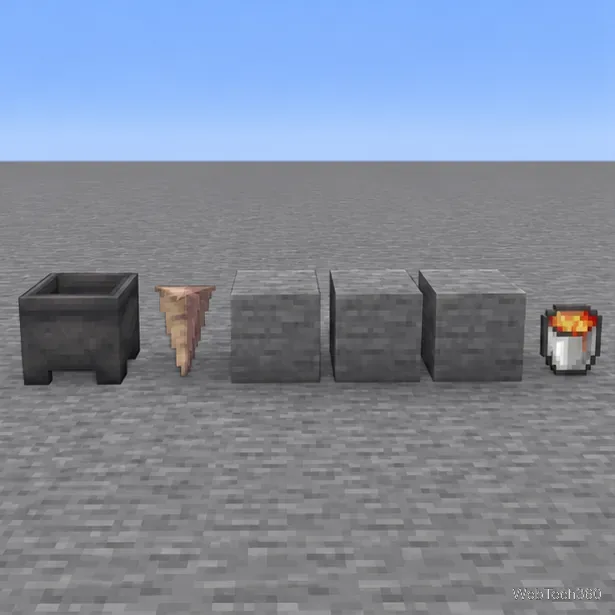
Pointed dripstone can drip lava when a lava source sits above the block that supports the hanging dripstone. A cauldron below the dripstone gradually fills. The Java Edition 1.17 and Bedrock Edition 1.17.0 release notes both describe this mechanic: a lava source above a stalactite can fill a cauldron below. The lava stays renewable because collecting from the cauldron does not remove the source block overhead.
This is different from the familiar infinite-water setup. You are not creating free-standing lava source blocks by pouring lava beside flowing water. The renewable output is lava collected from the cauldron, one bucket at a time. A farm is reliable when the lava above the dripstone is a source block, not a stream flowing in from elsewhere.
For the original mechanic, see the official Java 1.17 release notes and Bedrock 1.17.0 release notes.
If you do not already have a cauldron, craft one from seven iron ingots in a U-shaped pattern. Stone is a convenient choice for the support and enclosure. Smooth blackstone is not required; the important part is that a full block holds the pointed dripstone and keeps the lava source in a contained cell.
Use a nonflammable work area and keep wood, leaves, wool, and other burnable blocks away from the lava. From top to bottom, the finished column is: lava source, support block, pointed dripstone, then cauldron. Set the pieces directly above one another so the dripstone tip is over the cauldron opening.
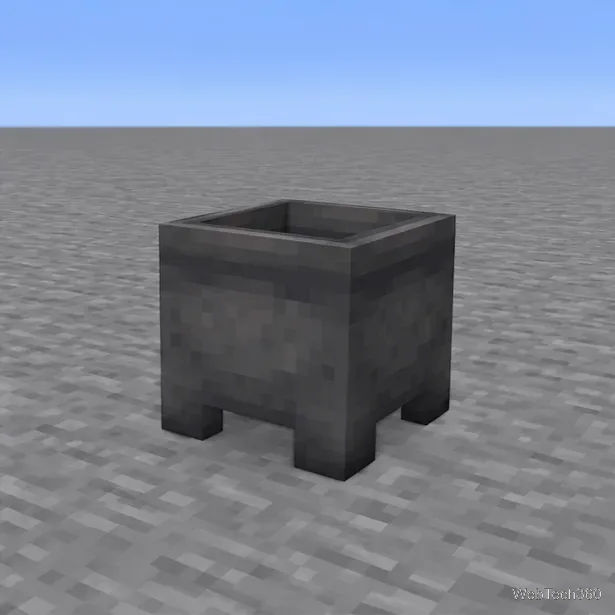
Set an empty cauldron on a level floor. Leave the space immediately above its opening clear for the dripstone tip. Starting with an empty cauldron avoids mixing the setup with water or another liquid.
Place one pointed dripstone with its tip facing down in the block space directly above the cauldron. Its tip should line up with the center of the opening. Do not place a solid block between the dripstone and the cauldron.
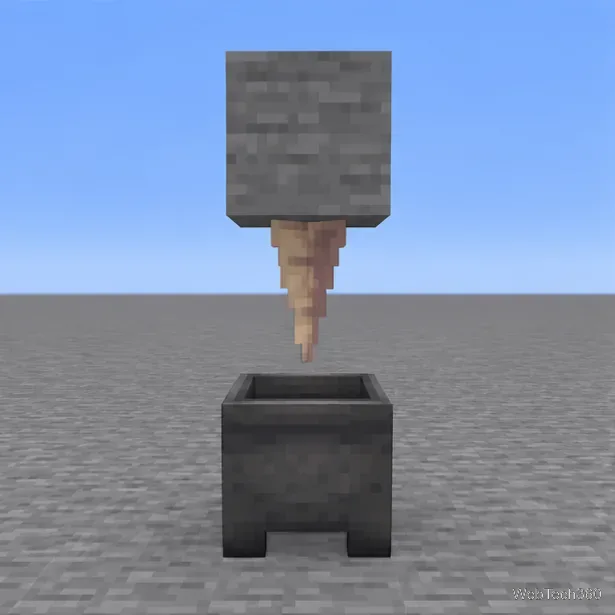
Attach a full solid block to the top of the pointed dripstone. This is the anchor for the stalactite and the base directly beneath the lava source. The dripstone must remain attached to the underside of this block; do not build extra blocks between this anchor and the lava cell.
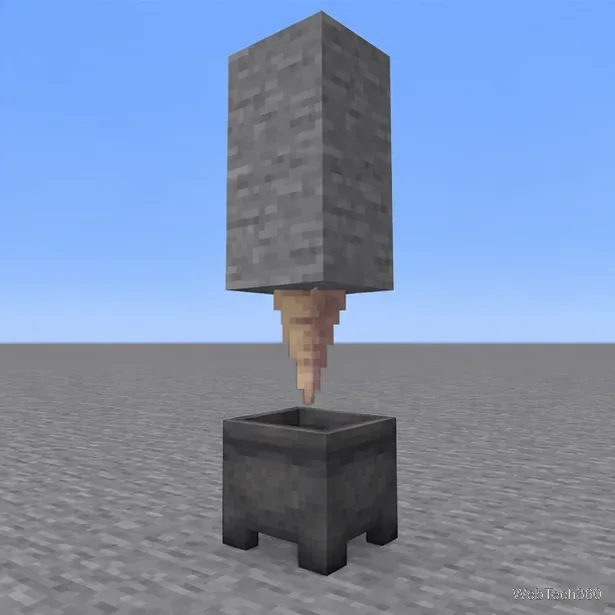
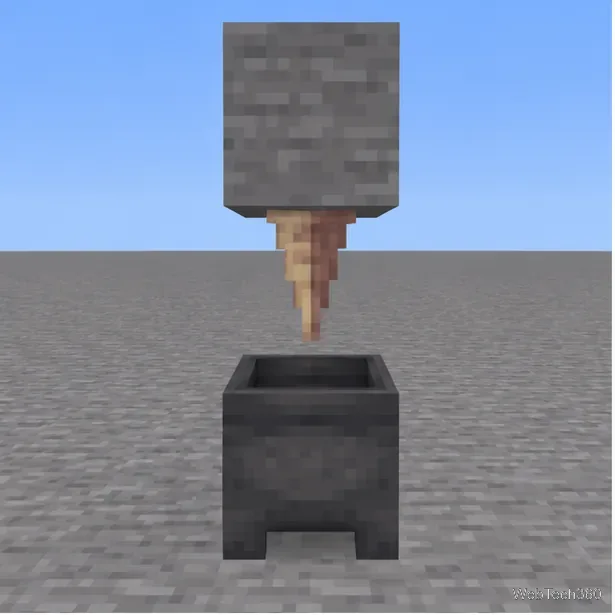
Keep the support block in place, then build a small four-sided stone pocket in the block space directly above it. The pocket should hold one lava source and stop it from flowing out to the sides. Leave the top accessible so you can place the lava with a bucket.
Pour the lava bucket into the pocket immediately above the support block. This must create one stationary source block over the block holding the dripstone. If lava escapes and flows down a wall, block the opening and replace the source in the contained cell.
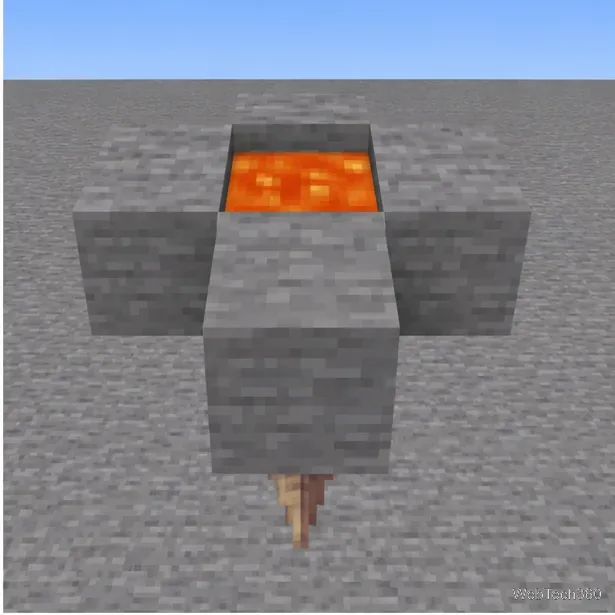
Give the dripstone time to work. Lava collection is slow and the wait is not a fixed countdown, so the cauldron may not fill immediately. When it contains lava, use the empty bucket on the cauldron to collect it. The source block overhead should remain untouched, allowing the cauldron to fill again.
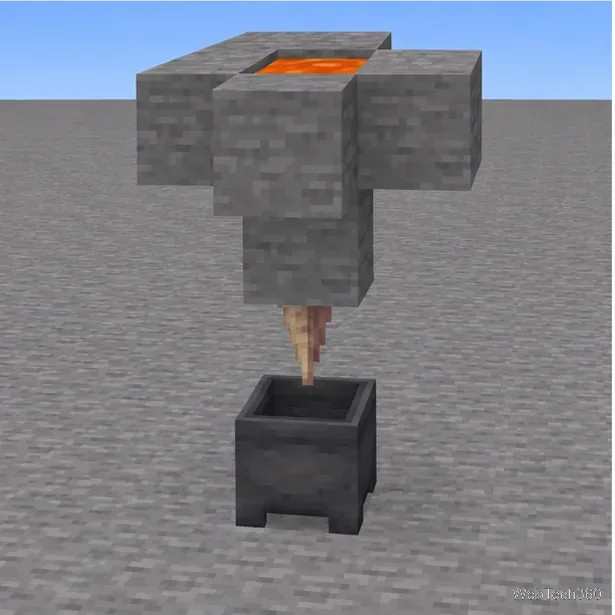
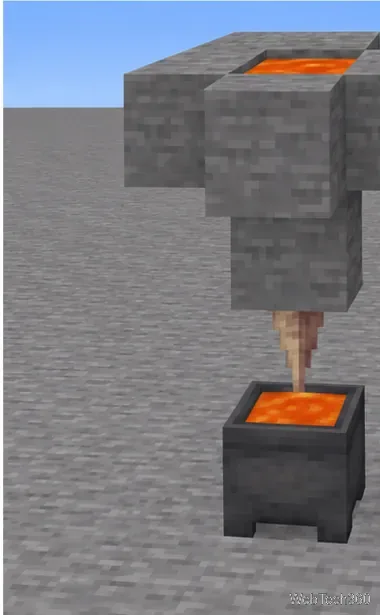
If you want more output, repeat the same independent module with its own lava source, pointed dripstone, and cauldron. Adding collectors increases the number of cauldrons that can fill at once, but each still works at the same slow pace.
Learn the exact three-glass recipe, smelt sand into glass, and fill your Minecraft bottles with water for brewing.
Control who can join, see channels, and find your Discord server with role permissions, invite links, and Discovery settings.
Create a Discord server in the desktop app or browser, organize channels, set permissions and safety tools, then share an invite that fits your group.
Build a renewable lava farm with pointed dripstone, one lava source, and a cauldron. Follow the setup, collection steps, and fixes for a cauldron that will not fill.
Fix a Minecraft skin that will not load by checking Bedrock Dressing Room, your Microsoft account, Marketplace downloads, updates, and Java skin settings.
Minecraft language options differ between Java and Bedrock. See common languages, why old counts are unreliable, and where to check your edition.
Plan a practical Minecraft survival base with the essentials for safety, food, storage, and crafting, plus useful upgrades to add as your world grows.
Update Minecraft on Nintendo Switch from the HOME Menu, enable automatic updates, and troubleshoot when the console cannot find or install one.
Learn the official ways to get Minecoins in Minecraft, redeem a prepaid code, spend coins on Marketplace content, and fix a missing balance.
Learn how to add Jira users to team-managed and company-managed projects, assign the right role, and share a board’s saved filter safely.