How to Create a List of All Items in a Folder on Windows 10

Create a searchable Windows 10 folder inventory with PowerShell. Save every file and subfolder path as plain text or export details to a sortable CSV.
Mailbird Next is a desktop email client for people who want several inboxes, calendars, contacts, and work apps in one place. The current release works on Windows 10/11 (64-bit) and macOS Ventura 13 or later. Its strongest reason to upgrade from basic webmail is the unified workflow: multiple email accounts, search, productivity tools, and optional integrations can live in one desktop app.
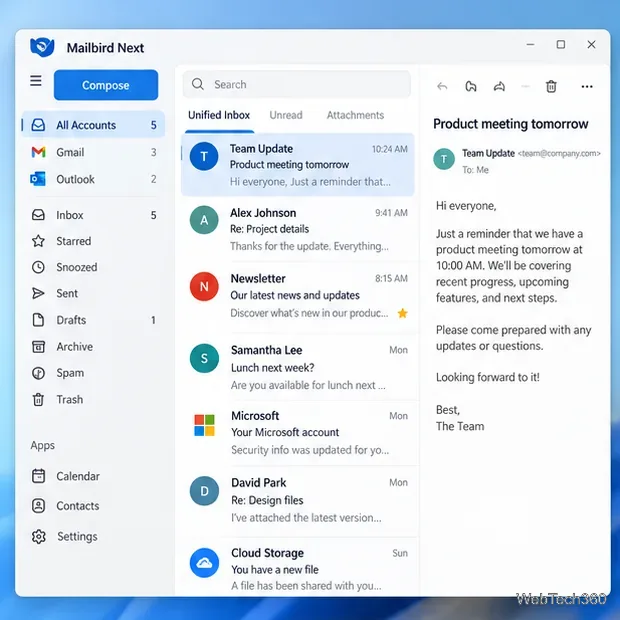
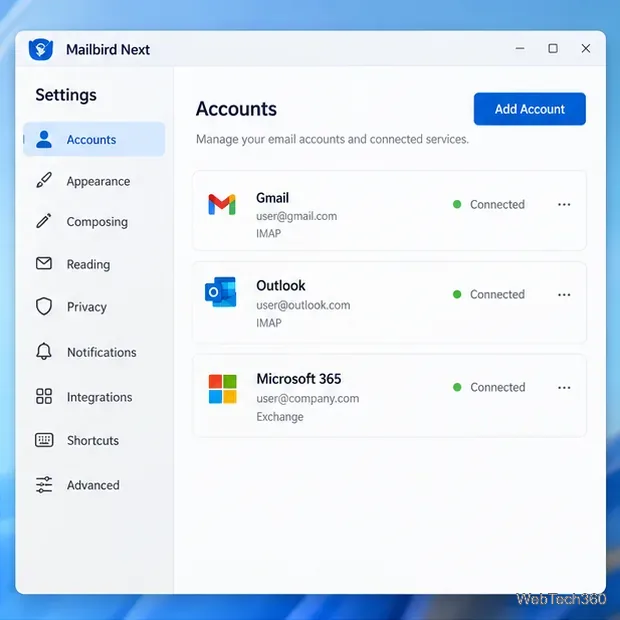
Mailbird launched Mailbird Next for Windows and Mac on October 5, 2026, replacing the older Windows-only experience with a shared cross-platform app. According to Mailbird's official Mailbird Next announcement, the app supports Gmail, Outlook, Microsoft 365, iCloud, Yahoo, and other IMAP accounts.
The new app is more capable than the old article suggested, but not every connected service has identical support. Mailbird's current calendar documentation says native calendar sync currently supports Google accounts, while iCloud, CalDAV, and CardDAV calendars are not supported. The contacts documentation supports Google and Microsoft contact connections, but not iCloud Contacts, CardDAV, or contacts supplied only through standard IMAP/POP accounts.
Mailbird Next is free to download. The free version has no time limit but is limited to one email account. New users receive Premium features for seven days, after which they can stay on Free or choose Premium. Mailbird currently offers annual and pay-once Premium options, while exact prices can vary by region and promotion. Check the official pricing page before purchasing; Mailbird also lists a 14-day money-back guarantee for its plans.
The setup is straightforward for mainstream providers because Mailbird uses provider sign-in flows rather than asking most users to type server details manually.
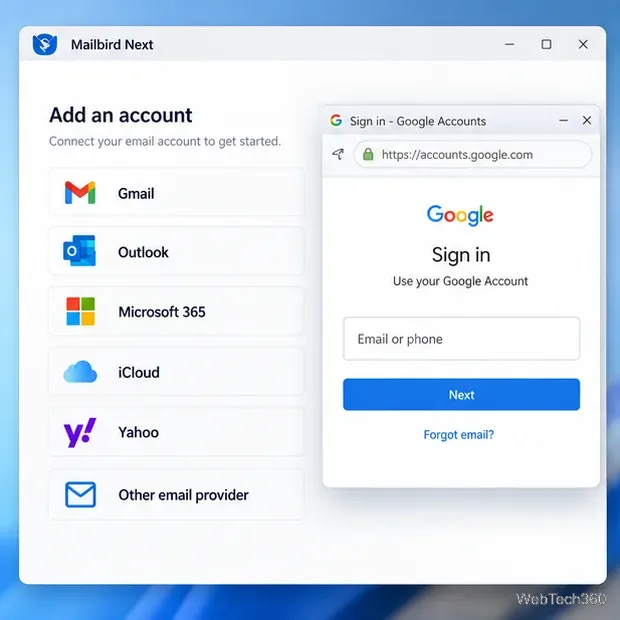
If automatic detection fails for a custom email host, use the manual server-settings option and enter the IMAP/SMTP values supplied by your email provider. Do not guess ports or security settings; use the provider's current documentation.
If you already use Mailbird Classic, Mailbird Next can import much of the existing setup. Mailbird's migration guide says accounts, folders, messages, signatures, filters, snippets, local contacts, settings, and eligible licenses can carry over. The import can run during first launch or later from Settings > Advanced > Import from Mailbird Classic. POP3 accounts are not currently supported by this Classic-to-Next import, and calendars are reconnected from supported providers instead of being copied from Classic.
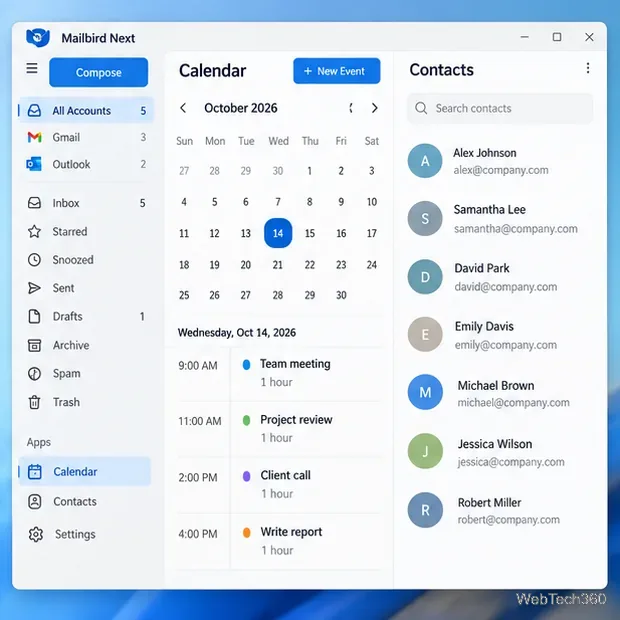
Mailbird is a strong fit if you manage several accounts on one computer and value a clean unified inbox, built-in productivity controls, and app integrations. The free edition is useful for testing the core interface with one account, while the multi-account experience is mainly a Premium feature. If you depend on iCloud or CalDAV calendar sync, CardDAV contacts, or a POP3-heavy migration, review the current support limits before moving your workflow.
Create a searchable Windows 10 folder inventory with PowerShell. Save every file and subfolder path as plain text or export details to a sortable CSV.
Add a custom reminder, quote, or label to your Windows 10 desktop with a Rainmeter text skin. Create the INI file, load it, then adjust its font and position.
Use Bluetooth Swift Pair on Windows 10 to pair a compatible accessory from a notification, with setup steps and fixes when the prompt does not appear.
Learn what common laptop function key symbols mean, how Fn and Fn Lock affect them, and how to confirm the right shortcut for your Windows 10 laptop model.
Turn off your Windows 10 display instantly with ScreenSleep, set a keyboard shortcut, and see when to use the built-in screen timeout instead.
Fix the “running scripts is disabled on this system” PowerShell error on Windows 10 with a current-user policy, a temporary session option, and safe steps for downloaded scripts.
Change the Windows 10 drag-selection color with a backup-first registry walkthrough, RGB examples, troubleshooting tips, and steps to restore your original values.
Check your router’s connected-device list or scan a local network with Fing Desktop on a supported PC. Learn what each method can show and how to verify unfamiliar entries.
Messenger does not offer a documented per-friend online alert. Learn how Active Status works, where to check the green dot, and which notifications you can enable instead.
Use 7-Zip to find an exact filename or wildcard match inside a ZIP or other supported archive on Windows 10 without unpacking its files.