How to Set Different Scaling Levels for Multiple Monitors in Windows 10
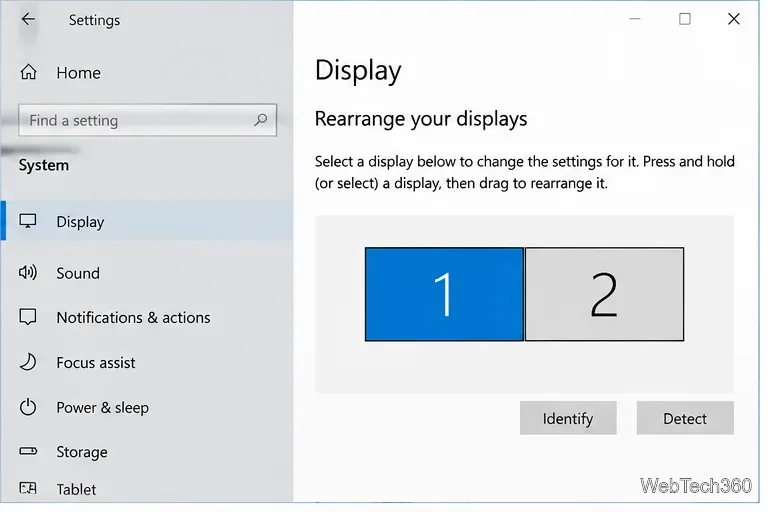
Adjust each Windows 10 monitor independently with per-display scaling, keep text readable, and troubleshoot custom scaling or blurry apps.
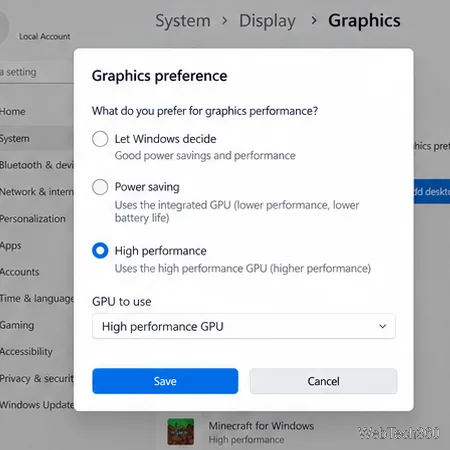
If Minecraft is using the wrong graphics processor, set the game itself to High performance in Windows Graphics settings, then restart it. The key is choosing the correct entry: Java Edition renders through javaw.exe, while Bedrock on Windows appears as Minecraft for Windows. Changing the launcher’s preference alone may not affect the running game.
Integrated graphics are a GPU too, and Minecraft can run on them, especially with modest settings. A high-performance preference asks Windows to use the stronger adapter when one is available; it cannot guarantee a higher frame rate if the CPU, game settings, cooling, or another limit is the bottleneck. Microsoft explains the difference between integrated and discrete graphics in its GPU overview.
On a Windows PC, Java Edition and Bedrock Edition use different app entries. Java’s launcher starts the game’s Java process; Bedrock is listed as Minecraft for Windows in Windows graphics preferences. If you are unsure which version you play, check the game tile in the Launcher or compare the editions in Minecraft’s Java and Bedrock guide.
Open Settings > System > Display > Graphics on Windows 11. On Windows 10, open Settings > System > Display > Graphics settings. Menu wording can vary slightly by Windows build; searching Start for Graphics settings is a quick way to find the page. Microsoft’s current instructions use the Graphics page and the per-app High performance option.
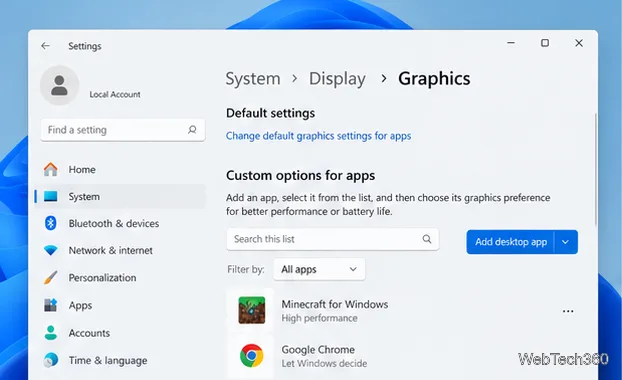
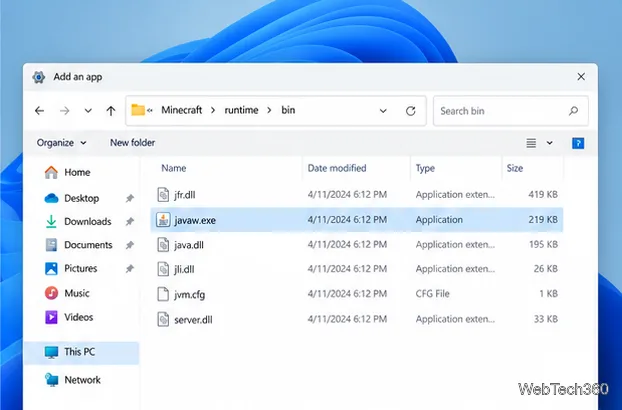
javaw.exe. Right-click it and choose Open file location. In Graphics settings, add a Desktop app, browse to that exact executable, and add it. Java installations and launcher profiles can use different runtime folders, so use the file location from the running game rather than copying a path from another PC.
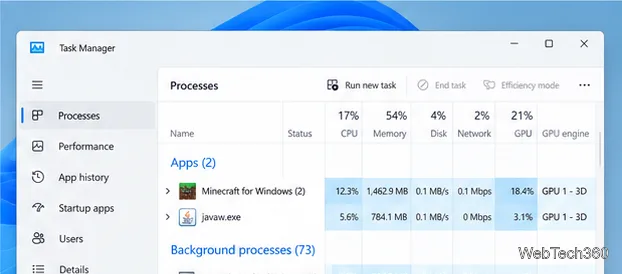
Load a world, then open Task Manager and go to Processes. If the GPU engine column is hidden, right-click a column heading such as CPU or Memory and enable it. Check javaw.exe for Java Edition or the Minecraft for Windows process for Bedrock while the game is rendering. A value such as GPU 1 – 3D identifies an engine, not a universal adapter name: open Task Manager’s Performance tab and match GPU 1 (or GPU 0) to the listed Intel, AMD, or NVIDIA adapter. The numbers can be reversed on another PC. Microsoft’s GPU overview for Surface Book also uses Task Manager’s GPU Engine column to identify the adapter used by an app.
javaw.exe starts the world. Add the executable shown by the current game process, then save and restart again.Adjust each Windows 10 monitor independently with per-display scaling, keep text readable, and troubleshoot custom scaling or blurry apps.
Use AirType’s browser pairing setup to type on an iPhone from a Windows 10 PC, with current setup steps, troubleshooting, and privacy limits.
Hide the mouse pointer in Windows 10 videos, games, and other apps with built-in typing controls or PowerToys CursorHide’s adjustable inactivity timer.
Find Control Panel Power Options on a Windows 10 desktop, open the page with a Run command, and adjust power plans, display timeouts, sleep, and button behavior.
Learn what Windows 10 deletion leaves behind, how to use SDelete on an HDD, and why SSDs and cloud backups need separate treatment.
Use FFmpeg’s DirectShow tools to open an integrated webcam’s driver properties in Windows 10, find the correct device, and troubleshoot missing controls.
Identify a keypress in Windows 10 with a browser event tester or SharpKeys, then separate layout, software, and keyboard hardware issues.
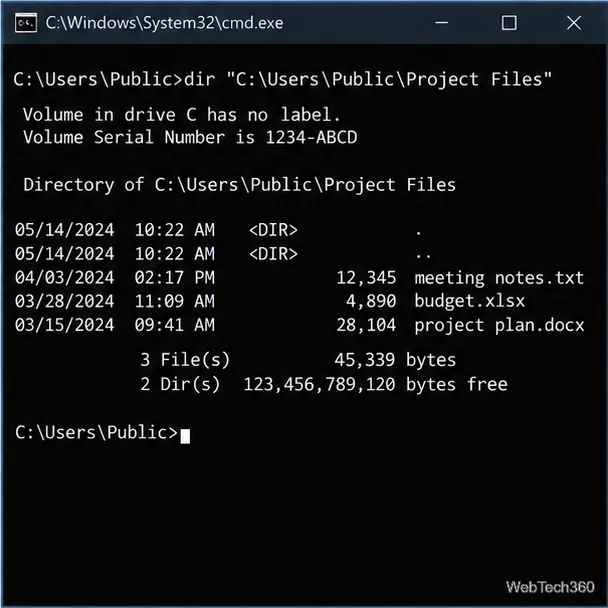
Use double quotes around each complete path with spaces in Command Prompt. Learn how to list, change to, copy, and troubleshoot Windows 10 files and folders.
Turn off the Windows 10 Start menu’s hover-to-expand behavior with a legacy Mach2 command, check build limits, and see the built-in app-list alternative.
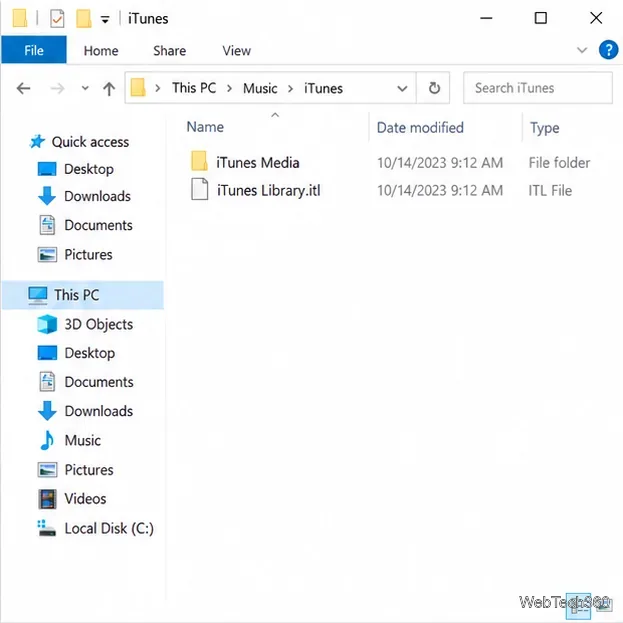
Fix the iTunes Library.itl read error on Windows 10 by updating iTunes, restoring a compatible backup, or safely creating a new library without deleting media files.